
Get a YouTube Transcript Free in Seconds (2026) - The GTM with Clay Blog
Статья из блога Clay рассказывает, как быстро получить расшифровку любого видео на YouTube с помощью бесплатного шаблона Clay. Автор подробно описывает «медленный» нативный путь YouTube — поиск скрытой кнопки «Show transcript», ручное копирование и исправление авто-субтитров, а также сравнивает его с профессиональными сервисами расшифровки стоимостью $1–3 за минуту. Альтернатива от Clay: вставить URL ролика в готовый шаблон, получить сырую расшифровку в колонке «Transcript» и автоматически сгенерированную статью в колонке «YouTube Summary Response» по настраиваемому AI-промпту. Шаблон работает с любым публичным видео, имеющим субтитры, и применим для образовательного контента, маркетингового репурпозинга, документации продукта и sales-материалов. В FAQ разобраны вопросы точности, экспорта и совместимости с разными типами видео.
Claygent Builder: The easiest way to build, test, and deploy GTM Agents
Claygent Builder: самый простой способ строить, тестировать и развёртывать GTM-агентов
Build production-ready Claygents in natural language with Sculptor. Test on real data for free, track versions, and deploy once across every workflow. All inside Clay.
Создавайте production-ready Claygent'ов на естественном языке с помощью Sculptor. Тестируйте на реальных данных бесплатно, отслеживайте версии и разворачивайте один раз во всех воркфлоу. Всё внутри Clay.
How Clay Uses Clay Ads: From $250 to $25 CPL
Как Clay использует Clay Ads: от $250 до $25 за CPL
See how Clay uses its own Ads feature to cut LinkedIn CPL from $250 to $25 and unlock Meta with enriched CRM audiences. No manual uploads needed.
Посмотрите, как Clay использует собственную функцию Ads, чтобы снизить CPL в LinkedIn с $250 до $25 и подключить Meta с обогащёнными аудиториями из CRM. Без ручных загрузок.
HG Insights Corporate Hierarchy: GTM Precision in Clay
Корпоративная иерархия HG Insights: GTM-точность в Clay
Use HG Insights corporate hierarchy data in Clay to clean CRMs, map parent-child accounts, and trigger expansion plays. See how it works.
Используйте данные о корпоративной иерархии HG Insights в Clay, чтобы чистить CRM, выстраивать структуру материнских и дочерних аккаунтов и запускать кампании по расширению. Узнайте, как это работает.
Sales GTM Engineering: How Clay Built the Role From Scratch
Sales GTM Engineering: как Clay построил эту роль с нуля
Learn what sales GTM engineering is, how it collapses SDR, AE, and SE roles into one, and how Clay built and hires for this high-leverage function. See how it works.
Узнайте, что такое sales GTM engineering, как эта роль объединяет функции SDR, AE и SE и как Clay построил и нанимает специалистов на эту высокорычажную позицию. Узнайте, как это работает.
How to Automate Inbound Lead Outreach: The Clay Playbook
Как автоматизировать обработку входящих лидов: плейбук Clay
Learn how to automate inbound lead outreach with enrichment, scoring, and personalized sequences. See the exact Clay workflow that runs without manual work.
Узнайте, как автоматизировать работу с входящими лидами — с обогащением, скорингом и персонализированными последовательностями. Посмотрите точный воркфлоу в Clay, который работает без ручного труда.
demandDrive Joins Clay’s Partner Ecosystem as an Official Clay Studio Partner
demandDrive присоединяется к партнёрской экосистеме Clay как официальный Clay Studio Partner
demandDrive joins Clay’s partner ecosystem to help B2B teams turn account intelligence into pipeline and revenue with GTM engineering and automation.
demandDrive присоединяется к партнёрской экосистеме Clay, чтобы помогать B2B-командам превращать данные об аккаунтах в пайплайн и выручку с помощью GTM-инжиниринга и автоматизации.
B2B Sales Prospecting: 15 Strategies to Drive More Conversions
B2B Sales Prospecting: 15 стратегий для роста конверсии
Master B2B sales prospecting with 15 proven strategies covering ICP building, multi-channel outreach, and list hygiene. Build a pipeline that converts.
Освойте B2B sales prospecting с 15 проверенными стратегиями — от построения ICP до мультиканального аутрича и гигиены списков. Постройте пайплайн, который конвертирует.
AI Sales Assistants: 11 Ways to Accelerate Your Outbound
AI Sales Assistants: 11 способов ускорить outbound
Discover 11 ways AI sales assistants automate lead research, enrichment, and email personalization. See how top B2B teams use them to accelerate outbound.
Узнайте 11 способов, как AI Sales Assistants автоматизируют исследование лидов, обогащение и персонализацию писем. Посмотрите, как ведущие B2B-команды используют их, чтобы ускорить outbound.
The Three Laws of GTM: How to Win in the AI Era
Три закона GTM: как побеждать в эпоху AI
The three laws of GTM explain why uniqueness, saturation, and iteration speed determine who wins. Learn how AI changes the rules and what to do about it.
Три закона GTM объясняют, почему уникальность, насыщенность и скорость итераций определяют победителей. Узнайте, как AI меняет правила и что с этим делать.
Best Work Email Finders by Segment: SMB vs. Enterprise
Лучшие поисковики рабочих email по сегментам: SMB vs. Enterprise
We tested 12 email finders across 4,700+ contacts to find the best work emails by segment. See accuracy, cost, and coverage winners for SMB and enterprise.
Мы протестировали 12 поисковиков email на 4 700+ контактах, чтобы найти лучшие рабочие email по сегментам. Посмотрите победителей по точности, стоимости и покрытию для SMB и enterprise.
How Clay Converts Trial Users Into Customers With Automated Outreach
Как Clay превращает trial-пользователей в клиентов с помощью автоматизированного аутрича
See how Clay uses automated outreach to convert trial users into customers, with enrichment, lead scoring, and personalized HubSpot campaigns. Learn how.
Посмотрите, как Clay использует автоматизированный аутрич для превращения trial-пользователей в клиентов — с обогащением, скорингом лидов и персонализированными HubSpot-кампаниями. Узнайте, как.
Best Mobile Phone Data Providers for B2B Sales Teams
Лучшие провайдеры мобильных телефонов для B2B sales-команд
We tested 9,806 numbers across 10 B2B mobile phone data providers. See which wins on accuracy, coverage, and cost for NAMER, EMEA, and APAC.
Мы протестировали 9 806 номеров у 10 провайдеров мобильных телефонов для B2B. Посмотрите, кто лидирует по точности, покрытию и стоимости для NAMER, EMEA и APAC.
How to Build a Complete AI Outbound Sales Funnel
Как построить полную outbound-воронку с AI
Learn how to build a complete AI outbound sales funnel—from account scoring to personalized outreach—using Clay waterfalls and automation. See how it works.
Узнайте, как построить полную AI-воронку outbound-продаж — от скоринга аккаунтов до персонализированного аутрича — используя waterfalls Clay и автоматизацию. Узнайте, как это работает.
How to Get More Customers Using Outbound Sales: A Complete Guide
Как привлечь больше клиентов через outbound-продажи: полное руководство
Learn how outbound sales works, who it's right for, and how to build a strategy from prospecting to closing. Covers cold calling, email, and more.
Узнайте, как работает outbound, кому он подходит и как построить стратегию от prospecting до закрытия. Охватывает холодные звонки, письма и многое другое.
How to Automate 6 Cold Email Campaigns in One Clay Workflow
Как автоматизировать 6 кампаний холодных писем в одном воркфлоу Clay
Learn how to automate 6 cold email campaigns from a single Clay table — with enrichment, AI classification, and deduplication built in. See how it works.
Узнайте, как автоматизировать 6 кампаний холодных писем из одной таблицы Clay — со встроенным обогащением, AI-классификацией и дедупликацией. Узнайте, как это работает.
How Clay Identifies Tier 1 Accounts: A Three-Score System
Как Clay выявляет аккаунты Tier 1: трёхбалльная система
See how Clay identifies tier 1 accounts using a three-score system: fit, engagement, and contract value. Learn how sales and marketing align on the same priorities.
Посмотрите, как Clay выявляет аккаунты Tier 1 по трём показателям: соответствие, вовлечённость и стоимость контракта. Узнайте, как продажи и маркетинг согласуют приоритеты.
Lead Scoring in Clay: A Step-by-Step Formula Guide
Скоринг лидов в Clay: пошаговое руководство по формулам
Learn how to build lead scoring formulas in Clay to prioritize your ICP leads by employee count, job postings, and more. See how it works.
Узнайте, как строить формулы скоринга лидов в Clay, чтобы приоритизировать ICP-лидов по числу сотрудников, открытым вакансиям и другим параметрам. Узнайте, как это работает.
How to Validate Cold Outbound Offers and Find Message-Market Fit
Как валидировать cold outbound-офферы и найти message-market fit
Learn how to validate cold outbound offers by finding message-market fit — from breaking down your value prop to testing with a phased email approach. See how it works.
Узнайте, как валидировать cold outbound-офферы, находя message-market fit — от разбора value proposition до тестирования с поэтапным email-подходом. Узнайте, как это работает.
Troubleshooting Outbound Sales and Prospecting: A Comprehensive Guide
Диагностика outbound-продаж и prospecting: подробное руководство
Fix broken outbound sales campaigns with this guide. Diagnose open and reply rates, reduce no-shows, qualify prospects with MEDDIC, and optimize what's working.
Чините сломанные outbound-кампании с этим руководством. Диагностируйте open и reply rates, сокращайте no-shows, квалифицируйте лидов через MEDDIC и усиливайте то, что работает.
Bulk Enrichment: Enrich Millions of CRM Records in Clay
Bulk Enrichment: обогащение миллионов записей CRM в Clay
Bulk enrichment lets Enterprise teams enrich millions of Salesforce records with firmographics, tech stack, and AI research — then write results back automatically.
Bulk Enrichment позволяет Enterprise-командам обогащать миллионы записей Salesforce фирмографикой, tech stack и AI-исследованиями, а затем автоматически возвращать результаты.
Clay Templates: Automate, Customize, and Replicate Any GTM Workflow
Шаблоны Clay: автоматизируйте, кастомизируйте и воспроизводите любой GTM-воркфлоу
Clay Templates let you replicate full GTM workflows in hours, not days. Automate prospecting from data scraping to AI messaging, free and fully customizable.
Шаблоны Clay позволяют воспроизводить полные GTM-воркфлоу за часы, а не за дни. Автоматизируйте prospecting от скрапинга данных до AI-сообщений — бесплатно и полностью кастомизируемо.
How to Optimize Your Credit Usage in Clay
Как оптимизировать расход кредитов в Clay
Learn how to optimize your credit usage in Clay with conditional formulas, Clearbit waterfall lookups, and smarter enrichment workflows. Save credits fast.
Узнайте, как оптимизировать расход кредитов в Clay с помощью условных формул, waterfall-поисков Clearbit и более умных воркфлоу обогащения. Экономьте кредиты быстро.
AI for sales prospecting
AI для sales prospecting
Learn about how to use AI for sales prospecting in this comprehensive guide, including framework for creating AI prompts and examples of cold email templates using AI that real sales teams have used successfully to land clients. AI sales prospecting can save your team thousands of hours—and double or triple your positive response rates.
Узнайте, как использовать AI для sales prospecting в этом подробном руководстве: фреймворк для создания AI-промптов и примеры шаблонов холодных писем с AI, которые реальные sales-команды успешно используют для привлечения клиентов. AI sales prospecting может сэкономить вашей команде тысячи часов и удвоить или утроить уровень положительных ответов.
The Reverse Demo: How Clay Replaced Traditional B2B Sales Demos
Reverse Demo: как Clay заменил традиционные B2B sales-демо
A reverse demo lets prospects solve real problems live, guided by your rep. Learn how Clay used 100+ sessions to boost conversion, retention, and product quality.
Reverse demo позволяет потенциальным клиентам решать реальные задачи вживую под руководством вашего представителя. Узнайте, как Clay использовал 100+ сессий для роста конверсии, удержания и качества продукта.
Data Waterfalls: How to Maximize Contact Coverage with Clay
Data Waterfalls: как максимизировать покрытие контактов в Clay
Data waterfalls query multiple providers in sequence so you only pay for matches. See how Clay pushes coverage from 30% to 80%+ without annual contracts.
Data waterfalls последовательно опрашивают нескольких провайдеров, и вы платите только за совпадения. Посмотрите, как Clay поднимает покрытие с 30% до 80%+ без годовых контрактов.
How Clay Runs ABM Campaigns: A Step-by-Step Playbook
Как Clay запускает ABM-кампании: пошаговый плейбук
See how Clay runs ABM campaigns — scoring 300 accounts, personalizing mailers and landing pages, and automating SDR follow-up. Learn how.
Посмотрите, как Clay запускает ABM-кампании — скоринг 300 аккаунтов, персонализация рассылок и лендингов, автоматизация follow-up для SDR. Узнайте, как.
How We Built Clay's GTM Engineering Function
Как мы построили функцию GTM Engineering в Clay
See how Clay built its GTM engineering function with sprint-based delivery, founder-level reporting, and full sales automation. A practical inside look.
Посмотрите, как Clay построил функцию GTM engineering со sprint-доставкой, отчётностью на уровне основателей и полной автоматизацией продаж. Практический взгляд изнутри.
Best Personal Email Finder Tools: Tested and Ranked
Лучшие инструменты поиска персональных email: тесты и рейтинги
We tested 5 personal email finder tools across 2,354 prospects. See accuracy, coverage, and pricing data — plus the waterfall order that hit 79% coverage.
Мы протестировали 5 инструментов поиска персональных email на 2 354 контактах. Посмотрите точность, покрытие и цены, а также waterfall-порядок, давший 79% покрытия.
How to Use OpenAI to Write Cold Emails from Scratch with Clay
Как использовать OpenAI для написания холодных писем с нуля в Clay
Learn how to use OpenAI to write personalized cold emails at scale with Clay. Set up the integration, craft better prompts, and boost deliverability.
Узнайте, как использовать OpenAI для написания персонализированных холодных писем в масштабе через Clay. Настройте интеграцию, улучшите промпты и повысьте доставляемость.
How to Run a Personalized Demo Play at Scale with Clay
Как запустить персонализированное демо в масштабе с Clay
Learn how to automate a personalized demo play using Clay, Claygent, and AI enrichment to build custom mockups at scale. See how it works.
Узнайте, как автоматизировать персонализированное демо с помощью Clay, Claygent и AI-обогащения, создавая кастомные мокапы в масштабе. Узнайте, как это работает.
Automated Slide Deck Creation: How Clay Builds QBRs from Your Data
Автоматическое создание слайдов: как Clay строит QBR из ваших данных
Clay's automated slide deck creation pulls from Snowflake, Salesforce, and Gong to build QBRs in minutes. Save 90+ hours per quarter. See how it works.
Автоматическое создание слайдов в Clay вытягивает данные из Snowflake, Salesforce и Gong и собирает QBR за минуты. Экономьте 90+ часов в квартал. Узнайте, как это работает.
HG Insights + Clay: B2B Technographic and Firmographic Data
HG Insights + Clay: B2B-технографика и фирмографика
HG Insights surfaces deep technographic and firmographic data from billions of documents. Use it in Clay workflows to enrich accounts and power GTM. See how it works.
HG Insights поднимает глубокие технографические и фирмографические данные из миллиардов документов. Используйте их в воркфлоу Clay для обогащения аккаунтов и усиления GTM. Узнайте, как это работает.
B2B Cold Email Deliverability: 21 Best Practices
Доставляемость B2B cold email: 21 лучшая практика
Master B2B cold email deliverability with 21 proven best practices: domain setup, inbox warmup, authentication, and copy tips that keep you out of spam. Learn how.
Освойте доставляемость B2B cold email с 21 проверенной практикой: настройка домена, прогрев инбокса, аутентификация и советы по тексту, которые держат вас вне спама. Узнайте, как.
Basics of Google Search Operators: A Practical Guide
Основы Google Search Operators: практическое руководство
Learn the basics of Google Search Operators and how to use them in Clay for prospecting, list building, and company research. See how it works.
Освойте основы Google Search Operators и узнайте, как использовать их в Clay для prospecting, построения списков и исследования компаний. Узнайте, как это работает.
AI Lead Generation: The Complete B2B Guide
AI Lead Generation: полное B2B-руководство
Learn how AI lead generation automates list building, enrichment, and personalized outreach for B2B teams. Scale your pipeline without scaling headcount. See how it works.
Узнайте, как AI lead generation автоматизирует построение списков, обогащение и персонализированный аутрич для B2B-команд. Масштабируйте пайплайн без роста штата. Узнайте, как это работает.
Clay MCP: Ops-built workflows, consumable by reps
Clay MCP: воркфлоу, собранные ops-командой, доступные представителям
Clay MCP: Ops-built workflows, consumable by reps
Clay MCP: воркфлоу, собранные ops-командой, доступные представителям
How to Manage and Enrich Inbound Leads Automatically
Как автоматически управлять и обогащать входящие лиды
Learn how to manage and enrich inbound leads automatically using a four-phase workflow that scores, segments, and triggers outreach from one email. See how it works.
Узнайте, как автоматически управлять и обогащать входящие лиды с помощью четырёхфазного воркфлоу, который скорит, сегментирует и запускает аутрич из одного email. Узнайте, как это работает.
GTM Alpha: How Winning Teams Build a Competitive Edge
GTM Alpha: как побеждающие команды создают конкурентное преимущество
GTM alpha is the edge winning teams build with unique data and signal-based plays. Learn how to find hidden signals, run better plays, and outpace competitors.
GTM alpha — это преимущество, которое побеждающие команды строят на уникальных данных и signal-based кампаниях. Узнайте, как находить скрытые сигналы, запускать лучшие кампании и обгонять конкурентов.
Why Good CRM Data Matters and How Clay Helps
Почему важны хорошие данные в CRM и как помогает Clay
Poor CRM data kills outreach. Learn why CRM data coverage fails and how Clay's waterfall enrichment lifts coverage rates from 20% to 80%. See how it works.
Плохие данные в CRM убивают аутрич. Узнайте, почему покрытие CRM проседает и как waterfall-обогащение Clay поднимает его с 20% до 80%. Узнайте, как это работает.
How to Use Formulas in Clay: AI Generator and Manual Entry
Как использовать формулы в Clay: AI-генератор и ручной ввод
Learn how to use formulas in Clay with the AI Formula Generator or manual entry. Transform and clean your data faster. See how it works.
Узнайте, как использовать формулы в Clay с AI Formula Generator или ручным вводом. Трансформируйте и чистите данные быстрее. Узнайте, как это работает.
GTM Engineering: What It Is, How It Works, and How to Hire
GTM Engineering: что это, как работает и как нанимать
GTM engineering turns ops teams into revenue builders using AI and automation. Learn what GTM engineers do, how to structure the role, and how to hire one.
GTM engineering превращает ops-команды в строителей выручки с помощью AI и автоматизации. Узнайте, чем занимаются GTM-инженеры, как структурировать роль и как нанять такого специалиста.
Formulas in Clay: A Beginner's Intro for Non-Engineers
Формулы в Clay: введение для не-инженеров
Learn how to use formulas in Clay without coding. This intro covers conditional statements, combining columns, and auto-qualifying leads. Start in 30 minutes.
Узнайте, как использовать формулы в Clay без кода. Введение охватывает условные операторы, объединение колонок и автоквалификацию лидов. Начните за 30 минут.
How Clay Uses Clay for SEO and AEO: 3 Systems That Scale
Как Clay использует Clay для SEO и AEO: 3 масштабируемые системы
See how Clay uses Clay for SEO and AEO: automated content refresh, video-to-page conversion, and a custom AI visibility dashboard. Learn how.
Посмотрите, как Clay использует Clay для SEO и AEO: автоматическое обновление контента, превращение видео в страницы и кастомный дашборд AI-видимости. Узнайте, как.
Turn Web Visitors into Leads: A Warm Outbound Play for B2B Sales
Превратите посетителей сайта в лидов: тёплая outbound-схема для B2B
Learn how to turn web visitors into leads using a warm outbound play for B2B sales — with RB2B, Clay, and Lemlist. See how it works.
Узнайте, как превращать посетителей сайта в лидов с помощью тёплой outbound-схемы для B2B — с RB2B, Clay и Lemlist. Узнайте, как это работает.
How to Use Web Scraping to Enrich Your Data with Clay
Как использовать web scraping для обогащения данных с Clay
Learn how to use web scraping to enrich your data without code. Clay's Claygent answers deep GTM research questions at scale. See how it works.
Узнайте, как использовать web scraping для обогащения данных без кода. Claygent от Clay отвечает на глубокие GTM-исследовательские вопросы в масштабе. Узнайте, как это работает.
How to Create a Sales Prospect List in Minutes
Как создать список sales-проспектов за минуты
Learn how to create your own sales prospect list in minutes using Clay. Pull from 40+ sources, enrich with ICP data, and export to your CRM. See how it works.
Узнайте, как создать собственный список sales-проспектов за минуты с помощью Clay. Тяните из 40+ источников, обогащайте ICP-данными и экспортируйте в CRM. Узнайте, как это работает.
Best B2B Email List Providers: Tested and Ranked (2026)
Лучшие провайдеры B2B email-списков: тесты и рейтинги (2026)
We tested 8 B2B email list providers head-to-head. See accuracy results, per-email pricing, and how to waterfall providers for maximum coverage.
Мы протестировали 8 провайдеров B2B email-списков напрямую друг против друга. Посмотрите точность, цену за email и как объединять провайдеров в waterfall для максимального покрытия.
Outbound Sales Automation: How to 10x Pipeline Without More SDRs
Outbound Sales Automation: как увеличить пайплайн в 10 раз без новых SDR
Learn how outbound sales automation replaces manual SDR work, cuts cost per email by 100x, and scales pipeline without growing headcount. See how it works.
Узнайте, как outbound sales automation заменяет ручную работу SDR, сокращает стоимость письма в 100 раз и масштабирует пайплайн без роста штата. Узнайте, как это работает.
The Wake the Dead Play: Reactivate Closed-Lost Deals with Clay
Wake the Dead: реактивация закрыто-проигранных сделок в Clay
The wake the dead play uses Clay + ChatGPT to send automated, personalized emails to closed-lost prospects. Restart stalled deals in a few steps. Learn how.
Wake the dead использует Clay + ChatGPT для автоматизированных, персонализированных писем закрыто-проигранным лидам. Возобновите застрявшие сделки за несколько шагов. Узнайте, как.
Three Tips to Guarantee Email Deliverability for Cold Outbound
Три совета для гарантированной доставляемости cold outbound
Split volume, verify contacts, and personalize copy to guarantee email deliverability for cold outbound. Three actionable tips that keep you out of spam.
Разделяйте объёмы, верифицируйте контакты и персонализируйте текст, чтобы гарантировать доставляемость cold outbound. Три практических совета, которые держат вас вне спама.
How Clay Uses Clay for Customer Support: 3 Real Workflows
Как Clay использует Clay для customer support: 3 реальных воркфлоу
See how Clay's customer support team uses Clay to enrich Intercom tickets, automate QA, and draft help articles. Real workflows, real results.
Посмотрите, как customer support-команда Clay использует Clay для обогащения тикетов Intercom, автоматизации QA и черновиков help-статей. Реальные воркфлоу, реальные результаты.
B2B Cold Email Copywriting: The Complete Guide
B2B Cold Email Copywriting: полное руководство
Master B2B cold email copywriting with proven templates, a research framework, and a checklist used to send 800k+ emails a month. Start writing emails that get replies.
Освойте B2B cold email copywriting с проверенными шаблонами, исследовательским фреймворком и чек-листом, который используется для отправки 800k+ писем в месяц. Начните писать письма, на которые отвечают.
Introducing Clay Functions
Представляем Clay Functions
Build Your GTM Logic Once, Apply It Everywhere
Постройте свою GTM-логику один раз — применяйте везде
Clay and Apollo Integration: Enrichment, Sequencing, and More
Интеграция Clay и Apollo: обогащение, последовательности и больше
The Clay and Apollo integration unlocks 5X faster enrichment and direct sequencer API access. See how joint customers go from data to booked meetings.
Интеграция Clay и Apollo открывает в 5 раз более быстрое обогащение и прямой доступ к API sequencer'а. Посмотрите, как совместные клиенты переходят от данных к назначенным встречам.
The Many Lives of Spreadsheets: A History and What Comes Next
Многие жизни электронных таблиц: история и что дальше
Explore the many lives of spreadsheets — from VisiCalc in 1979 to self-filling automation tools today. See how the no-code vision keeps evolving.
Исследуйте многие жизни электронных таблиц — от VisiCalc 1979 года до self-filling инструментов автоматизации сегодня. Посмотрите, как продолжает развиваться видение no-code.
AI recruiting strategies
AI-стратегии в рекрутинге
Learn our top AI recruiting workflows to help you identify, research, and reach out to qualified candidates for open roles. AI can eliminate manual work and help you reach out to—and land—better employees for your clients.
Узнайте наши лучшие AI-воркфлоу для рекрутинга, которые помогут вам выявлять, исследовать и обращаться к квалифицированным кандидатам на открытые позиции. AI устраняет ручную работу и помогает находить и нанимать лучших сотрудников для клиентов.
How to Hire a GTM Engineer: The Complete Guide
Как нанять GTM-инженера: полное руководство
Learn how to hire a GTM engineer: when to make the hire, what skills to screen for, red flags to avoid, and where to find the best candidates. See how it works.
Узнайте, как нанять GTM-инженера: когда делать наём, какие навыки проверять, на какие красные флаги обращать внимание и где искать лучших кандидатов. Узнайте, как это работает.
Inside Clay's GTM Engineering Lab: Plays, Principles, and Automation
Внутри GTM Engineering Lab от Clay: плейбуки, принципы и автоматизация
See how Clay's GTM engineering lab turns internal problems into revenue plays using AI, automation, and data-driven principles. Learn how it works.
Посмотрите, как GTM engineering lab от Clay превращает внутренние задачи в revenue-кампании с помощью AI, автоматизации и data-driven принципов. Узнайте, как это работает.
How to Build the Most Targeted Account Lists Possible
Как построить максимально точечные списки аккаунтов
Generic tools leave bad-fit companies in your account list. Learn how to build targeted account lists using AI enrichment and real workflow examples in Clay.
Универсальные инструменты оставляют в списке аккаунтов плохо подходящие компании. Узнайте, как строить точечные списки аккаунтов с AI-обогащением и реальными примерами воркфлоу в Clay.
Personalized Direct Mail at Scale: The Gifting Play with Clay
Персонализированный direct mail в масштабе: gifting-схема с Clay
Learn how to run personalized direct mail campaigns using Clay — validate contacts, generate AI gift copy, and export to email. See how it works.
Узнайте, как запускать персонализированные direct mail кампании с Clay — валидируйте контакты, генерируйте AI-тексты подарков и экспортируйте в email. Узнайте, как это работает.
How to Set Up Your Full Inbound Sales Process on Clay
Как настроить полный процесс inbound-продаж в Clay
Learn how to set up your full inbound sales process on Clay — enrich leads, tag MQLs, and automate email campaigns from form to demo. See how it works.
Узнайте, как настроить полный процесс inbound-продаж в Clay — обогащайте лидов, тегайте MQL и автоматизируйте email-кампании от формы до демо. Узнайте, как это работает.
AI-Enabled GTM for Private Equity: The Value Creation Playbook
AI-Enabled GTM для Private Equity: плейбук создания стоимости
Learn how AI-enabled GTM for private equity drives value creation across portfolios—from data quality to agentic workflows. See how it works.
Узнайте, как AI-enabled GTM для private equity создаёт стоимость в портфельных компаниях — от качества данных до agentic-воркфлоу. Узнайте, как это работает.
Do More With Your Data: Clay's Post-Data-Provider Approach
Извлеките больше из ваших данных: подход Clay в эпоху после data-провайдеров
Clay's post-data-provider approach combines 150+ providers, waterfall enrichment, and AI scraping to maximize data coverage. See how it works.
Подход Clay в эпоху после data-провайдеров объединяет 150+ провайдеров, waterfall-обогащение и AI-скрапинг для максимального покрытия данных. Узнайте, как это работает.
Google Maps Lead Generation for Niche Local Businesses
Google Maps Lead Generation для нишевых локальных бизнесов
Learn how to use Google Maps lead generation to find niche local businesses, enrich owner contacts, and send personalized outreach at scale with Clay.
Узнайте, как использовать Google Maps lead generation для поиска нишевых локальных бизнесов, обогащения контактов владельцев и отправки персонализированного аутрича в масштабе с Clay.
24 AI Email Personalization Examples for Cold Outreach (With Prompts)
24 примера AI-персонализации писем для cold outreach (с промптами)
Get 24 AI email personalization examples for cold outreach, with ChatGPT prompts you can run at scale in Clay. Learn how to write emails that actually convert.
Получите 24 примера AI-персонализации писем для cold outreach с промптами для ChatGPT, которые можно запускать в масштабе в Clay. Узнайте, как писать письма, которые действительно конвертируют.
How to Ace Your Follow-Ups: A Practical Sales Guide
Как мастерски делать follow-ups: практическое руководство по продажам
Learn how to ace your follow-ups with value-driven outreach, personalization tips, multi-channel tactics, and automation tools that keep deals moving. See how it works.
Узнайте, как мастерски делать follow-ups с value-driven аутричем, советами по персонализации, мультиканальной тактикой и инструментами автоматизации, которые двигают сделки. Узнайте, как это работает.
How to Prioritize Your Waitlist with Lead Enrichment
Как приоритизировать ваш waitlist через обогащение лидов
Learn how to prioritize your waitlist using lead enrichment. Turn raw signups into qualified leads by company, title, and role — no long forms needed. See how.
Узнайте, как приоритизировать waitlist с помощью обогащения лидов. Превратите сырые регистрации в квалифицированных лидов по компании, должности и роли — без длинных форм. Узнайте, как.
B2B Cold Email Templates: Frameworks That Get Replies
B2B Cold Email Templates: фреймворки, которые получают ответы
Learn how to write B2B cold email templates that convert with a proven 5-part framework, follow-up strategy, and real examples. See how it works.
Узнайте, как писать B2B cold email шаблоны, которые конвертируют, с проверенным фреймворком из 5 частей, стратегией follow-up и реальными примерами. Узнайте, как это работает.
Audiences: now in Enterprise beta
Audiences: теперь в Enterprise beta
Clay Audiences unifies your CRM, product data, and intent signals into one layer — so reps and agents can run precise, personalized GTM plays at scale.
Clay Audiences объединяет ваш CRM, продуктовые данные и intent-сигналы в один слой — чтобы представители и агенты могли запускать точные, персонализированные GTM-кампании в масштабе.
The thinking behind our new pricing: our internal memo
Мышление за нашим новым ценообразованием: внутренний меморандум
Clay pricing memo: INTERNAL
Меморандум о ценообразовании Clay: ВНУТРЕННИЙ
Introducing Clay’s new pricing
Представляем новое ценообразование Clay
Today, we’re launching a pricing update that reduces data costs, and simplifies and improves the value of our plans. Our goal is to have Clay be your default tool for GTM Engineering.
Сегодня мы запускаем обновление цен, которое снижает стоимость данных, упрощает планы и повышает их ценность. Наша цель — сделать Clay вашим инструментом по умолчанию для GTM Engineering.
Clay partners with Lusha and Beauhurst to expand European data coverage
Clay в партнёрстве с Lusha и Beauhurst расширяет покрытие европейских данных
Lusha adds lookalike prospecting, contact enrichment, and signals in EMEA. Beauhurst adds private funding and corporate structure data in the UK and Germany.
Lusha добавляет lookalike-prospecting, обогащение контактов и сигналы в EMEA. Beauhurst добавляет данные о частном финансировании и корпоративной структуре в Великобритании и Германии.
Source your precise TAM from lookalikes you can trust with Ocean.io and Clay
Найдите точный TAM из надёжных lookalike с Ocean.io и Clay
Clay + Ocean now enable preview-based B2B lookalike discovery. Preview leads before committing credits and expand your TAM with greater precision.
Clay + Ocean теперь поддерживают B2B lookalike-discovery с превью. Просматривайте лидов до списания кредитов и расширяйте свой TAM с большей точностью.
Clay doubles down on supporting European GTM teams
Clay удваивает усилия по поддержке европейских GTM-команд
Clay's waterfall enrichment delivers 2–3x more mobile phone coverage than leading solo providers across Europe. Plus new data partnerships, a London office, and timezone-aligned support.
Waterfall-обогащение Clay даёт в 2–3 раза большее покрытие мобильных телефонов, чем ведущие одиночные провайдеры в Европе. Плюс новые партнёрства по данным, офис в Лондоне и поддержка в нужном часовом поясе.
In Nigeria, she built a life where money wouldn’t decide
В Нигерии она построила жизнь, где деньги не решали
Clay blog | In Nigeria, she built a life where money wouldn’t decide
Блог Clay | В Нигерии она построила жизнь, где деньги не решали
Sculptor Analyst Mode: Turning Context-Rich Data Into Actionable GTM Insights
Sculptor Analyst Mode: превращаем контекстно-богатые данные в действенные GTM-инсайты
Gather business intelligence and share documents of this analysis directly from Sculptor
Собирайте business intelligence и делитесь документами этого анализа прямо из Sculptor
In a place where girls often choose between career or marriage, she carved her own path
Там, где девушки часто выбирают между карьерой и замужеством, она пошла своим путём
Javeria Shah won the Clay Cup 2025 despite being denied a US visa and competing remotely from Pakistan. Learn how she transitioned from electronics engineering into GTM engineering and built her own business.
Javeria Shah выиграла Clay Cup 2025, несмотря на отказ в визе США и участие удалённо из Пакистана. Узнайте, как она перешла из электронной инженерии в GTM engineering и построила собственный бизнес.
How we designed Sculpt
Как мы разрабатывали Sculpt
Our first conference, Sculpt, is where the analog soul of Clay met the digital mind of Clay.
Наша первая конференция, Sculpt, — это место, где аналоговая душа Clay встретилась с цифровым умом Clay.
Clay announces second employee tender offer in nine months at a $5B valuation
Clay объявляет о втором предложении выкупа акций сотрудников за девять месяцев при оценке в $5B
A rare repeat employee liquidity event, designed to give builders flexibility as Clay accelerates
Редкое повторное событие ликвидности для сотрудников, призванное дать строителям гибкость по мере ускорения Clay
Clay is now available as a connector in Claude
Clay теперь доступен как коннектор в Claude
Bring Clay's contact databases, enrichment providers, and AI agents into your Claude workflow.
Подключайте базы контактов Clay, провайдеров обогащения и AI-агентов прямо в ваш воркфлоу Claude.
Sellers have a new AI edge: Clay in ChatGPT
У продавцов новое AI-преимущество: Clay в ChatGPT
Use Clay directly in ChatGPT to find the right buyers, research people and companies, and draft personalized outbound. One conversation, powered by live GTM data.
Используйте Clay прямо в ChatGPT, чтобы находить нужных покупателей, исследовать людей и компании и составлять персонализированный outbound. Один диалог, на основе живых GTM-данных.
Clay reaches $100M ARR
Clay достигает $100M ARR
Clay has crossed $100M ARR, growing from $1M to $100M in two years after six years of foundational product work. The milestone reflects durable customer adoption, efficient growth, and an ecosystem of GTM builders using Clay to power their business.
Clay перешагнул отметку в $100M ARR, выросший с $1M до $100M за два года после шести лет фундаментальной работы над продуктом. Эта веха отражает устойчивое принятие клиентами, эффективный рост и экосистему GTM-строителей, использующих Clay для своего бизнеса.
Clay Certifications: Turning mastery into credentials that matter
Clay Certifications: превращаем мастерство в значимые сертификаты
The Clay education team has built a certification program that runs entirely on Clay and gives users credentials that actually matter
Команда обучения Clay создала программу сертификации, которая полностью работает на Clay и даёт пользователям сертификаты, которые действительно имеют значение
Mobile Phone Verification Methodology
Методология верификации мобильных телефонов
Clay has partnered with The Kiln to setup a series of large-scale data test across mobile phone, work email, personal email, email verification, and more. Below, we explain the approach to these tests.
Clay в партнёрстве с The Kiln настроил серию масштабных тестов данных по мобильным телефонам, рабочим email, личным email, верификации email и не только. Ниже мы объясняем подход к этим тестам.
Work Email Verification Methodology
Методология верификации рабочих email
Clay has partnered with The Kiln to setup a series of large-scale data test across mobile phone, work email, personal email, email verification, and more. Below, we explain the approach to these tests.
Clay в партнёрстве с The Kiln настроил серию масштабных тестов данных по мобильным телефонам, рабочим email, личным email, верификации email и не только. Ниже мы объясняем подход к этим тестам.
Stop Guessing, Start Analyzing: How Sculptor Turns Your GTM Data Into Your Competitive Advantage
Хватит гадать, начните анализировать: как Sculptor превращает ваши GTM-данные в конкурентное преимущество
Analyze your GTM data with Sculptor to turn fragmented information into actionable insight.
Анализируйте свои GTM-данные с Sculptor, чтобы превратить фрагментированную информацию в действенные инсайты.
Find and outreach local businesses with Openmart and Clay Sequencer
Находите и охватывайте локальные бизнесы с Openmart и Clay Sequencer
Get the right contacts for local businesses without stitching together multiple tools or wasting valuable time on setup instead of selling.
Получайте правильные контакты локальных бизнесов без сшивания нескольких инструментов и без потери ценного времени на настройку вместо продаж.
Announcing Web Intent
Анонс Web Intent
Use Website Intent in Clay to see which companies visit your site, track engagement, and trigger personalized GTM plays. Turn website traffic into real buyer intent data.
Используйте Website Intent в Clay, чтобы видеть, какие компании посещают ваш сайт, отслеживать вовлечённость и запускать персонализированные GTM-кампании. Превратите трафик сайта в реальные данные о buyer intent.
How Clay Uses Clay: Conversational Data
Как Clay использует Clay: Conversational Data
How we use Clay to mine millions of pages of call transcripts to generate revenue, and how you can use it too.
Как мы используем Clay для добычи миллионов страниц транскриптов звонков для генерации выручки и как вы тоже можете это делать.
Sculpting GTM’s future with six major launches
Лепим будущее GTM с шестью большими запусками
Today at Sculpt, we're launching six major features that will help teams turn any growth idea into reality faster.
Сегодня на Sculpt мы запускаем шесть больших функций, которые помогут командам быстрее превращать любую идею роста в реальность.
Introducing Claygent Navigator
Представляем Claygent Navigator
A new Claygent model that can use a browser to take actions and extract information from webpages.
Новая модель Claygent, которая может использовать браузер для выполнения действий и извлечения информации со страниц.
Announcing the Clay Partner Program
Анонс Clay Partner Program
The Clay Partner Program is to a partner, what a toolbox is to an artist. It keeps essential resources within reach and grows more sophisticated as your expertise develops. We've designed everything around one simple principle: helping you grow your business as Clay grows.
Clay Partner Program для партнёра — то же, что ящик инструментов для художника. Она держит ключевые ресурсы под рукой и становится более сложной по мере роста вашей экспертизы. Мы спроектировали всё вокруг одного простого принципа: помочь вам растить свой бизнес по мере роста Clay.
Introducing GPT-5 in Claygent: sharper research, stronger formulas, better outbound
Представляем GPT-5 в Claygent: более точные исследования, сильнее формулы, лучше outbound
GPT-5 is now a model option across Clay, bringing the best research and conversational writing we've ever shipped to your GTM workflows.
GPT-5 теперь доступен как модель в Clay, привнося лучшие исследования и conversational writing, что мы когда-либо выпускали, в ваши GTM-воркфлоу.
Clay Series C announcement. The GTM engineering era begins now
Анонс Series C от Clay. Эпоха GTM engineering начинается сейчас
We raised a $100M Series C at a $3.1B valuation to power GTM engineering!
Мы привлекли $100M Series C при оценке в $3,1B для развития GTM engineering!
Claygent surpasses 1 billion runs
Claygent превысил 1 миллиард запусков
The world's most loved AI research agent in GTM has passes a huge milestone at 1 billion runs.
Самый любимый в мире AI-исследовательский агент в GTM прошёл огромную веху в 1 миллиард запусков.
Announcing Sculpt: Clay’s first annual user conference
Анонс Sculpt: первой ежегодной пользовательской конференции Clay
Join us for Sculpt, Clay’s first annual user conference on Sept 17 in San Francisco where GTM leaders build AI workflows, share creative tactics, and get early access to new features.
Присоединяйтесь к Sculpt — первой ежегодной пользовательской конференции Clay 17 сентября в Сан-Франциско, где GTM-лидеры строят AI-воркфлоу, делятся креативной тактикой и получают ранний доступ к новым функциям.
Announcing custom signals at Clay
Анонс custom signals в Clay
Clay's new custom signals platform helps sales teams track unique data changes that indicate buying opportunities. Turn any data point into a sales signal, enrich with context, and automate personalized outreach to find GTM alpha your competitors miss.
Новая платформа custom signals от Clay помогает sales-командам отслеживать уникальные изменения данных, указывающие на возможности покупки. Превратите любую точку данных в sales-сигнал, обогатите контекстом и автоматизируйте персонализированный аутрич, чтобы находить GTM alpha, которую упускают конкуренты.
Clay announces employee tender offer led by Sequoia at $1.5B valuation
Clay объявляет о предложении выкупа акций сотрудников во главе с Sequoia при оценке в $1,5B
Clay allows employees to sell vested shares for immediate liquidity through a $20M tender offer at a $1.5B valuation. With 10x revenue growth in 2022-2023 and serving 8,000+ customers including OpenAI and Hubspot, Clay continues to change how businesses approach go-to-market strategies with their AI agent Claygent.
Clay позволяет сотрудникам продать вестированные акции для немедленной ликвидности через предложение выкупа на $20M при оценке в $1,5B. С 10-кратным ростом выручки в 2022–2023 годах и обслуживанием 8 000+ клиентов, включая OpenAI и Hubspot, Clay продолжает менять подход бизнесов к go-to-market стратегиям с помощью AI-агента Claygent.
Create personalized presentations at scale with Clay and Google Slides
Создавайте персонализированные презентации в масштабе с Clay и Google Slides
Automate personalized sales decks with Clay’s Google Slides integration. Instantly generate tailored presentations for leads, customers, QBRs, and internal updates. Use one template to create hundreds of presentations at scale.
Автоматизируйте персонализированные sales-деки с интеграцией Clay и Google Slides. Мгновенно создавайте кастомные презентации для лидов, клиентов, QBR и внутренних обновлений. Используйте один шаблон, чтобы создать сотни презентаций в масштабе.
Turn Gong conversations into automated GTM workflows
Превратите беседы из Gong в автоматизированные GTM-воркфлоу
Clay now integrates with Gong—turn messy call transcripts into powerful automations in Salesforce, HubSpot, Notion, Slack, Google Sheets, and 100+ other integrations.
Clay теперь интегрируется с Gong — превращайте сырые транскрипты звонков в мощную автоматизацию в Salesforce, HubSpot, Notion, Slack, Google Sheets и 100+ других интеграциях.

Product
Продукт
Use Cases
Сценарии использования
Solutions
Решения
Resources
Ресурсы
Company
Компания
Pricing
Цены
Features
Возможности


ClaygentsИсследуйте целевые компании и людей с помощью AIWaterfallОбъединяйте нескольких провайдеров данных для лучшего покрытияSignals and IntentОтслеживайте смену работы, повышения и другие сигналыData marketplaceПокупайте данные у 150+ провайдеров в одном месте



AdsСинхронизируйте таргетированные рекламные аудитории с LinkedIn, Meta и GoogleAudiencesЦентрализуйте источники данных первой и третьей стороны в ClaySequencerИспользуйте нативный sequencer Clay или автоматизируйте сообщенияSculptorСтройте GTM-воркфлоу на естественном языке
Additional
Дополнительно
FunctionsЗдесь будет длинное описание ссылки.AI formattingЗдесь будет длинное описание ссылки.Clay MCPЗдесь будет длинное описание ссылки.Clay для SalesforceЗдесь будет длинное описание ссылки.ChangelogЗдесь будет длинное описание ссылки.Security at ClayЗдесь будет длинное описание ссылки.
How Clay uses Clay
Как Clay использует Clay
LinkedIn + Meta Ads on Autopilot
Реклама в LinkedIn + Meta на автопилоте



Обогащение CRMЗдесь будет длинное описание ссылки.Prospecting представителейЗдесь будет длинное описание ссылки.Автоматизированный inboundСтройте рекламные аудитории и синхронизируйте их с крупными платформамиABMЗдесь будет длинное описание ссылки.



Reverse ETLЗдесь будет длинное описание ссылки.OutboundЗдесь будет длинное описание ссылки.PLG assistЗдесь будет длинное описание ссылки.TAM sourcingЗдесь будет длинное описание ссылки.



Исследование аккаунтовЗдесь будет длинное описание ссылки.Rep assistЗдесь будет длинное описание ссылки.Планирование территорийЗдесь будет длинное описание ссылки.
CRM enrichment
Обогащение CRM
Keep your CRM clean with the highest quality data
Поддерживайте чистоту CRM с данными высочайшего качества
BY TEAM
ПО КОМАНДЕ



GTM OpsЗдесь будет длинное описание ссылки.МаркетингЗдесь будет длинное описание ссылки.ПродажиЗдесь будет длинное описание ссылки.
BY STAGE
ПО СТАДИИ


BY CUSTOMERS
ПО КЛИЕНТАМ


AlertMedia
AlertMedia
Link long form description will go in this slot here.
Здесь будет длинное описание ссылки.

Legora
Legora
Link long form description will go in this slot here.
Здесь будет длинное описание ссылки.

Terrapinn
Terrapinn
Link long form description will go in this slot here.
Здесь будет длинное описание ссылки.

Intercom
Intercom
Link long form description will go in this slot here.
Здесь будет длинное описание ссылки.

Pump
Pump
Link long form description will go in this slot here.
Здесь будет длинное описание ссылки.
Intercom
Intercom
Grew their outbound-sourced pipeline by +140%
Увеличили outbound-источник пайплайна на +140%

START GROWING
НАЧНИТЕ РАСТИ




ТрансляцииЗдесь будет длинное описание ссылки.Когортные живые занятияЗдесь будет длинное описание ссылки.Найдите экспертов ClayЗдесь будет длинное описание ссылки.Нанимайте GTM-талантыЗдесь будет длинное описание ссылки.Job board GTMEЗдесь будет длинное описание ссылки.
DISCOVER
ИЗУЧАЙТЕ
UniversityЗдесь будет длинное описание ссылки.ШаблоныЗдесь будет длинное описание ссылки.Блог GTMEЗдесь будет длинное описание ссылки.Документация поддержкиЗдесь будет длинное описание ссылки.
Community
Сообщество
Живые мероприятияЗдесь будет длинное описание ссылки.Clay cupЗдесь будет длинное описание ссылки.Сообщество ClayЗдесь будет длинное описание ссылки.SlackЗдесь будет длинное описание ссылки.
PARTNER WITH US
ПАРТНЁРСТВО С НАМИ
Стать партнёромЗдесь будет длинное описание ссылки.Solution-партнёрыЗдесь будет длинное описание ссылки.Integration-партнёрыЗдесь будет длинное описание ссылки.Программа для авторовЗдесь будет длинное описание ссылки.Стартап-программаЗдесь будет длинное описание ссылки.Private EquityЗдесь будет длинное описание ссылки.
Clay Commnity
Сообщество Clay
In Nigeria, she built a life where money wouldn’t decide
В Нигерии она построила жизнь, где деньги не решали

OUR COMPANY
НАША КОМПАНИЯ



О насЗдесь будет длинное описание ссылки.КарьераЗдесь будет длинное описание ссылки.Открытые позицииЗдесь будет длинное описание ссылки.
GET IN TOUCH
СВЯЗАТЬСЯ


SOCIALS
СОЦИАЛЬНЫЕ СЕТИ



LinkedInЗдесь будет длинное описание ссылки.YouTubeЗдесь будет длинное описание ссылки.XЗдесь будет длинное описание ссылки.
Article – NY Times
Статья — NY Times
Clay allows employees to sell shares at a $5b valuation.
Clay позволяет сотрудникам продавать акции при оценке в $5B.

How to Get a YouTube Transcript in Seconds with Clay
Как получить транскрипт YouTube за секунды с помощью Clay



Content creators can face several challenges when working with video transcripts. To name a few:
Создатели контента сталкиваются с несколькими сложностями при работе с транскриптами видео. Вот несколько из них:
Авто-субтитры YouTube не полностью точны.Профессиональные сервисы расшифровки слишком дороги при больших объёмах.Ручная расшифровка создаёт серьёзное узкое место в процессе создания контента.Может уйти несколько часов на то, чтобы привести транскрипт к виду, пригодному для блога.
With these obstacles in place, most creators never tap into their video content's potential to reach wider audiences through different formats.
С такими препятствиями большинство авторов так и не раскрывают потенциал своих видео для охвата широкой аудитории через разные форматы.
TL;DR
- YouTube's native transcript process is slow, error-prone, and has to be repeated for every video.
- Clay's free template fetches any YouTube transcript automatically and converts it into a blog-ready article using a customizable AI prompt.
- The template outputs both a raw transcript and a formatted blog post, with no transcription service or video editing software required.
- Use cases include educational content, marketing repurposing, product documentation, and sales collateral.
TL;DRНативный процесс получения транскриптов YouTube медленный, подверженный ошибкам и требует повторения для каждого видео.Бесплатный шаблон Clay автоматически получает любой транскрипт YouTube и превращает его в готовую для блога статью с помощью настраиваемого AI-промпта.Шаблон выдаёт и сырой транскрипт, и оформленный пост в блог — без необходимости в сервисах расшифровки или видеоредакторах.Сценарии использования: образовательный контент, маркетинговый репурпозинг, документация продукта и sales-материалы.
The Slow Way: Get Native Transcripts from YouTube
Медленный путь: получение нативных транскриптов с YouTube
Before we show you Clay's solution, let's walk through the traditional process of getting video transcripts.
Прежде чем мы покажем решение Clay, давайте пройдёмся по традиционному процессу получения транскриптов видео.
Step 1: Find the Hidden Transcript Button
Шаг 1: Найдите скрытую кнопку транскрипта
Navigate to your video and look for the three-dot menu below. If transcripts are available, you'll find "Show transcript" in the dropdown list. Can't find it? That's because the transcript option isn't always in the same place. Sometimes it's hiding in the video description box instead.
Откройте видео и найдите меню из трёх точек снизу. Если транскрипты доступны, в выпадающем списке появится «Show transcript». Не можете найти? Это потому, что кнопка транскрипта не всегда находится на одном и том же месте. Иногда она прячется в описании видео.
Step 2: Copy, Paste, and Format (The Tedious Part)
Шаг 2: Скопируйте, вставьте и отформатируйте (самая утомительная часть)
Once you've opened the transcript box, you'll face YouTube's auto-generated captions. While YouTube's built-in transcript feature has improved, it still struggles with background noise, unclear speech, and industry jargon.
Открыв окно транскрипта, вы увидите авто-субтитры YouTube. Хотя встроенная функция транскриптов YouTube улучшилась, она всё ещё спотыкается на фоновом шуме, нечёткой речи и отраслевом жаргоне.
Nevertheless, once you have your transcript, you'll need to:
Тем не менее, получив транскрипт, вам потребуется:
Отключить тайм-коды через три точки в правом верхнем углу окна транскрипта.Вручную скопировать транскрипт.Вставить транскрипт в нужный формат файла.Самостоятельно исправить ошибки транскрипции.Вручную поправить форматирование.
All in all, it's a bit of a nightmare, and requires a lot of (completely unnecessary) work.
В итоге — это просто кошмар, требующий массу (совершенно ненужной) работы.
Step 3: Repeat (and Repeat Again)
Шаг 3: Повторите (и повторите снова)
Got multiple videos? You'll need to perform step 1 and step 2 for each of them. Whether you're on a mobile device or desktop, the process remains equally cumbersome.
Есть несколько видео? Придётся выполнять шаги 1 и 2 для каждого из них. Будь то мобильное устройство или десктоп, процесс остаётся одинаково громоздким.
Step 4: Consider the Alternatives
Шаг 4: Рассмотрите альтернативы
At this point, many content creators consider professional transcription services. But with costs ranging from $1-3 per minute of video content, converting your entire video library could easily break the bank.
На этом этапе многие авторы обращают внимание на профессиональные сервисы расшифровки. Но при стоимости от $1 до $3 за минуту видео конвертация всей вашей библиотеки может легко разорить.
Sound like something you'd rather avoid? We thought so, too. That's why we created a better solution...
Звучит как то, чего хочется избежать? Мы тоже так подумали. Поэтому и создали решение получше...
How to Extract Any YouTube Transcript in Seconds with Clay
Как извлечь любой транскрипт YouTube за секунды с помощью Clay
The Clay team built a template that not only fetches YouTube's auto-generated transcripts, but also converts them into polished content in real time. The best part? You don't need any transcription services or video editing software.
Команда Clay сделала шаблон, который не только получает авто-транскрипты YouTube, но и превращает их в готовый контент в реальном времени. И лучшая часть? Вам не нужны ни сервисы расшифровки, ни видеоредакторы.
Step 1: Access Clay's Pre-Made Template
Шаг 1: Откройте готовый шаблон Clay
Don't have a free Clay account (yet 😉)? You can create one in just a few clicks.
Ещё нет бесплатного аккаунта Clay (пока 😉)? Вы можете создать его в несколько кликов.
Step 2: Add Your Video URL
Шаг 2: Добавьте URL вашего видео
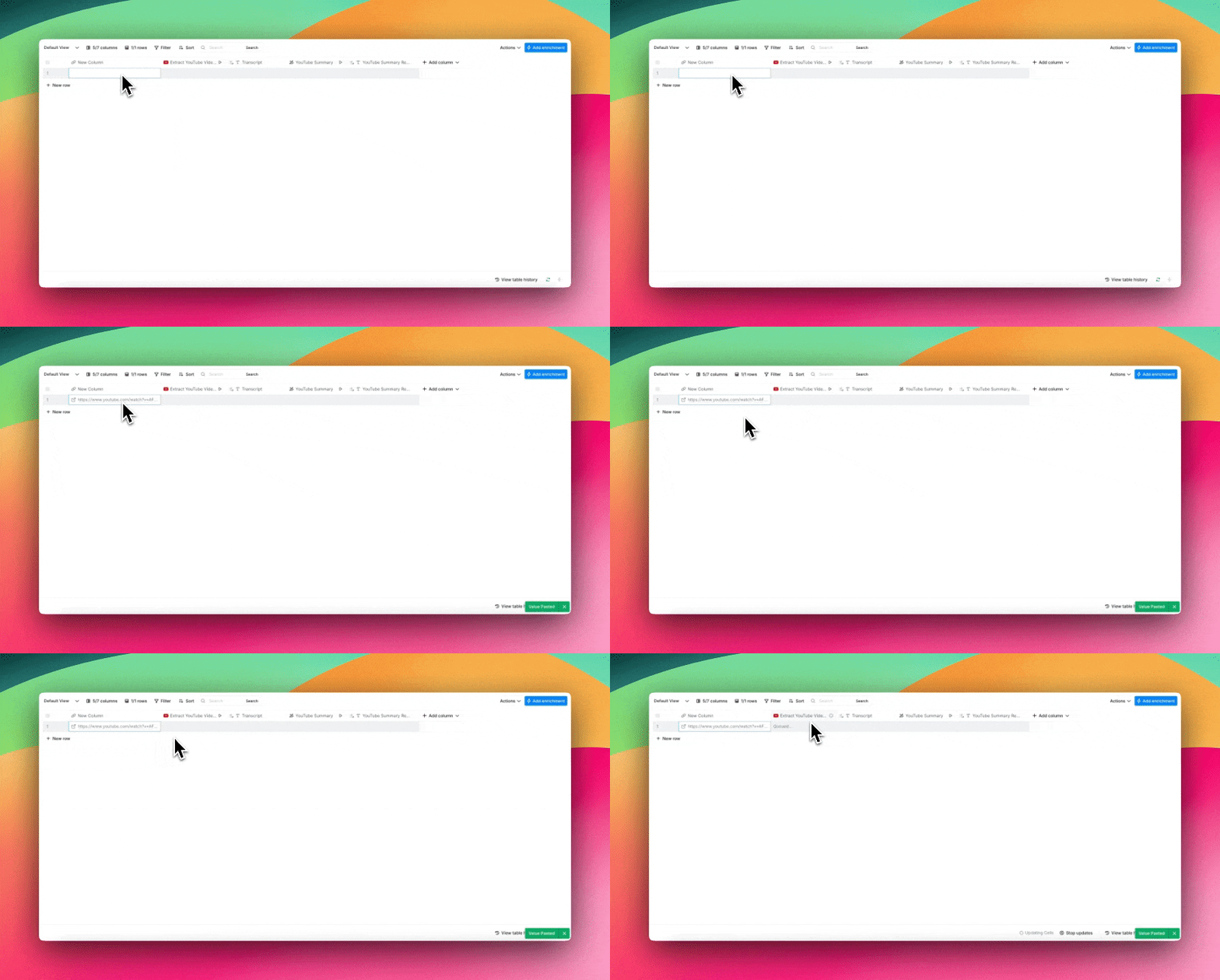
Paste any YouTube video URL into the first column. This template works with educational videos, music videos, and more. You name it.
Вставьте URL любого видео YouTube в первую колонку. Этот шаблон работает с образовательными видео, музыкальными клипами и не только. Что угодно.
Step 3: Let Clay Work Its Magic
Шаг 3: Дайте Clay сделать своё дело
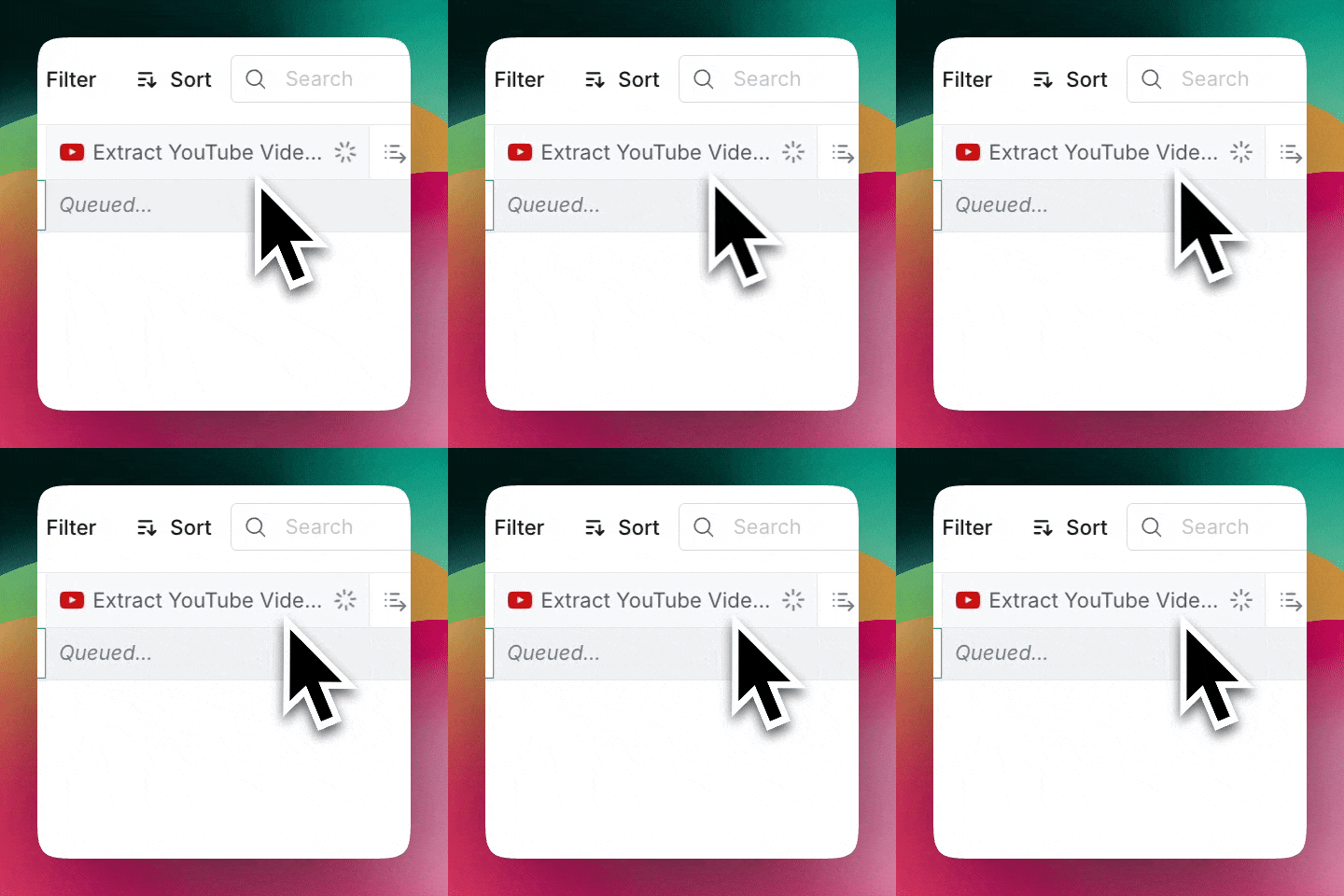
Clay will fetch the raw YouTube transcript for you, and deposit it in the "Transcript" column.
Clay получит для вас сырой транскрипт YouTube и поместит его в колонку «Transcript».
Step 4: Customize Your AI Prompt
Шаг 4: Настройте свой AI-промпт
In the "YouTube Summary" column, you'll find a space to craft your AI prompt. Here's the sample prompt that our team used:
В колонке «YouTube Summary» вы найдёте пространство для составления вашего AI-промпта. Вот пример промпта, который использовала наша команда:
Read the transcript from this YouTube video and write a step-by-step instructional blog post for my audience. The goal is to help them replicate the same steps outlined in the video, making it easy to understand and actionable. Include practical tips, helpful details, and examples where relevant. Make the tone friendly, professional, and beginner-friendly, and organize the content with headers and bullet points to enhance readability.
Прочитай транскрипт этого видео с YouTube и напиши пошаговый инструкционный пост в блог для моей аудитории. Цель — помочь читателям повторить шаги, описанные в видео, делая материал простым для понимания и применимым на практике. Включи практические советы, полезные детали и примеры там, где это уместно. Сделай тон дружелюбным, профессиональным и подходящим для новичков, организуй контент с заголовками и пунктами для лучшей читаемости.
This sample prompt is automatically loaded in our template, but feel free to modify it based on your specific needs. Want a different tone? Need more technical detail? Adjust the prompt accordingly!
Этот образец промпта автоматически загружен в шаблон, но не стесняйтесь модифицировать его под свои нужды. Хотите другой тон? Нужно больше технических деталей? Подстройте промпт под себя!
Step 5: Review Your Results
Шаг 5: Проверьте результаты
You'll see Clay's outputs in two places:
Вы увидите результаты Clay в двух местах:
Сырой транскрипт в колонке «Transcript»Готовая для блога статья в колонке «YouTube Summary Response»
And voila! You've got an editable transcript and blog post ready to go.
И вуаля! У вас готовы и редактируемый транскрипт, и пост в блог.
Best Practices for Using Clay's YouTube Transcript Template
Лучшие практики использования шаблона транскриптов YouTube от Clay
While Clay handles most of the heavy lifting, these tips and tricks can help you get consistently excellent results:
Хотя Clay берёт на себя большую часть работы, эти советы и приёмы помогут вам стабильно получать отличные результаты:
Выбирайте чёткие видео: Видео с минимальным фоновым шумом и чёткой речью дают лучшую основу для транскриптов. Составьте список готовых AI-промптов: Протестируйте несколько разных AI-промптов, чтобы найти наиболее эффективные для ваших задач, и соберите список любимых для быстрого доступа. Проверяйте и редактируйте: Просматривайте авто-транскрипты на предмет точности. Потраченные несколько минут того стоят!
These simple steps will ensure your transcripts are always ready to shine, no matter how they fit into your content creation process.
Эти простые шаги обеспечат, что ваши транскрипты всегда будут на высоте, в каком бы виде они ни вписывались в ваш процесс создания контента.
Who Can Use This Template? (Spoiler: Everyone)
Кому подходит этот шаблон? (Спойлер: всем)
Create Educational Content
Создавайте образовательный контент
Transform your video library into high-ranking content that search engines love. Have any tutorials that are gathering dust? Turn them into comprehensive blog posts that capture search intent and keep readers coming back.
Превратите свою библиотеку видео в высокоранжируемый контент, который любят поисковики. Есть туториалы, собирающие пыль? Превратите их в подробные посты для блога, которые ловят поисковый интент и заставляют читателей возвращаться.
Maximize Marketing Assets
Выжимайте максимум из маркетинговых активов
Think about that webinar you just hosted. Instead of limiting its reach, you can repurpose it as a blog or thought leadership byline. All you need is one cornerstone piece of content to work multiple marketing angles.
Подумайте о вебинаре, который вы только что провели. Вместо того чтобы ограничивать его охват, вы можете перепаковать его как пост в блог или thought leadership колонку. Достаточно одного якорного куска контента, чтобы отработать несколько маркетинговых углов.
Build Better Documentation
Создавайте лучшую документацию
Turn those product walkthrough videos into step-by-step guides. Feature announcements? More like instant documentation. Customer testimonials? Now they're written case studies. Turns out that your video library was a documentation powerhouse in disguise.
Превратите видео-обзоры продукта в пошаговые гайды. Анонсы фич? Готовая документация. Отзывы клиентов? Теперь это письменные кейсы. Оказывается, ваша видеотека была скрытой электростанцией для документации.
Transform Sales Materials
Преобразуйте sales-материалы
Capture your customers' on-camera success stories and craft them into persuasive testimonials. Alternatively, you can power up your product demos by transforming them into battle-tested sales collateral. One asset is all you need to fuel endless possibilities for your sales engine.
Запишите истории успеха клиентов на камеру и сложите их в убедительные отзывы. Или прокачайте свои демо продукта, превратив их в проверенные в бою sales-материалы. Одного актива достаточно, чтобы открыть бесконечные возможности для вашей sales-машины.
TLDR: How Automated Transcription Can Upgrade Your Content Strategy
TLDR: как автоматизированная расшифровка прокачает вашу контент-стратегию
No matter which team you're on, the goal is the same: Get more mileage from your video content.
В какой бы команде вы ни работали, цель одна: получить больше отдачи от вашего видео-контента.
With Clay, you can do just that by:
С Clay вы можете этого добиться, делая следующее:
Усиливая SEO с помощью транскриптов, превращённых в посты блогаОхватывая более широкую аудиторию через разные форматы контентаУлучшая восприятие аудиторией через текст
As the saying goes, let Clay help your content work smarter, not harder.
Как говорится, пусть Clay поможет вашему контенту работать умнее, а не тяжелее.
Frequently Asked Questions
Часто задаваемые вопросы
How do I get a YouTube transcript for free?
Как получить транскрипт YouTube бесплатно?
You can use Clay's free template to extract any YouTube transcript automatically. Open the template, paste your video URL, and Clay fetches the raw transcript and generates a blog-ready article in seconds. No transcription service or sign-up beyond a free Clay account is required.
Вы можете использовать бесплатный шаблон Clay, чтобы автоматически извлекать любой транскрипт YouTube. Откройте шаблон, вставьте URL видео, и Clay получит сырой транскрипт и сгенерирует готовую для блога статью за секунды. Никаких сервисов расшифровки или регистраций помимо бесплатного аккаунта Clay не требуется.
How do I transcribe a YouTube video to text?
Как расшифровать видео YouTube в текст?
The fastest way is to use Clay's pre-built template. Paste the video URL into the first column, and Clay pulls the auto-generated transcript into the "Transcript" column. From there, the AI prompt in the "YouTube Summary" column converts it into formatted text output automatically.
Самый быстрый способ — использовать готовый шаблон Clay. Вставьте URL видео в первую колонку, и Clay подтянет авто-транскрипт в колонку «Transcript». Оттуда AI-промпт в колонке «YouTube Summary» автоматически преобразует его в форматированный текст.
Can I export or copy the transcript to another format?
Можно ли экспортировать или скопировать транскрипт в другой формат?
Yes. Once Clay populates the "Transcript" and "YouTube Summary Response" columns, you can copy the text and paste it into any file format you prefer, such as a Google Doc, Word file, or CMS editor.
Да. Как только Clay заполнит колонки «Transcript» и «YouTube Summary Response», вы можете скопировать текст и вставить его в любой формат файла, например в Google Doc, Word или редактор CMS.
Does this work on any public YouTube video?
Это работает с любым публичным видео YouTube?
Clay's template works with any YouTube video that has auto-generated or manually added captions available, including educational videos, music videos, webinars, and product walkthroughs.
Шаблон Clay работает с любым видео YouTube, у которого есть авто-сгенерированные или вручную добавленные субтитры, включая образовательные видео, музыкальные клипы, вебинары и обзоры продуктов.
How accurate are the transcripts?
Насколько точны транскрипты?
Accuracy depends on the source video. Videos with clear speech and minimal background noise produce the best results. The post recommends reviewing and editing the auto-generated transcript before publishing, which typically takes just a few extra minutes.
Точность зависит от исходного видео. Видео с чёткой речью и минимальным фоновым шумом дают лучшие результаты. Пост рекомендует проверять и редактировать авто-транскрипт перед публикацией — обычно это занимает буквально пару дополнительных минут.
Ready to Level Up Your Content with Clay?
Готовы прокачать ваш контент с Clay?
Start using Clay's YouTube transcript generator today. Copy this template, paste your first video URL, and watch as Clay transforms your content creation process.
Начните использовать генератор транскриптов YouTube от Clay сегодня. Скопируйте этот шаблон, вставьте URL первого видео и смотрите, как Clay преобразит ваш процесс создания контента.
❓Questions about getting started? Check out this video walk-through.
❓Вопросы по началу работы? Посмотрите этот видео-разбор.
Content creators can face several challenges when working with video transcripts. To name a few:
Создатели контента сталкиваются с несколькими сложностями при работе с транскриптами видео. Вот несколько из них:
Авто-субтитры YouTube не полностью точны.Профессиональные сервисы расшифровки слишком дороги при больших объёмах.Ручная расшифровка создаёт серьёзное узкое место в процессе создания контента.Может уйти несколько часов на то, чтобы привести транскрипт к виду, пригодному для блога.
With these obstacles in place, most creators never tap into their video content's potential to reach wider audiences through different formats.
С такими препятствиями большинство авторов так и не раскрывают потенциал своих видео для охвата широкой аудитории через разные форматы.
TL;DR
- YouTube's native transcript process is slow, error-prone, and has to be repeated for every video.
- Clay's free template fetches any YouTube transcript automatically and converts it into a blog-ready article using a customizable AI prompt.
- The template outputs both a raw transcript and a formatted blog post, with no transcription service or video editing software required.
- Use cases include educational content, marketing repurposing, product documentation, and sales collateral.
TL;DRНативный процесс получения транскриптов YouTube медленный, подверженный ошибкам и требует повторения для каждого видео.Бесплатный шаблон Clay автоматически получает любой транскрипт YouTube и превращает его в готовую для блога статью с помощью настраиваемого AI-промпта.Шаблон выдаёт и сырой транскрипт, и оформленный пост в блог — без необходимости в сервисах расшифровки или видеоредакторах.Сценарии использования: образовательный контент, маркетинговый репурпозинг, документация продукта и sales-материалы.
The Slow Way: Get Native Transcripts from YouTube
Медленный путь: получение нативных транскриптов с YouTube
Before we show you Clay's solution, let's walk through the traditional process of getting video transcripts.
Прежде чем мы покажем решение Clay, давайте пройдёмся по традиционному процессу получения транскриптов видео.
Step 1: Find the Hidden Transcript Button
Шаг 1: Найдите скрытую кнопку транскрипта
Navigate to your video and look for the three-dot menu below. If transcripts are available, you'll find "Show transcript" in the dropdown list. Can't find it? That's because the transcript option isn't always in the same place. Sometimes it's hiding in the video description box instead.
Откройте видео и найдите меню из трёх точек снизу. Если транскрипты доступны, в выпадающем списке появится «Show transcript». Не можете найти? Это потому, что кнопка транскрипта не всегда находится на одном и том же месте. Иногда она прячется в описании видео.
Step 2: Copy, Paste, and Format (The Tedious Part)
Шаг 2: Скопируйте, вставьте и отформатируйте (самая утомительная часть)
Once you've opened the transcript box, you'll face YouTube's auto-generated captions. While YouTube's built-in transcript feature has improved, it still struggles with background noise, unclear speech, and industry jargon.
Открыв окно транскрипта, вы увидите авто-субтитры YouTube. Хотя встроенная функция транскриптов YouTube улучшилась, она всё ещё спотыкается на фоновом шуме, нечёткой речи и отраслевом жаргоне.
Nevertheless, once you have your transcript, you'll need to:
Тем не менее, получив транскрипт, вам потребуется:
Отключить тайм-коды через три точки в правом верхнем углу окна транскрипта.Вручную скопировать транскрипт.Вставить транскрипт в нужный формат файла.Самостоятельно исправить ошибки транскрипции.Вручную поправить форматирование.
All in all, it's a bit of a nightmare, and requires a lot of (completely unnecessary) work.
В итоге — это просто кошмар, требующий массу (совершенно ненужной) работы.
Step 3: Repeat (and Repeat Again)
Шаг 3: Повторите (и повторите снова)
Got multiple videos? You'll need to perform step 1 and step 2 for each of them. Whether you're on a mobile device or desktop, the process remains equally cumbersome.
Есть несколько видео? Придётся выполнять шаги 1 и 2 для каждого из них. Будь то мобильное устройство или десктоп, процесс остаётся одинаково громоздким.
Step 4: Consider the Alternatives
Шаг 4: Рассмотрите альтернативы
At this point, many content creators consider professional transcription services. But with costs ranging from $1-3 per minute of video content, converting your entire video library could easily break the bank.
На этом этапе многие авторы обращают внимание на профессиональные сервисы расшифровки. Но при стоимости от $1 до $3 за минуту видео конвертация всей вашей библиотеки может легко разорить.
Sound like something you'd rather avoid? We thought so, too. That's why we created a better solution...
Звучит как то, чего хочется избежать? Мы тоже так подумали. Поэтому и создали решение получше...
How to Extract Any YouTube Transcript in Seconds with Clay
Как извлечь любой транскрипт YouTube за секунды с помощью Clay
The Clay team built a template that not only fetches YouTube's auto-generated transcripts, but also converts them into polished content in real time. The best part? You don't need any transcription services or video editing software.
Команда Clay сделала шаблон, который не только получает авто-транскрипты YouTube, но и превращает их в готовый контент в реальном времени. И лучшая часть? Вам не нужны ни сервисы расшифровки, ни видеоредакторы.
Step 1: Access Clay's Pre-Made Template
Шаг 1: Откройте готовый шаблон Clay
Don't have a free Clay account (yet 😉)? You can create one in just a few clicks.
Ещё нет бесплатного аккаунта Clay (пока 😉)? Вы можете создать его в несколько кликов.
Step 2: Add Your Video URL
Шаг 2: Добавьте URL вашего видео
Paste any YouTube video URL into the first column. This template works with educational videos, music videos, and more. You name it.
Вставьте URL любого видео YouTube в первую колонку. Этот шаблон работает с образовательными видео, музыкальными клипами и не только. Что угодно.
Step 3: Let Clay Work Its Magic
Шаг 3: Дайте Clay сделать своё дело
Clay will fetch the raw YouTube transcript for you, and deposit it in the "Transcript" column.
Clay получит для вас сырой транскрипт YouTube и поместит его в колонку «Transcript».
Step 4: Customize Your AI Prompt
Шаг 4: Настройте свой AI-промпт
In the "YouTube Summary" column, you'll find a space to craft your AI prompt. Here's the sample prompt that our team used:
В колонке «YouTube Summary» вы найдёте пространство для составления вашего AI-промпта. Вот пример промпта, который использовала наша команда:
Read the transcript from this YouTube video and write a step-by-step instructional blog post for my audience. The goal is to help them replicate the same steps outlined in the video, making it easy to understand and actionable. Include practical tips, helpful details, and examples where relevant. Make the tone friendly, professional, and beginner-friendly, and organize the content with headers and bullet points to enhance readability.
Прочитай транскрипт этого видео с YouTube и напиши пошаговый инструкционный пост в блог для моей аудитории. Цель — помочь читателям повторить шаги, описанные в видео, делая материал простым для понимания и применимым на практике. Включи практические советы, полезные детали и примеры там, где это уместно. Сделай тон дружелюбным, профессиональным и подходящим для новичков, организуй контент с заголовками и пунктами для лучшей читаемости.
This sample prompt is automatically loaded in our template, but feel free to modify it based on your specific needs. Want a different tone? Need more technical detail? Adjust the prompt accordingly!
Этот образец промпта автоматически загружен в шаблон, но не стесняйтесь модифицировать его под свои нужды. Хотите другой тон? Нужно больше технических деталей? Подстройте промпт под себя!
Step 5: Review Your Results
Шаг 5: Проверьте результаты
You'll see Clay's outputs in two places:
Вы увидите результаты Clay в двух местах:
Сырой транскрипт в колонке «Transcript»Готовая для блога статья в колонке «YouTube Summary Response»
And voila! You've got an editable transcript and blog post ready to go.
И вуаля! У вас готовы и редактируемый транскрипт, и пост в блог.
Best Practices for Using Clay's YouTube Transcript Template
Лучшие практики использования шаблона транскриптов YouTube от Clay
While Clay handles most of the heavy lifting, these tips and tricks can help you get consistently excellent results:
Хотя Clay берёт на себя большую часть работы, эти советы и приёмы помогут вам стабильно получать отличные результаты:
Выбирайте чёткие видео: Видео с минимальным фоновым шумом и чёткой речью дают лучшую основу для транскриптов. Составьте список готовых AI-промптов: Протестируйте несколько разных AI-промптов, чтобы найти наиболее эффективные для ваших задач, и соберите список любимых для быстрого доступа. Проверяйте и редактируйте: Просматривайте авто-транскрипты на предмет точности. Потраченные несколько минут того стоят!
These simple steps will ensure your transcripts are always ready to shine, no matter how they fit into your content creation process.
Эти простые шаги обеспечат, что ваши транскрипты всегда будут на высоте, в каком бы виде они ни вписывались в ваш процесс создания контента.
Who Can Use This Template? (Spoiler: Everyone)
Кому подходит этот шаблон? (Спойлер: всем)
Create Educational Content
Создавайте образовательный контент
Transform your video library into high-ranking content that search engines love. Have any tutorials that are gathering dust? Turn them into comprehensive blog posts that capture search intent and keep readers coming back.
Превратите свою библиотеку видео в высокоранжируемый контент, который любят поисковики. Есть туториалы, собирающие пыль? Превратите их в подробные посты для блога, которые ловят поисковый интент и заставляют читателей возвращаться.
Maximize Marketing Assets
Выжимайте максимум из маркетинговых активов
Think about that webinar you just hosted. Instead of limiting its reach, you can repurpose it as a blog or thought leadership byline. All you need is one cornerstone piece of content to work multiple marketing angles.
Подумайте о вебинаре, который вы только что провели. Вместо того чтобы ограничивать его охват, вы можете перепаковать его как пост в блог или thought leadership колонку. Достаточно одного якорного куска контента, чтобы отработать несколько маркетинговых углов.
Build Better Documentation
Создавайте лучшую документацию
Turn those product walkthrough videos into step-by-step guides. Feature announcements? More like instant documentation. Customer testimonials? Now they're written case studies. Turns out that your video library was a documentation powerhouse in disguise.
Превратите видео-обзоры продукта в пошаговые гайды. Анонсы фич? Готовая документация. Отзывы клиентов? Теперь это письменные кейсы. Оказывается, ваша видеотека была скрытой электростанцией для документации.
Transform Sales Materials
Преобразуйте sales-материалы
Capture your customers' on-camera success stories and craft them into persuasive testimonials. Alternatively, you can power up your product demos by transforming them into battle-tested sales collateral. One asset is all you need to fuel endless possibilities for your sales engine.
Запишите истории успеха клиентов на камеру и сложите их в убедительные отзывы. Или прокачайте свои демо продукта, превратив их в проверенные в бою sales-материалы. Одного актива достаточно, чтобы открыть бесконечные возможности для вашей sales-машины.
TLDR: How Automated Transcription Can Upgrade Your Content Strategy
TLDR: как автоматизированная расшифровка прокачает вашу контент-стратегию
No matter which team you're on, the goal is the same: Get more mileage from your video content.
В какой бы команде вы ни работали, цель одна: получить больше отдачи от вашего видео-контента.
With Clay, you can do just that by:
С Clay вы можете этого добиться, делая следующее:
Усиливая SEO с помощью транскриптов, превращённых в посты блогаОхватывая более широкую аудиторию через разные форматы контентаУлучшая восприятие аудиторией через текст
As the saying goes, let Clay help your content work smarter, not harder.
Как говорится, пусть Clay поможет вашему контенту работать умнее, а не тяжелее.
Frequently Asked Questions
Часто задаваемые вопросы
How do I get a YouTube transcript for free?
Как получить транскрипт YouTube бесплатно?
You can use Clay's free template to extract any YouTube transcript automatically. Open the template, paste your video URL, and Clay fetches the raw transcript and generates a blog-ready article in seconds. No transcription service or sign-up beyond a free Clay account is required.
Вы можете использовать бесплатный шаблон Clay, чтобы автоматически извлекать любой транскрипт YouTube. Откройте шаблон, вставьте URL видео, и Clay получит сырой транскрипт и сгенерирует готовую для блога статью за секунды. Никаких сервисов расшифровки или регистраций помимо бесплатного аккаунта Clay не требуется.
How do I transcribe a YouTube video to text?
Как расшифровать видео YouTube в текст?
The fastest way is to use Clay's pre-built template. Paste the video URL into the first column, and Clay pulls the auto-generated transcript into the "Transcript" column. From there, the AI prompt in the "YouTube Summary" column converts it into formatted text output automatically.
Самый быстрый способ — использовать готовый шаблон Clay. Вставьте URL видео в первую колонку, и Clay подтянет авто-транскрипт в колонку «Transcript». Оттуда AI-промпт в колонке «YouTube Summary» автоматически преобразует его в форматированный текст.
Can I export or copy the transcript to another format?
Можно ли экспортировать или скопировать транскрипт в другой формат?
Yes. Once Clay populates the "Transcript" and "YouTube Summary Response" columns, you can copy the text and paste it into any file format you prefer, such as a Google Doc, Word file, or CMS editor.
Да. Как только Clay заполнит колонки «Transcript» и «YouTube Summary Response», вы можете скопировать текст и вставить его в любой формат файла, например в Google Doc, Word или редактор CMS.
Does this work on any public YouTube video?
Это работает с любым публичным видео YouTube?
Clay's template works with any YouTube video that has auto-generated or manually added captions available, including educational videos, music videos, webinars, and product walkthroughs.
Шаблон Clay работает с любым видео YouTube, у которого есть авто-сгенерированные или вручную добавленные субтитры, включая образовательные видео, музыкальные клипы, вебинары и обзоры продуктов.
How accurate are the transcripts?
Насколько точны транскрипты?
Accuracy depends on the source video. Videos with clear speech and minimal background noise produce the best results. The post recommends reviewing and editing the auto-generated transcript before publishing, which typically takes just a few extra minutes.
Точность зависит от исходного видео. Видео с чёткой речью и минимальным фоновым шумом дают лучшие результаты. Пост рекомендует проверять и редактировать авто-транскрипт перед публикацией — обычно это занимает буквально пару дополнительных минут.
Ready to Level Up Your Content with Clay?
Готовы прокачать ваш контент с Clay?
Start using Clay's YouTube transcript generator today. Copy this template, paste your first video URL, and watch as Clay transforms your content creation process.
Начните использовать генератор транскриптов YouTube от Clay сегодня. Скопируйте этот шаблон, вставьте URL первого видео и смотрите, как Clay преобразит ваш процесс создания контента.
❓Questions about getting started? Check out this video walk-through.
❓Вопросы по началу работы? Посмотрите этот видео-разбор.
More Articles
Другие статьи
Claygent Builder: The easiest way to build, test, and deploy GTM Agents
Claygent Builder: самый простой способ строить, тестировать и развёртывать GTM-агентов

How Clay Uses Clay Ads: From $250 to $25 CPL
Как Clay использует Clay Ads: от $250 до $25 за CPL

HG Insights Corporate Hierarchy: GTM Precision in Clay
Корпоративная иерархия HG Insights: GTM-точность в Clay

Sales GTM Engineering: How Clay Built the Role From Scratch
Sales GTM Engineering: как Clay построил эту роль с нуля

How to Automate Inbound Lead Outreach: The Clay Playbook
Как автоматизировать обработку входящих лидов: плейбук Clay
demandDrive Joins Clay’s Partner Ecosystem as an Official Clay Studio Partner
demandDrive присоединяется к партнёрской экосистеме Clay как официальный Clay Studio Partner

B2B Sales Prospecting: 15 Strategies to Drive More Conversions
B2B Sales Prospecting: 15 стратегий для роста конверсии

AI Sales Assistants: 11 Ways to Accelerate Your Outbound
AI Sales Assistants: 11 способов ускорить outbound

The Three Laws of GTM: How to Win in the AI Era
Три закона GTM: как побеждать в эпоху AI

Best Work Email Finders by Segment: SMB vs. Enterprise
Лучшие поисковики рабочих email по сегментам: SMB vs. Enterprise

How Clay Converts Trial Users Into Customers With Automated Outreach
Как Clay превращает trial-пользователей в клиентов с помощью автоматизированного аутрича

Best Mobile Phone Data Providers for B2B Sales Teams
Лучшие провайдеры мобильных телефонов для B2B sales-команд

How to Build a Complete AI Outbound Sales Funnel
Как построить полную outbound-воронку с AI

How to Get More Customers Using Outbound Sales: A Complete Guide
Как привлечь больше клиентов через outbound-продажи: полное руководство

How to Automate 6 Cold Email Campaigns in One Clay Workflow
Как автоматизировать 6 кампаний холодных писем в одном воркфлоу Clay
How Clay Identifies Tier 1 Accounts: A Three-Score System
Как Clay выявляет аккаунты Tier 1: трёхбалльная система

Lead Scoring in Clay: A Step-by-Step Formula Guide
Скоринг лидов в Clay: пошаговое руководство по формулам

How to Validate Cold Outbound Offers and Find Message-Market Fit
Как валидировать cold outbound-офферы и найти message-market fit

Troubleshooting Outbound Sales and Prospecting: A Comprehensive Guide
Диагностика outbound-продаж и prospecting: подробное руководство
Bulk Enrichment: Enrich Millions of CRM Records in Clay
Bulk Enrichment: обогащение миллионов записей CRM в Clay

Clay Templates: Automate, Customize, and Replicate Any GTM Workflow
Шаблоны Clay: автоматизируйте, кастомизируйте и воспроизводите любой GTM-воркфлоу

How to Optimize Your Credit Usage in Clay
Как оптимизировать расход кредитов в Clay

AI for sales prospecting
AI для sales prospecting

The Reverse Demo: How Clay Replaced Traditional B2B Sales Demos
Reverse Demo: как Clay заменил традиционные B2B sales-демо

Data Waterfalls: How to Maximize Contact Coverage with Clay
Data Waterfalls: как максимизировать покрытие контактов в Clay
How Clay Runs ABM Campaigns: A Step-by-Step Playbook
Как Clay запускает ABM-кампании: пошаговый плейбук
How We Built Clay's GTM Engineering Function
Как мы построили функцию GTM Engineering в Clay

Best Personal Email Finder Tools: Tested and Ranked
Лучшие инструменты поиска персональных email: тесты и рейтинги

How to Use OpenAI to Write Cold Emails from Scratch with Clay
Как использовать OpenAI для написания холодных писем с нуля в Clay

How to Run a Personalized Demo Play at Scale with Clay
Как запустить персонализированное демо в масштабе с Clay

Automated Slide Deck Creation: How Clay Builds QBRs from Your Data
Автоматическое создание слайдов: как Clay строит QBR из ваших данных

HG Insights + Clay: B2B Technographic and Firmographic Data
HG Insights + Clay: B2B-технографика и фирмографика

B2B Cold Email Deliverability: 21 Best Practices
Доставляемость B2B cold email: 21 лучшая практика

Basics of Google Search Operators: A Practical Guide
Основы Google Search Operators: практическое руководство

AI Lead Generation: The Complete B2B Guide
AI Lead Generation: полное B2B-руководство
Clay MCP: Ops-built workflows, consumable by reps
Clay MCP: воркфлоу, собранные ops-командой, доступные представителям
How to Manage and Enrich Inbound Leads Automatically
Как автоматически управлять и обогащать входящие лиды

GTM Alpha: How Winning Teams Build a Competitive Edge
GTM Alpha: как побеждающие команды создают конкурентное преимущество

Why Good CRM Data Matters and How Clay Helps
Почему важны хорошие данные в CRM и как помогает Clay

How to Use Formulas in Clay: AI Generator and Manual Entry
Как использовать формулы в Clay: AI-генератор и ручной ввод

GTM Engineering: What It Is, How It Works, and How to Hire
GTM Engineering: что это, как работает и как нанимать

Formulas in Clay: A Beginner's Intro for Non-Engineers
Формулы в Clay: введение для не-инженеров
How Clay Uses Clay for SEO and AEO: 3 Systems That Scale
Как Clay использует Clay для SEO и AEO: 3 масштабируемые системы

Turn Web Visitors into Leads: A Warm Outbound Play for B2B Sales
Превратите посетителей сайта в лидов: тёплая outbound-схема для B2B
How to Use Web Scraping to Enrich Your Data with Clay
Как использовать web scraping для обогащения данных с Clay
How to Create a Sales Prospect List in Minutes
Как создать список sales-проспектов за минуты

Best B2B Email List Providers: Tested and Ranked (2026)
Лучшие провайдеры B2B email-списков: тесты и рейтинги (2026)

Outbound Sales Automation: How to 10x Pipeline Without More SDRs
Outbound Sales Automation: как увеличить пайплайн в 10 раз без новых SDR

The Wake the Dead Play: Reactivate Closed-Lost Deals with Clay
Wake the Dead: реактивация закрыто-проигранных сделок в Clay

Three Tips to Guarantee Email Deliverability for Cold Outbound
Три совета для гарантированной доставляемости cold outbound
How Clay Uses Clay for Customer Support: 3 Real Workflows
Как Clay использует Clay для customer support: 3 реальных воркфлоу

B2B Cold Email Copywriting: The Complete Guide
B2B Cold Email Copywriting: полное руководство

Introducing Clay Functions
Представляем Clay Functions
Clay and Apollo Integration: Enrichment, Sequencing, and More
Интеграция Clay и Apollo: обогащение, последовательности и больше

The Many Lives of Spreadsheets: A History and What Comes Next
Многие жизни электронных таблиц: история и что дальше

AI recruiting strategies
AI-стратегии в рекрутинге
How to Hire a GTM Engineer: The Complete Guide
Как нанять GTM-инженера: полное руководство

Inside Clay's GTM Engineering Lab: Plays, Principles, and Automation
Внутри GTM Engineering Lab от Clay: плейбуки, принципы и автоматизация

How to Build the Most Targeted Account Lists Possible
Как построить максимально точечные списки аккаунтов

Personalized Direct Mail at Scale: The Gifting Play with Clay
Персонализированный direct mail в масштабе: gifting-схема с Clay

How to Set Up Your Full Inbound Sales Process on Clay
Как настроить полный процесс inbound-продаж в Clay

AI-Enabled GTM for Private Equity: The Value Creation Playbook
AI-Enabled GTM для Private Equity: плейбук создания стоимости

Do More With Your Data: Clay's Post-Data-Provider Approach
Извлеките больше из ваших данных: подход Clay в эпоху после data-провайдеров

Google Maps Lead Generation for Niche Local Businesses
Google Maps Lead Generation для нишевых локальных бизнесов

24 AI Email Personalization Examples for Cold Outreach (With Prompts)
24 примера AI-персонализации писем для cold outreach (с промптами)

How to Ace Your Follow-Ups: A Practical Sales Guide
Как мастерски делать follow-ups: практическое руководство по продажам

How to Prioritize Your Waitlist with Lead Enrichment
Как приоритизировать ваш waitlist через обогащение лидов

B2B Cold Email Templates: Frameworks That Get Replies
B2B Cold Email Templates: фреймворки, которые получают ответы

Audiences: now in Enterprise beta
Audiences: теперь в Enterprise beta
The thinking behind our new pricing: our internal memo
Мышление за нашим новым ценообразованием: внутренний меморандум
Introducing Clay’s new pricing
Представляем новое ценообразование Clay
Clay partners with Lusha and Beauhurst to expand European data coverage
Clay в партнёрстве с Lusha и Beauhurst расширяет покрытие европейских данных
Source your precise TAM from lookalikes you can trust with Ocean.io and Clay
Найдите точный TAM из надёжных lookalike с Ocean.io и Clay
Clay doubles down on supporting European GTM teams
Clay удваивает усилия по поддержке европейских GTM-команд
In Nigeria, she built a life where money wouldn’t decide
В Нигерии она построила жизнь, где деньги не решали
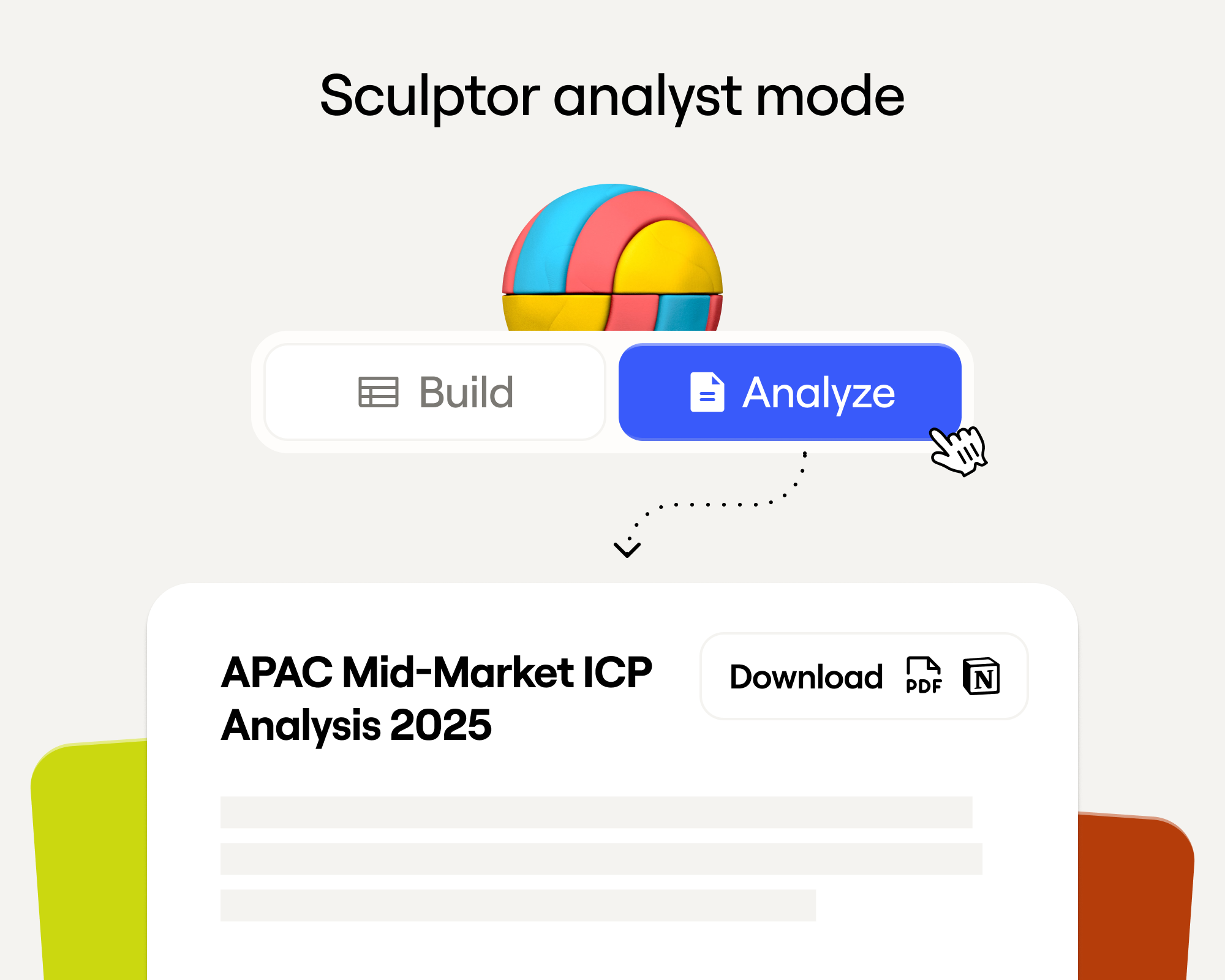
Sculptor Analyst Mode: Turning Context-Rich Data Into Actionable GTM Insights
Sculptor Analyst Mode: превращаем контекстно-богатые данные в действенные GTM-инсайты

In a place where girls often choose between career or marriage, she carved her own path
Там, где девушки часто выбирают между карьерой и замужеством, она пошла своим путём

How we designed Sculpt
Как мы разрабатывали Sculpt
Clay announces second employee tender offer in nine months at a $5B valuation
Clay объявляет о втором предложении выкупа акций сотрудников за девять месяцев при оценке в $5B
Clay is now available as a connector in Claude
Clay теперь доступен как коннектор в Claude
Sellers have a new AI edge: Clay in ChatGPT
У продавцов новое AI-преимущество: Clay в ChatGPT

Clay reaches $100M ARR
Clay достигает $100M ARR

Clay Certifications: Turning mastery into credentials that matter
Clay Certifications: превращаем мастерство в значимые сертификаты
Mobile Phone Verification Methodology
Методология верификации мобильных телефонов
Work Email Verification Methodology
Методология верификации рабочих email
Stop Guessing, Start Analyzing: How Sculptor Turns Your GTM Data Into Your Competitive Advantage
Хватит гадать, начните анализировать: как Sculptor превращает ваши GTM-данные в конкурентное преимущество
Find and outreach local businesses with Openmart and Clay Sequencer
Находите и охватывайте локальные бизнесы с Openmart и Clay Sequencer

Announcing Web Intent
Анонс Web Intent
How Clay Uses Clay: Conversational Data
Как Clay использует Clay: Conversational Data

Sculpting GTM’s future with six major launches
Лепим будущее GTM с шестью большими запусками
Introducing Claygent Navigator
Представляем Claygent Navigator

Announcing the Clay Partner Program
Анонс Clay Partner Program

Introducing GPT-5 in Claygent: sharper research, stronger formulas, better outbound
Представляем GPT-5 в Claygent: более точные исследования, сильнее формулы, лучше outbound
Clay Series C announcement. The GTM engineering era begins now
Анонс Series C от Clay. Эпоха GTM engineering начинается сейчас

Claygent surpasses 1 billion runs
Claygent превысил 1 миллиард запусков

Announcing Sculpt: Clay’s first annual user conference
Анонс Sculpt: первой ежегодной пользовательской конференции Clay

Announcing custom signals at Clay
Анонс custom signals в Clay

Clay announces employee tender offer led by Sequoia at $1.5B valuation
Clay объявляет о предложении выкупа акций сотрудников во главе с Sequoia при оценке в $1,5B

Create personalized presentations at scale with Clay and Google Slides
Создавайте персонализированные презентации в масштабе с Clay и Google Slides