cf254f83962dcae1188d7f9e06d6e7bbb4bd28cd753e610a62337f91e1b33516

Choosing among the different AI customer support tools is harder than it looks.
Support leads usually start with the same problem: rising ticket volume, pressure to respond faster, and no interest in buying a flashy tool that breaks the moment real customer questions get complex.
This article compares the best options based on use case, setup demands, handoff quality, and pricing risk.
What are AI customer support tools?
AI customer support tools are software products that help support teams answer customer questions, assist agents, and automate parts of the service workflow using a company’s own knowledge, past conversations, rules, and connected systems.
Customer support platforms include tools that answer - assist - act:
The best AI support setups automate part of the service workflow by:
Gartner says agentic AI will autonomously resolve 80% of common customer service issues by 2029, which is precisely why the market is expanding beyond simple chatbots into copilots, AI agents, and workflow automation layers.
The Three Main Types of AI Support Tools
Most AI customer support tools fall into three practical categories: tools that assist, tools that answer, and tools that act.
Most teams don't need all three AI support tools—just the one that fits their ticket volume, documentation quality, and workflow complexity.
AI Assisting Human
AI drafting and agent assist tools help human agents reply faster, summarize conversations, surface knowledge-base content, and suggest next steps using past tickets and internal documentation.
Note that AI tools work alongside human agents, not instead of them. Almost all AI chatbot users (98%) want the ability to switch to a human agent easily if required.
Customer-facing Chatbots
Customer-facing chatbots are automation tools that answer repetitive questions directly in chat, email, or messaging channels without requiring a human every time (for example, FAQs).
Consumers prefer AI first for routine inquiries like store hours and policy questions (80% of them), and they prefer AI first for order tracking (71% of them).
This application of AI in support works best when the customer’s question is narrow and the answer is well documented.
Workflow Automation and AI Agents
Workflow automation and AI agents go beyond answering questions. They can route conversations, trigger actions, collect information, and complete support tasks across connected systems such as ticketing, ecommerce, or CRM platforms.
This is the most advanced type of AI customer support tool—and yet the most complex to implement.
AI Customer Support Tools Comparison Table
11 Best Customer Support Tools
1. Botpress
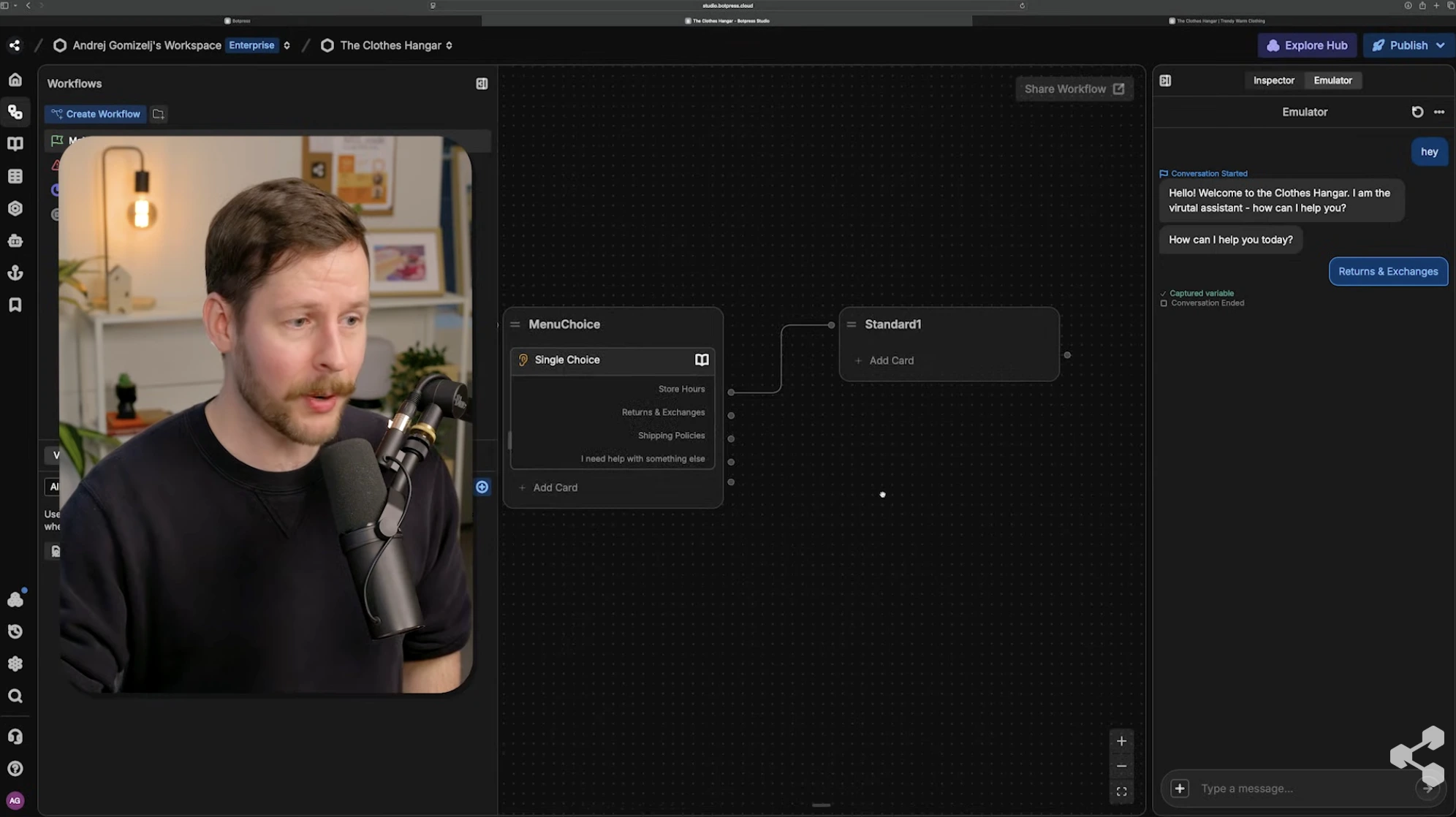
Botpress is an AI agent platform for support teams that want to design, deploy, and operate their own agents instead of subscribing to a closed help desk. Builders connect their own LLM, knowledge sources, tools, and channels, and the platform handles orchestration, memory, and escalation.
What makes Botpress stand out: where Freshdesk, Gorgias, and Intercom have a fixed AI agent on top of a fixed help desk, Botpress is the builder underneath — which is why teams use it to build agents that then plug into existing helpdesks or a custom support stack.
Where does Botpress work best?
It works best for small & mid-market support teams with specific workflows, multiple channels, or custom backend systems. Teams that want an agent shaped to fit, not a generic one off the shelf. Common deployments include WhatsApp-led support, multilingual customer service, and agents that resolve tickets by calling into internal APIs (order status, account changes, returns).
What are Botpress's limitations?
The trade-off is implementation effort. Botpress is more capable than a plug-and-play tool, but it expects whoever sets it up to think about flows, escalation rules, and integrations. Teams without a builder or technical owner usually do better with a turnkey help desk.
How does Botpress handle human handoff and control?
Botpress includes human-in-the-loop controls so agents can pause, escalate, or hand off conversations to a person with a full conversation summary, customer context, and detected intent. Handoff can route into Zendesk, Salesforce, Intercom, or Botpress's own Desk inbox for AI–human collaboration in one workspace.
Which channels and integrations does Botpress support?
Botpress supports web, WhatsApp, Messenger, Slack, Microsoft Teams, Instagram, SMS, Telegram, and Twilio voice out of the box. Its Integration Hub covers 100+ apps including HubSpot, Salesforce, Zendesk, Shopify, Notion, Google Calendar, and Stripe — plus the ability to call any REST API as a tool inside an agent.
What is Botpress's pricing structure?
Pay-as-you-go: $0/month + AI spend
Plus: $89/month + AI spend
Team: $495/month + AI spend
Enterprise: custom pricing
2. Freshdesk
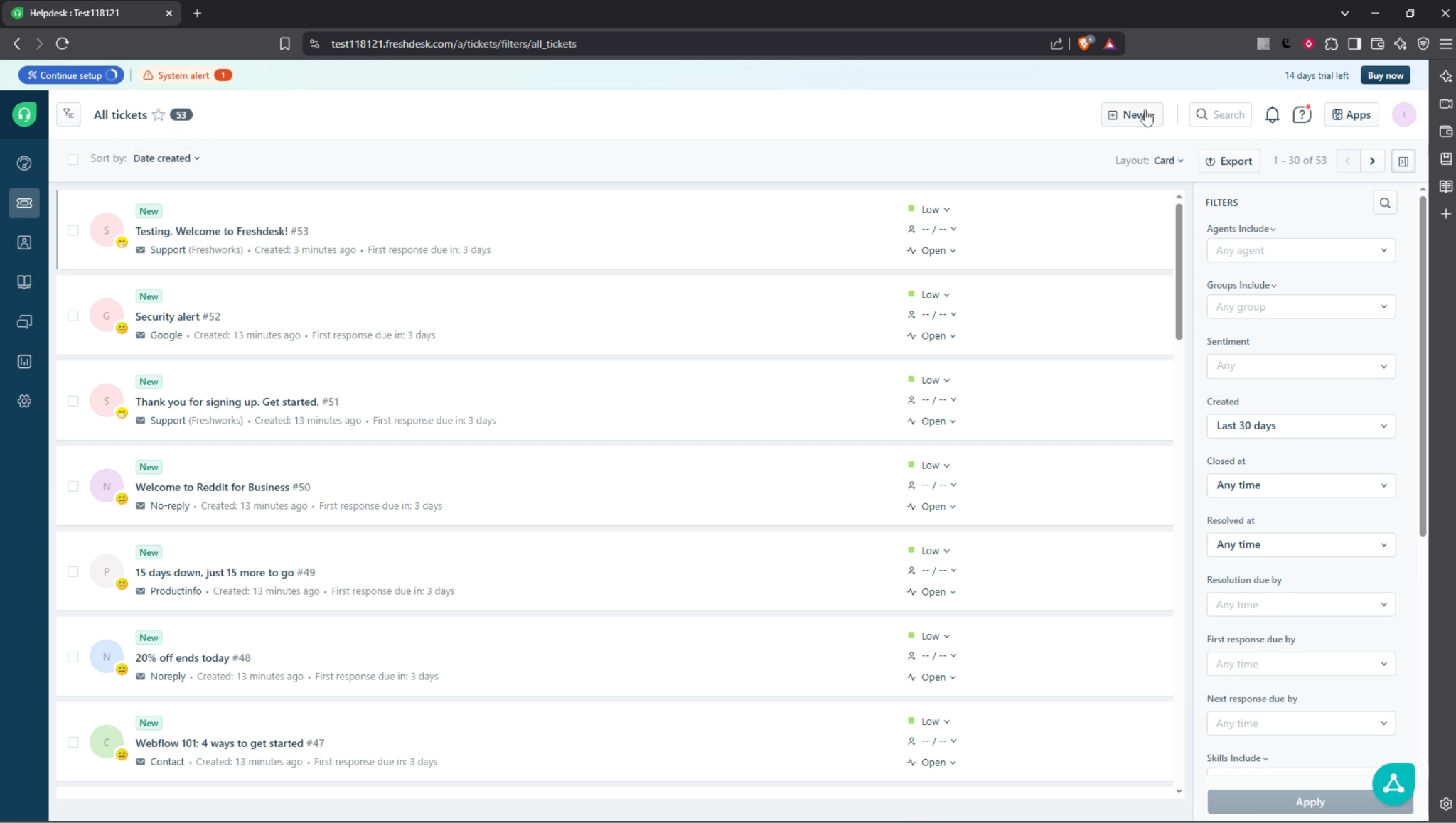
Freshdesk is a practical fit for small support teams that need shared inbox structure, ticketing, automations, and AI assistance without a heavy implementation project.
Freshdesk’s users describe ease of use, clean organization, and time savings from automations, canned replies, and multichannel ticket handling.
What makes Freshdesk stand out: you can start with a simple use case and then expand into AI agents, copilot features, reporting, and more connected workflows as the team grows.
Where does Freshdesk work best?
Zendesk works best for small teams handling support across email, chat, and social from one place, especially when they want quick setup and enough automation to cut repetitive work.
What are Freshdesk's limitations?
The tradeoff is depth and cost. Reviewers mention lag at times, dashboards are limited, the mobile app has bugs, and features or integrations only unlock on higher plans.
How does Freshdesk handle human handoff and control?
Freshdesk combines AI agents with a shared workspace, assignment controls, and copilot tools for human agents, which suits the common small-team preference for automation with oversight rather than full blind autonomy.
Which channels and integrations does Freshdesk support?
Freshdesk offers over 1,200 apps and integrations in the Freshworks Marketplace, including email, chat, phone, social media, WhatsApp, Slack, Microsoft Teams, Shopify, Jira, Google Calendar, Salesforce, and Zapier.
What is Freshdesk's pricing structure?
Growth plan ($29/agent/month)
Pro plan ($79/agent/month)
Enterprise ($119/agent/month)
3. Tidio
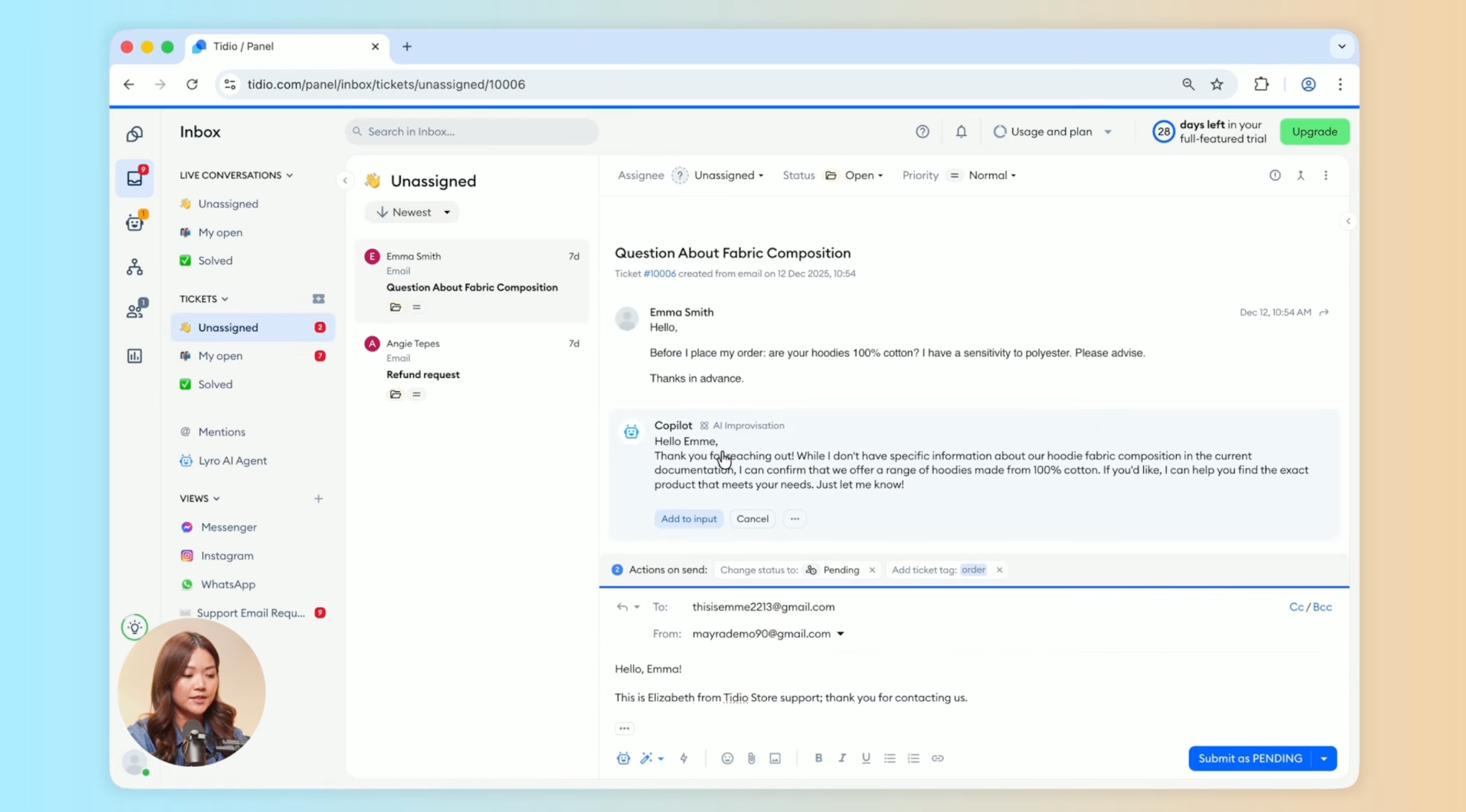
Tidio is a live chat-first support tool that has added AI, ticketing, and multichannel messaging around that core. It's popular with startups, small SaaS, and ecommerce stores for on-site support.
Tidio’s main advantage is speed to value: users of the platform repeatedly mention easy setup, a clean inbox, and quick handling of repetitive questions through Lyro or simple automation flows.
Where does Tidio work best?
It works best for small ecommerce, services, and lean online teams that need website chat, after-hours coverage, and one place to manage messages.
What are Tidio’s limitations?
Its limits show up when support gets more complex. Lower tiers have conversation caps and fewer customization options; advanced workflows, technical cases, and deeper analytics require work.
How does Tidio handle human handoff and control?
Lyro (Tidio’s AI agent and chatbot) uses existing help content, and when it is unsure, it can hand the conversation to a human agent or create a ticket. Escalation to humans and control is one of Tidio’s stronger points.
Which channels and integrations does Tidio support?
Tidio offers +40 integrations, including support for live chat, email, Messenger, Instagram, and WhatsApp in one dashboard, with integrations for Shopify, WordPress, Wix, HubSpot, Zendesk, Salesforce, Zapier, and more.
What is Tidio’s pricing structure?
Free: $0/month
Starter: $24.17/month
Growth: $49.17/month
Plus: $749/month
Premium: custom pricing
Lyro AI Agent (add-on): $32.50/month
4. Intercom Fin
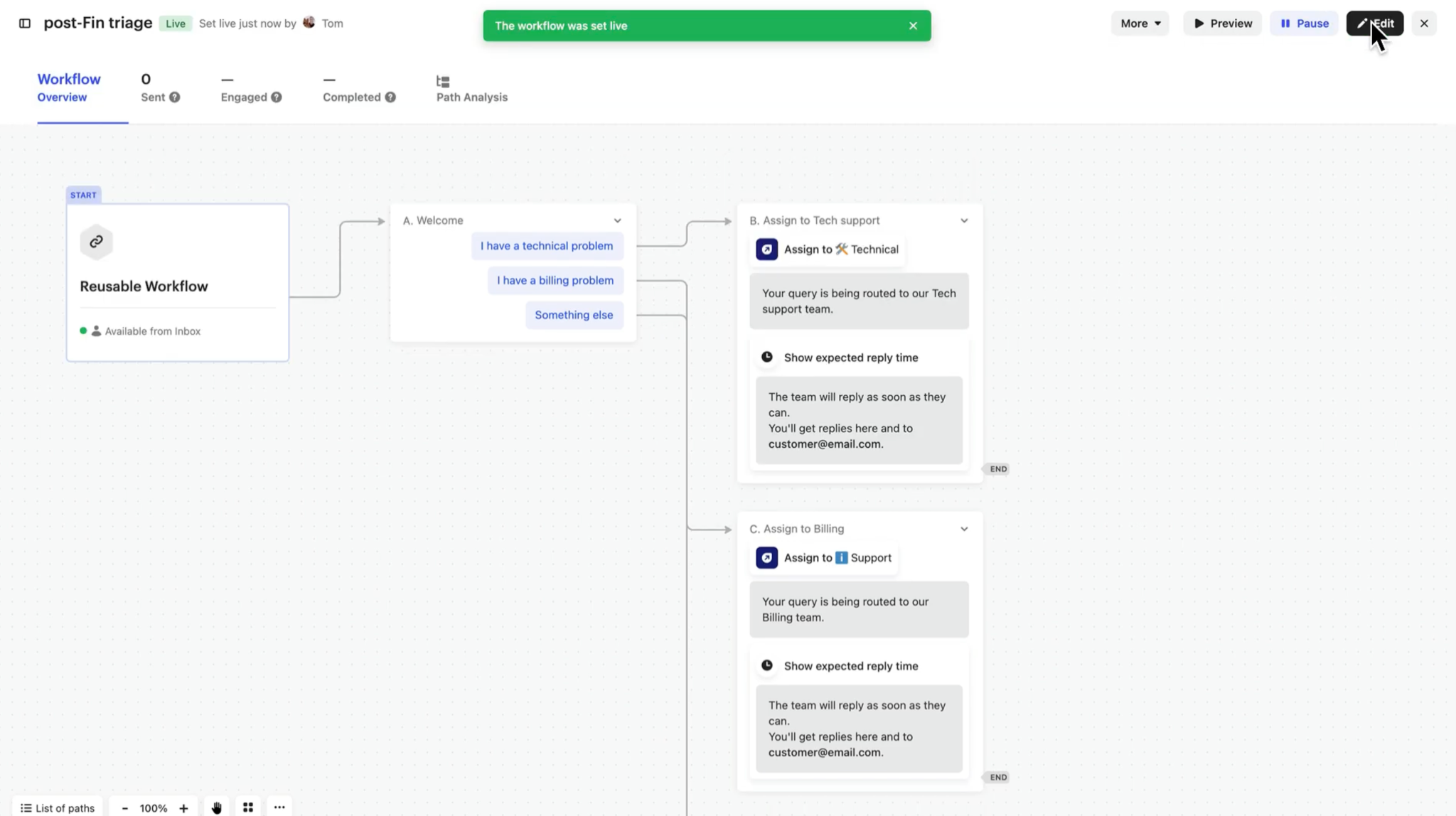
Intercom Fin is best for SaaS teams that want an AI agent to handle repetitive and moderately complex support inside a broader customer communication stack.
Its real differentiator is the mix of generative answers with deterministic rules, plus the option to run on Intercom or on another help desk.
Where does Intercom Fin work best?
It works best for SaaS teams with a mature help center, recurring support volume, and the need to support customers across in-app chat, email, and adjacent channels without losing reporting and workflow control.
Intercom Fin’s users point to Intercom as a serious SaaS-first option, especially for teams already in its ecosystem.
What are Intercom Fin’s limitations?
The main drawback is cost predictability. The pay-per-resolution model is challenging to forecast at scale, and it can get expensive fast.
Intercom Fin also depends heavily on strong documentation. When knowledge is thin or edge cases appear, answer quality drops and human intervention rises.
How does Intercom Fin handle human handoff and control?
Fin can follow step-by-step instructions, can be tested before launch, and escalate more complex issues to human agents.
Intercom also emphasizes channel-specific deployment and teammate handoff rather than pure black-box automation.
Which channels and integrations does Intercom Fin support?
Fin integrates with any help desk and supports chat, email, SMS, WhatsApp, social, and voice, and it integrates with common SaaS systems including Zendesk, Salesforce, HubSpot, Jira, Notion, Slack, Stripe, and Shopify.
What is Intercom Fin’s pricing structure?
Free (1–2 agents): $0 / 6 months
Growth: $19/agent/month
Pro: $55/agent/month
Enterprise: $89/agent/month
5. Gorgias
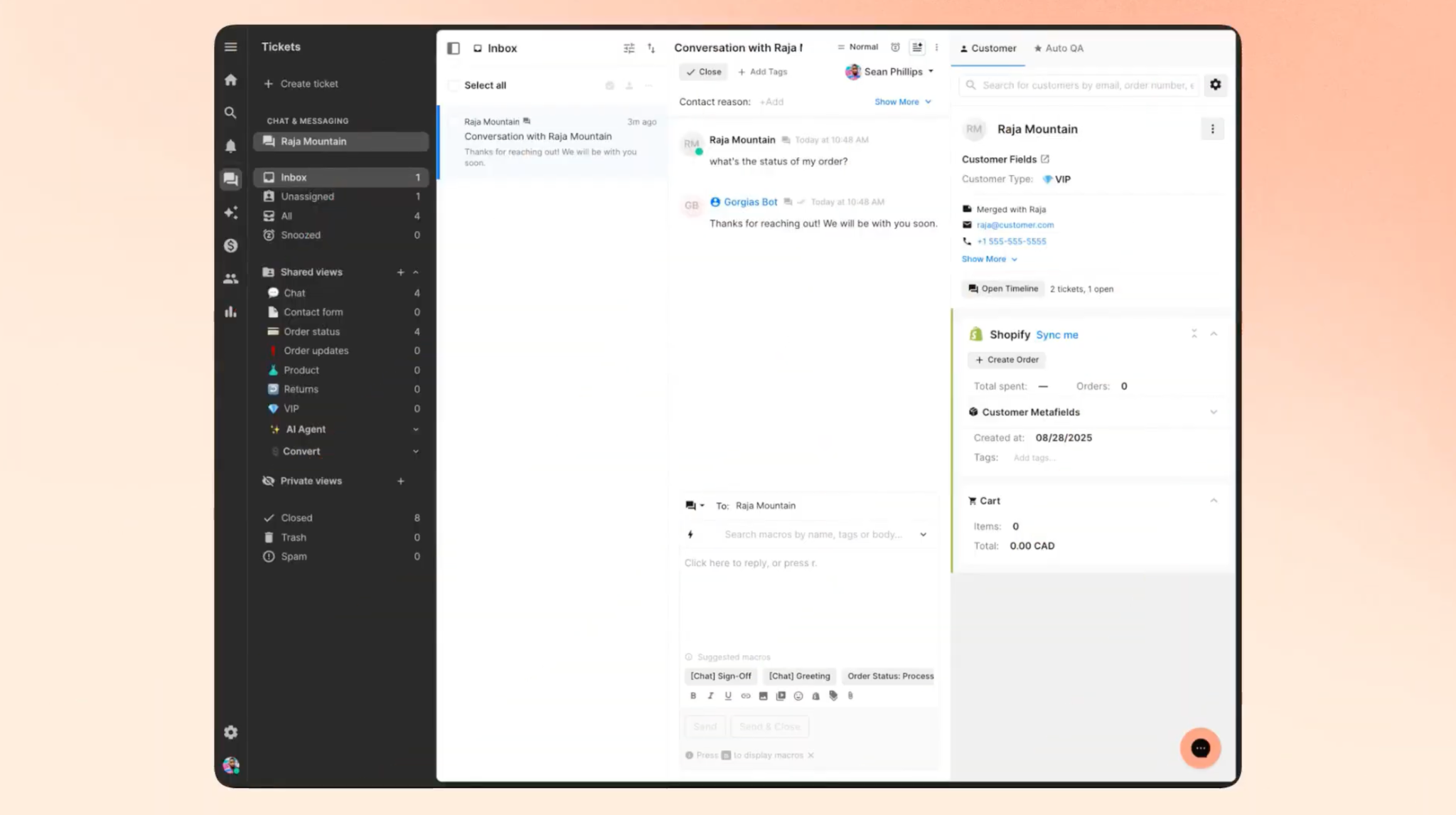
Gorgias is an ecommerce-first helpdesk and AI platform built for brands that want support to combine storefront context, order actions, and multichannel conversations in one workflow, which is relevant for returns, shipping questions, subscription changes, and pre-purchase assistance.
Users repeatedly point to Shopify's depth, automation, and centralized inbox management. That makes it more distinctive than generic AI help desks.
Where does Gorgias work best?
It works best for direct-to-consumer (DTC) and retail support teams handling high volumes of repetitive orders, returns, and product questions across email, chat, and social.
What are Gorgias’s limitations?
Multiple users mention pricing pressure, rule complexity, or wanting clearer analytics and better visibility into where AI struggled.
How does Gorgias handle human handoff and control?
Gorgias lets teams customize handoff behavior, and its AI hands conversations to humans when confidence is low, knowledge is missing, or customer frustration is detected.
Which channels and integrations does Gorgias support?
Gorgias connects 100+ apps around ecommerce channels and store integrations, including Shopify, Shopify Plus, Klaviyo, Facebook, Aircall, and Postscript, and deploys on email, chat, and SMS.
What is Georgia's pricing structure?
Starter: $10/month
Basic: $50/month
Pro: $300/month
Advanced: $750/month
Enterprise: custom pricing
AI Agent: $1.00/resolved conversation
6. eDesk
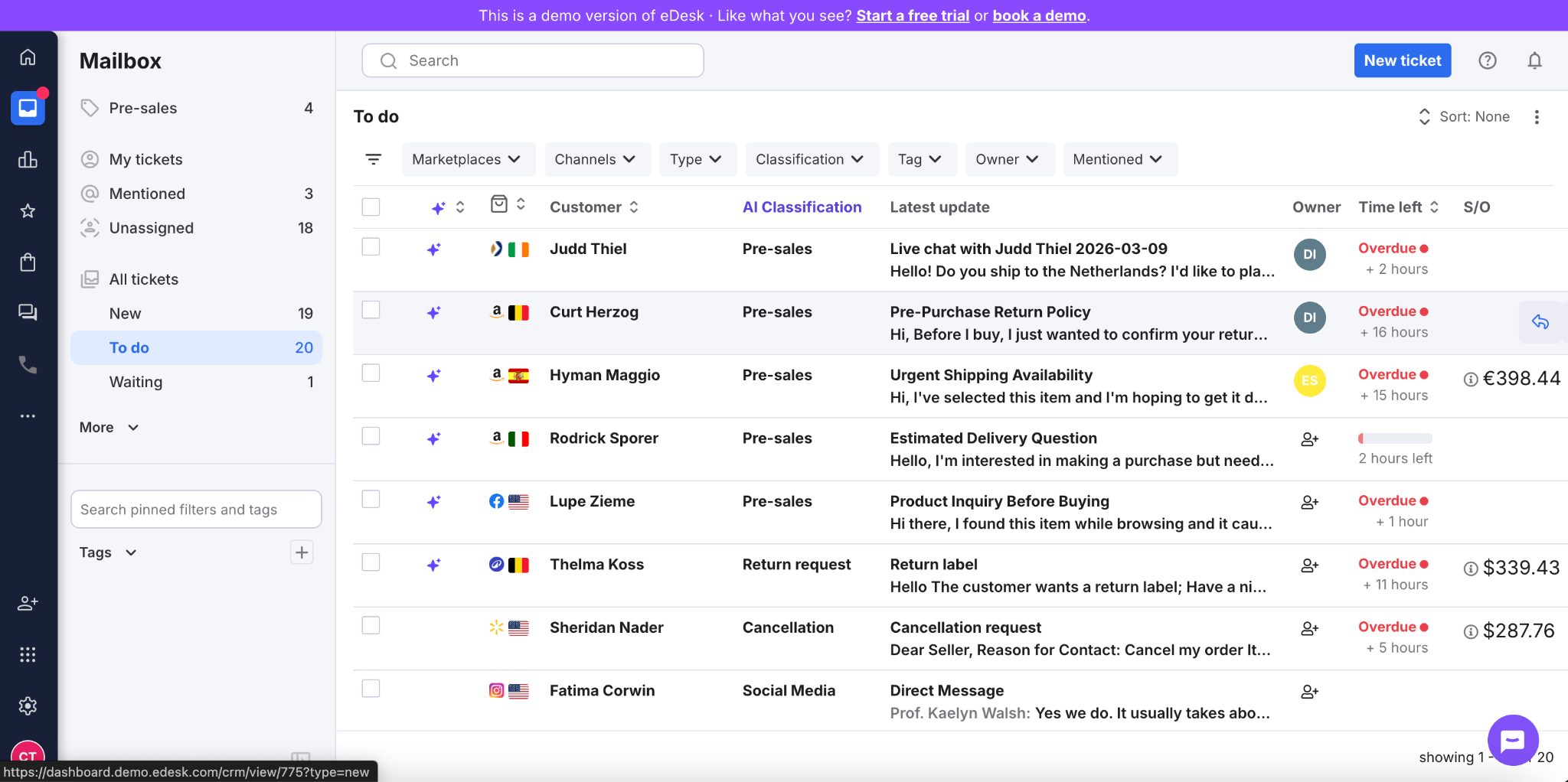
eDesk is an ecommerce-first help desk built for sellers handling support across marketplaces, stores, and social channels from one place.
This tool stands out because eDesk is specifically built for multichannel e-commerce operations and seller workflows to handle the fragmented support challenges often created by channels like Amazon, eBay, and Shopify.
Where does eDesk work best?
It works best for e-commerce teams dealing with fragmented support across marketplaces and storefronts, especially when fast triage, order visibility, and centralized ticket handling matter more than in-depth enterprise customization.
What are eDesk’s limitations?
Some backend areas are not fully intuitive, and a few channel-specific issues show up, including Amazon limitations, eBay delivery-date inaccuracies, and email-thread grouping problems.
How does eDesk handle human handoff and control?
While eDesk effectively supports human oversight, eDesk users indicate its strength lies more in workflow management than in sophisticated AI escalation logic.
Which channels and integrations does eDesk support?
eDesk supports 300+ integrations, including Shopify, Shopify Plus, WooCommerce, Magento, Mirakl, Facebook, Instagram, Klaviyo, and AfterShip.
What is eDesk’s pricing structure?
Essential: $39/agent/month
Growth: $89/agent/month
Professional: $119/agent/month
Enterprise: custom pricing
7. Ada
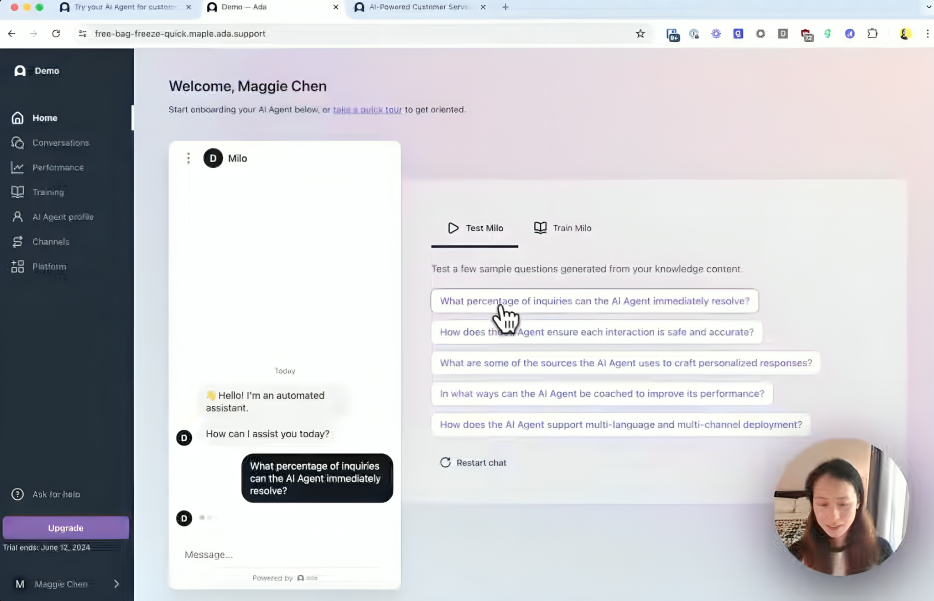
Ada is an enterprise customer support solution that excels at reliable escalation, minimizing errors, and providing answers based on documentation.
Ada stands out as an orchestration layer for high-volume support, with AI for messaging, email, and voice, plus playbooks for SOP-driven workflows and strong security controls.
Where does Ada work best?
The platform works best when your organization has structured knowledge, clear workflows, and established processes. Ada’s customers are enterprises with large ticket volume, multiple channels, and existing systems to connect.
What are Ada’s limitations?
Ada’s users mention getting stuck in predefined workflows, making it difficult to handle unexpected requests,, as well as uneven support outside key ecosystems like Zendesk or Salesforce.
How does Ada handle human handoff and control?
Ada gives teams meaningful control by routing tickets to human agents and preserving conversation history during handoff.
Which channels and integrations does Ada support?
Ada supports web, mobile, social, SMS, email, and voice. Its listed integrations include Zendesk, Salesforce Service Cloud, Genesys, Twilio Flex, Kustomer, Gladly, Aircall, Amazon Connect, and NiCE CXone, which reinforces its enterprise fit.
What is Ada’s pricing structure?
Ada does not appear to publish standard self-serve pricing publicly.
8. Zendesk
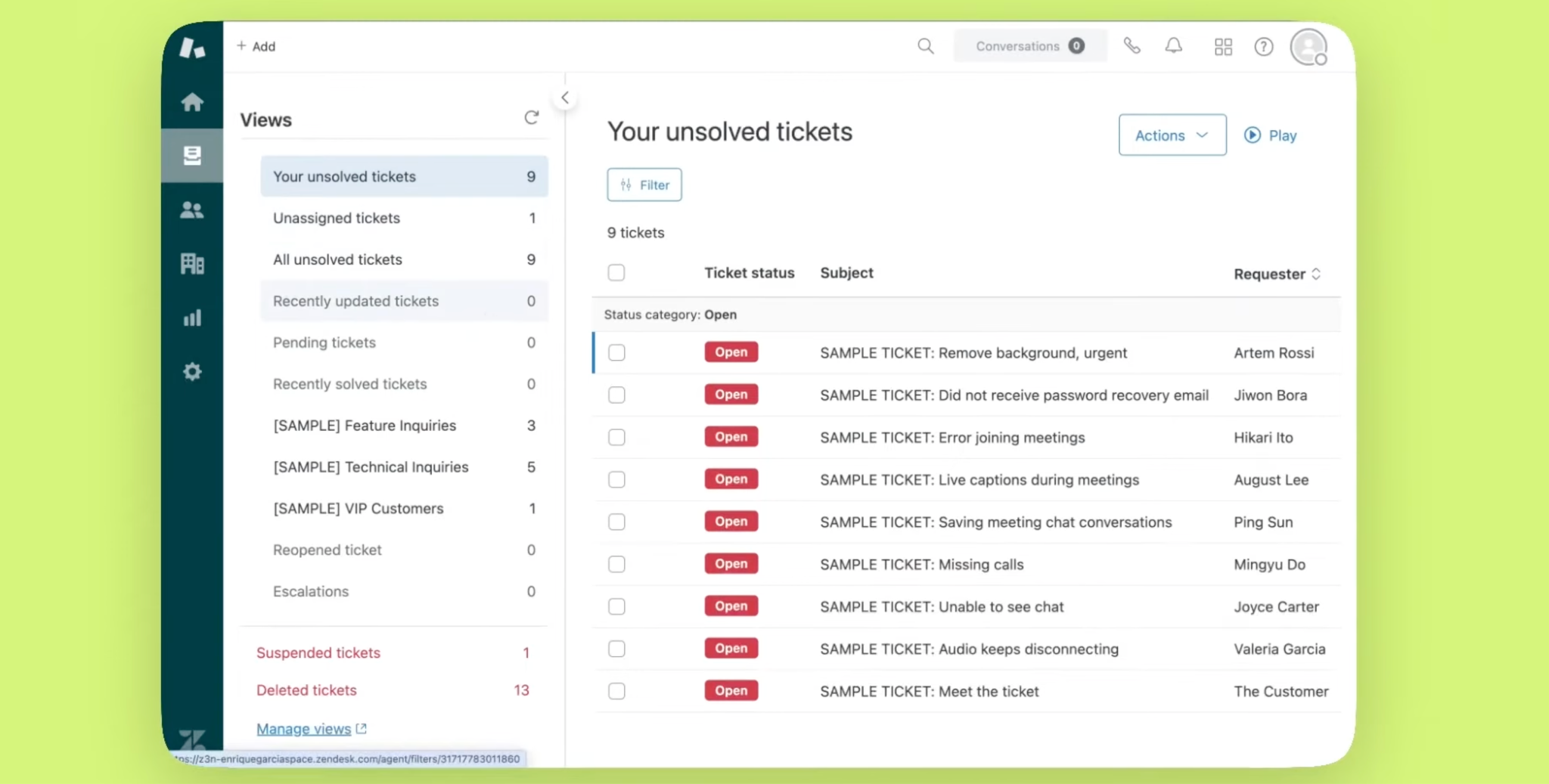
Zendesk is best suited to enterprise teams that want a proven service platform. Zendesk centralizes conversations across channels, automates routing and repetitive work, and gives managers reporting, QA, and workforce tools in the same ecosystem.
Zendesk’s users consistently highlight its ability to centralize all customer interactions into a single, unified workspace with full conversation history and context
Where does Zendesk work best?
Zendesk works best in larger, multi-channel support environments where teams need one system for email, chat, phone, forms, automation, and analytics.
What are Zendesk’s limitations?
Zendesk’s main drawbacks are implementation weight, learning curve, and pricing creep. Users repeatedly note that reporting setup and more in-depth customization can take time, and useful capabilities often sit in higher plans or require extra apps.
How does Zendesk handle human handoff and control?
Zendesk’s AI agents can collect context before escalation, and then hand conversations to live agents, and Zendesk also supports explicit handoff and handback controls in messaging.
Which channels and integrations does Zendesk support?
Zendesk connects with +2000 applications and supports key service channels like chat, email, voice, messaging, and web forms. Notable integrations include Slack, Salesforce, Jira, Shopify, Diaload, Nicereply, Zapier, Claus, and Hootsuite.
What is Zendesk’s pricing structure?
Support plans: $19/agent/month
Suite plans: $55/agent/month
Suite Professional: $115/agent/month
Suite Enterprise: $169/agent/month
9. Kore.ai
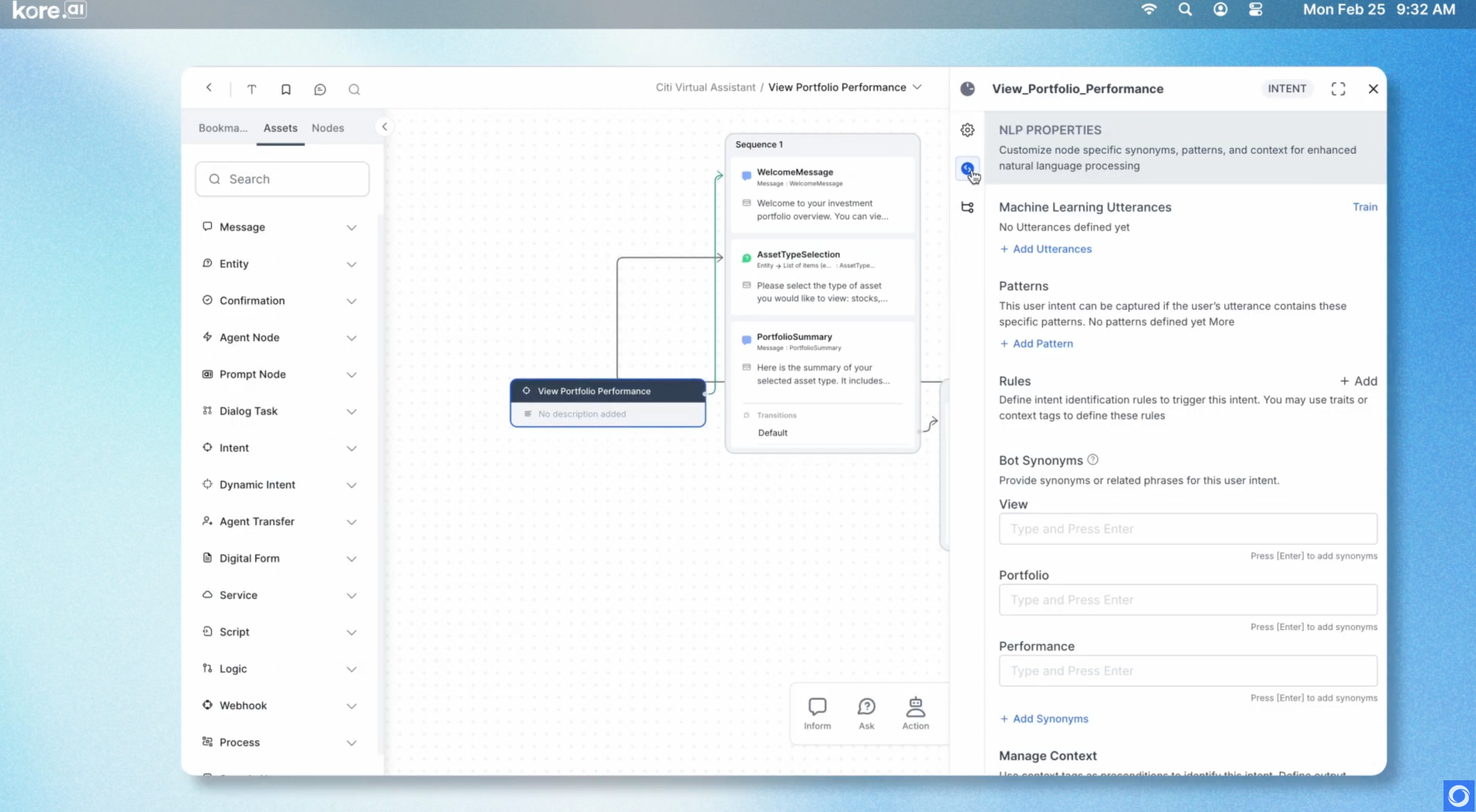
AI for Service—Demo Overview (Kore.ai, Youtube)
Kore.ai is an enterprise AI agent platform primarily designed for companies needing a highly configurable AI support solution. Its core offering is “AI for Service,” which focuses on automating customer service, self-service, and contact center operations.
Kore.ai’s users point to strong low-code and no-code tooling, advanced NLP, and multi-channel deployment.
Where does Kore.ai work best?
It works best in enterprise environments with multiple systems, channels, and support workflows to connect. Its value is highest when teams want to automate routine support, support agents in real time, and deploy across voice, web, messaging, and contact-center environments.
What are Kore.ai’s limitations?
Kore.ai’s main limitation is the learning curve: advanced NLP setup, custom flows, debugging, and some integrations require expertise. There are also recurring remarks about slow performance and clunky UI in larger flows.
How does Kore.ai handle human handoff and control?
Kore.ai does support live agent handoff, with escalation rules and transfer nodes built into its platform.
Which channels and integrations does Kore.ai support?
Kore.ai supports 120+ integrations including Salesforce, ServiceNow, Zendesk, Slack, Google Workspace, and AWS S3, along with messaging channels like WhatsApp and web or voice service flows.
What is Kore.ai’s pricing structure?
Kore.ai does not appear to publish standard self-serve pricing publicly.
10. Forethought
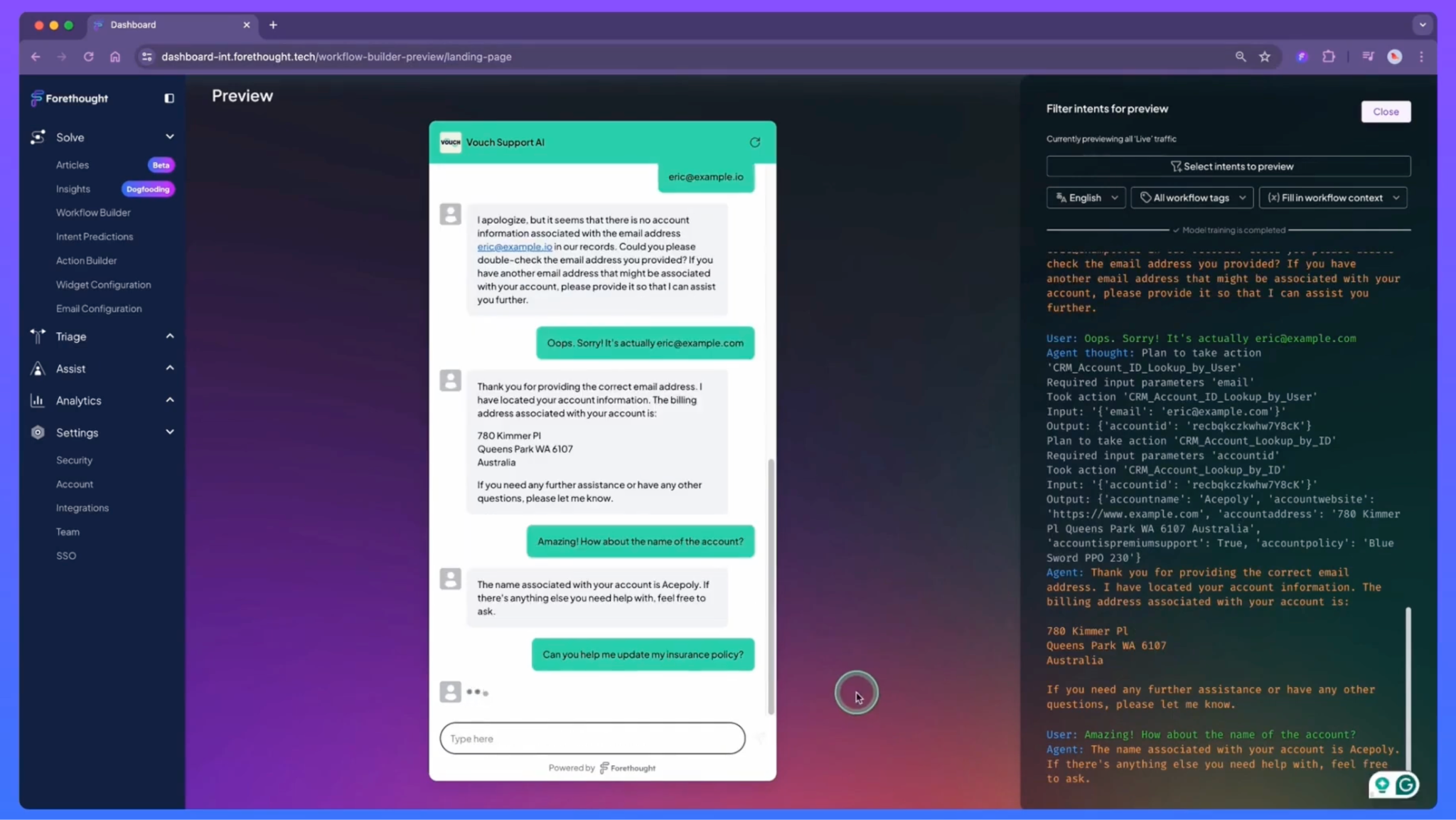
Forethought is a support automation layer for teams that already have a help desk and want stronger AI across chat, email, voice, routing, and agent assistance.
Forethought follows an integrated approach by combining self-service, agent copilot, triage, analytics, and knowledge-gap detection.
That makes Forethought more compelling for established support operations than for teams looking for a lightweight all-in-one desk.
Where does Forethought work best?
It works best for mid-market and enterprise support teams with meaningful ticket volume, existing workflows, and a help desk they want to extend rather than replace. Forethought’s users also suggest it performs best when the knowledge base is already solid and actively maintained.
What are Forethought’s limitations?
Forethought’s users mention messy analytics, unclear implementation choices, or wanting more customizable reporting.
How does Forethought handle human handoff and control?
Forethought is built to route and escalate inside the help desk, and users specifically mention native live-agent handoff in Zendesk environments.
Which channels and integrations does Forethought support?
Forethought supports 70+ integrations including Zendesk, Salesforce, Intercom, ServiceNow, HubSpot, and Jira, along with knowledge sources like Confluence, Notion, and Google Drive, plus call-center platforms such as Genesys and Five9.
What is Forethought’s pricing structure?
Forethought does not appear to publish standard self-serve pricing publicly.
11. Assembled
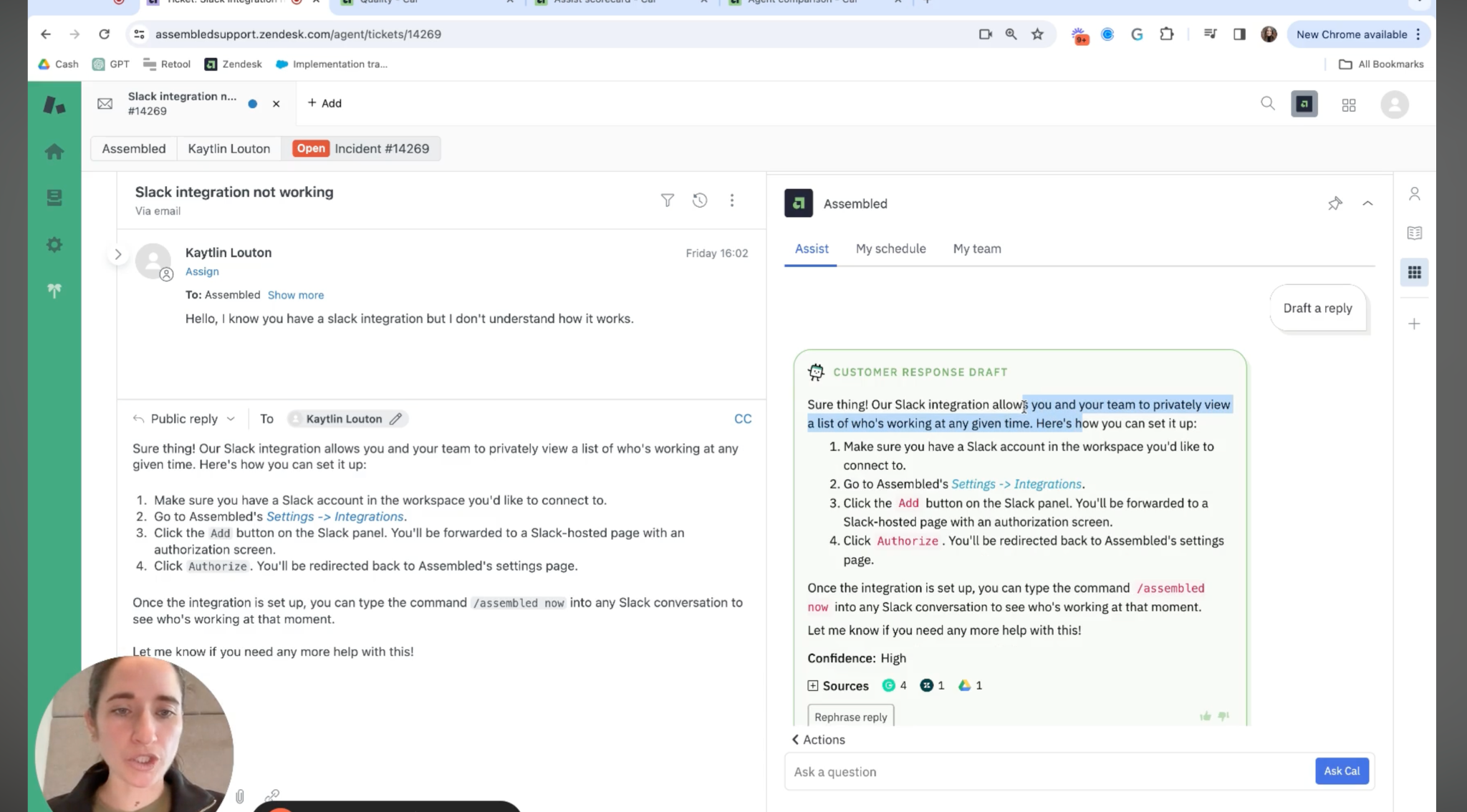
Assembled is a support operations platform for teams that want to keep their help desk and add stronger workforce management plus some AI support workflows.
Assembled’s primary benefits are its scheduling and forecasting capabilities, offering cross-team visibility. Users consistently praise its ease of use and rapid rollout.
Where does Assembled work best?
Assembled is ideal for support operations teams that handle complex scheduling and multiple queues and that need a supplementary tool that integrates with existing platforms like Zendesk and Intercom.
What are Assembled’s limitations?
Assembled has limited custom reporting and only offers English-only support.
How does Assembled handle human handoff and control?
Assembled describes its automation as human-in-the-loop, and its Zendesk documentation emphasizes AI drafting replies for agents using help center content rather than fully replacing the team.
Which channels and integrations does Assembled support?
Assembled supports 30+ integrations, including Zendesk, Salesforce Service Cloud, Intercom, Slack, Genesys Cloud, and Shopify, along with knowledge sources like Google Drive, Notion, and Confluence, plus call-center platforms such as Talkdesk and Five9.
What is Assembled’s pricing structure?
AI Agents: $0.65/conversation
AI Copilot: $35/month
Workforce Management: $25/month
Vendor Management add-on: custom pricing
How to Choose the Right AI Customer Support Tool
Follow the steps to determine the best fit for your existing technology stack, expectations, and limitations.
Step 1: Start With Your Ticket Mix
Evaluate your readiness to implement automation first, before rushing into vendor demos. The readiness assessment starts with your volume of data, and specifically ticket volume.
Start with your last 30 to 60 days of tickets. Separate them into repetitive questions, agent-assist needs, and workflow-heavy cases.
When deploying AI, regardless of the platform, it's most effective to initially focus on a narrow scope of repeated questions rather than trying to cover all inquiries immediately. The safest early win is usually repetitive support plus clear escalation.
Step 2: Audit Your Documentation Before Buying
Most tools will look smarter in a demo than in your real workflow. If your help center, macros, policies, and SOPs are messy, the AI will repeat that mess faster.
We strongly favor structured FAQs, snippets, and reviewed knowledge over “plug it in and hope.” Answer quality depends heavily on how well the knowledge base is organized and maintained.
Step 3: Define Your AI Use Case
Decide whether you need drafting, direct automation, or full workflow execution.
If your team mostly answers policy, shipping, account, or FAQ questions, automation can work well. If cases involve refunds, account changes, or multi-step operations, you need stronger workflow design and tighter controls.
Step 4: Check Integrations Before Features
The right tool is the one that fits your current stack with the least friction.
Prioritize integrations with your CRM, ecommerce system, knowledge base, and channels first. That is what determines whether the tool actually saves time or just adds another layer to manage.
Step 5: Pressure-Test Pricing at Your Future Volume
Do not compare only entry pricing. Compare how pricing changes when AI use actually succeeds. This matters because some tools are easy to start but harder to forecast at scale.
Step 6: Evaluate Platform’s Human Handoff Design
A tool is only as good as its fallback. Before choosing a platform, you should care about whether AI hands off cleanly, with context, and without frustrating the customer.
Since teams succeed when AI escalates narrow cases well and gives the agent useful context, choose a platform where you can test handoff rules, summaries, ownership, and edge-case routing before rollout.
Benefits of AI Customer Support Tools
Why Do Companies Use AI Customer Support Tools?
Developing in-house AI-powered customer support is often prohibitively expensive, time-consuming, and resource-intensive for companies of any size.
To efficiently realize a positive return on investment (ROI) in customer support, partnering with a third-party expert is the most viable and effective strategy. Partnership offers three main benefits:
Reducing Response and Resolution Time
Customers expect fast answers, and support queues grow faster than teams do. The best tools shorten first response time by answering common questions instantly, routing conversations to the right queue, and giving agents the right context earlier in the interaction.
HubSpot Research reports that 90% of customers rate an immediate response as essential or very important, and 60% define “immediate” as 10 minutes or less.
Automating Repetitive Questions
A lot of buyer interest is less about “AI transformation” and more about getting repetitive support volume under control. That includes:
And other predictable requests that slow teams down when handled manually.
Automating routine customer service tickets yields the highest ROI. McKinsey suggests generative AI in this area could boost productivity by 30% to 45% of current functional costs.
Increasing Agent’s Productivity
Many teams use AI customer support tools to summarize conversations, draft replies, surface relevant help-center content, recommend next steps, and prevent agents from wasting time switching between tabs or rewriting the same answers.
HubSpot found that 92% of CRM leaders say AI makes it easier to respond to service requests, and 74% report that tool switching makes ticket resolution take longer.
Common Mistakes Teams Make With AI Customer Support Tools
Expecting Unrealistic Automation Rates
A common mistake is buying into 70 to 90 percent automation promises before proving the basics.
At Botpress, we saw that strong results usually come from handling a narrow set of questions well, with realistic early deflection around 60 to 70 percent, not full replacement.
We recommend automation for tier-1 questions while still needing humans for complex cases.
Using AI With Poor Documentation
Teams that implemented AI in their customer support tool emphasize that bots work best when teams structure FAQs around the real top questions and keep answers grounded in policy, not “vibes.”
We saw through multiple use cases with our clients that weak, outdated, or poorly structured help content leads to incomplete or misleading responses.
Ignoring Human Escalation Design
The setups that stick are narrow automation plus clear escalation, human approval for risky replies, and a concise summary for the next agent. 98% of consumers rate the ability to reach a human agent as important or very important.
The mistake is to think AI will reduce your headcount. Complex or nuanced cases still need human intervention and ongoing tuning of the balance between automation and support.
We recommend prioritizing a seamless human-AI handoff and establishing clear guidelines for when a case must be escalated to a human agent, ensuring the AI provides the agent with a comprehensive summary of the interaction.
Underestimating Pricing at Scale
Many teams underestimate how fast AI support costs grow once usage rises.
Customers like a product, but per-resolution pricing becomes harder to predict as automation succeeds and volume climbs.
Salesforce says AI is expected to handle half of service cases by 2027, up from 30 percent today. So pricing is not a side question. It becomes an operating model question once adoption works.
We recommend moving away from unpredictable per-resolution costs toward a fixed-cost or value-based pricing model (like a per-seat or per-conversation-hour model) to ensure pricing scales predictably as AI automation increases.