Best YouTube Scraper Tools in 2026: 4 In-Depth Reviews - The GTM with Clay Blog
Статья представляет обзор четырёх лучших инструментов для скрапинга YouTube в 2026 году: Clay, Oxylabs YouTube API, Bright Data YouTube Scraper API и Apify YouTube Scraper. Clay выделяется no-code расширением для Chrome, которое парсит любой сайт за три шага, а также AI-агентом Claygent для веб-исследований. Oxylabs поддерживает пакетную обработку до 5 000 URL и планировщик, Bright Data предлагает обход CAPTCHA и гео-ограничений от $0,001 за запись, а Apify — экспорт в JSON, CSV, XML. Ключевые критерии выбора: простота использования, прозрачное ценообразование и дополнительные функции вроде обогащения данных. Платные тарифы Clay начинаются от $185/мес с бесплатным базовым планом.
Claygent Builder: The easiest way to build, test, and deploy GTM Agents
Claygent Builder: самый простой способ создавать, тестировать и развёртывать GTM-агентов
Build production-ready Claygents in natural language with Sculptor. Test on real data for free, track versions, and deploy once across every workflow. All inside Clay.
Создавайте готовых к продакшену Claygent-ов на естественном языке с помощью Sculptor. Тестируйте на реальных данных бесплатно, отслеживайте версии и развёртывайте один раз для всех рабочих процессов. Всё внутри Clay.
How Clay Uses Clay Ads: From $250 to $25 CPL
Как Clay использует Clay Ads: снижение CPL с $250 до $25
See how Clay uses its own Ads feature to cut LinkedIn CPL from $250 to $25 and unlock Meta with enriched CRM audiences. No manual uploads needed.
Узнайте, как Clay использует собственную функцию Ads, чтобы снизить CPL в LinkedIn с $250 до $25 и подключить Meta с обогащёнными CRM-аудиториями. Никаких ручных загрузок.
HG Insights Corporate Hierarchy: GTM Precision in Clay
Корпоративная иерархия HG Insights: точность GTM в Clay
Use HG Insights corporate hierarchy data in Clay to clean CRMs, map parent-child accounts, and trigger expansion plays. See how it works.
Используйте данные корпоративной иерархии HG Insights в Clay для очистки CRM, построения связей головных и дочерних компаний и запуска сценариев расширения. Узнайте, как это работает.
Sales GTM Engineering: How Clay Built the Role From Scratch
Sales GTM Engineering: как Clay создала эту роль с нуля
Learn what sales GTM engineering is, how it collapses SDR, AE, and SE roles into one, and how Clay built and hires for this high-leverage function. See how it works.
Узнайте, что такое sales GTM engineering, как она объединяет роли SDR, AE и SE в одну, и как Clay создала и нанимает специалистов для этой высокоэффективной функции. Узнайте, как это работает.
How to Automate Inbound Lead Outreach: The Clay Playbook
Как автоматизировать исходящую коммуникацию с входящими лидами: плейбук Clay
Learn how to automate inbound lead outreach with enrichment, scoring, and personalized sequences. See the exact Clay workflow that runs without manual work.
Узнайте, как автоматизировать исходящую коммуникацию с входящими лидами с помощью обогащения, скоринга и персонализированных цепочек. Посмотрите точный рабочий процесс Clay, который работает без ручного труда.
demandDrive Joins Clay’s Partner Ecosystem as an Official Clay Studio Partner
demandDrive присоединяется к партнёрской экосистеме Clay как официальный партнёр Clay Studio
demandDrive joins Clay’s partner ecosystem to help B2B teams turn account intelligence into pipeline and revenue with GTM engineering and automation.
demandDrive присоединяется к партнёрской экосистеме Clay, чтобы помочь B2B-командам превращать данные об аккаунтах в пайплайн и выручку с помощью GTM-инженерии и автоматизации.
B2B Sales Prospecting: 15 Strategies to Drive More Conversions
B2B-проспектинг в продажах: 15 стратегий для увеличения конверсий
Master B2B sales prospecting with 15 proven strategies covering ICP building, multi-channel outreach, and list hygiene. Build a pipeline that converts.
Освойте B2B-проспектинг с 15 проверенными стратегиями, включая построение ICP, многоканальную коммуникацию и гигиену списков. Создайте пайплайн, который конвертирует.
AI Sales Assistants: 11 Ways to Accelerate Your Outbound
AI-ассистенты продаж: 11 способов ускорить исходящие продажи
Discover 11 ways AI sales assistants automate lead research, enrichment, and email personalization. See how top B2B teams use them to accelerate outbound.
Откройте для себя 11 способов, которыми AI-ассистенты продаж автоматизируют исследование лидов, обогащение и персонализацию писем. Узнайте, как ведущие B2B-команды используют их для ускорения аутбаунда.
The Three Laws of GTM: How to Win in the AI Era
Три закона GTM: как побеждать в эпоху AI
The three laws of GTM explain why uniqueness, saturation, and iteration speed determine who wins. Learn how AI changes the rules and what to do about it.
Три закона GTM объясняют, почему уникальность, насыщенность и скорость итераций определяют победителя. Узнайте, как AI меняет правила и что с этим делать.
Best Work Email Finders by Segment: SMB vs. Enterprise
Лучшие инструменты поиска рабочих email по сегментам: SMB vs. Enterprise
We tested 12 email finders across 4,700+ contacts to find the best work emails by segment. See accuracy, cost, and coverage winners for SMB and enterprise.
Мы протестировали 12 инструментов поиска email на более чем 4 700 контактах, чтобы найти лучшие рабочие адреса по сегментам. Смотрите результаты по точности, стоимости и покрытию для SMB и enterprise.
How Clay Converts Trial Users Into Customers With Automated Outreach
Как Clay конвертирует пробных пользователей в клиентов с помощью автоматизированной коммуникации
See how Clay uses automated outreach to convert trial users into customers, with enrichment, lead scoring, and personalized HubSpot campaigns. Learn how.
Узнайте, как Clay использует автоматизированную коммуникацию для конвертации пробных пользователей в клиентов — с обогащением, скорингом лидов и персонализированными кампаниями в HubSpot.
Best Mobile Phone Data Providers for B2B Sales Teams
Лучшие поставщики данных мобильных телефонов для B2B-отделов продаж
We tested 9,806 numbers across 10 B2B mobile phone data providers. See which wins on accuracy, coverage, and cost for NAMER, EMEA, and APAC.
Мы протестировали 9 806 номеров у 10 B2B-поставщиков мобильных данных. Узнайте, кто лидирует по точности, покрытию и стоимости для NAMER, EMEA и APAC.
How to Build a Complete AI Outbound Sales Funnel
Как построить полную AI-воронку исходящих продаж
Learn how to build a complete AI outbound sales funnel—from account scoring to personalized outreach—using Clay waterfalls and automation. See how it works.
Узнайте, как построить полную AI-воронку исходящих продаж — от скоринга аккаунтов до персонализированной коммуникации — с использованием водопадов и автоматизации Clay. Узнайте, как это работает.
How to Get More Customers Using Outbound Sales: A Complete Guide
Как привлечь больше клиентов с помощью исходящих продаж: полное руководство
Learn how outbound sales works, who it's right for, and how to build a strategy from prospecting to closing. Covers cold calling, email, and more.
Узнайте, как работают исходящие продажи, кому они подходят и как выстроить стратегию от проспектинга до закрытия сделки. Охватывает холодные звонки, email и многое другое.
How to Automate 6 Cold Email Campaigns in One Clay Workflow
Как автоматизировать 6 кампаний холодных писем в одном рабочем процессе Clay
Learn how to automate 6 cold email campaigns from a single Clay table — with enrichment, AI classification, and deduplication built in. See how it works.
Узнайте, как автоматизировать 6 кампаний холодных писем из одной таблицы Clay — с обогащением, AI-классификацией и встроенной дедупликацией. Узнайте, как это работает.
How Clay Identifies Tier 1 Accounts: A Three-Score System
Как Clay определяет аккаунты первого уровня: система трёх оценок
See how Clay identifies tier 1 accounts using a three-score system: fit, engagement, and contract value. Learn how sales and marketing align on the same priorities.
Узнайте, как Clay определяет аккаунты первого уровня с помощью системы трёх оценок: соответствие, вовлечённость и стоимость контракта. Узнайте, как продажи и маркетинг согласовывают приоритеты.
Lead Scoring in Clay: A Step-by-Step Formula Guide
Скоринг лидов в Clay: пошаговое руководство по формулам
Learn how to build lead scoring formulas in Clay to prioritize your ICP leads by employee count, job postings, and more. See how it works.
Узнайте, как создавать формулы скоринга лидов в Clay для приоритизации ICP-лидов по численности сотрудников, вакансиям и другим параметрам. Узнайте, как это работает.
How to Validate Cold Outbound Offers and Find Message-Market Fit
Как валидировать офферы холодного аутбаунда и найти message-market fit
Learn how to validate cold outbound offers by finding message-market fit — from breaking down your value prop to testing with a phased email approach. See how it works.
Узнайте, как валидировать офферы холодного аутбаунда, находя message-market fit — от декомпозиции ценностного предложения до тестирования поэтапным email-подходом. Узнайте, как это работает.
Troubleshooting Outbound Sales and Prospecting: A Comprehensive Guide
Устранение проблем исходящих продаж и проспектинга: подробное руководство
Fix broken outbound sales campaigns with this guide. Diagnose open and reply rates, reduce no-shows, qualify prospects with MEDDIC, and optimize what's working.
Исправьте неработающие кампании исходящих продаж с этим руководством. Диагностируйте показатели открытий и ответов, сократите неявки, квалифицируйте лидов по MEDDIC и оптимизируйте то, что работает.
Bulk Enrichment: Enrich Millions of CRM Records in Clay
Массовое обогащение: обогатите миллионы записей CRM в Clay
Bulk enrichment lets Enterprise teams enrich millions of Salesforce records with firmographics, tech stack, and AI research — then write results back automatically.
Массовое обогащение позволяет Enterprise-командам обогащать миллионы записей Salesforce фирмографикой, данными о технологическом стеке и AI-исследованиями — а затем автоматически записывать результаты обратно.
Clay Templates: Automate, Customize, and Replicate Any GTM Workflow
Шаблоны Clay: автоматизируйте, настраивайте и тиражируйте любой GTM-рабочий процесс
Clay Templates let you replicate full GTM workflows in hours, not days. Automate prospecting from data scraping to AI messaging, free and fully customizable.
Шаблоны Clay позволяют тиражировать полные GTM-рабочие процессы за часы, а не дни. Автоматизируйте проспектинг от сбора данных до AI-сообщений — бесплатно и полностью настраиваемо.
How to Optimize Your Credit Usage in Clay
Как оптимизировать расход кредитов в Clay
Learn how to optimize your credit usage in Clay with conditional formulas, Clearbit waterfall lookups, and smarter enrichment workflows. Save credits fast.
Узнайте, как оптимизировать расход кредитов в Clay с помощью условных формул, водопадных запросов Clearbit и более умных рабочих процессов обогащения. Экономьте кредиты быстро.
AI for sales prospecting
AI для проспектинга в продажах
Learn about how to use AI for sales prospecting in this comprehensive guide, including framework for creating AI prompts and examples of cold email templates using AI that real sales teams have used successfully to land clients. AI sales prospecting can save your team thousands of hours—and double or triple your positive response rates.
Узнайте, как использовать AI для проспектинга в продажах, из этого подробного руководства, включающего фреймворк создания AI-промптов и примеры шаблонов холодных писем с использованием AI, которые реальные отделы продаж успешно применяли для привлечения клиентов. AI-проспектинг может сэкономить вашей команде тысячи часов — и удвоить или утроить долю положительных ответов.
The Reverse Demo: How Clay Replaced Traditional B2B Sales Demos
Обратное демо: как Clay заменила традиционные B2B-демонстрации
A reverse demo lets prospects solve real problems live, guided by your rep. Learn how Clay used 100+ sessions to boost conversion, retention, and product quality.
Обратное демо позволяет потенциальным клиентам решать реальные задачи в реальном времени под руководством вашего менеджера. Узнайте, как Clay провела более 100 сессий для повышения конверсии, удержания и качества продукта.
Data Waterfalls: How to Maximize Contact Coverage with Clay
Водопады данных: как максимизировать покрытие контактов с Clay
Data waterfalls query multiple providers in sequence so you only pay for matches. See how Clay pushes coverage from 30% to 80%+ without annual contracts.
Водопады данных последовательно запрашивают нескольких провайдеров, и вы платите только за совпадения. Узнайте, как Clay увеличивает покрытие с 30% до 80%+ без годовых контрактов.
How Clay Runs ABM Campaigns: A Step-by-Step Playbook
Как Clay проводит ABM-кампании: пошаговый плейбук
See how Clay runs ABM campaigns — scoring 300 accounts, personalizing mailers and landing pages, and automating SDR follow-up. Learn how.
Узнайте, как Clay проводит ABM-кампании — скоринг 300 аккаунтов, персонализация рассылок и лендингов, автоматизация SDR-фоллоуапов. Узнайте, как это работает.
How We Built Clay's GTM Engineering Function
Как мы построили функцию GTM-инженерии в Clay
See how Clay built its GTM engineering function with sprint-based delivery, founder-level reporting, and full sales automation. A practical inside look.
Узнайте, как Clay построила функцию GTM-инженерии со спринтовой моделью работы, отчётностью на уровне основателей и полной автоматизацией продаж. Практический взгляд изнутри.
Best Personal Email Finder Tools: Tested and Ranked
Лучшие инструменты поиска личных email: протестировано и ранжировано
We tested 5 personal email finder tools across 2,354 prospects. See accuracy, coverage, and pricing data — plus the waterfall order that hit 79% coverage.
Мы протестировали 5 инструментов поиска личных email на 2 354 контактах. Смотрите данные по точности, покрытию и ценам — плюс порядок водопада, который достиг 79% покрытия.
How to Use OpenAI to Write Cold Emails from Scratch with Clay
Как использовать OpenAI для написания холодных писем с нуля в Clay
Learn how to use OpenAI to write personalized cold emails at scale with Clay. Set up the integration, craft better prompts, and boost deliverability.
Узнайте, как использовать OpenAI для написания персонализированных холодных писем в масштабе с Clay. Настройте интеграцию, создайте лучшие промпты и повысьте доставляемость.
How to Run a Personalized Demo Play at Scale with Clay
Как запустить персонализированное демо-предложение в масштабе с Clay
Learn how to automate a personalized demo play using Clay, Claygent, and AI enrichment to build custom mockups at scale. See how it works.
Узнайте, как автоматизировать персонализированное демо-предложение с помощью Clay, Claygent и AI-обогащения для создания кастомных мокапов в масштабе. Узнайте, как это работает.
Automated Slide Deck Creation: How Clay Builds QBRs from Your Data
Автоматическое создание слайд-презентаций: как Clay строит QBR из ваших данных
Clay's automated slide deck creation pulls from Snowflake, Salesforce, and Gong to build QBRs in minutes. Save 90+ hours per quarter. See how it works.
Автоматическое создание слайд-презентаций в Clay извлекает данные из Snowflake, Salesforce и Gong для подготовки QBR за минуты. Экономьте 90+ часов в квартал. Узнайте, как это работает.
HG Insights + Clay: B2B Technographic and Firmographic Data
HG Insights + Clay: технографические и фирмографические B2B-данные
HG Insights surfaces deep technographic and firmographic data from billions of documents. Use it in Clay workflows to enrich accounts and power GTM. See how it works.
HG Insights извлекает глубокие технографические и фирмографические данные из миллиардов документов. Используйте их в рабочих процессах Clay для обогащения аккаунтов и поддержки GTM. Узнайте, как это работает.
B2B Cold Email Deliverability: 21 Best Practices
Доставляемость B2B-холодных писем: 21 лучшая практика
Master B2B cold email deliverability with 21 proven best practices: domain setup, inbox warmup, authentication, and copy tips that keep you out of spam. Learn how.
Освойте доставляемость B2B-холодных писем с 21 проверенной практикой: настройка домена, прогрев почтового ящика, аутентификация и советы по копирайтингу, которые уберегут вас от спама. Узнайте, как это сделать.
Basics of Google Search Operators: A Practical Guide
Основы операторов поиска Google: практическое руководство
Learn the basics of Google Search Operators and how to use them in Clay for prospecting, list building, and company research. See how it works.
Изучите основы операторов поиска Google и узнайте, как использовать их в Clay для проспектинга, построения списков и исследования компаний. Узнайте, как это работает.
AI Lead Generation: The Complete B2B Guide
AI-генерация лидов: полное руководство для B2B
Learn how AI lead generation automates list building, enrichment, and personalized outreach for B2B teams. Scale your pipeline without scaling headcount. See how it works.
Узнайте, как AI-генерация лидов автоматизирует построение списков, обогащение и персонализированную коммуникацию для B2B-команд. Масштабируйте пайплайн без увеличения штата. Узнайте, как это работает.
Clay MCP: Ops-built workflows, consumable by reps
Clay MCP: рабочие процессы, созданные операционными командами и доступные менеджерам
Clay MCP: Ops-built workflows, consumable by reps
Clay MCP: рабочие процессы, созданные операционными командами и доступные менеджерам
How to Manage and Enrich Inbound Leads Automatically
Как автоматически управлять входящими лидами и обогащать их
Learn how to manage and enrich inbound leads automatically using a four-phase workflow that scores, segments, and triggers outreach from one email. See how it works.
Узнайте, как автоматически управлять входящими лидами и обогащать их с помощью четырёхфазного рабочего процесса, который скорит, сегментирует и запускает коммуникацию из одного письма. Узнайте, как это работает.
GTM Alpha: How Winning Teams Build a Competitive Edge
GTM Alpha: как лидирующие команды создают конкурентное преимущество
GTM alpha is the edge winning teams build with unique data and signal-based plays. Learn how to find hidden signals, run better plays, and outpace competitors.
GTM alpha — это преимущество, которое лидирующие команды создают с помощью уникальных данных и сигнальных сценариев. Узнайте, как находить скрытые сигналы, запускать лучшие сценарии и опережать конкурентов.
Why Good CRM Data Matters and How Clay Helps
Почему качественные данные CRM важны и как помогает Clay
Poor CRM data kills outreach. Learn why CRM data coverage fails and how Clay's waterfall enrichment lifts coverage rates from 20% to 80%. See how it works.
Плохие данные CRM убивают коммуникацию. Узнайте, почему покрытие данных CRM падает и как водопадное обогащение Clay поднимает покрытие с 20% до 80%. Узнайте, как это работает.
How to Use Formulas in Clay: AI Generator and Manual Entry
Как использовать формулы в Clay: AI-генератор и ручной ввод
Learn how to use formulas in Clay with the AI Formula Generator or manual entry. Transform and clean your data faster. See how it works.
Узнайте, как использовать формулы в Clay с AI-генератором формул или ручным вводом. Трансформируйте и очищайте данные быстрее. Узнайте, как это работает.
GTM Engineering: What It Is, How It Works, and How to Hire
GTM-инженерия: что это, как работает и как нанимать
GTM engineering turns ops teams into revenue builders using AI and automation. Learn what GTM engineers do, how to structure the role, and how to hire one.
GTM-инженерия превращает операционные команды в создателей выручки с помощью AI и автоматизации. Узнайте, чем занимаются GTM-инженеры, как структурировать роль и как нанять специалиста.
Formulas in Clay: A Beginner's Intro for Non-Engineers
Формулы в Clay: введение для неинженеров
Learn how to use formulas in Clay without coding. This intro covers conditional statements, combining columns, and auto-qualifying leads. Start in 30 minutes.
Узнайте, как использовать формулы в Clay без программирования. Это введение охватывает условные операторы, объединение столбцов и автоквалификацию лидов. Начните за 30 минут.
How Clay Uses Clay for SEO and AEO: 3 Systems That Scale
Как Clay использует Clay для SEO и AEO: 3 масштабируемые системы
See how Clay uses Clay for SEO and AEO: automated content refresh, video-to-page conversion, and a custom AI visibility dashboard. Learn how.
Узнайте, как Clay использует Clay для SEO и AEO: автоматическое обновление контента, конвертация видео в страницы и кастомный дашборд видимости AI. Узнайте, как это сделать.
Turn Web Visitors into Leads: A Warm Outbound Play for B2B Sales
Превратите посетителей сайта в лидов: тёплый аутбаунд-сценарий для B2B-продаж
Learn how to turn web visitors into leads using a warm outbound play for B2B sales — with RB2B, Clay, and Lemlist. See how it works.
Узнайте, как превратить посетителей сайта в лидов с помощью тёплого аутбаунд-сценария для B2B-продаж — с RB2B, Clay и Lemlist. Узнайте, как это работает.
How to Use Web Scraping to Enrich Your Data with Clay
Как использовать веб-скрапинг для обогащения данных с Clay
Learn how to use web scraping to enrich your data without code. Clay's Claygent answers deep GTM research questions at scale. See how it works.
Узнайте, как использовать веб-скрапинг для обогащения данных без кода. Claygent от Clay отвечает на сложные вопросы GTM-исследований в масштабе. Узнайте, как это работает.
How to Create a Sales Prospect List in Minutes
Как создать список проспектов для продаж за минуты
Learn how to create your own sales prospect list in minutes using Clay. Pull from 40+ sources, enrich with ICP data, and export to your CRM. See how it works.
Узнайте, как создать собственный список проспектов для продаж за минуты с помощью Clay. Извлекайте данные из 40+ источников, обогащайте данными ICP и экспортируйте в CRM. Узнайте, как это работает.
Best B2B Email List Providers: Tested and Ranked (2026)
Лучшие поставщики B2B email-списков: протестировано и ранжировано (2026)
We tested 8 B2B email list providers head-to-head. See accuracy results, per-email pricing, and how to waterfall providers for maximum coverage.
Мы протестировали 8 поставщиков B2B email-списков в прямом сравнении. Смотрите результаты точности, стоимость за email и как каскадировать провайдеров для максимального покрытия.
Outbound Sales Automation: How to 10x Pipeline Without More SDRs
Автоматизация исходящих продаж: как увеличить пайплайн в 10 раз без дополнительных SDR
Learn how outbound sales automation replaces manual SDR work, cuts cost per email by 100x, and scales pipeline without growing headcount. See how it works.
Узнайте, как автоматизация исходящих продаж заменяет ручную работу SDR, снижает стоимость email в 100 раз и масштабирует пайплайн без увеличения штата. Узнайте, как это работает.
The Wake the Dead Play: Reactivate Closed-Lost Deals with Clay
Сценарий «Разбуди мертвецов»: реактивация проигранных сделок с Clay
The wake the dead play uses Clay + ChatGPT to send automated, personalized emails to closed-lost prospects. Restart stalled deals in a few steps. Learn how.
Сценарий «Разбуди мертвецов» использует Clay + ChatGPT для отправки автоматизированных персонализированных писем контактам из проигранных сделок. Перезапустите застопорившиеся сделки за несколько шагов. Узнайте, как это сделать.
Three Tips to Guarantee Email Deliverability for Cold Outbound
Три совета для гарантированной доставляемости писем в холодном аутбаунде
Split volume, verify contacts, and personalize copy to guarantee email deliverability for cold outbound. Three actionable tips that keep you out of spam.
Разделите объём, верифицируйте контакты и персонализируйте текст для гарантированной доставляемости писем в холодном аутбаунде. Три практических совета, которые уберегут вас от спама.
How Clay Uses Clay for Customer Support: 3 Real Workflows
Как Clay использует Clay для клиентской поддержки: 3 реальных рабочих процесса
See how Clay's customer support team uses Clay to enrich Intercom tickets, automate QA, and draft help articles. Real workflows, real results.
Узнайте, как команда клиентской поддержки Clay использует Clay для обогащения тикетов Intercom, автоматизации QA и подготовки черновиков справочных статей. Реальные процессы, реальные результаты.
B2B Cold Email Copywriting: The Complete Guide
Копирайтинг B2B-холодных писем: полное руководство
Master B2B cold email copywriting with proven templates, a research framework, and a checklist used to send 800k+ emails a month. Start writing emails that get replies.
Освойте копирайтинг B2B-холодных писем с проверенными шаблонами, фреймворком исследований и чек-листом, который использовался для отправки 800 000+ писем в месяц. Начните писать письма, на которые отвечают.
Introducing Clay Functions
Представляем Clay Functions
Build Your GTM Logic Once, Apply It Everywhere
Создайте свою GTM-логику один раз — применяйте везде
Clay and Apollo Integration: Enrichment, Sequencing, and More
Интеграция Clay и Apollo: обогащение, секвенсы и многое другое
The Clay and Apollo integration unlocks 5X faster enrichment and direct sequencer API access. See how joint customers go from data to booked meetings.
Интеграция Clay и Apollo обеспечивает в 5 раз более быстрое обогащение и прямой доступ к API секвенсера. Узнайте, как совместные клиенты переходят от данных к назначенным встречам.
The Many Lives of Spreadsheets: A History and What Comes Next
Множество жизней электронных таблиц: история и что будет дальше
Explore the many lives of spreadsheets — from VisiCalc in 1979 to self-filling automation tools today. See how the no-code vision keeps evolving.
Исследуйте множество жизней электронных таблиц — от VisiCalc в 1979 году до современных инструментов самозаполняющейся автоматизации. Узнайте, как продолжает развиваться концепция no-code.
AI recruiting strategies
AI-стратегии рекрутинга
Learn our top AI recruiting workflows to help you identify, research, and reach out to qualified candidates for open roles. AI can eliminate manual work and help you reach out to—and land—better employees for your clients.
Изучите наши лучшие AI-рабочие процессы рекрутинга, которые помогут вам находить, исследовать и связываться с квалифицированными кандидатами на открытые позиции. AI может устранить ручную работу и помочь вам обращаться к лучшим сотрудникам для ваших клиентов — и нанимать их.
How to Hire a GTM Engineer: The Complete Guide
Как нанять GTM-инженера: полное руководство
Learn how to hire a GTM engineer: when to make the hire, what skills to screen for, red flags to avoid, and where to find the best candidates. See how it works.
Узнайте, как нанять GTM-инженера: когда делать наём, какие навыки проверять, каких красных флагов избегать и где искать лучших кандидатов. Узнайте, как это работает.
Inside Clay's GTM Engineering Lab: Plays, Principles, and Automation
Внутри GTM Engineering Lab Clay: сценарии, принципы и автоматизация
See how Clay's GTM engineering lab turns internal problems into revenue plays using AI, automation, and data-driven principles. Learn how it works.
Узнайте, как GTM Engineering Lab Clay превращает внутренние проблемы в сценарии генерации выручки с помощью AI, автоматизации и принципов, основанных на данных. Узнайте, как это работает.
How to Build the Most Targeted Account Lists Possible
Как построить максимально таргетированные списки аккаунтов
Generic tools leave bad-fit companies in your account list. Learn how to build targeted account lists using AI enrichment and real workflow examples in Clay.
Обычные инструменты оставляют неподходящие компании в вашем списке аккаунтов. Узнайте, как строить таргетированные списки аккаунтов с помощью AI-обогащения и реальных примеров рабочих процессов в Clay.
Personalized Direct Mail at Scale: The Gifting Play with Clay
Персонализированная прямая рассылка в масштабе: сценарий с подарками в Clay
Learn how to run personalized direct mail campaigns using Clay — validate contacts, generate AI gift copy, and export to email. See how it works.
Узнайте, как запускать персонализированные кампании прямой рассылки с Clay — валидация контактов, генерация AI-текста для подарков и экспорт в email. Узнайте, как это работает.
How to Set Up Your Full Inbound Sales Process on Clay
Как настроить полный процесс входящих продаж в Clay
Learn how to set up your full inbound sales process on Clay — enrich leads, tag MQLs, and automate email campaigns from form to demo. See how it works.
Узнайте, как настроить полный процесс входящих продаж в Clay — обогащение лидов, тегирование MQL и автоматизация email-кампаний от формы до демо. Узнайте, как это работает.
AI-Enabled GTM for Private Equity: The Value Creation Playbook
AI-driven GTM для частных инвестиционных фондов: плейбук создания стоимости
Learn how AI-enabled GTM for private equity drives value creation across portfolios—from data quality to agentic workflows. See how it works.
Узнайте, как AI-driven GTM для частных инвестиционных фондов создаёт стоимость портфелей — от качества данных до агентных рабочих процессов. Узнайте, как это работает.
Do More With Your Data: Clay's Post-Data-Provider Approach
Делайте больше с данными: пост-провайдерный подход Clay
Clay's post-data-provider approach combines 150+ providers, waterfall enrichment, and AI scraping to maximize data coverage. See how it works.
Пост-провайдерный подход Clay объединяет 150+ провайдеров, водопадное обогащение и AI-скрапинг для максимального покрытия данных. Узнайте, как это работает.
Google Maps Lead Generation for Niche Local Businesses
Генерация лидов через Google Maps для нишевого локального бизнеса
Learn how to use Google Maps lead generation to find niche local businesses, enrich owner contacts, and send personalized outreach at scale with Clay.
Узнайте, как использовать генерацию лидов через Google Maps для поиска нишевого локального бизнеса, обогащения контактов владельцев и отправки персонализированной коммуникации в масштабе с Clay.
24 AI Email Personalization Examples for Cold Outreach (With Prompts)
24 примера AI-персонализации email для холодной коммуникации (с промптами)
Get 24 AI email personalization examples for cold outreach, with ChatGPT prompts you can run at scale in Clay. Learn how to write emails that actually convert.
Получите 24 примера AI-персонализации email для холодной коммуникации с промптами ChatGPT, которые можно запускать в масштабе в Clay. Узнайте, как писать письма, которые действительно конвертируют.
How to Ace Your Follow-Ups: A Practical Sales Guide
Как мастерски выполнять фоллоуапы: практическое руководство по продажам
Learn how to ace your follow-ups with value-driven outreach, personalization tips, multi-channel tactics, and automation tools that keep deals moving. See how it works.
Узнайте, как мастерски выполнять фоллоуапы с помощью ценностно-ориентированной коммуникации, советов по персонализации, многоканальных тактик и инструментов автоматизации, которые продвигают сделки. Узнайте, как это работает.
How to Prioritize Your Waitlist with Lead Enrichment
Как приоритизировать лист ожидания с помощью обогащения лидов
Learn how to prioritize your waitlist using lead enrichment. Turn raw signups into qualified leads by company, title, and role — no long forms needed. See how.
Узнайте, как приоритизировать лист ожидания с помощью обогащения лидов. Превратите сырые регистрации в квалифицированных лидов по компании, должности и роли — без длинных форм. Узнайте, как это сделать.
B2B Cold Email Templates: Frameworks That Get Replies
Шаблоны B2B-холодных писем: фреймворки, на которые отвечают
Learn how to write B2B cold email templates that convert with a proven 5-part framework, follow-up strategy, and real examples. See how it works.
Узнайте, как писать шаблоны B2B-холодных писем, которые конвертируют, с проверенным фреймворком из 5 частей, стратегией фоллоуапов и реальными примерами. Узнайте, как это работает.
Audiences: now in Enterprise beta
Audiences: теперь в Enterprise-бете
Clay Audiences unifies your CRM, product data, and intent signals into one layer — so reps and agents can run precise, personalized GTM plays at scale.
Clay Audiences объединяет вашу CRM, продуктовые данные и сигналы намерений в один слой — чтобы менеджеры и агенты могли запускать точные персонализированные GTM-сценарии в масштабе.
The thinking behind our new pricing: our internal memo
Логика нашего нового ценообразования: внутренний меморандум
Clay pricing memo: INTERNAL
Меморандум о ценообразовании Clay: ВНУТРЕННИЙ
Introducing Clay’s new pricing
Представляем новое ценообразование Clay
Today, we’re launching a pricing update that reduces data costs, and simplifies and improves the value of our plans. Our goal is to have Clay be your default tool for GTM Engineering.
Сегодня мы запускаем обновление цен, которое снижает стоимость данных, а также упрощает и повышает ценность наших тарифов. Наша цель — сделать Clay вашим основным инструментом для GTM-инженерии.
Clay partners with Lusha and Beauhurst to expand European data coverage
Clay заключает партнёрство с Lusha и Beauhurst для расширения покрытия европейских данных
Lusha adds lookalike prospecting, contact enrichment, and signals in EMEA. Beauhurst adds private funding and corporate structure data in the UK and Germany.
Lusha добавляет проспектинг по похожим компаниям, обогащение контактов и сигналы в EMEA. Beauhurst добавляет данные о частном финансировании и корпоративной структуре в Великобритании и Германии.
Source your precise TAM from lookalikes you can trust with Ocean.io and Clay
Определите точный TAM по похожим компаниям, которым можно доверять, с Ocean.io и Clay
Clay + Ocean now enable preview-based B2B lookalike discovery. Preview leads before committing credits and expand your TAM with greater precision.
Clay + Ocean теперь позволяют обнаруживать похожие B2B-компании с предпросмотром. Просматривайте лидов до списания кредитов и расширяйте TAM с большей точностью.
Clay doubles down on supporting European GTM teams
Clay удваивает поддержку европейских GTM-команд
Clay's waterfall enrichment delivers 2–3x more mobile phone coverage than leading solo providers across Europe. Plus new data partnerships, a London office, and timezone-aligned support.
Водопадное обогащение Clay обеспечивает в 2–3 раза большее покрытие мобильных телефонов по сравнению с ведущими одиночными провайдерами по всей Европе. Плюс новые партнёрства по данным, офис в Лондоне и поддержка в соответствующих часовых поясах.
In Nigeria, she built a life where money wouldn’t decide
В Нигерии она построила жизнь, в которой деньги не решают
Clay blog | In Nigeria, she built a life where money wouldn’t decide
Блог Clay | В Нигерии она построила жизнь, в которой деньги не решают
Sculptor Analyst Mode: Turning Context-Rich Data Into Actionable GTM Insights
Sculptor Analyst Mode: превращение контекстно-богатых данных в actionable GTM-инсайты
Gather business intelligence and share documents of this analysis directly from Sculptor
Собирайте бизнес-аналитику и делитесь документами анализа прямо из Sculptor
In a place where girls often choose between career or marriage, she carved her own path
В месте, где девушки часто выбирают между карьерой и замужеством, она проложила свой путь
Javeria Shah won the Clay Cup 2025 despite being denied a US visa and competing remotely from Pakistan. Learn how she transitioned from electronics engineering into GTM engineering and built her own business.
Javeria Shah выиграла Clay Cup 2025, несмотря на отказ в американской визе и удалённое участие из Пакистана. Узнайте, как она перешла из электронной инженерии в GTM-инженерию и построила собственный бизнес.
How we designed Sculpt
Как мы создавали дизайн Sculpt
Our first conference, Sculpt, is where the analog soul of Clay met the digital mind of Clay.
Наша первая конференция Sculpt — это место, где аналоговая душа Clay встретилась с цифровым разумом Clay.
Clay announces second employee tender offer in nine months at a $5B valuation
Clay объявляет о втором тендерном предложении для сотрудников за девять месяцев при оценке $5 млрд
A rare repeat employee liquidity event, designed to give builders flexibility as Clay accelerates
Редкое повторное мероприятие по обеспечению ликвидности для сотрудников, призванное дать создателям гибкость по мере ускорения Clay
Clay is now available as a connector in Claude
Clay теперь доступен как коннектор в Claude
Bring Clay's contact databases, enrichment providers, and AI agents into your Claude workflow.
Подключите базы контактов Clay, провайдеров обогащения и AI-агентов к вашему рабочему процессу в Claude.
Sellers have a new AI edge: Clay in ChatGPT
У продавцов появилось новое AI-преимущество: Clay в ChatGPT
Use Clay directly in ChatGPT to find the right buyers, research people and companies, and draft personalized outbound. One conversation, powered by live GTM data.
Используйте Clay прямо в ChatGPT для поиска нужных покупателей, исследования людей и компаний и создания персонализированного аутбаунда. Один разговор, основанный на актуальных GTM-данных.
Clay reaches $100M ARR
Clay достигает $100M ARR
Clay has crossed $100M ARR, growing from $1M to $100M in two years after six years of foundational product work. The milestone reflects durable customer adoption, efficient growth, and an ecosystem of GTM builders using Clay to power their business.
Clay преодолела отметку в $100M ARR, выросшая с $1M до $100M за два года после шести лет фундаментальной работы над продуктом. Эта веха отражает устойчивое внедрение клиентами, эффективный рост и экосистему GTM-специалистов, использующих Clay для развития бизнеса.
Clay Certifications: Turning mastery into credentials that matter
Сертификации Clay: превращаем мастерство в значимые сертификаты
The Clay education team has built a certification program that runs entirely on Clay and gives users credentials that actually matter
Команда образования Clay создала программу сертификации, которая полностью работает на Clay и даёт пользователям сертификаты, которые действительно имеют значение
Mobile Phone Verification Methodology
Методология верификации мобильных телефонов
Clay has partnered with The Kiln to setup a series of large-scale data test across mobile phone, work email, personal email, email verification, and more. Below, we explain the approach to these tests.
Clay в партнёрстве с The Kiln провела серию масштабных тестов данных по мобильным телефонам, рабочим email, личным email, верификации email и другим направлениям. Ниже мы объясняем подход к этим тестам.
Work Email Verification Methodology
Методология верификации рабочих email
Clay has partnered with The Kiln to setup a series of large-scale data test across mobile phone, work email, personal email, email verification, and more. Below, we explain the approach to these tests.
Clay в партнёрстве с The Kiln провела серию масштабных тестов данных по мобильным телефонам, рабочим email, личным email, верификации email и другим направлениям. Ниже мы объясняем подход к этим тестам.
Stop Guessing, Start Analyzing: How Sculptor Turns Your GTM Data Into Your Competitive Advantage
Хватит гадать, начинайте анализировать: как Sculptor превращает ваши GTM-данные в конкурентное преимущество
Analyze your GTM data with Sculptor to turn fragmented information into actionable insight.
Анализируйте свои GTM-данные с Sculptor, чтобы превратить разрозненную информацию в actionable-инсайты.
Find and outreach local businesses with Openmart and Clay Sequencer
Находите локальный бизнес и связывайтесь с ним через Openmart и Clay Sequencer
Get the right contacts for local businesses without stitching together multiple tools or wasting valuable time on setup instead of selling.
Получайте правильные контакты локального бизнеса без склеивания нескольких инструментов и траты ценного времени на настройку вместо продаж.
Announcing Web Intent
Анонс Web Intent
Use Website Intent in Clay to see which companies visit your site, track engagement, and trigger personalized GTM plays. Turn website traffic into real buyer intent data.
Используйте Website Intent в Clay, чтобы видеть, какие компании посещают ваш сайт, отслеживать вовлечённость и запускать персонализированные GTM-сценарии. Превратите трафик сайта в реальные данные о намерениях покупателей.
How Clay Uses Clay: Conversational Data
Как Clay использует Clay: разговорные данные
How we use Clay to mine millions of pages of call transcripts to generate revenue, and how you can use it too.
Как мы используем Clay для анализа миллионов страниц расшифровок звонков и генерации выручки — и как вы тоже можете это делать.
Sculpting GTM’s future with six major launches
Формируем будущее GTM с шестью крупными запусками
Today at Sculpt, we're launching six major features that will help teams turn any growth idea into reality faster.
Сегодня на Sculpt мы запускаем шесть крупных функций, которые помогут командам быстрее воплощать любые идеи роста в реальность.
Introducing Claygent Navigator
Представляем Claygent Navigator
A new Claygent model that can use a browser to take actions and extract information from webpages.
Новая модель Claygent, которая может использовать браузер для выполнения действий и извлечения информации с веб-страниц.
Announcing the Clay Partner Program
Анонс партнёрской программы Clay
The Clay Partner Program is to a partner, what a toolbox is to an artist. It keeps essential resources within reach and grows more sophisticated as your expertise develops. We've designed everything around one simple principle: helping you grow your business as Clay grows.
Партнёрская программа Clay для партнёра — это то же, что набор инструментов для художника. Она держит необходимые ресурсы под рукой и становится более продвинутой по мере роста вашей экспертизы. Мы спроектировали всё вокруг одного простого принципа: помогать вам развивать бизнес по мере роста Clay.
Introducing GPT-5 in Claygent: sharper research, stronger formulas, better outbound
Представляем GPT-5 в Claygent: более точные исследования, более сильные формулы, лучший аутбаунд
GPT-5 is now a model option across Clay, bringing the best research and conversational writing we've ever shipped to your GTM workflows.
GPT-5 теперь доступна как вариант модели в Clay, обеспечивая лучшее исследование и разговорный копирайтинг, которые мы когда-либо поставляли, для ваших GTM-рабочих процессов.
Clay Series C announcement. The GTM engineering era begins now
Объявление о раунде Series C Clay. Эра GTM-инженерии начинается сейчас
We raised a $100M Series C at a $3.1B valuation to power GTM engineering!
Мы привлекли $100M в раунде Series C при оценке $3,1 млрд для развития GTM-инженерии!
Claygent surpasses 1 billion runs
Claygent преодолевает 1 миллиард запусков
The world's most loved AI research agent in GTM has passes a huge milestone at 1 billion runs.
Самый любимый AI-агент исследований в GTM в мире достиг огромной вехи — 1 миллиард запусков.
Announcing Sculpt: Clay’s first annual user conference
Анонс Sculpt: первая ежегодная пользовательская конференция Clay
Join us for Sculpt, Clay’s first annual user conference on Sept 17 in San Francisco where GTM leaders build AI workflows, share creative tactics, and get early access to new features.
Присоединяйтесь к Sculpt — первой ежегодной пользовательской конференции Clay, 17 сентября в Сан-Франциско, где лидеры GTM создают AI-рабочие процессы, делятся креативными тактиками и получают ранний доступ к новым функциям.
Announcing custom signals at Clay
Анонс кастомных сигналов в Clay
Clay's new custom signals platform helps sales teams track unique data changes that indicate buying opportunities. Turn any data point into a sales signal, enrich with context, and automate personalized outreach to find GTM alpha your competitors miss.
Новая платформа кастомных сигналов Clay помогает отделам продаж отслеживать уникальные изменения данных, указывающие на возможности покупки. Превратите любую точку данных в сигнал продаж, обогатите контекстом и автоматизируйте персонализированную коммуникацию, чтобы найти GTM alpha, которую упускают конкуренты.
Clay announces employee tender offer led by Sequoia at $1.5B valuation
Clay объявляет тендерное предложение для сотрудников под руководством Sequoia при оценке $1,5 млрд
Clay allows employees to sell vested shares for immediate liquidity through a $20M tender offer at a $1.5B valuation. With 10x revenue growth in 2022-2023 and serving 8,000+ customers including OpenAI and Hubspot, Clay continues to change how businesses approach go-to-market strategies with their AI agent Claygent.
Clay позволяет сотрудникам продавать вестированные акции для немедленной ликвидности через тендерное предложение на $20M при оценке $1,5 млрд. С 10-кратным ростом выручки в 2022–2023 годах и обслуживанием более 8 000 клиентов, включая OpenAI и HubSpot, Clay продолжает менять подход бизнеса к стратегиям go-to-market с помощью AI-агента Claygent.
Create personalized presentations at scale with Clay and Google Slides
Создавайте персонализированные презентации в масштабе с Clay и Google Slides
Automate personalized sales decks with Clay’s Google Slides integration. Instantly generate tailored presentations for leads, customers, QBRs, and internal updates. Use one template to create hundreds of presentations at scale.
Автоматизируйте персонализированные sales-презентации с помощью интеграции Clay и Google Slides. Мгновенно создавайте адаптированные презентации для лидов, клиентов, QBR и внутренних обновлений. Используйте один шаблон для создания сотен презентаций в масштабе.
Turn Gong conversations into automated GTM workflows
Превратите разговоры в Gong в автоматизированные GTM-рабочие процессы
Clay now integrates with Gong—turn messy call transcripts into powerful automations in Salesforce, HubSpot, Notion, Slack, Google Sheets, and 100+ other integrations.
Clay теперь интегрируется с Gong — превращайте сырые расшифровки звонков в мощные автоматизации в Salesforce, HubSpot, Notion, Slack, Google Sheets и 100+ других интеграциях.

Product
Продукт
Use Cases
Сценарии использования
Solutions
Решения
Resources
Ресурсы
Company
Компания
Pricing
Цены
Features
Функции


ClaygentsИсследуйте целевые компании и людей с помощью AIWaterfallКомбинируйте нескольких провайдеров данных для лучшего покрытияСигналы и намеренияОтслеживайте смену работы, повышения и другие сигналыМаркетплейс данныхПокупайте данные у 150+ провайдеров в одном месте



AdsСинхронизируйте целевые рекламные аудитории в LinkedIn, Meta и GoogleAudiencesЦентрализуйте собственные и сторонние источники данных в ClaySequencerИспользуйте встроенный секвенсер Clay или автоматизируйте рассылкуSculptorСоздавайте GTM-рабочие процессы на естественном языке
Additional
Дополнительно
FunctionsОписание ссылки будет размещено здесь.AI-форматированиеОписание ссылки будет размещено здесь.Clay MCPОписание ссылки будет размещено здесь.Clay для SalesforceОписание ссылки будет размещено здесь.ChangelogОписание ссылки будет размещено здесь.Безопасность в ClayОписание ссылки будет размещено здесь.
How Clay uses Clay
Как Clay использует Clay
LinkedIn + Meta Ads on Autopilot
Реклама в LinkedIn + Meta на автопилоте



Обогащение CRMОписание ссылки будет размещено здесь.Проспектинг для менеджеровОписание ссылки будет размещено здесь.Автоматизация входящихСоздавайте рекламные аудитории и синхронизируйте их с основными рекламными платформамиABMОписание ссылки будет размещено здесь.



Reverse ETLОписание ссылки будет размещено здесь.ИсходящиеОписание ссылки будет размещено здесь.PLG assistОписание ссылки будет размещено здесь.Определение TAMОписание ссылки будет размещено здесь.



Исследование аккаунтовОписание ссылки будет размещено здесь.Помощь менеджерамОписание ссылки будет размещено здесь.Планирование территорийОписание ссылки будет размещено здесь.
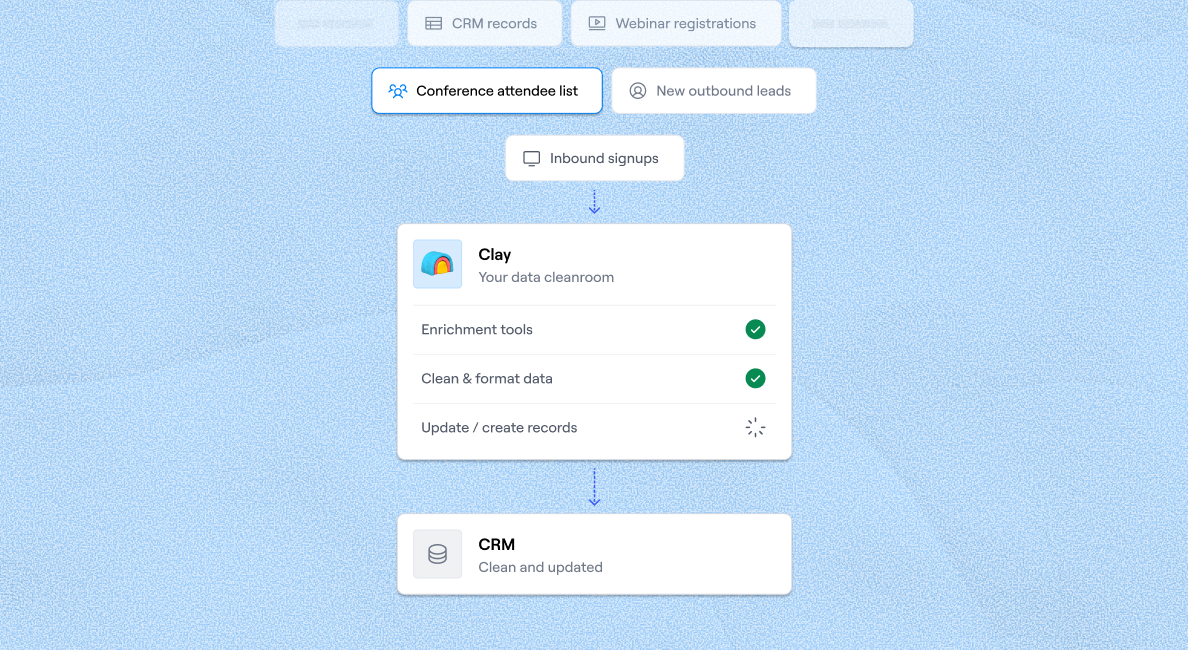
CRM enrichment
Обогащение CRM
Keep your CRM clean with the highest quality data
Поддерживайте чистоту CRM с данными высочайшего качества
BY TEAM
ПО КОМАНДЕ



GTM OpsОписание ссылки будет размещено здесь.МаркетингОписание ссылки будет размещено здесь.ПродажиОписание ссылки будет размещено здесь.
BY STAGE
ПО СТАДИИ


BY CUSTOMERS
ПО КЛИЕНТАМ

Vanta
Vanta
Link long form description will go in this slot here.
Описание ссылки будет размещено здесь.

Legora
Legora
Link long form description will go in this slot here.
Описание ссылки будет размещено здесь.

Hex
Hex
Link long form description will go in this slot here.
Описание ссылки будет размещено здесь.

Regency Supply
Regency Supply
Link long form description will go in this slot here.
Описание ссылки будет размещено здесь.

Rippling
Rippling
Link long form description will go in this slot here.
Описание ссылки будет размещено здесь.
Intercom
Intercom
Grew their outbound-sourced pipeline by +140%
Увеличили пайплайн из исходящих продаж на +140%

START GROWING
НАЧНИТЕ РАСТИ




ТрансляцииОписание ссылки будет размещено здесь.Когортные живые занятияОписание ссылки будет размещено здесь.Найти экспертов ClayОписание ссылки будет размещено здесь.Нанять GTM-специалистовОписание ссылки будет размещено здесь.Доска вакансий GTMEОписание ссылки будет размещено здесь.
DISCOVER
УЗНАВАЙТЕ
UniversityОписание ссылки будет размещено здесь.ШаблоныОписание ссылки будет размещено здесь.Блог GTMEОписание ссылки будет размещено здесь.Документация поддержкиОписание ссылки будет размещено здесь.
Community
Сообщество
Живые мероприятияОписание ссылки будет размещено здесь.Clay CupОписание ссылки будет размещено здесь.Сообщество ClayОписание ссылки будет размещено здесь.SlackОписание ссылки будет размещено здесь.
PARTNER WITH US
СТАНЬТЕ ПАРТНЁРОМ
Стать партнёромОписание ссылки будет размещено здесь.Партнёры по решениямОписание ссылки будет размещено здесь.Партнёры по интеграциямОписание ссылки будет размещено здесь.Программа для создателейОписание ссылки будет размещено здесь.Программа для стартаповОписание ссылки будет размещено здесь.Private EquityОписание ссылки будет размещено здесь.
Clay Commnity
Сообщество Clay
In Nigeria, she built a life where money wouldn’t decide
В Нигерии она построила жизнь, в которой деньги не решают

OUR COMPANY
НАША КОМПАНИЯ



О насОписание ссылки будет размещено здесь.КарьераОписание ссылки будет размещено здесь.Открытые вакансииОписание ссылки будет размещено здесь.
GET IN TOUCH
СВЯЗАТЬСЯ


SOCIALS
СОЦСЕТИ



LinkedInОписание ссылки будет размещено здесь.YouTubeОписание ссылки будет размещено здесь.XОписание ссылки будет размещено здесь.
Article – NY Times
Статья – NY Times
Clay allows employees to sell shares at a $5b valuation.
Clay позволяет сотрудникам продавать акции при оценке $5 млрд.

Best YouTube Scraper Tools: 4 In-Depth Reviews
Лучшие инструменты для скрапинга YouTube: 4 подробных обзора

YouTube has over two billion users worldwide, and each day, these users watch more than one billion hours of YouTube content. Besides watching videos, users leave comments, read video descriptions, and explore different channels available on the platform.
У YouTube более двух миллиардов пользователей по всему миру, и каждый день эти пользователи смотрят более одного миллиарда часов контента на YouTube. Помимо просмотра видео, пользователи оставляют комментарии, читают описания видео и исследуют различные каналы, доступные на платформе.
Collecting data such as video descriptions, search results, and comments from YouTube can help you conduct market research, analyze video performance or audience behavior, or achieve another goal.
Сбор данных, таких как описания видео, результаты поиска и комментарии с YouTube, может помочь вам проводить исследования рынка, анализировать эффективность видео или поведение аудитории, а также достигать других целей.
To avoid manually copying and pasting this data, you can use a YouTube scraper to complete the job.
Чтобы не копировать и не вставлять эти данные вручную, вы можете использовать скрапер YouTube для выполнения этой задачи.
In this guide, we'll single out the top four YouTube scrapers to help you choose the most reliable and efficient options. We'll also discuss a tool that goes beyond YouTube scraping and lets you collect data from all over the internet. 💪
В этом руководстве мы выделим четыре лучших скрапера YouTube, чтобы помочь вам выбрать наиболее надёжные и эффективные варианты. Мы также расскажем об инструменте, который выходит за рамки скрапинга YouTube и позволяет собирать данные со всего интернета. 💪
TL;DR
- The top four YouTube scrapers reviewed here are Clay, Oxylabs' YouTube API, Bright Data YouTube Scraper API, and Apify YouTube Scraper.
- Clay stands out for its no-code Chrome extension that scrapes any website (including YouTube) in three steps, plus Claygent for AI-powered web research.
- Key criteria for choosing a YouTube scraper: ease of use, transparent pricing, and whether the tool supports bulk scraping and data export formats like JSON, CSV, or XML.
- Clay's paid plans start at $185/month (Launch), with a free forever tier available to get started.
TL;DRЧетыре лучших скрапера YouTube, рассмотренных здесь: Clay, Oxylabs' YouTube API, Bright Data YouTube Scraper API и Apify YouTube Scraper.Clay выделяется no-code расширением для Chrome, которое парсит любой сайт (включая YouTube) за три шага, плюс Claygent для AI-исследований в интернете.Ключевые критерии выбора скрапера YouTube: простота использования, прозрачное ценообразование и поддержка массового скрапинга и форматов экспорта данных (JSON, CSV или XML).Платные тарифы Clay начинаются от $185/мес (Launch), с бесплатным бессрочным планом для начала работы.
Best YouTube Scraping Tools: In-Depth Reviews
Лучшие инструменты для скрапинга YouTube: подробные обзоры
To compile our list and maintain objectivity, we've analyzed dozens of tools, consulted industry experts and influencers, and checked out user reviews on major platforms. As a result, our team selected the following four tools:
Для составления нашего списка и обеспечения объективности мы проанализировали десятки инструментов, проконсультировались с отраслевыми экспертами и инфлюенсерами, а также изучили отзывы пользователей на основных платформах. В результате наша команда отобрала следующие четыре инструмента:
ClayOxylabs' YouTube APIBright Data YouTube ScraperApify YouTube Scraper
We'll discuss each tool's most notable features, pricing, and potential drawbacks to help you choose the right option. ✅
Мы обсудим наиболее примечательные функции, цены и потенциальные недостатки каждого инструмента, чтобы помочь вам выбрать правильный вариант. ✅
1. Clay
1. Clay
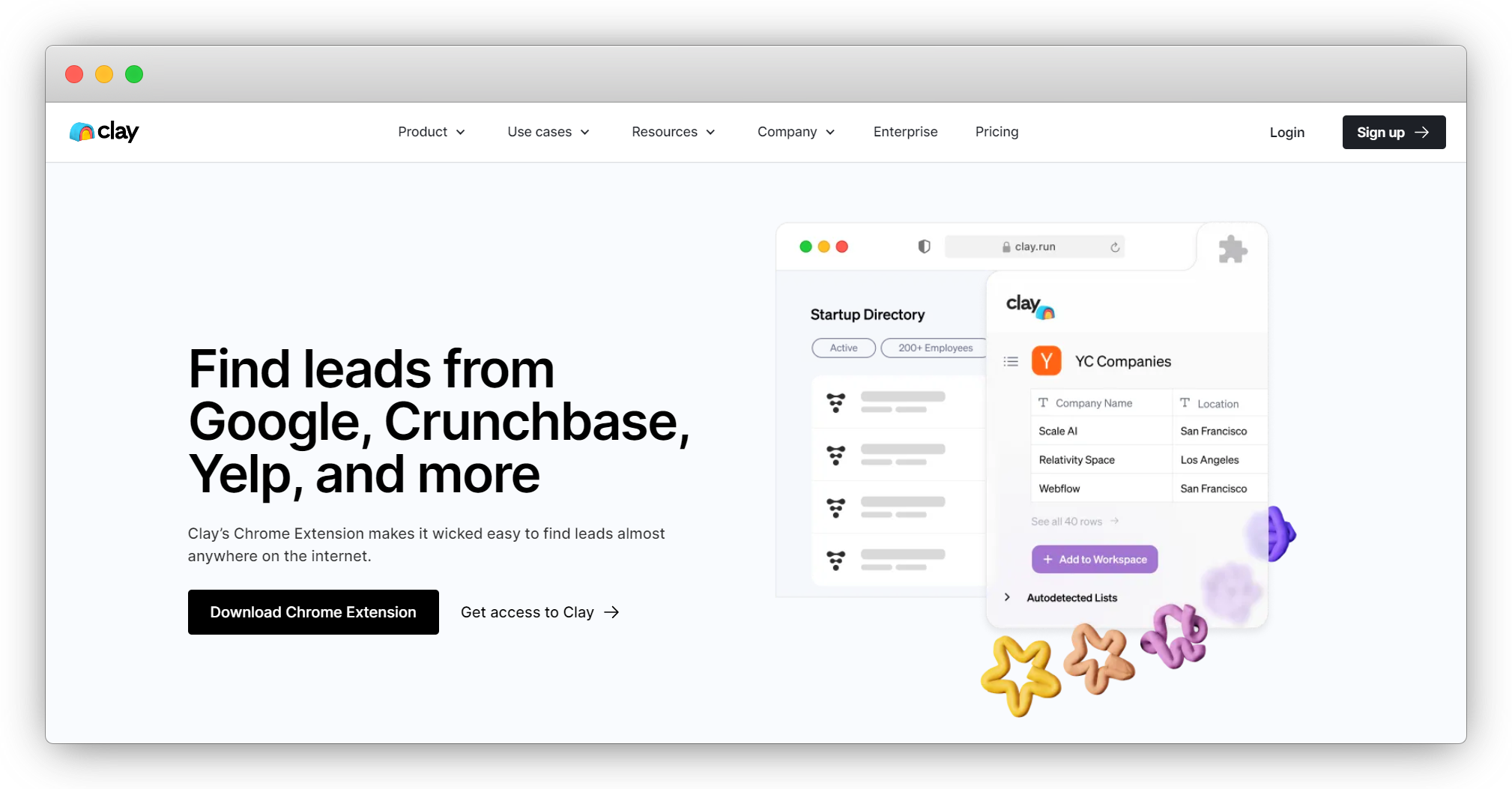
Clay is a sales automation platform with plenty of options revolving around web scraping. The platform doesn't have a dedicated YouTube scraper, but it has something better: a Chrome extension that can pull data from any website and platform, including YouTube.
Clay — это платформа автоматизации продаж с множеством возможностей, связанных с веб-скрапингом. У платформы нет специализированного скрапера YouTube, но есть кое-что лучше: расширение для Chrome, которое может извлекать данные с любого сайта и платформы, включая YouTube.
Here's how to scrape a YouTube page with Clay's Chrome extension in three steps:
Вот как парсить страницу YouTube с помощью расширения Clay для Chrome за три шага:
Скачайте расширениеОткройте нужную страницу YouTubeЗапустите расширение и сохраните данные в таблицу Clay
The extension doesn't require a single line of code so everyone can use it with ease. 🧑🤝🧑
Расширение не требует ни единой строки кода, поэтому каждый может легко его использовать. 🧑🤝🧑
Another scraping feature is Claygent, Clay's AI web scraper that can search all over the internet to find the data you need. Its mechanism is similar to ChatGPT as you use prompts to 'communicate' with Claygent and ask questions.
Ещё одна функция скрапинга — Claygent, AI-скрапер от Clay, который может искать по всему интернету нужные вам данные. Его механизм похож на ChatGPT: вы используете промпты для «общения» с Claygent и задаёте вопросы.
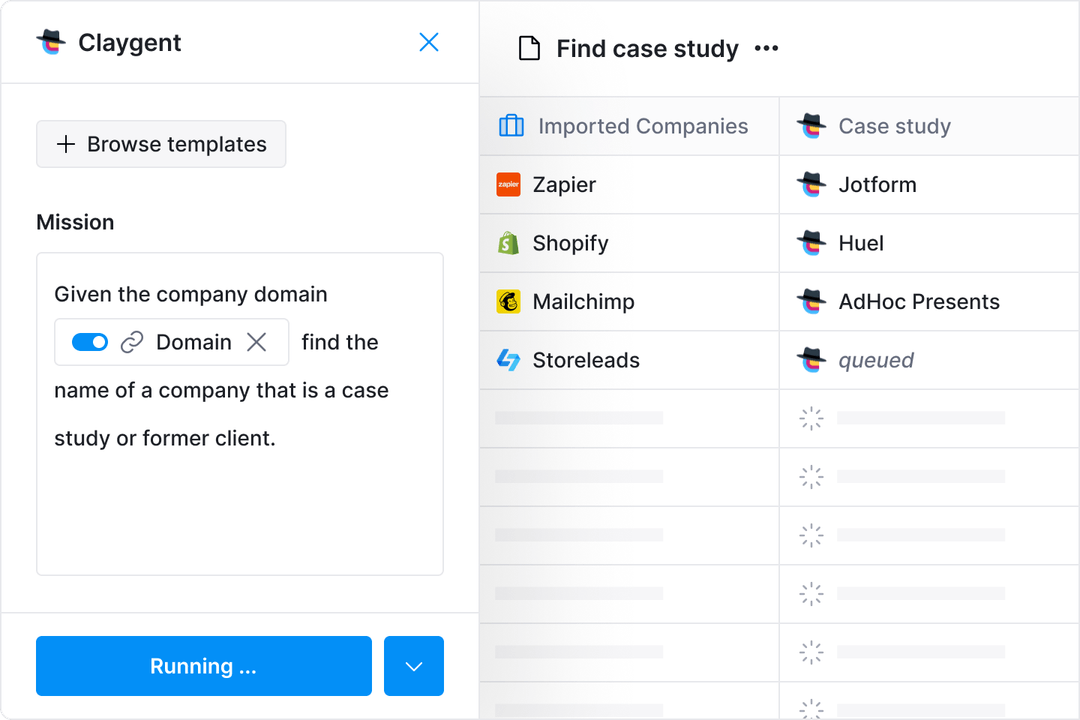
If you're all about saving time, you can try one of Clay's numerous web scraping templates to complete specific tasks with minimal effort. 🌟
Если вы хотите сэкономить время, попробуйте один из многочисленных шаблонов веб-скрапинга от Clay для выполнения конкретных задач с минимальными усилиями. 🌟
All these scraping features come at an excellent price. Besides a free forever plan that lets you try out the platform, you have four paid options:
Все эти функции скрапинга доступны по отличной цене. Помимо бесплатного бессрочного плана, который позволяет попробовать платформу, у вас есть четыре платных варианта:
Launch: $185/месGrowth: $495/месEnterprise: индивидуальная цена
As for drawbacks, some users have reported that writing prompts for Claygent can be a little tricky at first, but they agree that the platform is amazing all around.
Что касается недостатков, некоторые пользователи отмечают, что написание промптов для Claygent поначалу может быть немного сложным, но соглашаются, что платформа в целом великолепна.
✔️ Easy-to-use Chrome extension
✔️ Простое в использовании расширение для Chrome
✔️ Claygent, an AI web scraper
✔️ Claygent — AI-скрапер
✔️ Web scraping templates
✔️ Шаблоны веб-скрапинга
✔️ Flexible prices
✔️ Гибкие цены
2. Oxylabs' YouTube API
2. Oxylabs' YouTube API
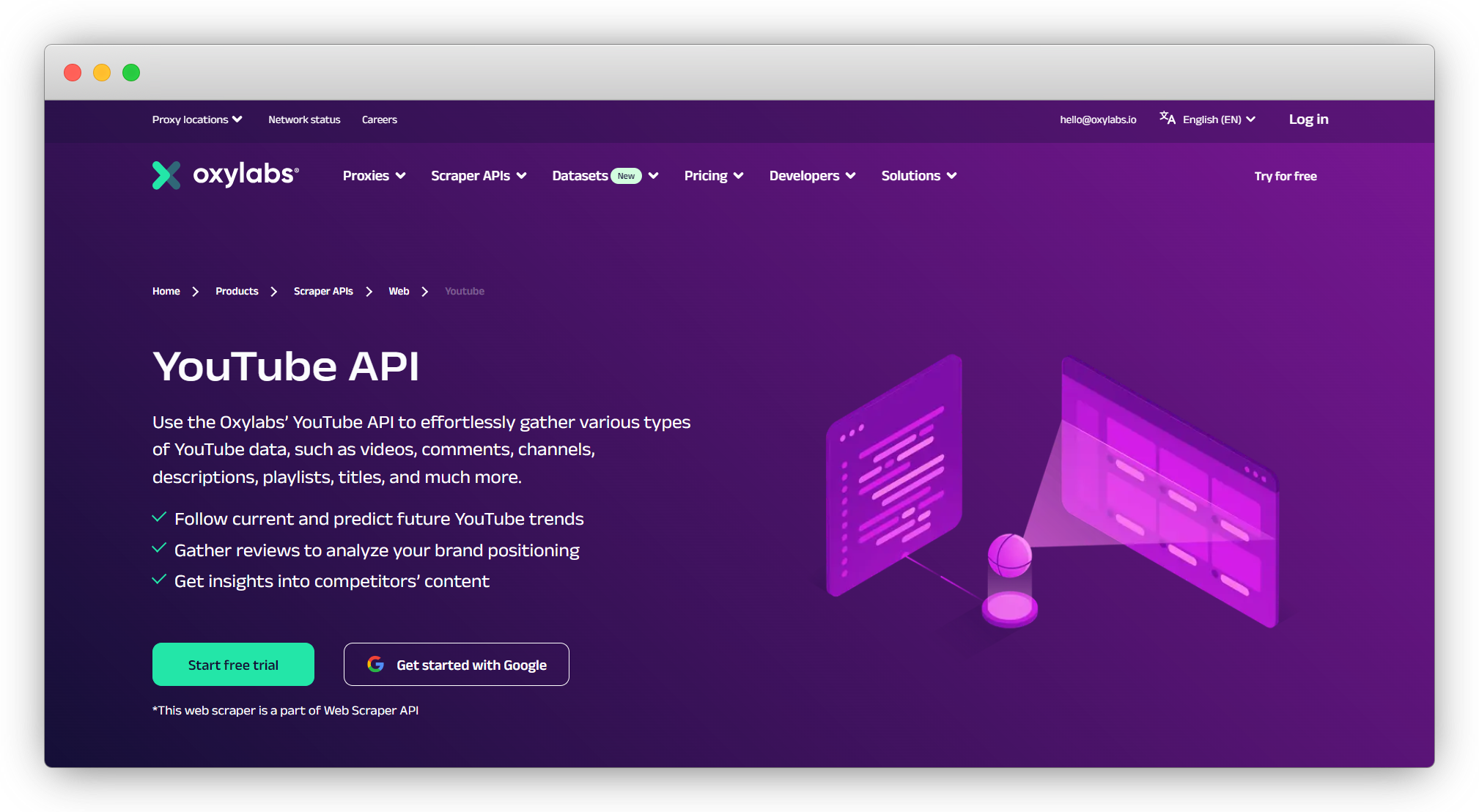
Oxylabs is a premium proxy service offering various cutting-edge web scraping solutions, including YouTube API, a dedicated product for extracting YouTube data. The product is a part of Web Scraper API that lets you collect public data from the majority of websites with specialized APIs.
Oxylabs — это премиальный прокси-сервис, предлагающий различные передовые решения для веб-скрапинга, включая YouTube API — специализированный продукт для извлечения данных YouTube. Продукт является частью Web Scraper API, который позволяет собирать публичные данные с большинства сайтов с помощью специализированных API.
With YouTube API, you can collect info such as:
С YouTube API вы можете собирать такие данные, как:
КомментарииКаналыОписания видеоКоличество подписчиковПлейлисты
The API is easy to use: you send the URL you want to scrape, and Oxylabs will return the page's HTML within seconds.
API прост в использовании: вы отправляете URL, который хотите спарсить, и Oxylabs возвращает HTML страницы в течение нескольких секунд.
Another capability worth highlighting is that YouTube API lets you extract data from multiple pages simultaneously, with up to 5,000 URLs per batch. This is excellent for everyone who wants to scrape at scale. 📈
Ещё одна важная возможность: YouTube API позволяет извлекать данные с нескольких страниц одновременно — до 5 000 URL за один пакет. Это отлично подходит для тех, кто хочет парсить в масштабе. 📈
If you want to scrape YouTube at specific times, leverage the service's scheduler to automate work and receive data automatically. You'll get notifications as soon as scraping is completed so that you can continue your work right away. ☑️
Если вы хотите парсить YouTube в определённое время, используйте планировщик сервиса для автоматизации работы и автоматического получения данных. Вы получите уведомления сразу после завершения скрапинга, чтобы можно было продолжить работу. ☑️
In terms of pricing, this YouTube scraping API offers two tiers: Regular and Enterprise. The Regular tier offers a free one-week trial and three paid options:
По ценам этот API для скрапинга YouTube предлагает два уровня: Regular и Enterprise. Уровень Regular включает бесплатный недельный пробный период и три платных варианта:
Micro: $49/месStarter: $99/месAdvanced: $249/мес
The Enterprise tier has four pricing options:
Уровень Enterprise имеет четыре ценовых варианта:
Venture: $499/месBusiness: $999/месCorporate: $2 000/месCustom: $10 000/мес
Although the service offers numerous pricing plans, many users mention it's still too costly, especially compared to platforms with similar options.
Хотя сервис предлагает множество тарифных планов, многие пользователи отмечают, что он всё равно слишком дорогой, особенно по сравнению с платформами с аналогичными возможностями.
✔️ Dedicated YouTube scraping API
✔️ Специализированный API для скрапинга YouTube
✔️ Scheduler
✔️ Планировщик
✔️ Easy to use
✔️ Простота использования
3. Bright Data YouTube Scraper API
3. Bright Data YouTube Scraper API
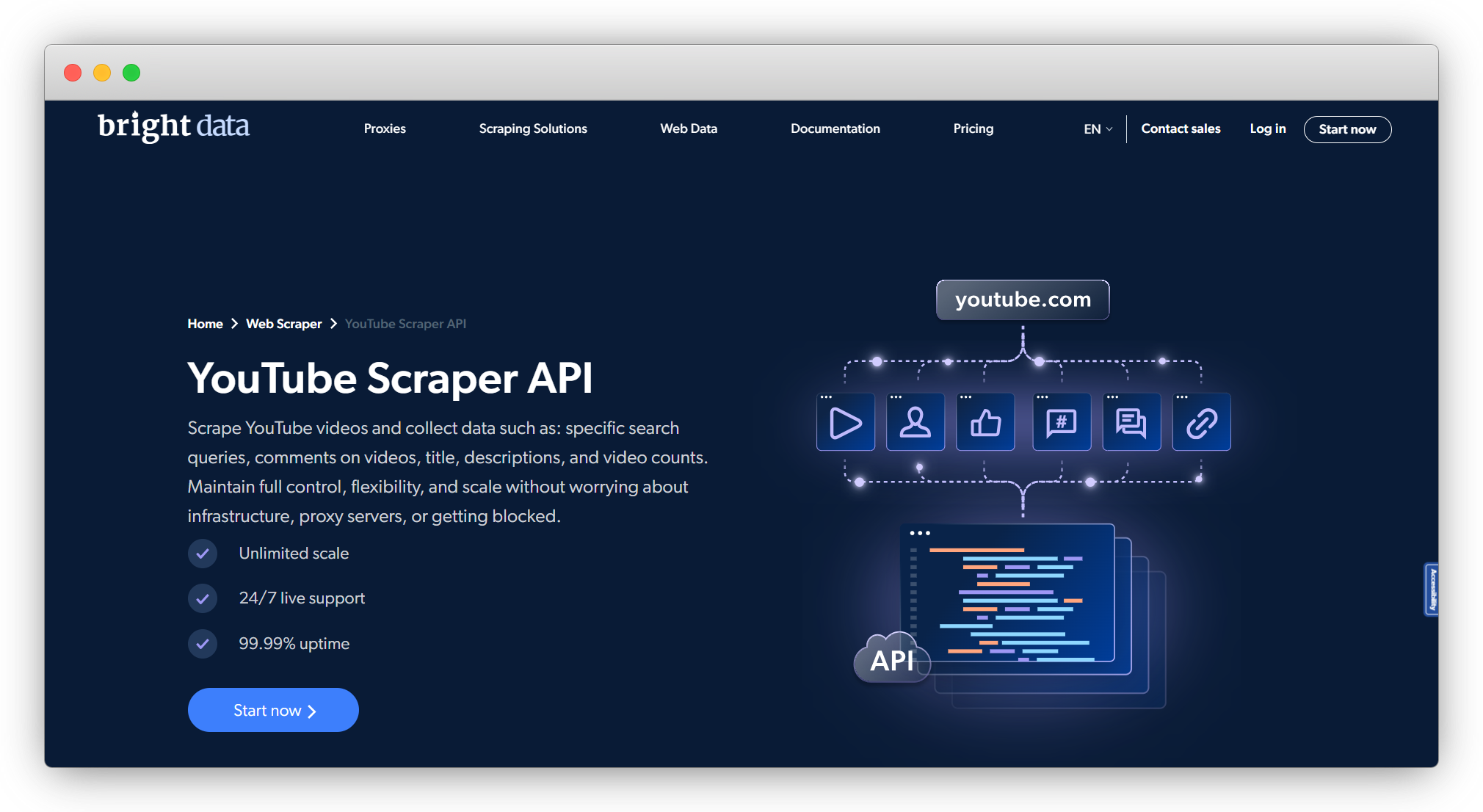
Bright Data offers web scraping and proxy services, including YouTube Scraper API. With it, you can scrape data such as:
Bright Data предлагает услуги веб-скрапинга и прокси, включая YouTube Scraper API. С его помощью вы можете парсить такие данные, как:
Поисковые запросы YouTubeОписания видеоКомментарииСчётчики видео
The scraper automatically detects data structures to ensure targeted extraction. It also has impressive data parsing capabilities, so it converts raw HTML info into structured data for easier navigation and analysis.
Скрапер автоматически определяет структуры данных для обеспечения точного извлечения. Он также обладает впечатляющими возможностями парсинга данных, преобразуя необработанный HTML в структурированные данные для удобной навигации и анализа.
Bulk request handling is another option users get with this YouTube scraper API. You can scrape multiple pages at once without server overload. 👌
Обработка массовых запросов — ещё одна опция, доступная пользователям этого API для скрапинга YouTube. Вы можете парсить несколько страниц одновременно без перегрузки сервера. 👌
As the service relies on proxies to scrape data, it can efficiently avoid CAPTCHA and IP blocks and access geo-restricted content while remaining anonymous, giving users total scraping freedom. 💪
Поскольку сервис использует прокси для скрапинга данных, он эффективно обходит CAPTCHA и блокировки IP и может получать доступ к гео-ограниченному контенту, оставаясь анонимным, что даёт пользователям полную свободу скрапинга. 💪
Flexible pricing is another perk: the price can be as low as $0.001 per record, depending on the domain type and the number of records.
Гибкое ценообразование — ещё одно преимущество: цена может составлять всего $0,001 за запись в зависимости от типа домена и количества записей.
In terms of drawbacks, some user reviews mention occasional lower speed, which could lead to scraping bottlenecks.
Что касается недостатков, некоторые отзывы пользователей упоминают периодическое снижение скорости, что может приводить к узким местам при скрапинге.
✔️ Automatic data detection
✔️ Автоматическое определение данных
✔️ Data parsing capabilities
✔️ Возможности парсинга данных
✔️ Bulk request handling
✔️ Обработка массовых запросов
4. Apify YouTube Scraper
4. Apify YouTube Scraper
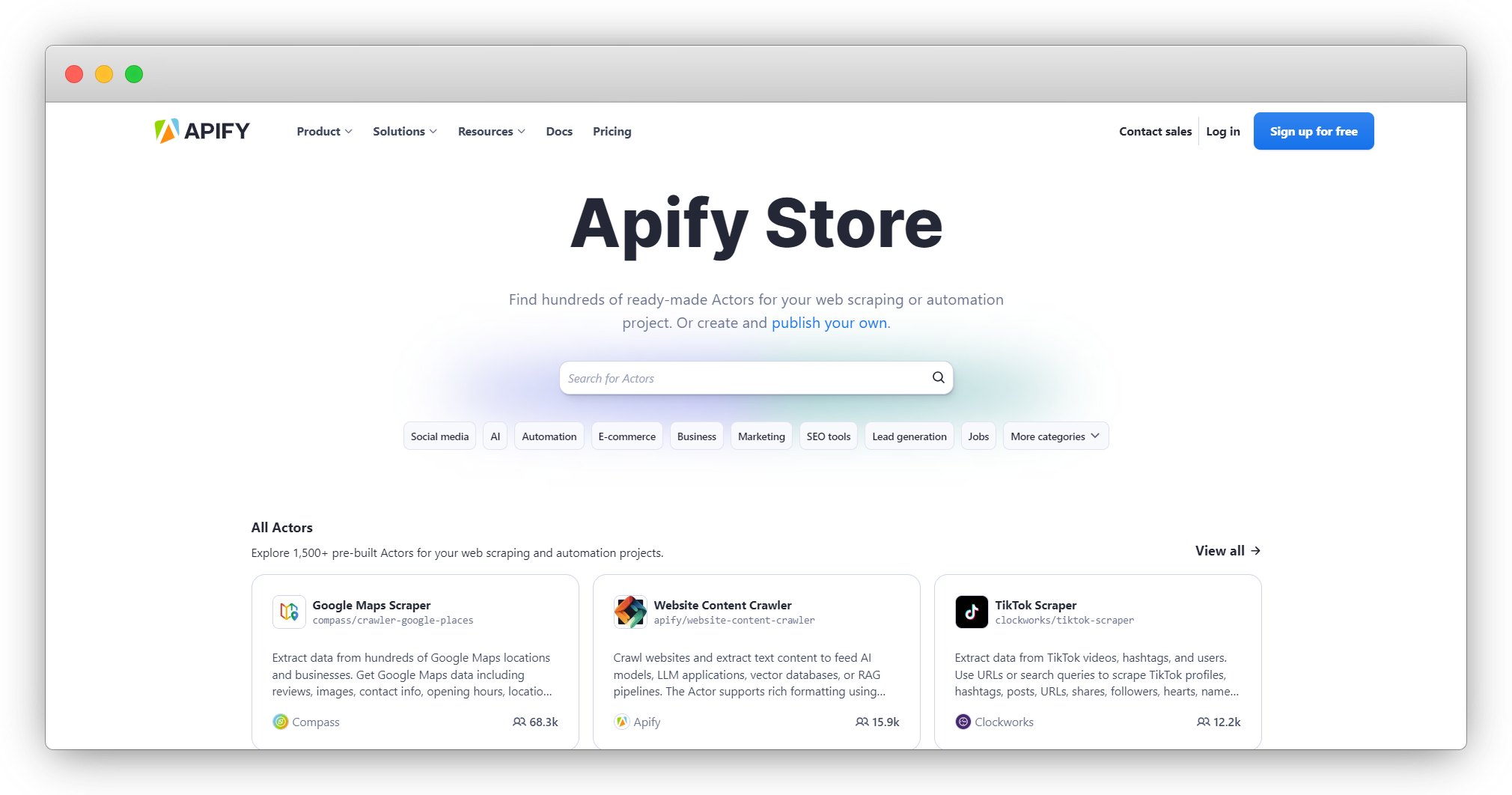
Apify is a web scraping and automation tool with plenty of solutions for extracting data. It offers a solution called Actors: cloud-based programs that 'act' (scrape data) based on a specific script.
Apify — это инструмент для веб-скрапинга и автоматизации с множеством решений для извлечения данных. Он предлагает решение под названием Actors: облачные программы, которые «действуют» (парсят данные) на основе определённого скрипта.
The Actor playing the leading role in our reviews is Apify YouTube Scraper, which lets users extract data like:
Actor, играющий главную роль в нашем обзоре — это Apify YouTube Scraper, который позволяет извлекать данные вроде:
КаналыПлейлистыРезультаты поискаОписания видео, заголовки, лайки, метаданные, количество просмотров и комментарии
You can scrape YouTube either by URL or term search: you input keywords to extract relevant YouTube search results.
Вы можете парсить YouTube как по URL, так и по поисковым запросам: вводите ключевые слова для извлечения релевантных результатов поиска YouTube.
Once you scrape the data you're interested in, you can download it in different formats, such as JSON, HTML, XML, and CSV. Apify also offers other YouTube-related scrapers, such as YouTube Shorts Scraper and YouTube Comment Scraper, but they aren't as comprehensive.
После парсинга интересующих данных вы можете скачать их в различных форматах: JSON, HTML, XML и CSV. Apify также предлагает другие скраперы для YouTube, такие как YouTube Shorts Scraper и YouTube Comment Scraper, но они не столь комплексны.
The platform's pricing is quite complex: you have five subscription options:
Ценообразование платформы довольно сложное: доступно пять вариантов подписки:
FreeStarter: $49/месScale: $499/месBusiness: $999/месEnterprise: индивидуально
On top of the monthly subscription, you pay extra to rent your Actors (in this case, YouTube Scraper). How much you'll pay depends on the resources needed to extract data. If you opt for the free plan, you can't rent Actors, so you'll need at least the Starter subscription.
Помимо месячной подписки, вы платите дополнительно за аренду Actors (в данном случае YouTube Scraper). Сумма зависит от ресурсов, необходимых для извлечения данных. На бесплатном плане арендовать Actors нельзя, поэтому потребуется минимум подписка Starter.
Besides the complex pricing, another potential drawback is the learning curve: users reported that using the scrapers can be complicated if you aren't tech-savvy.
Помимо сложного ценообразования, ещё один потенциальный недостаток — кривая обучения: пользователи отмечают, что работа со скраперами может быть сложной, если вы не технически подкованы.
✔️ Several scraping options
✔️ Несколько вариантов скрапинга
✔️ Simple interface
✔️ Простой интерфейс
✔️ Flexible export
✔️ Гибкий экспорт
❌ Complicated for some users
❌ Сложно для некоторых пользователей
❌ Complex pricing
❌ Сложное ценообразование
How to Choose the Right YouTube Scraper
Как выбрать правильный скрапер YouTube
Choosing the right YouTube scraper can be tricky, so here are a few criteria to consider before you make a decision:
Выбор правильного скрапера YouTube может быть непростым, поэтому вот несколько критериев, которые стоит учесть перед принятием решения:
Простота использования: правильный инструмент не должен иметь крутую кривую обучения или требовать месяцев обучения. Если вы не программист, ищите no-code скраперы, которые можно использовать без проблемЦена: ищите инструмент с прозрачными и гибкими тарифными планами. В идеале он должен предлагать бесплатный бессрочный план или хотя бы бесплатный пробный период, чтобы вы могли изучить функционал и интерфейс перед покупкойДополнительные функции: найдите инструмент, который выходит за рамки скрапинга и позволяет выполнять другие задачи, такие как обогащение данных или создание сообщений
One tool that meets these criteria is Clay: it combines an intuitive interface with affordable pricing and impressive scraping, enrichment, and message personalization options. 🏆
Один инструмент, который соответствует этим критериям — Clay: он сочетает интуитивный интерфейс с доступными ценами и впечатляющими возможностями скрапинга, обогащения и персонализации сообщений. 🏆
Why Clay Should Be Your Go-To Tool
Почему Clay должен стать вашим основным инструментом
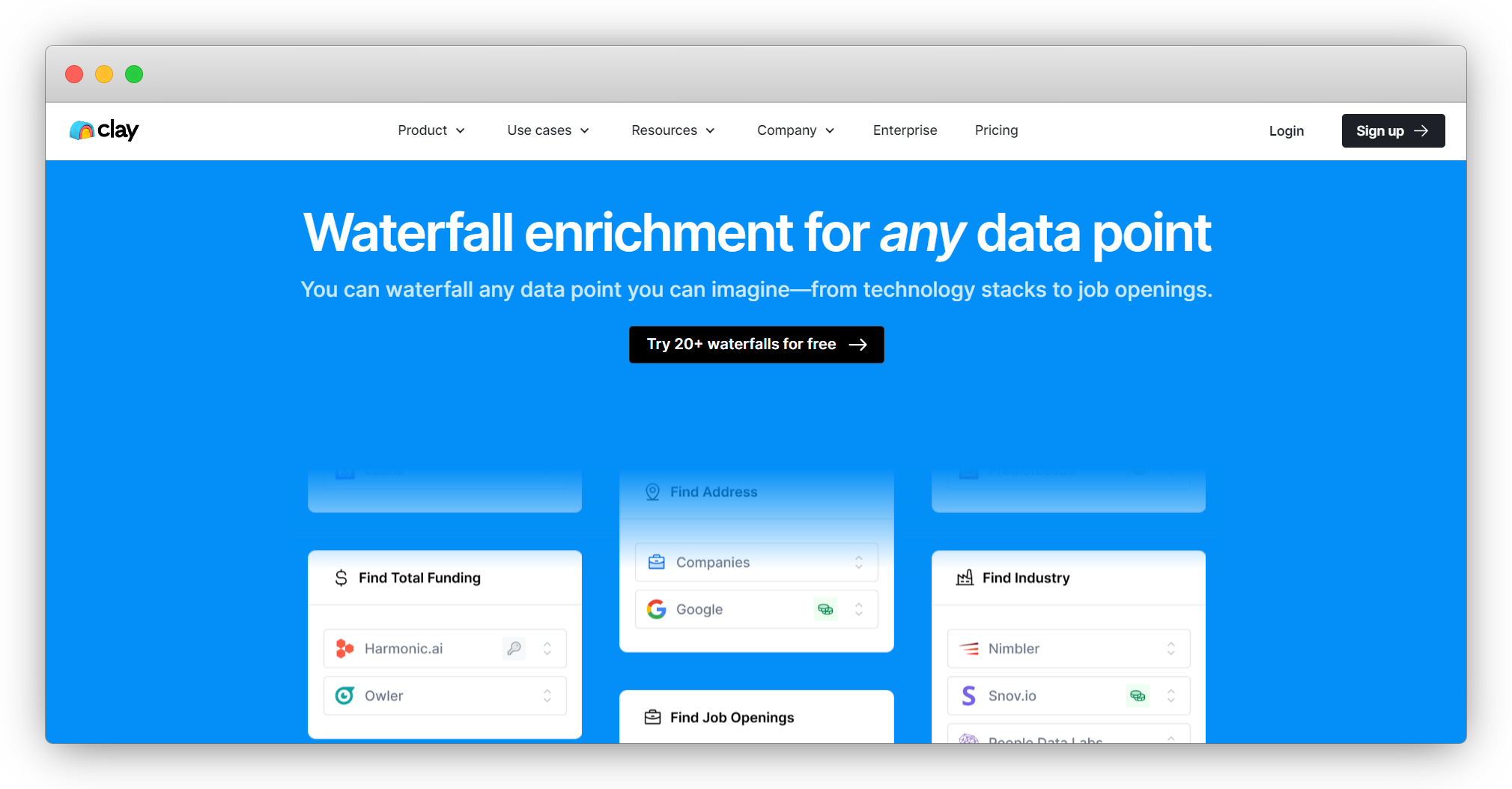
The beauty of Clay lies in its versatility: in addition to YouTube, it can scrape data from virtually any website and social media platform. This gives you the upper hand because you can get data from various sources and ensure its accuracy and reliability.
Красота Clay заключается в его универсальности: помимо YouTube, он может парсить данные практически с любого сайта и платформы социальных сетей. Это даёт вам преимущество, поскольку вы можете получать данные из различных источников и обеспечивать их точность и надёжность.
Another testament to Clay's versatility is that the platform offers much more than scraping. You get options such as:
Ещё одно свидетельство универсальности Clay — платформа предлагает гораздо больше, чем просто скрапинг. Вам доступны такие опции, как:
✅ Интеграции с 50+ платформами: извлекайте данные из любой интеграции Clay без оплаты отдельных подписок и не покидая платформу✅ Водопадное обогащение: последовательно просматривайте источники данных для поиска нужной информации, минимизируя затраты и повышая покрытие✅ AI-обогащение: резюмируйте исследования, делайте выводы и обучайте AI в Clay для лучших результатов✅ AI-генератор писем: создавайте гиперперсонализированные сообщения на основе спарсенных данных и впечатляйте получателей
Clay is primarily a sales automation platform, so it's ideal for generating leads and reaching out to them. As it covers various processes, it's an excellent option for everyone, from individuals who want to scrape YouTube data to see how their videos are performing to enterprises that want to zero in on the competition.
Clay — это прежде всего платформа автоматизации продаж, поэтому она идеально подходит для генерации лидов и связи с ними. Поскольку она охватывает различные процессы, это отличный вариант для всех — от частных лиц, которые хотят парсить данные YouTube для отслеживания эффективности своих видео, до предприятий, стремящихся изучить конкурентов.
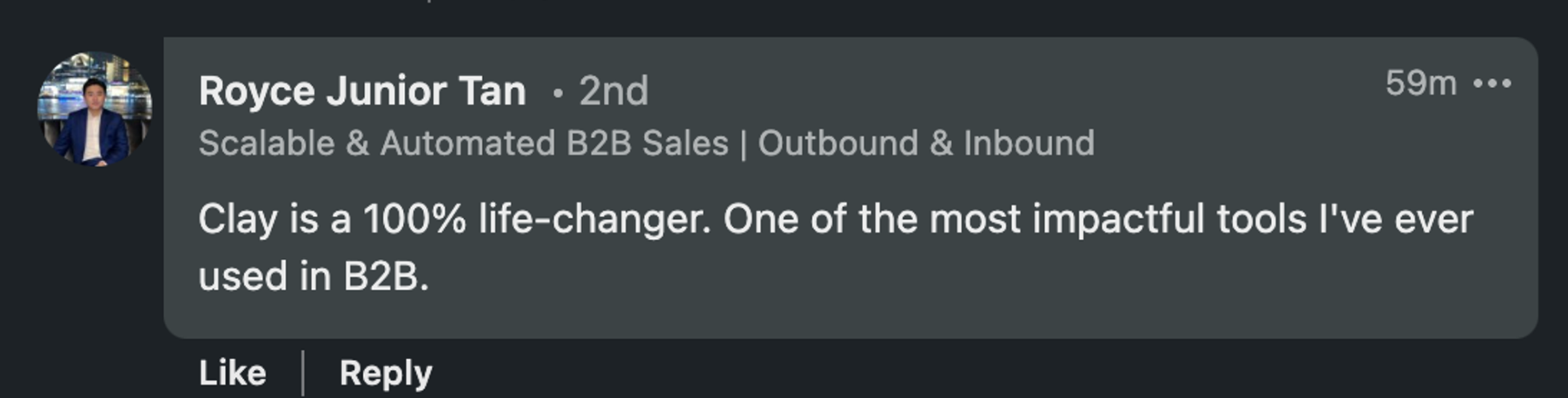
Whatever your goal is, Clay's features can help you save time and resources. Here's one of many glowing user reviews:
Какой бы ни была ваша цель, функции Clay помогут сэкономить время и ресурсы. Вот один из многих восторженных отзывов пользователей:
Set up Your Clay Account
Создайте свой аккаунт Clay
Now that you're familiar with Clay's functionalities, the only thing left to do is create an account. Here's how to do it:
Теперь, когда вы знакомы с функциональностью Clay, осталось только создать аккаунт. Вот как это сделать:
Перейдите на страницу регистрации 👈Укажите необходимую информациюИсследуйте возможности Clay
If you'd like to learn more about Clay before committing, visit Clay University: detailed feature walkthroughs will help you decide if Clay is the right fit. You should also join the Slack community and subscribe to the newsletter to stay in the loop and discover how others use the platform. 🥰
Если вы хотите узнать больше о Clay перед покупкой, посетите Clay University: подробные пошаговые инструкции по функциям помогут решить, подходит ли вам Clay. Также присоединяйтесь к Slack-сообществу и подпишитесь на рассылку, чтобы быть в курсе и узнавать, как другие используют платформу. 🥰
Frequently Asked Questions
Часто задаваемые вопросы
Can I scrape YouTube without writing any code?
Можно ли парсить YouTube без написания кода?
Yes. Clay's Chrome extension lets you scrape any YouTube page in three steps with no coding required. You download the extension, open the YouTube page you want to scrape, and run the extension to save data directly to your Clay table.
Да. Расширение Clay для Chrome позволяет спарсить любую страницу YouTube за три шага без программирования. Вы скачиваете расширение, открываете нужную страницу YouTube и запускаете расширение для сохранения данных прямо в таблицу Clay.
What data can a YouTube scraper extract?
Какие данные может извлечь скрапер YouTube?
Depending on the tool, you can extract video titles, descriptions, view counts, likes, comments, channel info, subscriber counts, playlists, and search results. Tools like Apify also support export in formats such as JSON, CSV, XML, and HTML.
В зависимости от инструмента вы можете извлекать заголовки видео, описания, количество просмотров, лайки, комментарии, информацию о канале, количество подписчиков, плейлисты и результаты поиска. Такие инструменты, как Apify, также поддерживают экспорт в форматах JSON, CSV, XML и HTML.
Can I scrape YouTube at scale or in bulk?
Можно ли парсить YouTube в масштабе или массово?
Yes. Oxylabs' YouTube API supports up to 5,000 URLs per batch, and Bright Data's scraper handles bulk requests without server overload. Clay's Claygent can also run research tasks across many records simultaneously inside a Clay table.
Да. YouTube API от Oxylabs поддерживает до 5 000 URL за один пакет, а скрапер Bright Data обрабатывает массовые запросы без перегрузки сервера. Claygent от Clay также может выполнять исследовательские задачи по множеству записей одновременно внутри таблицы Clay.
What URL format should I use when scraping YouTube?
Какой формат URL использовать при скрапинге YouTube?
Most tools accept standard YouTube URLs for videos, channels, and playlists. Apify also supports keyword-based term search, so you can input search terms instead of specific URLs to extract relevant results.
Большинство инструментов принимают стандартные URL YouTube для видео, каналов и плейлистов. Apify также поддерживает поиск по ключевым словам, так что вы можете вводить поисковые запросы вместо конкретных URL для извлечения релевантных результатов.
💡 Bonus read: Want to learn more about web scraping in general and extracting data from specific platforms? Check out our guides below:
💡 Бонус: Хотите узнать больше о веб-скрапинге в целом и извлечении данных с конкретных платформ? Ознакомьтесь с нашими руководствами ниже:
Скрапер TikTokСкрапер FacebookПарсинг подписчиков InstagramСкрапер TwitterСкрапер групп FacebookСкрапер Instagram
YouTube has over two billion users worldwide, and each day, these users watch more than one billion hours of YouTube content. Besides watching videos, users leave comments, read video descriptions, and explore different channels available on the platform.
У YouTube более двух миллиардов пользователей по всему миру, и каждый день эти пользователи смотрят более одного миллиарда часов контента на YouTube. Помимо просмотра видео, пользователи оставляют комментарии, читают описания видео и исследуют различные каналы, доступные на платформе.
Collecting data such as video descriptions, search results, and comments from YouTube can help you conduct market research, analyze video performance or audience behavior, or achieve another goal.
Сбор данных, таких как описания видео, результаты поиска и комментарии с YouTube, может помочь вам проводить исследования рынка, анализировать эффективность видео или поведение аудитории, а также достигать других целей.
To avoid manually copying and pasting this data, you can use a YouTube scraper to complete the job.
Чтобы не копировать и не вставлять эти данные вручную, вы можете использовать скрапер YouTube для выполнения этой задачи.
In this guide, we'll single out the top four YouTube scrapers to help you choose the most reliable and efficient options. We'll also discuss a tool that goes beyond YouTube scraping and lets you collect data from all over the internet. 💪
В этом руководстве мы выделим четыре лучших скрапера YouTube, чтобы помочь вам выбрать наиболее надёжные и эффективные варианты. Мы также расскажем об инструменте, который выходит за рамки скрапинга YouTube и позволяет собирать данные со всего интернета. 💪
TL;DR
- The top four YouTube scrapers reviewed here are Clay, Oxylabs' YouTube API, Bright Data YouTube Scraper API, and Apify YouTube Scraper.
- Clay stands out for its no-code Chrome extension that scrapes any website (including YouTube) in three steps, plus Claygent for AI-powered web research.
- Key criteria for choosing a YouTube scraper: ease of use, transparent pricing, and whether the tool supports bulk scraping and data export formats like JSON, CSV, or XML.
- Clay's paid plans start at $185/month (Launch), with a free forever tier available to get started.
TL;DRЧетыре лучших скрапера YouTube, рассмотренных здесь: Clay, Oxylabs' YouTube API, Bright Data YouTube Scraper API и Apify YouTube Scraper.Clay выделяется no-code расширением для Chrome, которое парсит любой сайт (включая YouTube) за три шага, плюс Claygent для AI-исследований в интернете.Ключевые критерии выбора скрапера YouTube: простота использования, прозрачное ценообразование и поддержка массового скрапинга и форматов экспорта данных (JSON, CSV или XML).Платные тарифы Clay начинаются от $185/мес (Launch), с бесплатным бессрочным планом для начала работы.
Best YouTube Scraping Tools: In-Depth Reviews
Лучшие инструменты для скрапинга YouTube: подробные обзоры
To compile our list and maintain objectivity, we've analyzed dozens of tools, consulted industry experts and influencers, and checked out user reviews on major platforms. As a result, our team selected the following four tools:
Для составления нашего списка и обеспечения объективности мы проанализировали десятки инструментов, проконсультировались с отраслевыми экспертами и инфлюенсерами, а также изучили отзывы пользователей на основных платформах. В результате наша команда отобрала следующие четыре инструмента:
ClayOxylabs' YouTube APIBright Data YouTube ScraperApify YouTube Scraper
We'll discuss each tool's most notable features, pricing, and potential drawbacks to help you choose the right option. ✅
Мы обсудим наиболее примечательные функции, цены и потенциальные недостатки каждого инструмента, чтобы помочь вам выбрать правильный вариант. ✅
1. Clay
1. Clay
Clay is a sales automation platform with plenty of options revolving around web scraping. The platform doesn't have a dedicated YouTube scraper, but it has something better: a Chrome extension that can pull data from any website and platform, including YouTube.
Clay — это платформа автоматизации продаж с множеством возможностей, связанных с веб-скрапингом. У платформы нет специализированного скрапера YouTube, но есть кое-что лучше: расширение для Chrome, которое может извлекать данные с любого сайта и платформы, включая YouTube.
Here's how to scrape a YouTube page with Clay's Chrome extension in three steps:
Вот как парсить страницу YouTube с помощью расширения Clay для Chrome за три шага:
Скачайте расширениеОткройте нужную страницу YouTubeЗапустите расширение и сохраните данные в таблицу Clay
The extension doesn't require a single line of code so everyone can use it with ease. 🧑🤝🧑
Расширение не требует ни единой строки кода, поэтому каждый может легко его использовать. 🧑🤝🧑
Another scraping feature is Claygent, Clay's AI web scraper that can search all over the internet to find the data you need. Its mechanism is similar to ChatGPT as you use prompts to 'communicate' with Claygent and ask questions.
Ещё одна функция скрапинга — Claygent, AI-скрапер от Clay, который может искать по всему интернету нужные вам данные. Его механизм похож на ChatGPT: вы используете промпты для «общения» с Claygent и задаёте вопросы.
If you're all about saving time, you can try one of Clay's numerous web scraping templates to complete specific tasks with minimal effort. 🌟
Если вы хотите сэкономить время, попробуйте один из многочисленных шаблонов веб-скрапинга от Clay для выполнения конкретных задач с минимальными усилиями. 🌟
All these scraping features come at an excellent price. Besides a free forever plan that lets you try out the platform, you have four paid options:
Все эти функции скрапинга доступны по отличной цене. Помимо бесплатного бессрочного плана, который позволяет попробовать платформу, у вас есть четыре платных варианта:
Launch: $185/месGrowth: $495/месEnterprise: индивидуальная цена
As for drawbacks, some users have reported that writing prompts for Claygent can be a little tricky at first, but they agree that the platform is amazing all around.
Что касается недостатков, некоторые пользователи отмечают, что написание промптов для Claygent поначалу может быть немного сложным, но соглашаются, что платформа в целом великолепна.
✔️ Easy-to-use Chrome extension
✔️ Простое в использовании расширение для Chrome
✔️ Claygent, an AI web scraper
✔️ Claygent — AI-скрапер
✔️ Web scraping templates
✔️ Шаблоны веб-скрапинга
✔️ Flexible prices
✔️ Гибкие цены
2. Oxylabs' YouTube API
2. Oxylabs' YouTube API
Oxylabs is a premium proxy service offering various cutting-edge web scraping solutions, including YouTube API, a dedicated product for extracting YouTube data. The product is a part of Web Scraper API that lets you collect public data from the majority of websites with specialized APIs.
Oxylabs — это премиальный прокси-сервис, предлагающий различные передовые решения для веб-скрапинга, включая YouTube API — специализированный продукт для извлечения данных YouTube. Продукт является частью Web Scraper API, который позволяет собирать публичные данные с большинства сайтов с помощью специализированных API.
With YouTube API, you can collect info such as:
С YouTube API вы можете собирать такие данные, как:
КомментарииКаналыОписания видеоКоличество подписчиковПлейлисты
The API is easy to use: you send the URL you want to scrape, and Oxylabs will return the page's HTML within seconds.
API прост в использовании: вы отправляете URL, который хотите спарсить, и Oxylabs возвращает HTML страницы в течение нескольких секунд.
Another capability worth highlighting is that YouTube API lets you extract data from multiple pages simultaneously, with up to 5,000 URLs per batch. This is excellent for everyone who wants to scrape at scale. 📈
Ещё одна важная возможность: YouTube API позволяет извлекать данные с нескольких страниц одновременно — до 5 000 URL за один пакет. Это отлично подходит для тех, кто хочет парсить в масштабе. 📈
If you want to scrape YouTube at specific times, leverage the service's scheduler to automate work and receive data automatically. You'll get notifications as soon as scraping is completed so that you can continue your work right away. ☑️
Если вы хотите парсить YouTube в определённое время, используйте планировщик сервиса для автоматизации работы и автоматического получения данных. Вы получите уведомления сразу после завершения скрапинга, чтобы можно было продолжить работу. ☑️
In terms of pricing, this YouTube scraping API offers two tiers: Regular and Enterprise. The Regular tier offers a free one-week trial and three paid options:
По ценам этот API для скрапинга YouTube предлагает два уровня: Regular и Enterprise. Уровень Regular включает бесплатный недельный пробный период и три платных варианта:
Micro: $49/месStarter: $99/месAdvanced: $249/мес
The Enterprise tier has four pricing options:
Уровень Enterprise имеет четыре ценовых варианта:
Venture: $499/месBusiness: $999/месCorporate: $2 000/месCustom: $10 000/мес
Although the service offers numerous pricing plans, many users mention it's still too costly, especially compared to platforms with similar options.
Хотя сервис предлагает множество тарифных планов, многие пользователи отмечают, что он всё равно слишком дорогой, особенно по сравнению с платформами с аналогичными возможностями.
✔️ Dedicated YouTube scraping API
✔️ Специализированный API для скрапинга YouTube
✔️ Scheduler
✔️ Планировщик
✔️ Easy to use
✔️ Простота использования
3. Bright Data YouTube Scraper API
3. Bright Data YouTube Scraper API
Bright Data offers web scraping and proxy services, including YouTube Scraper API. With it, you can scrape data such as:
Bright Data предлагает услуги веб-скрапинга и прокси, включая YouTube Scraper API. С его помощью вы можете парсить такие данные, как:
Поисковые запросы YouTubeОписания видеоКомментарииСчётчики видео
The scraper automatically detects data structures to ensure targeted extraction. It also has impressive data parsing capabilities, so it converts raw HTML info into structured data for easier navigation and analysis.
Скрапер автоматически определяет структуры данных для обеспечения точного извлечения. Он также обладает впечатляющими возможностями парсинга данных, преобразуя необработанный HTML в структурированные данные для удобной навигации и анализа.
Bulk request handling is another option users get with this YouTube scraper API. You can scrape multiple pages at once without server overload. 👌
Обработка массовых запросов — ещё одна опция, доступная пользователям этого API для скрапинга YouTube. Вы можете парсить несколько страниц одновременно без перегрузки сервера. 👌
As the service relies on proxies to scrape data, it can efficiently avoid CAPTCHA and IP blocks and access geo-restricted content while remaining anonymous, giving users total scraping freedom. 💪
Поскольку сервис использует прокси для скрапинга данных, он эффективно обходит CAPTCHA и блокировки IP и может получать доступ к гео-ограниченному контенту, оставаясь анонимным, что даёт пользователям полную свободу скрапинга. 💪
Flexible pricing is another perk: the price can be as low as $0.001 per record, depending on the domain type and the number of records.
Гибкое ценообразование — ещё одно преимущество: цена может составлять всего $0,001 за запись в зависимости от типа домена и количества записей.
In terms of drawbacks, some user reviews mention occasional lower speed, which could lead to scraping bottlenecks.
Что касается недостатков, некоторые отзывы пользователей упоминают периодическое снижение скорости, что может приводить к узким местам при скрапинге.
✔️ Automatic data detection
✔️ Автоматическое определение данных
✔️ Data parsing capabilities
✔️ Возможности парсинга данных
✔️ Bulk request handling
✔️ Обработка массовых запросов
4. Apify YouTube Scraper
4. Apify YouTube Scraper
Apify is a web scraping and automation tool with plenty of solutions for extracting data. It offers a solution called Actors: cloud-based programs that 'act' (scrape data) based on a specific script.
Apify — это инструмент для веб-скрапинга и автоматизации с множеством решений для извлечения данных. Он предлагает решение под названием Actors: облачные программы, которые «действуют» (парсят данные) на основе определённого скрипта.
The Actor playing the leading role in our reviews is Apify YouTube Scraper, which lets users extract data like:
Actor, играющий главную роль в нашем обзоре — это Apify YouTube Scraper, который позволяет извлекать данные вроде:
КаналыПлейлистыРезультаты поискаОписания видео, заголовки, лайки, метаданные, количество просмотров и комментарии
You can scrape YouTube either by URL or term search: you input keywords to extract relevant YouTube search results.
Вы можете парсить YouTube как по URL, так и по поисковым запросам: вводите ключевые слова для извлечения релевантных результатов поиска YouTube.
Once you scrape the data you're interested in, you can download it in different formats, such as JSON, HTML, XML, and CSV. Apify also offers other YouTube-related scrapers, such as YouTube Shorts Scraper and YouTube Comment Scraper, but they aren't as comprehensive.
После парсинга интересующих данных вы можете скачать их в различных форматах: JSON, HTML, XML и CSV. Apify также предлагает другие скраперы для YouTube, такие как YouTube Shorts Scraper и YouTube Comment Scraper, но они не столь комплексны.
The platform's pricing is quite complex: you have five subscription options:
Ценообразование платформы довольно сложное: доступно пять вариантов подписки:
FreeStarter: $49/месScale: $499/месBusiness: $999/месEnterprise: индивидуально
On top of the monthly subscription, you pay extra to rent your Actors (in this case, YouTube Scraper). How much you'll pay depends on the resources needed to extract data. If you opt for the free plan, you can't rent Actors, so you'll need at least the Starter subscription.
Помимо месячной подписки, вы платите дополнительно за аренду Actors (в данном случае YouTube Scraper). Сумма зависит от ресурсов, необходимых для извлечения данных. На бесплатном плане арендовать Actors нельзя, поэтому потребуется минимум подписка Starter.
Besides the complex pricing, another potential drawback is the learning curve: users reported that using the scrapers can be complicated if you aren't tech-savvy.
Помимо сложного ценообразования, ещё один потенциальный недостаток — кривая обучения: пользователи отмечают, что работа со скраперами может быть сложной, если вы не технически подкованы.
✔️ Several scraping options
✔️ Несколько вариантов скрапинга
✔️ Simple interface
✔️ Простой интерфейс
✔️ Flexible export
✔️ Гибкий экспорт
❌ Complicated for some users
❌ Сложно для некоторых пользователей
❌ Complex pricing
❌ Сложное ценообразование
How to Choose the Right YouTube Scraper
Как выбрать правильный скрапер YouTube
Choosing the right YouTube scraper can be tricky, so here are a few criteria to consider before you make a decision:
Выбор правильного скрапера YouTube может быть непростым, поэтому вот несколько критериев, которые стоит учесть перед принятием решения:
Простота использования: правильный инструмент не должен иметь крутую кривую обучения или требовать месяцев обучения. Если вы не программист, ищите no-code скраперы, которые можно использовать без проблемЦена: ищите инструмент с прозрачными и гибкими тарифными планами. В идеале он должен предлагать бесплатный бессрочный план или хотя бы бесплатный пробный период, чтобы вы могли изучить функционал и интерфейс перед покупкойДополнительные функции: найдите инструмент, который выходит за рамки скрапинга и позволяет выполнять другие задачи, такие как обогащение данных или создание сообщений
One tool that meets these criteria is Clay: it combines an intuitive interface with affordable pricing and impressive scraping, enrichment, and message personalization options. 🏆
Один инструмент, который соответствует этим критериям — Clay: он сочетает интуитивный интерфейс с доступными ценами и впечатляющими возможностями скрапинга, обогащения и персонализации сообщений. 🏆
Why Clay Should Be Your Go-To Tool
Почему Clay должен стать вашим основным инструментом
The beauty of Clay lies in its versatility: in addition to YouTube, it can scrape data from virtually any website and social media platform. This gives you the upper hand because you can get data from various sources and ensure its accuracy and reliability.
Красота Clay заключается в его универсальности: помимо YouTube, он может парсить данные практически с любого сайта и платформы социальных сетей. Это даёт вам преимущество, поскольку вы можете получать данные из различных источников и обеспечивать их точность и надёжность.
Another testament to Clay's versatility is that the platform offers much more than scraping. You get options such as:
Ещё одно свидетельство универсальности Clay — платформа предлагает гораздо больше, чем просто скрапинг. Вам доступны такие опции, как:
✅ Интеграции с 50+ платформами: извлекайте данные из любой интеграции Clay без оплаты отдельных подписок и не покидая платформу✅ Водопадное обогащение: последовательно просматривайте источники данных для поиска нужной информации, минимизируя затраты и повышая покрытие✅ AI-обогащение: резюмируйте исследования, делайте выводы и обучайте AI в Clay для лучших результатов✅ AI-генератор писем: создавайте гиперперсонализированные сообщения на основе спарсенных данных и впечатляйте получателей
Clay is primarily a sales automation platform, so it's ideal for generating leads and reaching out to them. As it covers various processes, it's an excellent option for everyone, from individuals who want to scrape YouTube data to see how their videos are performing to enterprises that want to zero in on the competition.
Clay — это прежде всего платформа автоматизации продаж, поэтому она идеально подходит для генерации лидов и связи с ними. Поскольку она охватывает различные процессы, это отличный вариант для всех — от частных лиц, которые хотят парсить данные YouTube для отслеживания эффективности своих видео, до предприятий, стремящихся изучить конкурентов.
Whatever your goal is, Clay's features can help you save time and resources. Here's one of many glowing user reviews:
Какой бы ни была ваша цель, функции Clay помогут сэкономить время и ресурсы. Вот один из многих восторженных отзывов пользователей:
Set up Your Clay Account
Создайте свой аккаунт Clay
Now that you're familiar with Clay's functionalities, the only thing left to do is create an account. Here's how to do it:
Теперь, когда вы знакомы с функциональностью Clay, осталось только создать аккаунт. Вот как это сделать:
Перейдите на страницу регистрации 👈Укажите необходимую информациюИсследуйте возможности Clay
If you'd like to learn more about Clay before committing, visit Clay University: detailed feature walkthroughs will help you decide if Clay is the right fit. You should also join the Slack community and subscribe to the newsletter to stay in the loop and discover how others use the platform. 🥰
Если вы хотите узнать больше о Clay перед покупкой, посетите Clay University: подробные пошаговые инструкции по функциям помогут решить, подходит ли вам Clay. Также присоединяйтесь к Slack-сообществу и подпишитесь на рассылку, чтобы быть в курсе и узнавать, как другие используют платформу. 🥰
Frequently Asked Questions
Часто задаваемые вопросы
Can I scrape YouTube without writing any code?
Можно ли парсить YouTube без написания кода?
Yes. Clay's Chrome extension lets you scrape any YouTube page in three steps with no coding required. You download the extension, open the YouTube page you want to scrape, and run the extension to save data directly to your Clay table.
Да. Расширение Clay для Chrome позволяет спарсить любую страницу YouTube за три шага без программирования. Вы скачиваете расширение, открываете нужную страницу YouTube и запускаете расширение для сохранения данных прямо в таблицу Clay.
What data can a YouTube scraper extract?
Какие данные может извлечь скрапер YouTube?
Depending on the tool, you can extract video titles, descriptions, view counts, likes, comments, channel info, subscriber counts, playlists, and search results. Tools like Apify also support export in formats such as JSON, CSV, XML, and HTML.
В зависимости от инструмента вы можете извлекать заголовки видео, описания, количество просмотров, лайки, комментарии, информацию о канале, количество подписчиков, плейлисты и результаты поиска. Такие инструменты, как Apify, также поддерживают экспорт в форматах JSON, CSV, XML и HTML.
Can I scrape YouTube at scale or in bulk?
Можно ли парсить YouTube в масштабе или массово?
Yes. Oxylabs' YouTube API supports up to 5,000 URLs per batch, and Bright Data's scraper handles bulk requests without server overload. Clay's Claygent can also run research tasks across many records simultaneously inside a Clay table.
Да. YouTube API от Oxylabs поддерживает до 5 000 URL за один пакет, а скрапер Bright Data обрабатывает массовые запросы без перегрузки сервера. Claygent от Clay также может выполнять исследовательские задачи по множеству записей одновременно внутри таблицы Clay.
What URL format should I use when scraping YouTube?
Какой формат URL использовать при скрапинге YouTube?
Most tools accept standard YouTube URLs for videos, channels, and playlists. Apify also supports keyword-based term search, so you can input search terms instead of specific URLs to extract relevant results.
Большинство инструментов принимают стандартные URL YouTube для видео, каналов и плейлистов. Apify также поддерживает поиск по ключевым словам, так что вы можете вводить поисковые запросы вместо конкретных URL для извлечения релевантных результатов.
💡 Bonus read: Want to learn more about web scraping in general and extracting data from specific platforms? Check out our guides below:
💡 Бонус: Хотите узнать больше о веб-скрапинге в целом и извлечении данных с конкретных платформ? Ознакомьтесь с нашими руководствами ниже:
Скрапер TikTokСкрапер FacebookПарсинг подписчиков InstagramСкрапер TwitterСкрапер групп FacebookСкрапер Instagram
More Articles
Ещё статьи
Claygent Builder: The easiest way to build, test, and deploy GTM Agents
Claygent Builder: самый простой способ создавать, тестировать и развёртывать GTM-агентов

How Clay Uses Clay Ads: From $250 to $25 CPL
Как Clay использует Clay Ads: снижение CPL с $250 до $25

HG Insights Corporate Hierarchy: GTM Precision in Clay
Корпоративная иерархия HG Insights: точность GTM в Clay

Sales GTM Engineering: How Clay Built the Role From Scratch
Sales GTM Engineering: как Clay создала эту роль с нуля

How to Automate Inbound Lead Outreach: The Clay Playbook
Как автоматизировать исходящую коммуникацию с входящими лидами: плейбук Clay
demandDrive Joins Clay’s Partner Ecosystem as an Official Clay Studio Partner
demandDrive присоединяется к партнёрской экосистеме Clay как официальный партнёр Clay Studio

B2B Sales Prospecting: 15 Strategies to Drive More Conversions
B2B-проспектинг в продажах: 15 стратегий для увеличения конверсий

AI Sales Assistants: 11 Ways to Accelerate Your Outbound
AI-ассистенты продаж: 11 способов ускорить исходящие продажи

The Three Laws of GTM: How to Win in the AI Era
Три закона GTM: как побеждать в эпоху AI

Best Work Email Finders by Segment: SMB vs. Enterprise
Лучшие инструменты поиска рабочих email по сегментам: SMB vs. Enterprise

How Clay Converts Trial Users Into Customers With Automated Outreach
Как Clay конвертирует пробных пользователей в клиентов с помощью автоматизированной коммуникации

Best Mobile Phone Data Providers for B2B Sales Teams
Лучшие поставщики данных мобильных телефонов для B2B-отделов продаж

How to Build a Complete AI Outbound Sales Funnel
Как построить полную AI-воронку исходящих продаж

How to Get More Customers Using Outbound Sales: A Complete Guide
Как привлечь больше клиентов с помощью исходящих продаж: полное руководство

How to Automate 6 Cold Email Campaigns in One Clay Workflow
Как автоматизировать 6 кампаний холодных писем в одном рабочем процессе Clay
How Clay Identifies Tier 1 Accounts: A Three-Score System
Как Clay определяет аккаунты первого уровня: система трёх оценок

Lead Scoring in Clay: A Step-by-Step Formula Guide
Скоринг лидов в Clay: пошаговое руководство по формулам

How to Validate Cold Outbound Offers and Find Message-Market Fit
Как валидировать офферы холодного аутбаунда и найти message-market fit

Troubleshooting Outbound Sales and Prospecting: A Comprehensive Guide
Устранение проблем исходящих продаж и проспектинга: подробное руководство
Bulk Enrichment: Enrich Millions of CRM Records in Clay
Массовое обогащение: обогатите миллионы записей CRM в Clay

Clay Templates: Automate, Customize, and Replicate Any GTM Workflow
Шаблоны Clay: автоматизируйте, настраивайте и тиражируйте любой GTM-рабочий процесс

How to Optimize Your Credit Usage in Clay
Как оптимизировать расход кредитов в Clay

AI for sales prospecting
AI для проспектинга в продажах

The Reverse Demo: How Clay Replaced Traditional B2B Sales Demos
Обратное демо: как Clay заменила традиционные B2B-демонстрации

Data Waterfalls: How to Maximize Contact Coverage with Clay
Водопады данных: как максимизировать покрытие контактов с Clay
How Clay Runs ABM Campaigns: A Step-by-Step Playbook
Как Clay проводит ABM-кампании: пошаговый плейбук
How We Built Clay's GTM Engineering Function
Как мы построили функцию GTM-инженерии в Clay

Best Personal Email Finder Tools: Tested and Ranked
Лучшие инструменты поиска личных email: протестировано и ранжировано

How to Use OpenAI to Write Cold Emails from Scratch with Clay
Как использовать OpenAI для написания холодных писем с нуля в Clay

How to Run a Personalized Demo Play at Scale with Clay
Как запустить персонализированное демо-предложение в масштабе с Clay

Automated Slide Deck Creation: How Clay Builds QBRs from Your Data
Автоматическое создание слайд-презентаций: как Clay строит QBR из ваших данных

HG Insights + Clay: B2B Technographic and Firmographic Data
HG Insights + Clay: технографические и фирмографические B2B-данные

B2B Cold Email Deliverability: 21 Best Practices
Доставляемость B2B-холодных писем: 21 лучшая практика

Basics of Google Search Operators: A Practical Guide
Основы операторов поиска Google: практическое руководство

AI Lead Generation: The Complete B2B Guide
AI-генерация лидов: полное руководство для B2B
Clay MCP: Ops-built workflows, consumable by reps
Clay MCP: рабочие процессы, созданные операционными командами и доступные менеджерам
How to Manage and Enrich Inbound Leads Automatically
Как автоматически управлять входящими лидами и обогащать их

GTM Alpha: How Winning Teams Build a Competitive Edge
GTM Alpha: как лидирующие команды создают конкурентное преимущество

Why Good CRM Data Matters and How Clay Helps
Почему качественные данные CRM важны и как помогает Clay

How to Use Formulas in Clay: AI Generator and Manual Entry
Как использовать формулы в Clay: AI-генератор и ручной ввод

GTM Engineering: What It Is, How It Works, and How to Hire
GTM-инженерия: что это, как работает и как нанимать

Formulas in Clay: A Beginner's Intro for Non-Engineers
Формулы в Clay: введение для неинженеров
How Clay Uses Clay for SEO and AEO: 3 Systems That Scale
Как Clay использует Clay для SEO и AEO: 3 масштабируемые системы

Turn Web Visitors into Leads: A Warm Outbound Play for B2B Sales
Превратите посетителей сайта в лидов: тёплый аутбаунд-сценарий для B2B-продаж
How to Use Web Scraping to Enrich Your Data with Clay
Как использовать веб-скрапинг для обогащения данных с Clay
How to Create a Sales Prospect List in Minutes
Как создать список проспектов для продаж за минуты

Best B2B Email List Providers: Tested and Ranked (2026)
Лучшие поставщики B2B email-списков: протестировано и ранжировано (2026)

Outbound Sales Automation: How to 10x Pipeline Without More SDRs
Автоматизация исходящих продаж: как увеличить пайплайн в 10 раз без дополнительных SDR

The Wake the Dead Play: Reactivate Closed-Lost Deals with Clay
Сценарий «Разбуди мертвецов»: реактивация проигранных сделок с Clay

Three Tips to Guarantee Email Deliverability for Cold Outbound
Три совета для гарантированной доставляемости писем в холодном аутбаунде
How Clay Uses Clay for Customer Support: 3 Real Workflows
Как Clay использует Clay для клиентской поддержки: 3 реальных рабочих процесса

B2B Cold Email Copywriting: The Complete Guide
Копирайтинг B2B-холодных писем: полное руководство

Introducing Clay Functions
Представляем Clay Functions
Clay and Apollo Integration: Enrichment, Sequencing, and More
Интеграция Clay и Apollo: обогащение, секвенсы и многое другое

The Many Lives of Spreadsheets: A History and What Comes Next
Множество жизней электронных таблиц: история и что будет дальше

AI recruiting strategies
AI-стратегии рекрутинга
How to Hire a GTM Engineer: The Complete Guide
Как нанять GTM-инженера: полное руководство

Inside Clay's GTM Engineering Lab: Plays, Principles, and Automation
Внутри GTM Engineering Lab Clay: сценарии, принципы и автоматизация

How to Build the Most Targeted Account Lists Possible
Как построить максимально таргетированные списки аккаунтов

Personalized Direct Mail at Scale: The Gifting Play with Clay
Персонализированная прямая рассылка в масштабе: сценарий с подарками в Clay

How to Set Up Your Full Inbound Sales Process on Clay
Как настроить полный процесс входящих продаж в Clay

AI-Enabled GTM for Private Equity: The Value Creation Playbook
AI-driven GTM для частных инвестиционных фондов: плейбук создания стоимости

Do More With Your Data: Clay's Post-Data-Provider Approach
Делайте больше с данными: пост-провайдерный подход Clay

Google Maps Lead Generation for Niche Local Businesses
Генерация лидов через Google Maps для нишевого локального бизнеса

24 AI Email Personalization Examples for Cold Outreach (With Prompts)
24 примера AI-персонализации email для холодной коммуникации (с промптами)

How to Ace Your Follow-Ups: A Practical Sales Guide
Как мастерски выполнять фоллоуапы: практическое руководство по продажам

How to Prioritize Your Waitlist with Lead Enrichment
Как приоритизировать лист ожидания с помощью обогащения лидов

B2B Cold Email Templates: Frameworks That Get Replies
Шаблоны B2B-холодных писем: фреймворки, на которые отвечают
Audiences: now in Enterprise beta
Audiences: теперь в Enterprise-бете
The thinking behind our new pricing: our internal memo
Логика нашего нового ценообразования: внутренний меморандум
Introducing Clay’s new pricing
Представляем новое ценообразование Clay
Clay partners with Lusha and Beauhurst to expand European data coverage
Clay заключает партнёрство с Lusha и Beauhurst для расширения покрытия европейских данных
Source your precise TAM from lookalikes you can trust with Ocean.io and Clay
Определите точный TAM по похожим компаниям, которым можно доверять, с Ocean.io и Clay
Clay doubles down on supporting European GTM teams
Clay удваивает поддержку европейских GTM-команд
In Nigeria, she built a life where money wouldn’t decide
В Нигерии она построила жизнь, в которой деньги не решают
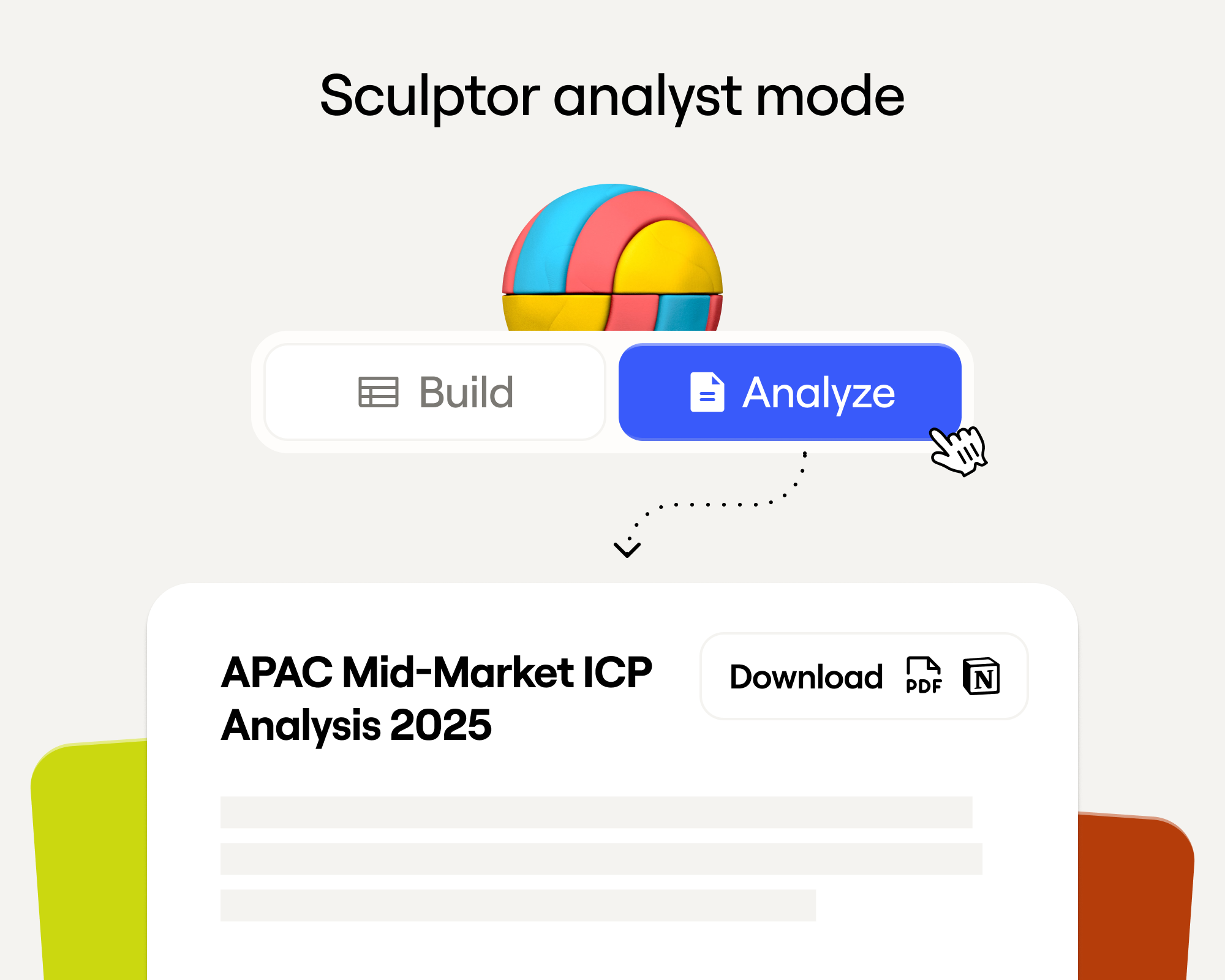
Sculptor Analyst Mode: Turning Context-Rich Data Into Actionable GTM Insights
Sculptor Analyst Mode: превращение контекстно-богатых данных в actionable GTM-инсайты

In a place where girls often choose between career or marriage, she carved her own path
В месте, где девушки часто выбирают между карьерой и замужеством, она проложила свой путь

How we designed Sculpt
Как мы создавали дизайн Sculpt
Clay announces second employee tender offer in nine months at a $5B valuation
Clay объявляет о втором тендерном предложении для сотрудников за девять месяцев при оценке $5 млрд
Clay is now available as a connector in Claude
Clay теперь доступен как коннектор в Claude
Sellers have a new AI edge: Clay in ChatGPT
У продавцов появилось новое AI-преимущество: Clay в ChatGPT

Clay reaches $100M ARR
Clay достигает $100M ARR

Clay Certifications: Turning mastery into credentials that matter
Сертификации Clay: превращаем мастерство в значимые сертификаты
Mobile Phone Verification Methodology
Методология верификации мобильных телефонов
Work Email Verification Methodology
Методология верификации рабочих email
Stop Guessing, Start Analyzing: How Sculptor Turns Your GTM Data Into Your Competitive Advantage
Хватит гадать, начинайте анализировать: как Sculptor превращает ваши GTM-данные в конкурентное преимущество
Find and outreach local businesses with Openmart and Clay Sequencer
Находите локальный бизнес и связывайтесь с ним через Openmart и Clay Sequencer

Announcing Web Intent
Анонс Web Intent
How Clay Uses Clay: Conversational Data
Как Clay использует Clay: разговорные данные
Sculpting GTM’s future with six major launches
Формируем будущее GTM с шестью крупными запусками

Introducing Claygent Navigator
Представляем Claygent Navigator
Announcing the Clay Partner Program
Анонс партнёрской программы Clay

Introducing GPT-5 in Claygent: sharper research, stronger formulas, better outbound
Представляем GPT-5 в Claygent: более точные исследования, более сильные формулы, лучший аутбаунд
Clay Series C announcement. The GTM engineering era begins now
Объявление о раунде Series C Clay. Эра GTM-инженерии начинается сейчас

Claygent surpasses 1 billion runs
Claygent преодолевает 1 миллиард запусков

Announcing Sculpt: Clay’s first annual user conference
Анонс Sculpt: первая ежегодная пользовательская конференция Clay
Announcing custom signals at Clay
Анонс кастомных сигналов в Clay

Clay announces employee tender offer led by Sequoia at $1.5B valuation
Clay объявляет тендерное предложение для сотрудников под руководством Sequoia при оценке $1,5 млрд

Create personalized presentations at scale with Clay and Google Slides
Создавайте персонализированные презентации в масштабе с Clay и Google Slides