Best Cloud Web Scraper Tools in 2026: Top 6 Reviewed - The GTM with Clay Blog
Claygent Builder: The easiest way to build, test, and deploy GTM Agents
Build production-ready Claygents in natural language with Sculptor. Test on real data for free, track versions, and deploy once across every workflow. All inside Clay.
How Clay Uses Clay Ads: From $250 to $25 CPL
See how Clay uses its own Ads feature to cut LinkedIn CPL from $250 to $25 and unlock Meta with enriched CRM audiences. No manual uploads needed.
HG Insights Corporate Hierarchy: GTM Precision in Clay
Use HG Insights corporate hierarchy data in Clay to clean CRMs, map parent-child accounts, and trigger expansion plays. See how it works.
Sales GTM Engineering: How Clay Built the Role From Scratch
Learn what sales GTM engineering is, how it collapses SDR, AE, and SE roles into one, and how Clay built and hires for this high-leverage function. See how it works.
How to Automate Inbound Lead Outreach: The Clay Playbook
Learn how to automate inbound lead outreach with enrichment, scoring, and personalized sequences. See the exact Clay workflow that runs without manual work.
demandDrive Joins Clay’s Partner Ecosystem as an Official Clay Studio Partner
demandDrive joins Clay’s partner ecosystem to help B2B teams turn account intelligence into pipeline and revenue with GTM engineering and automation.
B2B Sales Prospecting: 15 Strategies to Drive More Conversions
Master B2B sales prospecting with 15 proven strategies covering ICP building, multi-channel outreach, and list hygiene. Build a pipeline that converts.
AI Sales Assistants: 11 Ways to Accelerate Your Outbound
Discover 11 ways AI sales assistants automate lead research, enrichment, and email personalization. See how top B2B teams use them to accelerate outbound.
The Three Laws of GTM: How to Win in the AI Era
The three laws of GTM explain why uniqueness, saturation, and iteration speed determine who wins. Learn how AI changes the rules and what to do about it.
Best Work Email Finders by Segment: SMB vs. Enterprise
We tested 12 email finders across 4,700+ contacts to find the best work emails by segment. See accuracy, cost, and coverage winners for SMB and enterprise.
How Clay Converts Trial Users Into Customers With Automated Outreach
See how Clay uses automated outreach to convert trial users into customers, with enrichment, lead scoring, and personalized HubSpot campaigns. Learn how.
Best Mobile Phone Data Providers for B2B Sales Teams
We tested 9,806 numbers across 10 B2B mobile phone data providers. See which wins on accuracy, coverage, and cost for NAMER, EMEA, and APAC.
How to Build a Complete AI Outbound Sales Funnel
Learn how to build a complete AI outbound sales funnel—from account scoring to personalized outreach—using Clay waterfalls and automation. See how it works.
How to Get More Customers Using Outbound Sales: A Complete Guide
Learn how outbound sales works, who it's right for, and how to build a strategy from prospecting to closing. Covers cold calling, email, and more.
How to Automate 6 Cold Email Campaigns in One Clay Workflow
Learn how to automate 6 cold email campaigns from a single Clay table — with enrichment, AI classification, and deduplication built in. See how it works.
How Clay Identifies Tier 1 Accounts: A Three-Score System
See how Clay identifies tier 1 accounts using a three-score system: fit, engagement, and contract value. Learn how sales and marketing align on the same priorities.
Lead Scoring in Clay: A Step-by-Step Formula Guide
Learn how to build lead scoring formulas in Clay to prioritize your ICP leads by employee count, job postings, and more. See how it works.
How to Validate Cold Outbound Offers and Find Message-Market Fit
Learn how to validate cold outbound offers by finding message-market fit — from breaking down your value prop to testing with a phased email approach. See how it works.
Troubleshooting Outbound Sales and Prospecting: A Comprehensive Guide
Fix broken outbound sales campaigns with this guide. Diagnose open and reply rates, reduce no-shows, qualify prospects with MEDDIC, and optimize what's working.
Bulk Enrichment: Enrich Millions of CRM Records in Clay
Bulk enrichment lets Enterprise teams enrich millions of Salesforce records with firmographics, tech stack, and AI research — then write results back automatically.
Clay Templates: Automate, Customize, and Replicate Any GTM Workflow
Clay Templates let you replicate full GTM workflows in hours, not days. Automate prospecting from data scraping to AI messaging, free and fully customizable.
How to Optimize Your Credit Usage in Clay
Learn how to optimize your credit usage in Clay with conditional formulas, Clearbit waterfall lookups, and smarter enrichment workflows. Save credits fast.
AI for sales prospecting
Learn about how to use AI for sales prospecting in this comprehensive guide, including framework for creating AI prompts and examples of cold email templates using AI that real sales teams have used successfully to land clients. AI sales prospecting can save your team thousands of hours—and double or triple your positive response rates.
The Reverse Demo: How Clay Replaced Traditional B2B Sales Demos
A reverse demo lets prospects solve real problems live, guided by your rep. Learn how Clay used 100+ sessions to boost conversion, retention, and product quality.
Data Waterfalls: How to Maximize Contact Coverage with Clay
Data waterfalls query multiple providers in sequence so you only pay for matches. See how Clay pushes coverage from 30% to 80%+ without annual contracts.
How Clay Runs ABM Campaigns: A Step-by-Step Playbook
See how Clay runs ABM campaigns — scoring 300 accounts, personalizing mailers and landing pages, and automating SDR follow-up. Learn how.
How We Built Clay's GTM Engineering Function
See how Clay built its GTM engineering function with sprint-based delivery, founder-level reporting, and full sales automation. A practical inside look.
Best Personal Email Finder Tools: Tested and Ranked
We tested 5 personal email finder tools across 2,354 prospects. See accuracy, coverage, and pricing data — plus the waterfall order that hit 79% coverage.
How to Use OpenAI to Write Cold Emails from Scratch with Clay
Learn how to use OpenAI to write personalized cold emails at scale with Clay. Set up the integration, craft better prompts, and boost deliverability.
How to Run a Personalized Demo Play at Scale with Clay
Learn how to automate a personalized demo play using Clay, Claygent, and AI enrichment to build custom mockups at scale. See how it works.
Automated Slide Deck Creation: How Clay Builds QBRs from Your Data
Clay's automated slide deck creation pulls from Snowflake, Salesforce, and Gong to build QBRs in minutes. Save 90+ hours per quarter. See how it works.
HG Insights + Clay: B2B Technographic and Firmographic Data
HG Insights surfaces deep technographic and firmographic data from billions of documents. Use it in Clay workflows to enrich accounts and power GTM. See how it works.
B2B Cold Email Deliverability: 21 Best Practices
Master B2B cold email deliverability with 21 proven best practices: domain setup, inbox warmup, authentication, and copy tips that keep you out of spam. Learn how.
Basics of Google Search Operators: A Practical Guide
Learn the basics of Google Search Operators and how to use them in Clay for prospecting, list building, and company research. See how it works.
AI Lead Generation: The Complete B2B Guide
Learn how AI lead generation automates list building, enrichment, and personalized outreach for B2B teams. Scale your pipeline without scaling headcount. See how it works.
Clay MCP: Ops-built workflows, consumable by reps
Clay MCP: Ops-built workflows, consumable by reps
How to Manage and Enrich Inbound Leads Automatically
Learn how to manage and enrich inbound leads automatically using a four-phase workflow that scores, segments, and triggers outreach from one email. See how it works.
GTM Alpha: How Winning Teams Build a Competitive Edge
GTM alpha is the edge winning teams build with unique data and signal-based plays. Learn how to find hidden signals, run better plays, and outpace competitors.
Why Good CRM Data Matters and How Clay Helps
Poor CRM data kills outreach. Learn why CRM data coverage fails and how Clay's waterfall enrichment lifts coverage rates from 20% to 80%. See how it works.
How to Use Formulas in Clay: AI Generator and Manual Entry
Learn how to use formulas in Clay with the AI Formula Generator or manual entry. Transform and clean your data faster. See how it works.
GTM Engineering: What It Is, How It Works, and How to Hire
GTM engineering turns ops teams into revenue builders using AI and automation. Learn what GTM engineers do, how to structure the role, and how to hire one.
Formulas in Clay: A Beginner's Intro for Non-Engineers
Learn how to use formulas in Clay without coding. This intro covers conditional statements, combining columns, and auto-qualifying leads. Start in 30 minutes.
How Clay Uses Clay for SEO and AEO: 3 Systems That Scale
See how Clay uses Clay for SEO and AEO: automated content refresh, video-to-page conversion, and a custom AI visibility dashboard. Learn how.
Turn Web Visitors into Leads: A Warm Outbound Play for B2B Sales
Learn how to turn web visitors into leads using a warm outbound play for B2B sales — with RB2B, Clay, and Lemlist. See how it works.
How to Use Web Scraping to Enrich Your Data with Clay
Learn how to use web scraping to enrich your data without code. Clay's Claygent answers deep GTM research questions at scale. See how it works.
How to Create a Sales Prospect List in Minutes
Learn how to create your own sales prospect list in minutes using Clay. Pull from 40+ sources, enrich with ICP data, and export to your CRM. See how it works.
Best B2B Email List Providers: Tested and Ranked (2026)
We tested 8 B2B email list providers head-to-head. See accuracy results, per-email pricing, and how to waterfall providers for maximum coverage.
Outbound Sales Automation: How to 10x Pipeline Without More SDRs
Learn how outbound sales automation replaces manual SDR work, cuts cost per email by 100x, and scales pipeline without growing headcount. See how it works.
The Wake the Dead Play: Reactivate Closed-Lost Deals with Clay
The wake the dead play uses Clay + ChatGPT to send automated, personalized emails to closed-lost prospects. Restart stalled deals in a few steps. Learn how.
Three Tips to Guarantee Email Deliverability for Cold Outbound
Split volume, verify contacts, and personalize copy to guarantee email deliverability for cold outbound. Three actionable tips that keep you out of spam.
How Clay Uses Clay for Customer Support: 3 Real Workflows
See how Clay's customer support team uses Clay to enrich Intercom tickets, automate QA, and draft help articles. Real workflows, real results.
B2B Cold Email Copywriting: The Complete Guide
Master B2B cold email copywriting with proven templates, a research framework, and a checklist used to send 800k+ emails a month. Start writing emails that get replies.
Introducing Clay Functions
Build Your GTM Logic Once, Apply It Everywhere
Clay and Apollo Integration: Enrichment, Sequencing, and More
The Clay and Apollo integration unlocks 5X faster enrichment and direct sequencer API access. See how joint customers go from data to booked meetings.
The Many Lives of Spreadsheets: A History and What Comes Next
Explore the many lives of spreadsheets — from VisiCalc in 1979 to self-filling automation tools today. See how the no-code vision keeps evolving.
AI recruiting strategies
Learn our top AI recruiting workflows to help you identify, research, and reach out to qualified candidates for open roles. AI can eliminate manual work and help you reach out to—and land—better employees for your clients.
How to Hire a GTM Engineer: The Complete Guide
Learn how to hire a GTM engineer: when to make the hire, what skills to screen for, red flags to avoid, and where to find the best candidates. See how it works.
Inside Clay's GTM Engineering Lab: Plays, Principles, and Automation
See how Clay's GTM engineering lab turns internal problems into revenue plays using AI, automation, and data-driven principles. Learn how it works.
How to Build the Most Targeted Account Lists Possible
Generic tools leave bad-fit companies in your account list. Learn how to build targeted account lists using AI enrichment and real workflow examples in Clay.
Personalized Direct Mail at Scale: The Gifting Play with Clay
Learn how to run personalized direct mail campaigns using Clay — validate contacts, generate AI gift copy, and export to email. See how it works.
How to Set Up Your Full Inbound Sales Process on Clay
Learn how to set up your full inbound sales process on Clay — enrich leads, tag MQLs, and automate email campaigns from form to demo. See how it works.
AI-Enabled GTM for Private Equity: The Value Creation Playbook
Learn how AI-enabled GTM for private equity drives value creation across portfolios—from data quality to agentic workflows. See how it works.
Do More With Your Data: Clay's Post-Data-Provider Approach
Clay's post-data-provider approach combines 150+ providers, waterfall enrichment, and AI scraping to maximize data coverage. See how it works.
Google Maps Lead Generation for Niche Local Businesses
Learn how to use Google Maps lead generation to find niche local businesses, enrich owner contacts, and send personalized outreach at scale with Clay.
24 AI Email Personalization Examples for Cold Outreach (With Prompts)
Get 24 AI email personalization examples for cold outreach, with ChatGPT prompts you can run at scale in Clay. Learn how to write emails that actually convert.
How to Ace Your Follow-Ups: A Practical Sales Guide
Learn how to ace your follow-ups with value-driven outreach, personalization tips, multi-channel tactics, and automation tools that keep deals moving. See how it works.
How to Prioritize Your Waitlist with Lead Enrichment
Learn how to prioritize your waitlist using lead enrichment. Turn raw signups into qualified leads by company, title, and role — no long forms needed. See how.
B2B Cold Email Templates: Frameworks That Get Replies
Learn how to write B2B cold email templates that convert with a proven 5-part framework, follow-up strategy, and real examples. See how it works.
Audiences: now in Enterprise beta
Clay Audiences unifies your CRM, product data, and intent signals into one layer — so reps and agents can run precise, personalized GTM plays at scale.
The thinking behind our new pricing: our internal memo
Clay pricing memo: INTERNAL
Introducing Clay’s new pricing
Today, we’re launching a pricing update that reduces data costs, and simplifies and improves the value of our plans. Our goal is to have Clay be your default tool for GTM Engineering.
Clay partners with Lusha and Beauhurst to expand European data coverage
Lusha adds lookalike prospecting, contact enrichment, and signals in EMEA. Beauhurst adds private funding and corporate structure data in the UK and Germany.
Source your precise TAM from lookalikes you can trust with Ocean.io and Clay
Clay + Ocean now enable preview-based B2B lookalike discovery. Preview leads before committing credits and expand your TAM with greater precision.
Clay doubles down on supporting European GTM teams
Clay's waterfall enrichment delivers 2–3x more mobile phone coverage than leading solo providers across Europe. Plus new data partnerships, a London office, and timezone-aligned support.
In Nigeria, she built a life where money wouldn’t decide
Clay blog | In Nigeria, she built a life where money wouldn’t decide
Sculptor Analyst Mode: Turning Context-Rich Data Into Actionable GTM Insights
Gather business intelligence and share documents of this analysis directly from Sculptor
In a place where girls often choose between career or marriage, she carved her own path
Javeria Shah won the Clay Cup 2025 despite being denied a US visa and competing remotely from Pakistan. Learn how she transitioned from electronics engineering into GTM engineering and built her own business.
How we designed Sculpt
Our first conference, Sculpt, is where the analog soul of Clay met the digital mind of Clay.
Clay announces second employee tender offer in nine months at a $5B valuation
A rare repeat employee liquidity event, designed to give builders flexibility as Clay accelerates
Clay is now available as a connector in Claude
Bring Clay's contact databases, enrichment providers, and AI agents into your Claude workflow.
Sellers have a new AI edge: Clay in ChatGPT
Use Clay directly in ChatGPT to find the right buyers, research people and companies, and draft personalized outbound. One conversation, powered by live GTM data.
Clay reaches $100M ARR
Clay has crossed $100M ARR, growing from $1M to $100M in two years after six years of foundational product work. The milestone reflects durable customer adoption, efficient growth, and an ecosystem of GTM builders using Clay to power their business.
Clay Certifications: Turning mastery into credentials that matter
The Clay education team has built a certification program that runs entirely on Clay and gives users credentials that actually matter
Mobile Phone Verification Methodology
Clay has partnered with The Kiln to setup a series of large-scale data test across mobile phone, work email, personal email, email verification, and more. Below, we explain the approach to these tests.
Work Email Verification Methodology
Clay has partnered with The Kiln to setup a series of large-scale data test across mobile phone, work email, personal email, email verification, and more. Below, we explain the approach to these tests.
Stop Guessing, Start Analyzing: How Sculptor Turns Your GTM Data Into Your Competitive Advantage
Analyze your GTM data with Sculptor to turn fragmented information into actionable insight.
Find and outreach local businesses with Openmart and Clay Sequencer
Get the right contacts for local businesses without stitching together multiple tools or wasting valuable time on setup instead of selling.
Announcing Web Intent
Use Website Intent in Clay to see which companies visit your site, track engagement, and trigger personalized GTM plays. Turn website traffic into real buyer intent data.
How Clay Uses Clay: Conversational Data
How we use Clay to mine millions of pages of call transcripts to generate revenue, and how you can use it too.
Sculpting GTM’s future with six major launches
Today at Sculpt, we're launching six major features that will help teams turn any growth idea into reality faster.
Introducing Claygent Navigator
A new Claygent model that can use a browser to take actions and extract information from webpages.
Announcing the Clay Partner Program
The Clay Partner Program is to a partner, what a toolbox is to an artist. It keeps essential resources within reach and grows more sophisticated as your expertise develops. We've designed everything around one simple principle: helping you grow your business as Clay grows.
Introducing GPT-5 in Claygent: sharper research, stronger formulas, better outbound
GPT-5 is now a model option across Clay, bringing the best research and conversational writing we've ever shipped to your GTM workflows.
Clay Series C announcement. The GTM engineering era begins now
We raised a $100M Series C at a $3.1B valuation to power GTM engineering!
Claygent surpasses 1 billion runs
The world's most loved AI research agent in GTM has passes a huge milestone at 1 billion runs.
Announcing Sculpt: Clay’s first annual user conference
Join us for Sculpt, Clay’s first annual user conference on Sept 17 in San Francisco where GTM leaders build AI workflows, share creative tactics, and get early access to new features.
Announcing custom signals at Clay
Clay's new custom signals platform helps sales teams track unique data changes that indicate buying opportunities. Turn any data point into a sales signal, enrich with context, and automate personalized outreach to find GTM alpha your competitors miss.
Clay announces employee tender offer led by Sequoia at $1.5B valuation
Clay allows employees to sell vested shares for immediate liquidity through a $20M tender offer at a $1.5B valuation. With 10x revenue growth in 2022-2023 and serving 8,000+ customers including OpenAI and Hubspot, Clay continues to change how businesses approach go-to-market strategies with their AI agent Claygent.
Create personalized presentations at scale with Clay and Google Slides
Automate personalized sales decks with Clay’s Google Slides integration. Instantly generate tailored presentations for leads, customers, QBRs, and internal updates. Use one template to create hundreds of presentations at scale.
Turn Gong conversations into automated GTM workflows
Clay now integrates with Gong—turn messy call transcripts into powerful automations in Salesforce, HubSpot, Notion, Slack, Google Sheets, and 100+ other integrations.

Product
Use Cases
Solutions
Resources
Company
Pricing
Features





Additional
How Clay uses Clay
LinkedIn + Meta Ads on Autopilot










CRM enrichment
Keep your CRM clean with the highest quality data
BY TEAM



BY STAGE


BY CUSTOMERS


Verkada
Link long form description will go in this slot here.
Recharge
Link long form description will go in this slot here.

Sana
Link long form description will go in this slot here.
Merge
Link long form description will go in this slot here.

Oyster
Link long form description will go in this slot here.
Intercom
Grew their outbound-sourced pipeline by +140%
START GROWING




DISCOVER
Community
PARTNER WITH US
Clay Commnity
In Nigeria, she built a life where money wouldn’t decide

OUR COMPANY



GET IN TOUCH


SOCIALS


Article – NY Times
Clay allows employees to sell shares at a $5b valuation.

Best Cloud Web Scraper Tools: Top 6 Reviewed and Compared

Web scraping allows businesses and individuals to collect data from different websites in minutes. This is undoubtedly much more convenient than browsing websites and writing down every important piece of info manually. ✍️
Businesses that want to effortlessly extract vast amounts of data from various websites without hiccups often turn to cloud web scraping. As you can find plenty of cloud web scraper solutions with varying features on the market, picking the right one could be challenging.
To help you make the best choice, our team shortlisted six fantastic cloud web scrapers offering extensive data extraction features. To ensure objectivity, we employed a unique approach:
TL;DR
- The best cloud web scraper for GTM teams is Clay, which combines AI-powered scraping (Claygent), a Chrome extension, 150+ data provider integrations, and data enrichment in one platform.
- Key factors when choosing a cloud web scraper: ease of use, transparent pricing, and whether the tool goes beyond scraping to support enrichment and outreach.
- Cloud web scrapers run on remote infrastructure, so they scale easily, work from any device, and handle proxy management and CAPTCHA bypassing without local resource drain.
- All six tools reviewed (Clay, ParseHub, Scrapestack, Oxylabs, Bright Data, ScraperAPI) offer free plans or trials, but only Clay extends into data enrichment and message personalization.
How to Choose the Best Cloud Web Scraper
It's worth keeping in mind that each cloud web scraper offers a unique feature set, so what works for someone else may not work for you. To ensure you're making an informed decision, consider the following factors:
What Are the Benefits of a Cloud Web Scraper?
Before diving into reviews, let's explain why you should consider a cloud web scraper in the first place. As its name says, a cloud web scraper leverages cloud servers to extract data. The scraping process takes place in a cloud-based infrastructure instead of your computer.
Here's an overview of the benefits you'll enjoy with cloud-based web scraping:
Top 6 Cloud Web Scraper Tools: Comprehensive Reviews
Here's our list of the best cloud scraping tools to explore:
1. Clay
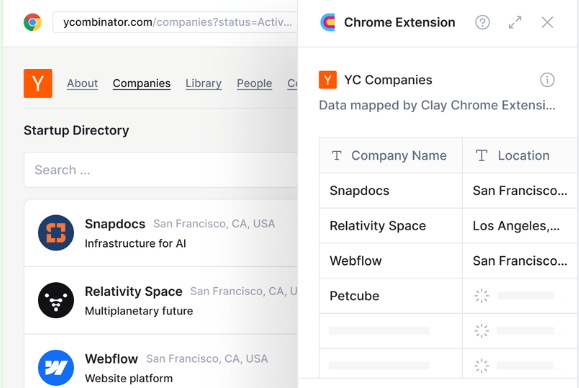
If you want to scrape data from different websites and gather high-quality data for building lead lists, researching the market, or another purpose, Clay's the way to go.
The platform features a Chrome extension that can help you pull data from any website, and setting it up requires only a few steps:
In many cases, Clay's extension uses auto-detection or other people's mappings to understand the page, so the scraping process is fully automated. When that doesn't happen, you can quickly select the desired data and add it to your Clay table. 📂
While the extension is impressive, Clay's revolutionary feature is Claygent, an AI web scraper that does the scraping work for you! You use a prompt to tell Claygent what data you need, and it will search every corner of the internet to retrieve it. Gather info on individuals and companies using simple prompts, such as:
You'll need your OpenAPI key to use Claygent, but you can install it within the app in a few steps. You don't trust Claygent just yet? Check the logic behind every answer and be confident of its accuracy.
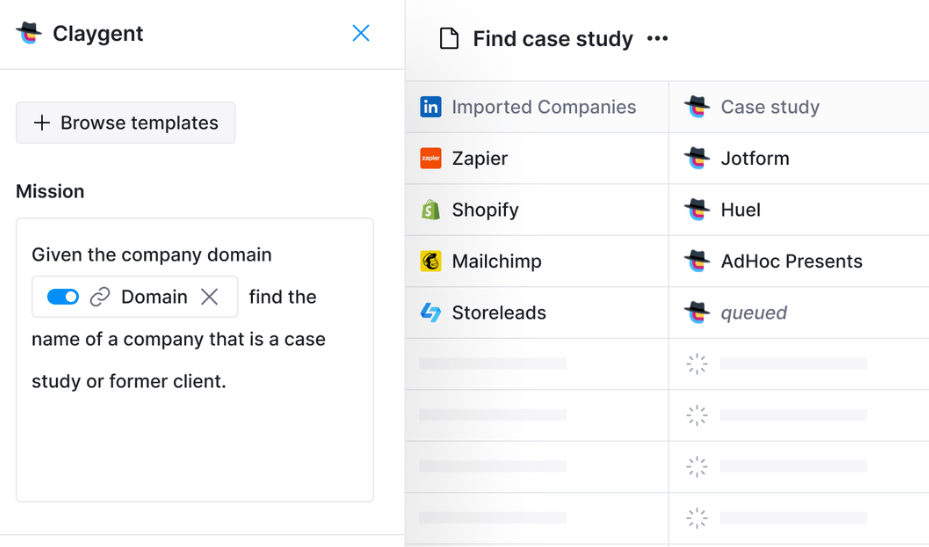
As Clay integrates with over 50 data providers, the amount of data you can get your hands on is essentially unlimited. This also means you can save yourself from purchasing dozens of subscriptions for specific data providers. 💰
With Clay, you can save time and focus on other valuable tasks with the help of scraping templates for specific tasks, such as:
While Clay offers many templates for different purposes, some users would appreciate additional choices for an entirely hassle-free experience.
Flexible and transparent pricing is another perk. Try the free plan to explore Clay's features. If you like what you see, opt for one of the four paid plans:
✔️ Chrome extension for scraping data from websites
✔️ Claygent, AI web scraper for seamless data extraction
✔️ Data enrichment capabilities
✔️ Scraping templates
2. ParseHub
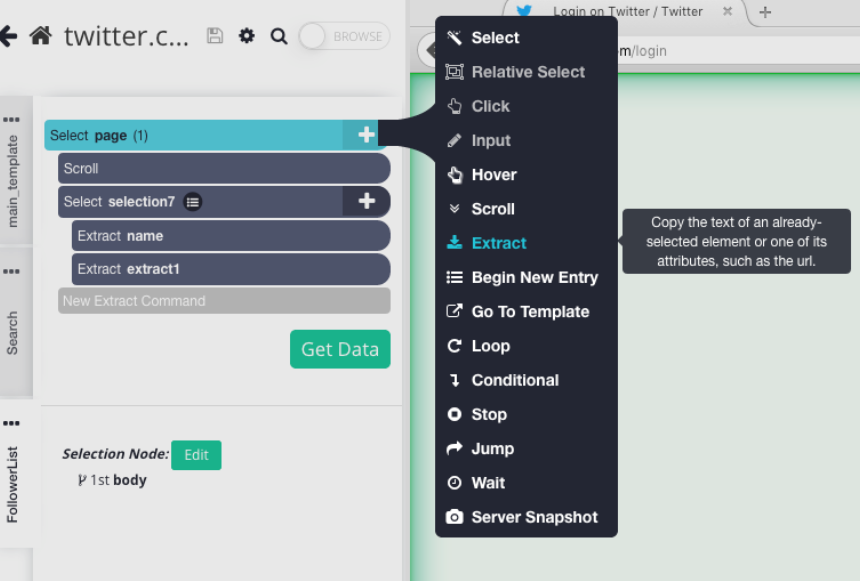
ParseHub is a powerful cloud-based web scraper that can help you get data from any website. Installing the scraper is straightforward:
ParseHub can scrape any website, no matter how outdated, laggy, or complex. It can open drop-down lists, search through forms, and effortlessly scrape from websites with infinite scrolls and tabs.
If you need to scrape only specific data points (and not the entire page), you can click on the desired data, and ParseHub will extract it. The platform employs advanced screening processes to understand webpage hierarchy, so it will extract the data as is.
ParseHub is equipped with automatic IP rotation to guarantee your anonymity, help you bypass captchas and bans, and pick up on accurate data from various sources.
Another convenient option is scheduled collection: choose when you want ParseHub to extract data to automate the scraping process and always have fresh information at your disposal.
In terms of pricing, ParseHub features a free plan and three paid plans:
As for user reviews, many people mention the platform's ease of setup and helpful customer service. A potential drawback often mentioned in reviews is pricing. Considering the platform focuses only on data scraping, its plans are quite expensive.
✔️ Easy to set up
✔️ IP rotation
✔️ Schedule collection
✔️ Helpful customer service
3. Scrapestack
Scrapestack is a REST API service that lets you scrape any website and extract its full HTML content without worrying about geo-targeting, proxies, and CAPTCHA.
The platform is easy to use:
As the service is built on APIlayer cloud infrastructure, scalability is no issue. The service can handle millions of API requests per day, making it suitable for those who want to scrape vast amounts of data.
With over 35 million datacenter and residential IP addresses and 100+ global locations, the platform allows users to avoid IP blocks and server overload and access geo-restricted content. A convenient option is concurrent API requests: there's no need to wait for one API request to complete before sending a new one. Thanks to this, users can boost efficiency and quickly scrape data.
As far as pricing goes, Scrapestack offers a free forever plan to get a feel for the platform. You can later opt for one of the four paid plans:
In terms of drawbacks, it's important to mention the limited free plan. Users get 100 requests and standard proxies, with no customer support.
✔️ Easy to use
✔️ Over 35 million IP addresses
✔️ 100+ global locations
✔️ Concurrent API requests
4. Oxylabs
Oxylabs features advanced scraping solutions for businesses of all sizes and has over 100 million residential proxies. The platform's web scraping API is a maintenance-free infrastructure with options that overcome CAPTCHA and IP blocks. This API can deliver an HTML code of a desired page complete with JavaScript rendering (for websites that use JavaScript for dynamic content loading).
With Oxlabs web scraping API, you can extract data for various use cases, from real estate and travel to automotive purposes. Users can gather the latest prices for specific flights, retrieve vehicle specifications, or investigate properties in only a few clicks.
The API is equipped with options such as:
Besides a web scraper, Oxylabs offers a SERP scraper API and an e-commerce scraper API.
As far as pricing goes, you have three options:
The platform also has special plans suitable for enterprises, and the prices start at $499/month. Unfortunately, Oxylabs doesn't offer a free plan. You can try out its features during a seven-day trial, but you'll have to subscribe after that.
High pricing is one of the most frequently mentioned potential drawbacks. Users say that it's more expensive compared to other available proxies, but it does the job.
✔️ Over 100 million residential proxies
✔️ Machine learning-based proxy management
✔️ CAPTCHA bypass
✔️ Scraping scheduler
5. Bright Data Web Scraper APIs
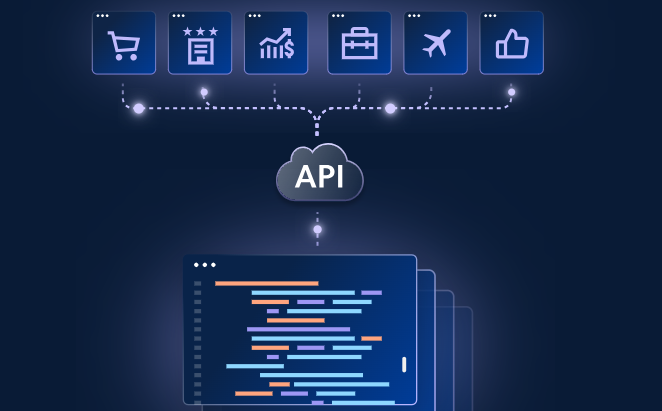
Bright Data offers several scraping solutions, with Web Scraper APIs being the newest addition. This cloud-based service is designed for developers and allows effortless and efficient scraping for various uses, from market trend analysis to benchmarking and sentiment extraction.
The web scraping solution has impressive data discovery features that automatically detect data structures and patterns to guarantee targeted extraction with minimal involvement on your end.
Thanks to bulk request handling, the service can handle large-scale scraping tasks with zero issues. It optimizes data collection without server overload, so it's ideal for users who need to extract vast amounts of data on a regular basis. The service is equipped with options for avoiding CAPTCHAs and blocks, so you don't have to worry about your scraping processes being interrupted.
Web Scraper APIs let you download your data through API delivery or Webhooks or in the following file formats:
The pricing is just as flexible. It starts from $0.001 per record. You can also take advantage of a free trial to see if the solution fits your workflows.
Regarding user reviews, many mention the platform's extensive options and helpful customer support. A potential red flag to consider is that getting used to the scraper takes some time. If you need the information yesterday, Bright Data Web Scraper APIs aren't the best fit. ⌛
✔️ Data discovery options
✔️ Ideal for large-scale scraping
✔️ Numerous data download options
✔️ Helpful customer support
💡 Did you know? Bright Data integrates with Clay, so you can enjoy both platforms' functionalities without compromises. 😍
6. ScraperAPI
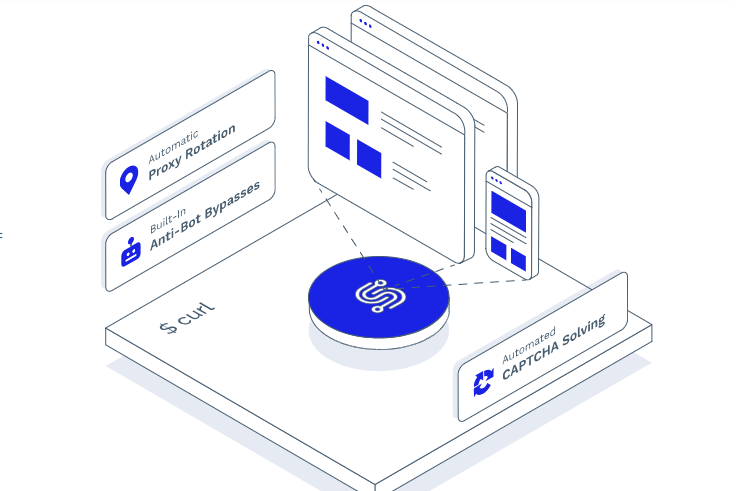
ScraperAPI is a low-code solution for scraping any public website. Features like advanced anti-bot bypassing, IP and headers rotation, CAPTCHA handling, and fingerprint management give you quick and easy access to the desired data and eliminate the risk of interruptions and issues.
The service has advanced geotargeting functionalities to help users retrieve the right data from any website. They can use proxies from the desired country by simply entering a code. With over 40 million proxies in 50+ countries to choose from, users will easily find the right option and scrape the required data.
ScraperAPI helps you scrape dynamic data without relying on resource-intensive headless browsers. By adding render=true to your payload, you'll effortlessly render JavaScript pages and reduce development time.
The service also supports concurrent threads, allowing you to run multiple requests simultaneously.
If you're interested in ScraperAPI, you can test it for free for seven days. If you like it, opt for one of the following plans:
All plans include JS rendering, proxy rotation, CAPTCHA and anti-bot detection, and professional support. They differ in the number of API credits and concurrent threads and geotargetting options.
Many user reviews praise the platform's affordability and well-designed plans. However, they criticize ScraperAPI's inconsistency. In some cases, it works perfectly, while in others, scrape requests will timeout for no obvious reason.
✔️ Over 40 million proxies
✔️ Effortless dynamic data scraping
✔️ Concurrent threads
✔️ Advanced geotargeting
The Verdict: Which Cloud Web Scraper Should You Choose?
Every web scraper we've discussed can help you extract the desired data from millions of websites. Which one you'll choose ultimately depends on your preferences and needs.
We've covered the factors you should focus on when selecting the right cloud web scraper. The platform should:
If we compare the listed platforms and analyze their features, only one offers the perfect combo of affordability, ease of use, and features that go beyond scraping: Clay. 🌈
With Clay, you get advanced and easy-to-use scraping features, as well as options for data enrichment and drafting emails. This makes it ideal for anyone who wants to leverage the scraped data to generate quality leads and manage outbound campaigns.
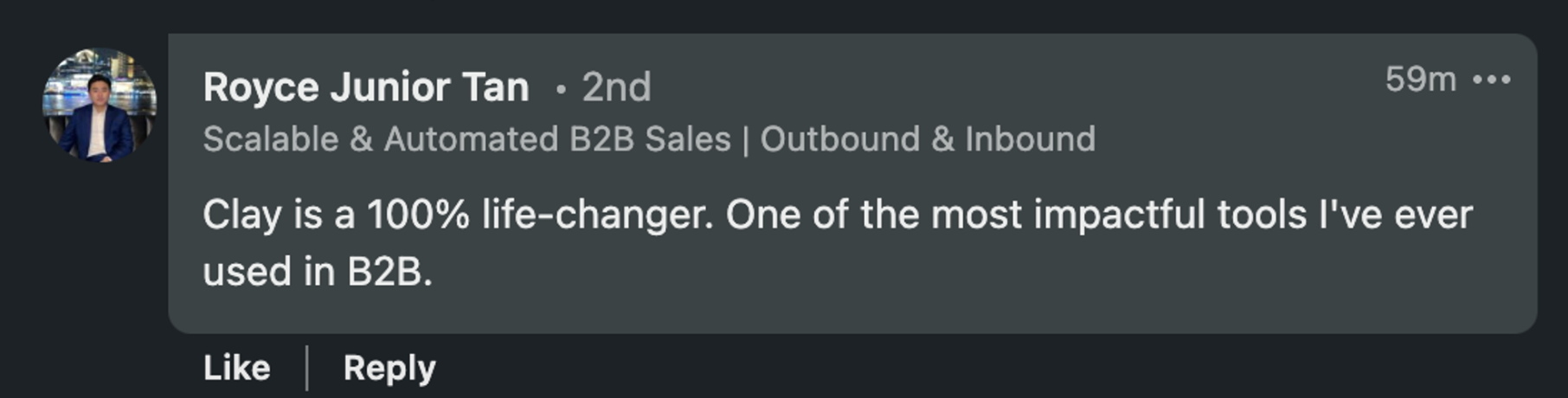
Don't believe us? See what one user had to say about the tool:
Clay: More Than a Cloud Web Scraper
A Chrome extension, AI web scraper, and integrations with 50+ data providers are just a few items on Clay's long list of valuable features. 🗒️
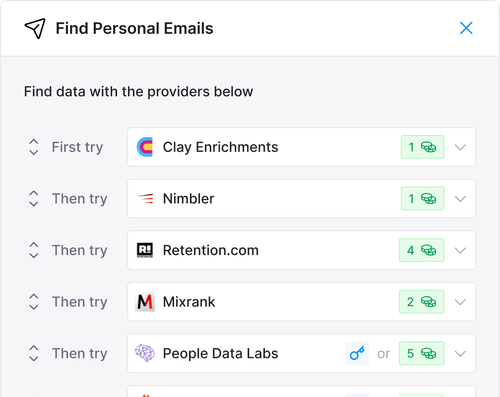
One of the most notable features is waterfall enrichment. Clay searches sequentially across providers until it finds the required information about companies or people. In only a few clicks, you can find info like:
You customize the order of the providers and pay only for the info you get, so there are no cost overruns.
Once you scrape and enrich data, you can leverage this info to craft hyper-personalized messages and impress your prospects.
Scraped data can often be messy, and organizing it can take ages. That's not the case when you're using Clay since the platform boasts impressive formatting capabilities with which you can:
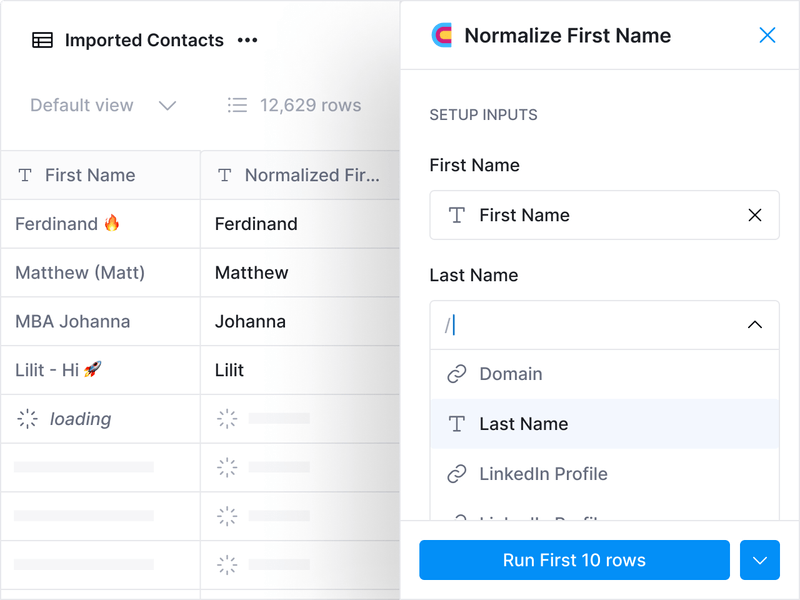
All these features help you minimize jumping between apps and platforms. You can centralize your work and manage processes from start to finish within Clay.
Frequently Asked Questions
What is a cloud web scraper?
A cloud web scraper extracts data from websites using remote cloud infrastructure rather than your local computer. This means the scraping process runs automatically in the background, scales to handle large volumes of data, and can be accessed from any device.
Do I need to know how to code to use a cloud web scraper?
It depends on the tool. Clay and ParseHub are designed for non-technical users: Clay's Chrome extension uses auto-detection and pre-built templates, while ParseHub lets you click to select the data you want. Tools like Scrapestack and ScraperAPI are API-based and better suited to developers or technical users.
How do cloud web scrapers handle dynamic websites and JavaScript rendering?
Most tools reviewed here support JavaScript rendering. Oxylabs delivers full HTML with JavaScript rendering built in. ScraperAPI lets you add render=true to your payload to render JavaScript pages without a headless browser. Clay's Claygent handles dynamic content through AI-powered web research rather than traditional rendering.
What data formats can I export from a cloud web scraper?
Export options vary by tool. ParseHub supports Excel, JSON, and API export with direct import to Tableau or Google Sheets. Bright Data Web Scraper APIs support JSON, NDJSON, and CSV, plus API delivery and Webhooks. Clay imports scraped data directly into a Clay table for immediate enrichment and outreach workflows.
Which cloud web scraper is best for building lead lists and outbound campaigns?
Clay is the strongest option for this use case. Beyond scraping, it offers data enrichment across 50+ providers, waterfall enrichment for validated emails and phone numbers, and AI-powered message drafting. The other tools reviewed focus primarily on data extraction and do not include enrichment or outreach features.
Create Your Clay Account
Creating a Clay account won't take much of your time:
If you want to explore Clay's features in more detail and watch tutorials, visit Clay University. We also recommend joining the Slack community and signing up for the platform's newsletter to stay updated. 💌
Если вы хотите изучить функции Clay подробнее и посмотреть туториалы, посетите Clay University. Также рекомендуем присоединиться к Slack-сообществу и подписаться на рассылку платформы, чтобы быть в курсе. 💌
Web scraping allows businesses and individuals to collect data from different websites in minutes. This is undoubtedly much more convenient than browsing websites and writing down every important piece of info manually. ✍️
Веб-скрапинг позволяет компаниям и частным лицам собирать данные с разных сайтов за минуты. Это, без сомнения, гораздо удобнее, чем просматривать сайты и вручную выписывать каждую важную деталь. ✍️
Businesses that want to effortlessly extract vast amounts of data from various websites without hiccups often turn to cloud web scraping. As you can find plenty of cloud web scraper solutions with varying features on the market, picking the right one could be challenging.
Компании, которые хотят без усилий извлекать огромные объёмы данных с различных сайтов без сбоев, часто обращаются к облачному веб-скрапингу. Поскольку на рынке множество облачных решений для веб-скрапинга с разными возможностями, выбрать подходящее может быть непросто.
To help you make the best choice, our team shortlisted six fantastic cloud web scrapers offering extensive data extraction features. To ensure objectivity, we employed a unique approach:
Чтобы помочь вам сделать лучший выбор, наша команда отобрала шесть отличных облачных веб-скраперов с обширными возможностями извлечения данных. Для обеспечения объективности мы применили уникальный подход:
Мы проанализировали десятки облачных веб-скраперов, их сильные и слабые стороныМы проконсультировались с отраслевыми экспертами и инфлюенсерами, которые поделились своими взглядами и дали рекомендацииМы изучили отзывы на популярных платформах вроде G2, Capterra и Product Hunt, чтобы понять, что пользователи думают о конкретных облачных веб-скраперах
TL;DR
- The best cloud web scraper for GTM teams is Clay, which combines AI-powered scraping (Claygent), a Chrome extension, 150+ data provider integrations, and data enrichment in one platform.
- Key factors when choosing a cloud web scraper: ease of use, transparent pricing, and whether the tool goes beyond scraping to support enrichment and outreach.
- Cloud web scrapers run on remote infrastructure, so they scale easily, work from any device, and handle proxy management and CAPTCHA bypassing without local resource drain.
- All six tools reviewed (Clay, ParseHub, Scrapestack, Oxylabs, Bright Data, ScraperAPI) offer free plans or trials, but only Clay extends into data enrichment and message personalization.
Коротко (TL;DR)Лучший облачный веб-скрапер для GTM-команд — это Clay, который объединяет AI-скрапинг (Claygent), расширение для Chrome, интеграцию со 150+ провайдерами данных и обогащение данных в одной платформе.Ключевые факторы при выборе облачного веб-скрапера: простота использования, прозрачные цены и то, выходит ли инструмент за рамки скрапинга, поддерживая обогащение и аутрич.Облачные веб-скраперы работают на удалённой инфраструктуре, поэтому легко масштабируются, работают с любого устройства и берут на себя управление прокси и обход CAPTCHA без нагрузки на локальные ресурсы.Все шесть рассмотренных инструментов (Clay, ParseHub, Scrapestack, Oxylabs, Bright Data, ScraperAPI) предлагают бесплатные планы или пробные версии, но только Clay расширяется до обогащения данных и персонализации сообщений.
How to Choose the Best Cloud Web Scraper
Как выбрать лучший облачный веб-скрапер
It's worth keeping in mind that each cloud web scraper offers a unique feature set, so what works for someone else may not work for you. To ensure you're making an informed decision, consider the following factors:
Стоит помнить, что каждый облачный веб-скрапер предлагает уникальный набор функций, поэтому то, что подходит кому-то другому, может не подойти вам. Чтобы принять взвешенное решение, учитывайте следующие факторы:
🔨 Простота использования: освоение платформы не должно занимать месяцы или требовать обширного обучения💰 Цена: платформа должна предлагать прозрачные и гибкие цены, чтобы вы могли планировать бюджет. В идеале у неё должен быть бесплатный план, позволяющий опробовать функции⚙️ Дополнительные функции: идеальный инструмент должен избавлять вас от постоянного переключения между приложениями, предоставляя комплексный набор функций для проспектинга, обогащения данных и персонализации сообщений
What Are the Benefits of a Cloud Web Scraper?
В чём преимущества облачного веб-скрапера?
Before diving into reviews, let's explain why you should consider a cloud web scraper in the first place. As its name says, a cloud web scraper leverages cloud servers to extract data. The scraping process takes place in a cloud-based infrastructure instead of your computer.
Прежде чем перейти к обзорам, давайте объясним, почему вообще стоит рассмотреть облачный веб-скрапер. Как следует из названия, облачный веб-скрапер использует облачные серверы для извлечения данных. Процесс скрапинга происходит в облачной инфраструктуре, а не на вашем компьютере.
Here's an overview of the benefits you'll enjoy with cloud-based web scraping:
Вот обзор преимуществ, которые вы получите с облачным веб-скрапингом:
Top 6 Cloud Web Scraper Tools: Comprehensive Reviews
Топ-6 облачных веб-скраперов: подробные обзоры
Here's our list of the best cloud scraping tools to explore:
Вот наш список лучших облачных инструментов для скрапинга, которые стоит изучить:
ClayParseHubScrapestackOxylabsBright Data Web Scraper APIsScraperAPI
1. Clay
1. Clay
If you want to scrape data from different websites and gather high-quality data for building lead lists, researching the market, or another purpose, Clay's the way to go.
Если вы хотите собирать данные с разных сайтов и получать качественные данные для построения списков лидов, исследования рынка или иных целей, Clay — то, что нужно.
The platform features a Chrome extension that can help you pull data from any website, and setting it up requires only a few steps:
Платформа имеет расширение для Chrome, которое поможет вам извлекать данные с любого сайта, и его настройка требует всего нескольких шагов:
Скачайте и настройте расширение для ChromeПерейдите на сайт, с которого хотите собрать данныеИмпортируйте данные в вашу таблицу Clay
In many cases, Clay's extension uses auto-detection or other people's mappings to understand the page, so the scraping process is fully automated. When that doesn't happen, you can quickly select the desired data and add it to your Clay table. 📂
Во многих случаях расширение Clay использует автоопределение или маппинги других пользователей, чтобы понять страницу, поэтому процесс скрапинга полностью автоматизирован. Когда этого не происходит, вы можете быстро выбрать нужные данные и добавить их в свою таблицу Clay. 📂
While the extension is impressive, Clay's revolutionary feature is Claygent, an AI web scraper that does the scraping work for you! You use a prompt to tell Claygent what data you need, and it will search every corner of the internet to retrieve it. Gather info on individuals and companies using simple prompts, such as:
Хотя расширение впечатляет, революционная функция Clay — это Claygent, AI-веб-скрапер, который выполняет работу по скрапингу за вас! Вы с помощью промпта говорите Claygent, какие данные вам нужны, и он обыщет каждый уголок интернета, чтобы их найти. Собирайте информацию о людях и компаниях с помощью простых промптов, например:
Нанимает ли [компания] сотрудников прямо сейчас?Кто инвесторы [компании]?Кто конкуренты [компании] ?
You'll need your OpenAPI key to use Claygent, but you can install it within the app in a few steps. You don't trust Claygent just yet? Check the logic behind every answer and be confident of its accuracy.
Для использования Claygent вам понадобится ваш ключ OpenAPI, но установить его можно прямо в приложении за несколько шагов. Пока не доверяете Claygent? Проверьте логику за каждым ответом и будьте уверены в его точности.
As Clay integrates with over 50 data providers, the amount of data you can get your hands on is essentially unlimited. This also means you can save yourself from purchasing dozens of subscriptions for specific data providers. 💰
Поскольку Clay интегрируется более чем с 50 провайдерами данных, объём данных, который вы можете получить, по сути неограничен. Это также означает, что вы можете избавить себя от покупки десятков подписок на конкретных провайдеров данных. 💰
With Clay, you can save time and focus on other valuable tasks with the help of scraping templates for specific tasks, such as:
С Clay вы можете экономить время и сосредоточиться на других ценных задачах с помощью шаблонов скрапинга для конкретных задач, таких как:
Получение числа локаций бизнеса путём скрапинга вакансий IndeedПоиск числа открытых вакансий и сотрудников по URL компанииПоиск локального бизнеса и его контактных данных через Google Maps
While Clay offers many templates for different purposes, some users would appreciate additional choices for an entirely hassle-free experience.
Хотя Clay предлагает множество шаблонов для разных целей, некоторые пользователи были бы рады дополнительным вариантам для совершенно беспроблемного опыта.
Flexible and transparent pricing is another perk. Try the free plan to explore Clay's features. If you like what you see, opt for one of the four paid plans:
Гибкие и прозрачные цены — ещё одно преимущество. Попробуйте бесплатный план, чтобы изучить функции Clay. Если вам понравится, выберите один из четырёх платных планов:
Launch: $185/месGrowth: $495/месEnterprise: по запросу
✔️ Chrome extension for scraping data from websites
✔️ Расширение для Chrome для скрапинга данных с сайтов
✔️ Claygent, AI web scraper for seamless data extraction
✔️ Claygent, AI-веб-скрапер для бесшовного извлечения данных
✔️ Data enrichment capabilities
✔️ Возможности обогащения данных
✔️ Scraping templates
✔️ Шаблоны скрапинга
2. ParseHub
2. ParseHub
ParseHub is a powerful cloud-based web scraper that can help you get data from any website. Installing the scraper is straightforward:
ParseHub — это мощный облачный веб-скрапер, который поможет вам получить данные с любого сайта. Установка скрапера проста:
Скачайте приложениеВыберите сайт, который хотите скрапитьСоберите нужные данныеПолучайте доступ к данным через Excel, JSON или API и импортируйте результаты в Tableau или Google Sheets
ParseHub can scrape any website, no matter how outdated, laggy, or complex. It can open drop-down lists, search through forms, and effortlessly scrape from websites with infinite scrolls and tabs.
ParseHub может скрапить любой сайт, каким бы устаревшим, медленным или сложным он ни был. Он может открывать выпадающие списки, искать через формы и без усилий скрапить с сайтов с бесконечной прокруткой и вкладками.
If you need to scrape only specific data points (and not the entire page), you can click on the desired data, and ParseHub will extract it. The platform employs advanced screening processes to understand webpage hierarchy, so it will extract the data as is.
Если вам нужно скрапить только определённые точки данных (а не всю страницу), вы можете кликнуть на нужные данные, и ParseHub их извлечёт. Платформа использует продвинутые процессы анализа, чтобы понимать иерархию веб-страницы, поэтому она извлекает данные как есть.
ParseHub is equipped with automatic IP rotation to guarantee your anonymity, help you bypass captchas and bans, and pick up on accurate data from various sources.
ParseHub оснащён автоматической ротацией IP, чтобы гарантировать вашу анонимность, помочь обходить капчи и баны и собирать точные данные из различных источников.
Another convenient option is scheduled collection: choose when you want ParseHub to extract data to automate the scraping process and always have fresh information at your disposal.
Ещё одна удобная опция — запланированный сбор: выберите, когда ParseHub должен извлекать данные, чтобы автоматизировать процесс скрапинга и всегда иметь свежую информацию под рукой.
In terms of pricing, ParseHub features a free plan and three paid plans:
Что касается цен, у ParseHub есть бесплатный план и три платных плана:
Standard: $189/месProfessional: $599/месParseHub Plus: по запросу
As for user reviews, many people mention the platform's ease of setup and helpful customer service. A potential drawback often mentioned in reviews is pricing. Considering the platform focuses only on data scraping, its plans are quite expensive.
Что касается отзывов пользователей, многие отмечают простоту настройки и полезную клиентскую поддержку платформы. Потенциальный недостаток, часто упоминаемый в отзывах, — цена. Учитывая, что платформа фокусируется только на скрапинге данных, её планы довольно дорогие.
✔️ Easy to set up
✔️ Лёгкая настройка
✔️ IP rotation
✔️ Ротация IP
✔️ Schedule collection
✔️ Запланированный сбор
✔️ Helpful customer service
✔️ Полезная клиентская поддержка
3. Scrapestack
3. Scrapestack
Scrapestack is a REST API service that lets you scrape any website and extract its full HTML content without worrying about geo-targeting, proxies, and CAPTCHA.
Scrapestack — это REST API-сервис, который позволяет вам скрапить любой сайт и извлекать его полный HTML-контент, не беспокоясь о геотаргетинге, прокси и CAPTCHA.
The platform is easy to use:
Платформа проста в использовании:
Настройте APIВведите URL сайта, который хотите скрапитьНаблюдайте, как Scrapestack API возвращает HTML-контент сайта
As the service is built on APIlayer cloud infrastructure, scalability is no issue. The service can handle millions of API requests per day, making it suitable for those who want to scrape vast amounts of data.
Поскольку сервис построен на облачной инфраструктуре APIlayer, масштабируемость не проблема. Сервис может обрабатывать миллионы API-запросов в день, что делает его подходящим для тех, кто хочет скрапить огромные объёмы данных.
With over 35 million datacenter and residential IP addresses and 100+ global locations, the platform allows users to avoid IP blocks and server overload and access geo-restricted content. A convenient option is concurrent API requests: there's no need to wait for one API request to complete before sending a new one. Thanks to this, users can boost efficiency and quickly scrape data.
С более чем 35 миллионами IP-адресов дата-центров и резидентных IP и 100+ глобальными локациями платформа позволяет пользователям избегать блокировок IP и перегрузки серверов и получать доступ к гео-ограниченному контенту. Удобная опция — параллельные API-запросы: не нужно ждать завершения одного API-запроса, прежде чем отправить новый. Благодаря этому пользователи могут повысить эффективность и быстро скрапить данные.
As far as pricing goes, Scrapestack offers a free forever plan to get a feel for the platform. You can later opt for one of the four paid plans:
Что касается цен, Scrapestack предлагает бессрочно бесплатный план, чтобы прочувствовать платформу. Позже вы можете выбрать один из четырёх платных планов:
Basic: $19,99/месProfessional: $79,99/месBusiness: $199,99/месEnterprise: по запросу
In terms of drawbacks, it's important to mention the limited free plan. Users get 100 requests and standard proxies, with no customer support.
Что касается недостатков, важно упомянуть ограниченный бесплатный план. Пользователи получают 100 запросов и стандартные прокси, без клиентской поддержки.
✔️ Easy to use
✔️ Прост в использовании
✔️ Over 35 million IP addresses
✔️ Более 35 миллионов IP-адресов
✔️ 100+ global locations
✔️ 100+ глобальных локаций
✔️ Concurrent API requests
✔️ Параллельные API-запросы
4. Oxylabs
4. Oxylabs
Oxylabs features advanced scraping solutions for businesses of all sizes and has over 100 million residential proxies. The platform's web scraping API is a maintenance-free infrastructure with options that overcome CAPTCHA and IP blocks. This API can deliver an HTML code of a desired page complete with JavaScript rendering (for websites that use JavaScript for dynamic content loading).
Oxylabs предлагает продвинутые решения для скрапинга для бизнеса любого размера и имеет более 100 миллионов резидентных прокси. Web scraping API платформы — это инфраструктура без необходимости обслуживания с опциями, которые преодолевают CAPTCHA и блокировки IP. Этот API может выдавать HTML-код нужной страницы вместе с рендерингом JavaScript (для сайтов, использующих JavaScript для динамической загрузки контента).
With Oxlabs web scraping API, you can extract data for various use cases, from real estate and travel to automotive purposes. Users can gather the latest prices for specific flights, retrieve vehicle specifications, or investigate properties in only a few clicks.
С web scraping API от Oxylabs вы можете извлекать данные для различных сценариев — от недвижимости и путешествий до автомобильной отрасли. Пользователи могут собирать актуальные цены на конкретные рейсы, получать спецификации автомобилей или исследовать объекты недвижимости всего за несколько кликов.
The API is equipped with options such as:
API оснащён такими опциями, как:
Умное управление прокси: прокси выбираются и ротируются с помощью технологий машинного обученияПланировщик: настройте частоту повторяющегося веб-скрапингаОбход CAPTCHA: обходите CAPTCHA, чтобы обеспечить бесперебойный веб-скрапинг
Besides a web scraper, Oxylabs offers a SERP scraper API and an e-commerce scraper API.
Помимо веб-скрапера, Oxylabs предлагает SERP scraper API и e-commerce scraper API.
As far as pricing goes, you have three options:
Что касается цен, у вас есть три варианта:
Micro: $49/месStarter: $99/месAdvanced: $249/мес
The platform also has special plans suitable for enterprises, and the prices start at $499/month. Unfortunately, Oxylabs doesn't offer a free plan. You can try out its features during a seven-day trial, but you'll have to subscribe after that.
У платформы также есть специальные планы, подходящие для предприятий, и цены начинаются от $499/мес. К сожалению, Oxylabs не предлагает бесплатный план. Вы можете опробовать его функции в течение семидневной пробной версии, но после этого придётся оформить подписку.
High pricing is one of the most frequently mentioned potential drawbacks. Users say that it's more expensive compared to other available proxies, but it does the job.
Высокая цена — один из наиболее часто упоминаемых потенциальных недостатков. Пользователи говорят, что он дороже по сравнению с другими доступными прокси, но он справляется со своей задачей.
✔️ Over 100 million residential proxies
✔️ Более 100 миллионов резидентных прокси
✔️ Machine learning-based proxy management
✔️ Управление прокси на основе машинного обучения
✔️ CAPTCHA bypass
✔️ Обход CAPTCHA
✔️ Scraping scheduler
✔️ Планировщик скрапинга
5. Bright Data Web Scraper APIs
5. Bright Data Web Scraper APIs
Bright Data offers several scraping solutions, with Web Scraper APIs being the newest addition. This cloud-based service is designed for developers and allows effortless and efficient scraping for various uses, from market trend analysis to benchmarking and sentiment extraction.
Bright Data предлагает несколько решений для скрапинга, и Web Scraper APIs — самое новое дополнение. Этот облачный сервис создан для разработчиков и позволяет легко и эффективно скрапить для различных целей — от анализа рыночных трендов до бенчмаркинга и извлечения тональности.
The web scraping solution has impressive data discovery features that automatically detect data structures and patterns to guarantee targeted extraction with minimal involvement on your end.
Решение для веб-скрапинга обладает впечатляющими функциями обнаружения данных, которые автоматически определяют структуры и паттерны данных, чтобы гарантировать целевое извлечение с минимальным вашим участием.
Thanks to bulk request handling, the service can handle large-scale scraping tasks with zero issues. It optimizes data collection without server overload, so it's ideal for users who need to extract vast amounts of data on a regular basis. The service is equipped with options for avoiding CAPTCHAs and blocks, so you don't have to worry about your scraping processes being interrupted.
Благодаря пакетной обработке запросов сервис может справляться с крупномасштабными задачами скрапинга без проблем. Он оптимизирует сбор данных без перегрузки серверов, поэтому идеален для пользователей, которым нужно регулярно извлекать огромные объёмы данных. Сервис оснащён опциями для обхода CAPTCHA и блокировок, так что вам не нужно беспокоиться о прерывании процессов скрапинга.
Web Scraper APIs let you download your data through API delivery or Webhooks or in the following file formats:
Web Scraper APIs позволяют вам скачивать данные через API-доставку или Webhooks или в следующих форматах файлов:
JSONNDJSONCSV
The pricing is just as flexible. It starts from $0.001 per record. You can also take advantage of a free trial to see if the solution fits your workflows.
Цена столь же гибкая. Она начинается от $0,001 за запись. Вы также можете воспользоваться бесплатной пробной версией, чтобы понять, подходит ли решение вашим процессам.
Regarding user reviews, many mention the platform's extensive options and helpful customer support. A potential red flag to consider is that getting used to the scraper takes some time. If you need the information yesterday, Bright Data Web Scraper APIs aren't the best fit. ⌛
Что касается отзывов пользователей, многие упоминают обширные возможности и полезную клиентскую поддержку платформы. Потенциальный красный флаг, который стоит учесть, — это то, что привыкание к скраперу занимает некоторое время. Если вам нужна информация ещё вчера, Bright Data Web Scraper APIs — не лучший выбор. ⌛
✔️ Data discovery options
✔️ Опции обнаружения данных
✔️ Ideal for large-scale scraping
✔️ Идеален для крупномасштабного скрапинга
✔️ Numerous data download options
✔️ Многочисленные опции скачивания данных
✔️ Helpful customer support
✔️ Полезная клиентская поддержка
💡 Did you know? Bright Data integrates with Clay, so you can enjoy both platforms' functionalities without compromises. 😍
💡 А вы знали? Bright Data интегрируется с Clay, так что вы можете пользоваться функциональностью обеих платформ без компромиссов. 😍
6. ScraperAPI
6. ScraperAPI
ScraperAPI is a low-code solution for scraping any public website. Features like advanced anti-bot bypassing, IP and headers rotation, CAPTCHA handling, and fingerprint management give you quick and easy access to the desired data and eliminate the risk of interruptions and issues.
ScraperAPI — это low-code-решение для скрапинга любого публичного сайта. Такие функции, как продвинутый обход анти-бот защиты, ротация IP и заголовков, обработка CAPTCHA и управление цифровыми отпечатками, дают вам быстрый и лёгкий доступ к нужным данным и устраняют риск прерываний и проблем.
The service has advanced geotargeting functionalities to help users retrieve the right data from any website. They can use proxies from the desired country by simply entering a code. With over 40 million proxies in 50+ countries to choose from, users will easily find the right option and scrape the required data.
Сервис обладает продвинутыми функциями геотаргетинга, чтобы помочь пользователям получать правильные данные с любого сайта. Они могут использовать прокси из нужной страны, просто введя код. С более чем 40 миллионами прокси в 50+ странах на выбор пользователи легко найдут подходящий вариант и соберут нужные данные.
ScraperAPI helps you scrape dynamic data without relying on resource-intensive headless browsers. By adding render=true to your payload, you'll effortlessly render JavaScript pages and reduce development time.
ScraperAPI помогает вам скрапить динамические данные, не полагаясь на ресурсоёмкие headless-браузеры. Добавив render=true в ваш payload, вы без усилий отрендерите JavaScript-страницы и сократите время разработки.
The service also supports concurrent threads, allowing you to run multiple requests simultaneously.
Сервис также поддерживает параллельные потоки, позволяя вам выполнять несколько запросов одновременно.
If you're interested in ScraperAPI, you can test it for free for seven days. If you like it, opt for one of the following plans:
Если вас заинтересовал ScraperAPI, вы можете протестировать его бесплатно в течение семи дней. Если он вам понравится, выберите один из следующих планов:
Hobby: $49/месStartup: $149/месBusiness: $299/месEnterprise: по запросу
All plans include JS rendering, proxy rotation, CAPTCHA and anti-bot detection, and professional support. They differ in the number of API credits and concurrent threads and geotargetting options.
Все планы включают JS-рендеринг, ротацию прокси, обнаружение CAPTCHA и анти-бот защиты, а также профессиональную поддержку. Они различаются числом API-кредитов, параллельных потоков и опциями геотаргетинга.
Many user reviews praise the platform's affordability and well-designed plans. However, they criticize ScraperAPI's inconsistency. In some cases, it works perfectly, while in others, scrape requests will timeout for no obvious reason.
Многие отзывы пользователей хвалят доступность платформы по цене и хорошо продуманные планы. Однако они критикуют нестабильность ScraperAPI. В одних случаях он работает идеально, в других — запросы на скрапинг завершаются по таймауту без очевидной причины.
✔️ Over 40 million proxies
✔️ Более 40 миллионов прокси
✔️ Effortless dynamic data scraping
✔️ Лёгкий скрапинг динамических данных
✔️ Concurrent threads
✔️ Параллельные потоки
✔️ Advanced geotargeting
✔️ Продвинутый геотаргетинг
The Verdict: Which Cloud Web Scraper Should You Choose?
Вердикт: какой облачный веб-скрапер выбрать?
Every web scraper we've discussed can help you extract the desired data from millions of websites. Which one you'll choose ultimately depends on your preferences and needs.
Каждый веб-скрапер, который мы обсудили, поможет вам извлечь нужные данные из миллионов сайтов. Какой из них вы выберете, в конечном счёте зависит от ваших предпочтений и потребностей.
We've covered the factors you should focus on when selecting the right cloud web scraper. The platform should:
Мы рассмотрели факторы, на которых стоит сосредоточиться при выборе правильного облачного веб-скрапера. Платформа должна:
Экономить ваше время и ресурсыОбеспечивать стабильную работуИметь дополнительные опции для управления другими процессами, такими как обогащение данных
If we compare the listed platforms and analyze their features, only one offers the perfect combo of affordability, ease of use, and features that go beyond scraping: Clay. 🌈
Если сравнить перечисленные платформы и проанализировать их функции, только одна предлагает идеальное сочетание доступности, простоты использования и функций, выходящих за рамки скрапинга: Clay. 🌈
With Clay, you get advanced and easy-to-use scraping features, as well as options for data enrichment and drafting emails. This makes it ideal for anyone who wants to leverage the scraped data to generate quality leads and manage outbound campaigns.
С Clay вы получаете продвинутые и простые в использовании функции скрапинга, а также опции для обогащения данных и написания писем. Это делает его идеальным для всех, кто хочет использовать собранные данные для генерации качественных лидов и управления outbound-кампаниями.
Don't believe us? See what one user had to say about the tool:
Не верите нам? Посмотрите, что один пользователь сказал об инструменте:
Clay: More Than a Cloud Web Scraper
Clay: больше, чем облачный веб-скрапер
A Chrome extension, AI web scraper, and integrations with 50+ data providers are just a few items on Clay's long list of valuable features. 🗒️
Расширение для Chrome, AI-веб-скрапер и интеграции с 50+ провайдерами данных — это лишь несколько пунктов из длинного списка ценных функций Clay. 🗒️
One of the most notable features is waterfall enrichment. Clay searches sequentially across providers until it finds the required information about companies or people. In only a few clicks, you can find info like:
Одна из самых заметных функций — waterfall-обогащение. Clay ищет последовательно по провайдерам, пока не найдёт нужную информацию о компаниях или людях. Всего за несколько кликов вы можете найти такую информацию, как:
Валидированные emailНомера телефоновДомены компанийЧисло сотрудников
You customize the order of the providers and pay only for the info you get, so there are no cost overruns.
Вы настраиваете порядок провайдеров и платите только за полученную информацию, поэтому никаких перерасходов нет.
Once you scrape and enrich data, you can leverage this info to craft hyper-personalized messages and impress your prospects.
После того как вы собрали и обогатили данные, вы можете использовать эту информацию, чтобы создавать гиперперсонализированные сообщения и впечатлять своих потенциальных клиентов.
Scraped data can often be messy, and organizing it can take ages. That's not the case when you're using Clay since the platform boasts impressive formatting capabilities with which you can:
Собранные данные часто бывают беспорядочными, и их организация может занять целую вечность. Это не так, когда вы используете Clay, поскольку платформа обладает впечатляющими возможностями форматирования, с помощью которых вы можете:
Нормализовать имена и фамилии: удаляйте никнеймы и эмодзи из имён людей и попрощайтесь с беспорядочными соглашениями об именованииНормализовать названия компаний: обеспечьте единообразие всех названий компаний, контролируя написание, заглавные буквы и сокращенияНормализовать должности: сохраняйте значимые должности и поддерживайте чистоту и порядок ваших данных
All these features help you minimize jumping between apps and platforms. You can centralize your work and manage processes from start to finish within Clay.
Все эти функции помогают минимизировать переключение между приложениями и платформами. Вы можете централизовать свою работу и управлять процессами от начала до конца внутри Clay.
Frequently Asked Questions
Часто задаваемые вопросы
What is a cloud web scraper?
Что такое облачный веб-скрапер?
A cloud web scraper extracts data from websites using remote cloud infrastructure rather than your local computer. This means the scraping process runs automatically in the background, scales to handle large volumes of data, and can be accessed from any device.
Облачный веб-скрапер извлекает данные с сайтов, используя удалённую облачную инфраструктуру, а не ваш локальный компьютер. Это значит, что процесс скрапинга работает автоматически в фоне, масштабируется для обработки больших объёмов данных и доступен с любого устройства.
Do I need to know how to code to use a cloud web scraper?
Нужно ли уметь программировать, чтобы использовать облачный веб-скрапер?
It depends on the tool. Clay and ParseHub are designed for non-technical users: Clay's Chrome extension uses auto-detection and pre-built templates, while ParseHub lets you click to select the data you want. Tools like Scrapestack and ScraperAPI are API-based and better suited to developers or technical users.
Это зависит от инструмента. Clay и ParseHub созданы для нетехнических пользователей: расширение Clay для Chrome использует автоопределение и готовые шаблоны, а ParseHub позволяет кликом выбирать нужные данные. Инструменты вроде Scrapestack и ScraperAPI основаны на API и больше подходят разработчикам или техническим пользователям.
How do cloud web scrapers handle dynamic websites and JavaScript rendering?
Как облачные веб-скраперы справляются с динамическими сайтами и рендерингом JavaScript?
Most tools reviewed here support JavaScript rendering. Oxylabs delivers full HTML with JavaScript rendering built in. ScraperAPI lets you add render=true to your payload to render JavaScript pages without a headless browser. Clay's Claygent handles dynamic content through AI-powered web research rather than traditional rendering.
Большинство рассмотренных здесь инструментов поддерживают рендеринг JavaScript. Oxylabs выдаёт полный HTML со встроенным рендерингом JavaScript. ScraperAPI позволяет добавить render=true в ваш payload, чтобы рендерить JavaScript-страницы без headless-браузера. Claygent от Clay обрабатывает динамический контент через AI-исследование веба, а не через традиционный рендеринг.
What data formats can I export from a cloud web scraper?
Какие форматы данных можно экспортировать из облачного веб-скрапера?
Export options vary by tool. ParseHub supports Excel, JSON, and API export with direct import to Tableau or Google Sheets. Bright Data Web Scraper APIs support JSON, NDJSON, and CSV, plus API delivery and Webhooks. Clay imports scraped data directly into a Clay table for immediate enrichment and outreach workflows.
Опции экспорта различаются в зависимости от инструмента. ParseHub поддерживает экспорт в Excel, JSON и API с прямым импортом в Tableau или Google Sheets. Bright Data Web Scraper APIs поддерживают JSON, NDJSON и CSV, плюс API-доставку и Webhooks. Clay импортирует собранные данные напрямую в таблицу Clay для немедленного обогащения и аутрич-процессов.
Which cloud web scraper is best for building lead lists and outbound campaigns?
Какой облачный веб-скрапер лучше всего подходит для построения списков лидов и outbound-кампаний?
Clay is the strongest option for this use case. Beyond scraping, it offers data enrichment across 50+ providers, waterfall enrichment for validated emails and phone numbers, and AI-powered message drafting. The other tools reviewed focus primarily on data extraction and do not include enrichment or outreach features.
Clay — самый сильный вариант для этого сценария. Помимо скрапинга, он предлагает обогащение данных у 50+ провайдеров, waterfall-обогащение для валидированных email и номеров телефонов и AI-написание сообщений. Другие рассмотренные инструменты сосредоточены прежде всего на извлечении данных и не включают функций обогащения или аутрича.
Create Your Clay Account
Создайте свой аккаунт Clay
Creating a Clay account won't take much of your time:
Создание аккаунта Clay не займёт у вас много времени:
Перейдите на страницу регистрации 👈Введите нужную информациюИзучите функции платформы
If you want to explore Clay's features in more detail and watch tutorials, visit Clay University. We also recommend joining the Slack community and signing up for the platform's newsletter to stay updated. 💌
Если вы хотите изучить функции Clay подробнее и посмотреть туториалы, посетите Clay University. Также рекомендуем присоединиться к Slack-сообществу и подписаться на рассылку платформы, чтобы быть в курсе. 💌
More Articles
Ещё статьи
Claygent Builder: The easiest way to build, test, and deploy GTM Agents
Claygent Builder: самый простой способ создавать, тестировать и развёртывать GTM-агентов

How Clay Uses Clay Ads: From $250 to $25 CPL
Как Clay использует Clay Ads: с $250 до $25 CPL

HG Insights Corporate Hierarchy: GTM Precision in Clay
Корпоративная иерархия HG Insights: GTM-точность в Clay

Sales GTM Engineering: How Clay Built the Role From Scratch
Sales GTM Engineering: как Clay создал эту роль с нуля

How to Automate Inbound Lead Outreach: The Clay Playbook
Как автоматизировать работу с входящими лидами: плейбук Clay
demandDrive Joins Clay’s Partner Ecosystem as an Official Clay Studio Partner
demandDrive присоединяется к партнёрской экосистеме Clay как официальный партнёр Clay Studio

B2B Sales Prospecting: 15 Strategies to Drive More Conversions
B2B-проспектинг: 15 стратегий для роста конверсий

AI Sales Assistants: 11 Ways to Accelerate Your Outbound
AI-ассистенты в продажах: 11 способов ускорить ваш outbound

The Three Laws of GTM: How to Win in the AI Era
Три закона GTM: как побеждать в эпоху ИИ

Best Work Email Finders by Segment: SMB vs. Enterprise
Лучшие сервисы поиска рабочих email по сегментам: SMB против Enterprise

How Clay Converts Trial Users Into Customers With Automated Outreach
Как Clay превращает пользователей пробной версии в клиентов с помощью автоматизированного аутрича

Best Mobile Phone Data Providers for B2B Sales Teams
Лучшие провайдеры данных по мобильным телефонам для B2B-команд продаж

How to Build a Complete AI Outbound Sales Funnel
Как построить полную AI-воронку outbound-продаж

How to Get More Customers Using Outbound Sales: A Complete Guide
Как привлечь больше клиентов с помощью outbound-продаж: полное руководство

How to Automate 6 Cold Email Campaigns in One Clay Workflow
Как автоматизировать 6 кампаний холодных писем в одном процессе Clay
How Clay Identifies Tier 1 Accounts: A Three-Score System
Как Clay определяет аккаунты Tier 1: система из трёх оценок

Lead Scoring in Clay: A Step-by-Step Formula Guide
Скоринг лидов в Clay: пошаговое руководство по формулам

How to Validate Cold Outbound Offers and Find Message-Market Fit
Как валидировать офферы для холодного outbound и найти message-market fit

Troubleshooting Outbound Sales and Prospecting: A Comprehensive Guide
Устранение проблем в outbound-продажах и проспектинге: исчерпывающее руководство
Bulk Enrichment: Enrich Millions of CRM Records in Clay
Массовое обогащение: обогащайте миллионы записей CRM в Clay

Clay Templates: Automate, Customize, and Replicate Any GTM Workflow
Шаблоны Clay: автоматизируйте, настраивайте и воспроизводите любой GTM-процесс

How to Optimize Your Credit Usage in Clay
Как оптимизировать использование кредитов в Clay

AI for sales prospecting
ИИ для проспектинга в продажах

The Reverse Demo: How Clay Replaced Traditional B2B Sales Demos
Reverse Demo: как Clay заменил традиционные B2B-демо

Data Waterfalls: How to Maximize Contact Coverage with Clay
Data Waterfalls: как максимизировать охват контактов с помощью Clay
How Clay Runs ABM Campaigns: A Step-by-Step Playbook
Как Clay проводит ABM-кампании: пошаговый плейбук

How We Built Clay's GTM Engineering Function
Как мы построили функцию GTM engineering в Clay

Best Personal Email Finder Tools: Tested and Ranked
Лучшие инструменты поиска личных email: протестированы и ранжированы

How to Use OpenAI to Write Cold Emails from Scratch with Clay
Как использовать OpenAI для написания холодных писем с нуля в Clay

How to Run a Personalized Demo Play at Scale with Clay
Как запустить персонализированный demo-сценарий в масштабе с Clay

Automated Slide Deck Creation: How Clay Builds QBRs from Your Data
Автоматическое создание слайдов: как Clay строит QBR из ваших данных

HG Insights + Clay: B2B Technographic and Firmographic Data
HG Insights + Clay: B2B-технографические и фирмографические данные

B2B Cold Email Deliverability: 21 Best Practices
Доставляемость B2B-холодных писем: 21 лучшая практика

Basics of Google Search Operators: A Practical Guide
Основы операторов поиска Google: практическое руководство

AI Lead Generation: The Complete B2B Guide
AI Lead Generation: полное B2B-руководство
Clay MCP: Ops-built workflows, consumable by reps
Clay MCP: процессы, построенные ops-командой и доступные представителям
How to Manage and Enrich Inbound Leads Automatically
Как автоматически управлять входящими лидами и обогащать их

GTM Alpha: How Winning Teams Build a Competitive Edge
GTM Alpha: как побеждающие команды создают конкурентное преимущество

Why Good CRM Data Matters and How Clay Helps
Почему важны качественные данные CRM и как помогает Clay

How to Use Formulas in Clay: AI Generator and Manual Entry
Как использовать формулы в Clay: AI-генератор и ручной ввод

GTM Engineering: What It Is, How It Works, and How to Hire
GTM Engineering: что это, как работает и как нанимать

Formulas in Clay: A Beginner's Intro for Non-Engineers
Формулы в Clay: вводное руководство для неинженеров
How Clay Uses Clay for SEO and AEO: 3 Systems That Scale
Как Clay использует Clay для SEO и AEO: 3 масштабируемые системы

Turn Web Visitors into Leads: A Warm Outbound Play for B2B Sales
Превращайте посетителей сайта в лидов: тёплый outbound-сценарий для B2B-продаж

How to Use Web Scraping to Enrich Your Data with Clay
Как использовать веб-скрапинг для обогащения данных с помощью Clay

How to Create a Sales Prospect List in Minutes
Как создать список потенциальных клиентов за минуты

Best B2B Email List Providers: Tested and Ranked (2026)
Лучшие B2B-провайдеры email-списков: протестированы и ранжированы (2026)

Outbound Sales Automation: How to 10x Pipeline Without More SDRs
Автоматизация outbound-продаж: как увеличить пайплайн в 10 раз без новых SDR

The Wake the Dead Play: Reactivate Closed-Lost Deals with Clay
Сценарий «Разбудить мёртвых»: реактивируйте проигранные сделки с помощью Clay

Three Tips to Guarantee Email Deliverability for Cold Outbound
Три совета, гарантирующих доставляемость писем для холодного outbound
How Clay Uses Clay for Customer Support: 3 Real Workflows
Как Clay использует Clay для поддержки клиентов: 3 реальных процесса

B2B Cold Email Copywriting: The Complete Guide
Копирайтинг B2B-холодных писем: полное руководство

Introducing Clay Functions
Представляем Clay Functions
Clay and Apollo Integration: Enrichment, Sequencing, and More
Интеграция Clay и Apollo: обогащение, секвенирование и многое другое

The Many Lives of Spreadsheets: A History and What Comes Next
Множество жизней электронных таблиц: история и что дальше

AI recruiting strategies
Стратегии AI-рекрутинга
How to Hire a GTM Engineer: The Complete Guide
Как нанять GTM-инженера: полное руководство
Inside Clay's GTM Engineering Lab: Plays, Principles, and Automation
Внутри GTM Engineering Lab от Clay: сценарии, принципы и автоматизация

How to Build the Most Targeted Account Lists Possible
Как построить максимально таргетированные списки аккаунтов

Personalized Direct Mail at Scale: The Gifting Play with Clay
Персонализированная прямая рассылка в масштабе: сценарий с подарками в Clay

How to Set Up Your Full Inbound Sales Process on Clay
Как настроить полный процесс inbound-продаж в Clay

AI-Enabled GTM for Private Equity: The Value Creation Playbook
GTM с ИИ для private equity: плейбук создания стоимости

Do More With Your Data: Clay's Post-Data-Provider Approach
Делайте больше с вашими данными: подход Clay «после провайдеров данных»

Google Maps Lead Generation for Niche Local Businesses
Лидогенерация через Google Maps для нишевого локального бизнеса

24 AI Email Personalization Examples for Cold Outreach (With Prompts)
24 примера AI-персонализации писем для холодного аутрича (с промптами)

How to Ace Your Follow-Ups: A Practical Sales Guide
Как идеально вести follow-up: практическое руководство по продажам

How to Prioritize Your Waitlist with Lead Enrichment
Как приоритизировать список ожидания с помощью обогащения лидов

B2B Cold Email Templates: Frameworks That Get Replies
Шаблоны B2B-холодных писем: фреймворки, на которые отвечают

Audiences: now in Enterprise beta
Audiences: теперь в бете для Enterprise
The thinking behind our new pricing: our internal memo
Логика нашего нового прайсинга: наш внутренний меморандум
Introducing Clay’s new pricing
Представляем новый прайсинг Clay
Clay partners with Lusha and Beauhurst to expand European data coverage
Clay сотрудничает с Lusha и Beauhurst для расширения охвата данных по Европе
Source your precise TAM from lookalikes you can trust with Ocean.io and Clay
Находите точный TAM из надёжных lookalike с Ocean.io и Clay
Clay doubles down on supporting European GTM teams
Clay усиливает поддержку европейских GTM-команд
In Nigeria, she built a life where money wouldn’t decide
В Нигерии она построила жизнь, где деньги не решали бы за неё
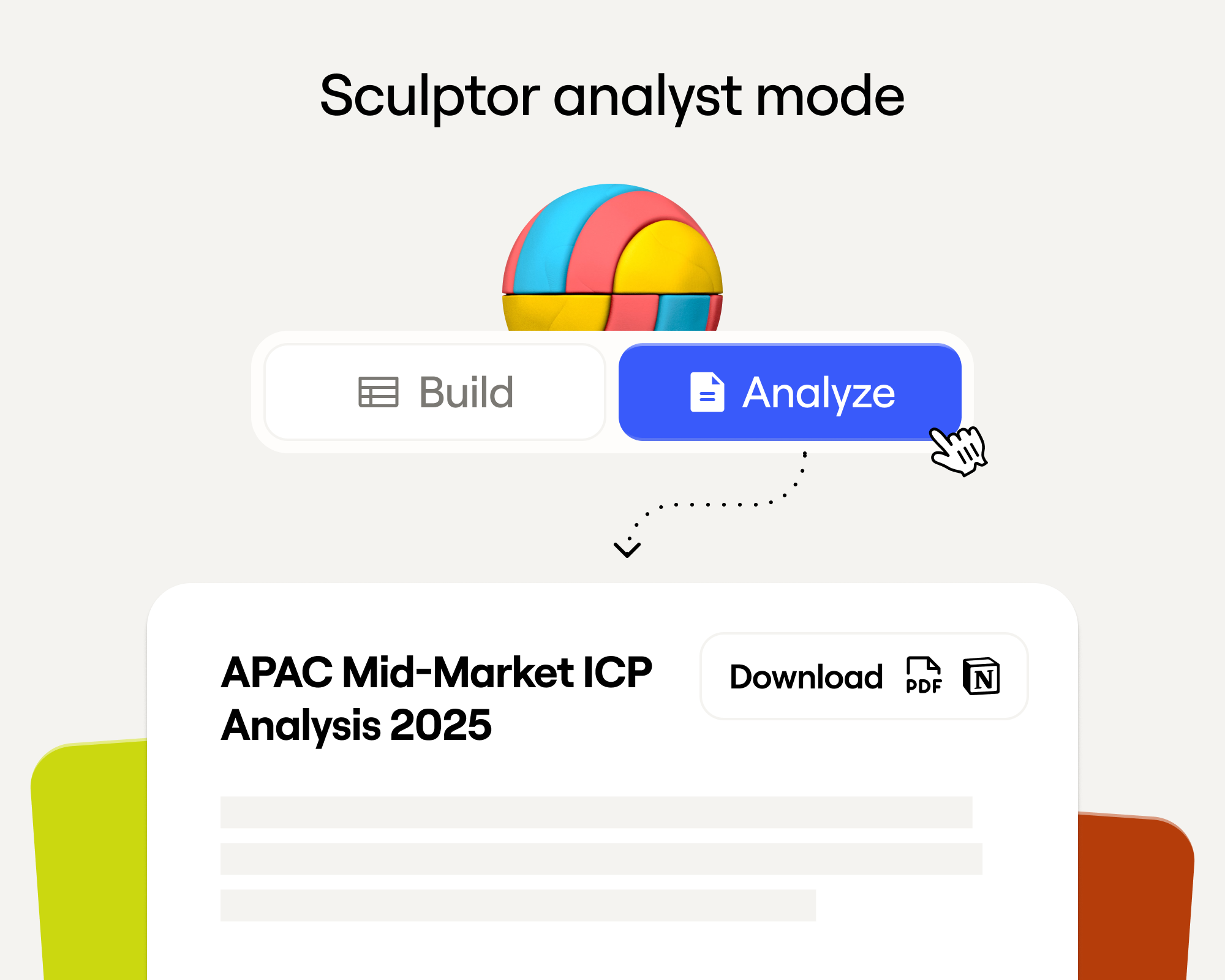
Sculptor Analyst Mode: Turning Context-Rich Data Into Actionable GTM Insights
Режим Sculptor Analyst: превращение контекстно богатых данных в практические GTM-инсайты

In a place where girls often choose between career or marriage, she carved her own path
Там, где девушки часто выбирают между карьерой и замужеством, она проложила собственный путь

How we designed Sculpt
Как мы спроектировали Sculpt
Clay announces second employee tender offer in nine months at a $5B valuation
Clay объявляет о втором тендерном предложении для сотрудников за девять месяцев при оценке в $5 млрд
Clay is now available as a connector in Claude
Clay теперь доступен как коннектор в Claude
Sellers have a new AI edge: Clay in ChatGPT
У продавцов новое AI-преимущество: Clay в ChatGPT

Clay reaches $100M ARR
Clay достигает $100M ARR
Clay Certifications: Turning mastery into credentials that matter
Сертификации Clay: превращаем мастерство в значимые удостоверения
Mobile Phone Verification Methodology
Методология верификации мобильных телефонов
Work Email Verification Methodology
Методология верификации рабочих email
Stop Guessing, Start Analyzing: How Sculptor Turns Your GTM Data Into Your Competitive Advantage
Хватит гадать, начните анализировать: как Sculptor превращает ваши GTM-данные в конкурентное преимущество
Find and outreach local businesses with Openmart and Clay Sequencer
Находите локальный бизнес и связывайтесь с ним через Openmart и Clay Sequencer
Announcing Web Intent
Представляем Web Intent
How Clay Uses Clay: Conversational Data
Как Clay использует Clay: разговорные данные
Sculpting GTM’s future with six major launches
Лепим будущее GTM с шестью крупными запусками

Introducing Claygent Navigator
Представляем Claygent Navigator

Announcing the Clay Partner Program
Объявляем о Clay Partner Program

Introducing GPT-5 in Claygent: sharper research, stronger formulas, better outbound
Представляем GPT-5 в Claygent: более точное исследование, более сильные формулы, лучший outbound
Clay Series C announcement. The GTM engineering era begins now
Анонс Series C для Clay. Эра GTM engineering начинается прямо сейчас

Claygent surpasses 1 billion runs
Claygent превысил 1 миллиард запусков

Announcing Sculpt: Clay’s first annual user conference
Объявляем Sculpt: первую ежегодную пользовательскую конференцию Clay
Announcing custom signals at Clay
Объявляем о кастомных сигналах в Clay

Clay announces employee tender offer led by Sequoia at $1.5B valuation
Clay объявляет о тендерном предложении для сотрудников под руководством Sequoia при оценке в $1,5 млрд
Create personalized presentations at scale with Clay and Google Slides
Создавайте персонализированные презентации в масштабе с Clay и Google Slides