Best Tool to Scrape Websites: Top 10 Picks for 2026 - The GTM with Clay Blog
Claygent Builder: The easiest way to build, test, and deploy GTM Agents
Build production-ready Claygents in natural language with Sculptor. Test on real data for free, track versions, and deploy once across every workflow. All inside Clay.
How Clay Uses Clay Ads: From $250 to $25 CPL
See how Clay uses its own Ads feature to cut LinkedIn CPL from $250 to $25 and unlock Meta with enriched CRM audiences. No manual uploads needed.
HG Insights Corporate Hierarchy: GTM Precision in Clay
Use HG Insights corporate hierarchy data in Clay to clean CRMs, map parent-child accounts, and trigger expansion plays. See how it works.
Sales GTM Engineering: How Clay Built the Role From Scratch
Learn what sales GTM engineering is, how it collapses SDR, AE, and SE roles into one, and how Clay built and hires for this high-leverage function. See how it works.
How to Automate Inbound Lead Outreach: The Clay Playbook
Learn how to automate inbound lead outreach with enrichment, scoring, and personalized sequences. See the exact Clay workflow that runs without manual work.
demandDrive Joins Clay’s Partner Ecosystem as an Official Clay Studio Partner
demandDrive joins Clay’s partner ecosystem to help B2B teams turn account intelligence into pipeline and revenue with GTM engineering and automation.
B2B Sales Prospecting: 15 Strategies to Drive More Conversions
Master B2B sales prospecting with 15 proven strategies covering ICP building, multi-channel outreach, and list hygiene. Build a pipeline that converts.
AI Sales Assistants: 11 Ways to Accelerate Your Outbound
Discover 11 ways AI sales assistants automate lead research, enrichment, and email personalization. See how top B2B teams use them to accelerate outbound.
The Three Laws of GTM: How to Win in the AI Era
The three laws of GTM explain why uniqueness, saturation, and iteration speed determine who wins. Learn how AI changes the rules and what to do about it.
Best Work Email Finders by Segment: SMB vs. Enterprise
We tested 12 email finders across 4,700+ contacts to find the best work emails by segment. See accuracy, cost, and coverage winners for SMB and enterprise.
How Clay Converts Trial Users Into Customers With Automated Outreach
See how Clay uses automated outreach to convert trial users into customers, with enrichment, lead scoring, and personalized HubSpot campaigns. Learn how.
Best Mobile Phone Data Providers for B2B Sales Teams
We tested 9,806 numbers across 10 B2B mobile phone data providers. See which wins on accuracy, coverage, and cost for NAMER, EMEA, and APAC.
How to Build a Complete AI Outbound Sales Funnel
Learn how to build a complete AI outbound sales funnel—from account scoring to personalized outreach—using Clay waterfalls and automation. See how it works.
How to Get More Customers Using Outbound Sales: A Complete Guide
Learn how outbound sales works, who it's right for, and how to build a strategy from prospecting to closing. Covers cold calling, email, and more.
How to Automate 6 Cold Email Campaigns in One Clay Workflow
Learn how to automate 6 cold email campaigns from a single Clay table — with enrichment, AI classification, and deduplication built in. See how it works.
How Clay Identifies Tier 1 Accounts: A Three-Score System
See how Clay identifies tier 1 accounts using a three-score system: fit, engagement, and contract value. Learn how sales and marketing align on the same priorities.
Lead Scoring in Clay: A Step-by-Step Formula Guide
Learn how to build lead scoring formulas in Clay to prioritize your ICP leads by employee count, job postings, and more. See how it works.
How to Validate Cold Outbound Offers and Find Message-Market Fit
Learn how to validate cold outbound offers by finding message-market fit — from breaking down your value prop to testing with a phased email approach. See how it works.
Troubleshooting Outbound Sales and Prospecting: A Comprehensive Guide
Fix broken outbound sales campaigns with this guide. Diagnose open and reply rates, reduce no-shows, qualify prospects with MEDDIC, and optimize what's working.
Bulk Enrichment: Enrich Millions of CRM Records in Clay
Bulk enrichment lets Enterprise teams enrich millions of Salesforce records with firmographics, tech stack, and AI research — then write results back automatically.
Clay Templates: Automate, Customize, and Replicate Any GTM Workflow
Clay Templates let you replicate full GTM workflows in hours, not days. Automate prospecting from data scraping to AI messaging, free and fully customizable.
How to Optimize Your Credit Usage in Clay
Learn how to optimize your credit usage in Clay with conditional formulas, Clearbit waterfall lookups, and smarter enrichment workflows. Save credits fast.
AI for sales prospecting
Learn about how to use AI for sales prospecting in this comprehensive guide, including framework for creating AI prompts and examples of cold email templates using AI that real sales teams have used successfully to land clients. AI sales prospecting can save your team thousands of hours—and double or triple your positive response rates.
The Reverse Demo: How Clay Replaced Traditional B2B Sales Demos
A reverse demo lets prospects solve real problems live, guided by your rep. Learn how Clay used 100+ sessions to boost conversion, retention, and product quality.
Data Waterfalls: How to Maximize Contact Coverage with Clay
Data waterfalls query multiple providers in sequence so you only pay for matches. See how Clay pushes coverage from 30% to 80%+ without annual contracts.
How Clay Runs ABM Campaigns: A Step-by-Step Playbook
See how Clay runs ABM campaigns — scoring 300 accounts, personalizing mailers and landing pages, and automating SDR follow-up. Learn how.
How We Built Clay's GTM Engineering Function
See how Clay built its GTM engineering function with sprint-based delivery, founder-level reporting, and full sales automation. A practical inside look.
Best Personal Email Finder Tools: Tested and Ranked
We tested 5 personal email finder tools across 2,354 prospects. See accuracy, coverage, and pricing data — plus the waterfall order that hit 79% coverage.
How to Use OpenAI to Write Cold Emails from Scratch with Clay
Learn how to use OpenAI to write personalized cold emails at scale with Clay. Set up the integration, craft better prompts, and boost deliverability.
How to Run a Personalized Demo Play at Scale with Clay
Learn how to automate a personalized demo play using Clay, Claygent, and AI enrichment to build custom mockups at scale. See how it works.
Automated Slide Deck Creation: How Clay Builds QBRs from Your Data
Clay's automated slide deck creation pulls from Snowflake, Salesforce, and Gong to build QBRs in minutes. Save 90+ hours per quarter. See how it works.
HG Insights + Clay: B2B Technographic and Firmographic Data
HG Insights surfaces deep technographic and firmographic data from billions of documents. Use it in Clay workflows to enrich accounts and power GTM. See how it works.
B2B Cold Email Deliverability: 21 Best Practices
Master B2B cold email deliverability with 21 proven best practices: domain setup, inbox warmup, authentication, and copy tips that keep you out of spam. Learn how.
Basics of Google Search Operators: A Practical Guide
Learn the basics of Google Search Operators and how to use them in Clay for prospecting, list building, and company research. See how it works.
AI Lead Generation: The Complete B2B Guide
Learn how AI lead generation automates list building, enrichment, and personalized outreach for B2B teams. Scale your pipeline without scaling headcount. See how it works.
Clay MCP: Ops-built workflows, consumable by reps
Clay MCP: Ops-built workflows, consumable by reps
How to Manage and Enrich Inbound Leads Automatically
Learn how to manage and enrich inbound leads automatically using a four-phase workflow that scores, segments, and triggers outreach from one email. See how it works.
GTM Alpha: How Winning Teams Build a Competitive Edge
GTM alpha is the edge winning teams build with unique data and signal-based plays. Learn how to find hidden signals, run better plays, and outpace competitors.
Why Good CRM Data Matters and How Clay Helps
Poor CRM data kills outreach. Learn why CRM data coverage fails and how Clay's waterfall enrichment lifts coverage rates from 20% to 80%. See how it works.
How to Use Formulas in Clay: AI Generator and Manual Entry
Learn how to use formulas in Clay with the AI Formula Generator or manual entry. Transform and clean your data faster. See how it works.
GTM Engineering: What It Is, How It Works, and How to Hire
GTM engineering turns ops teams into revenue builders using AI and automation. Learn what GTM engineers do, how to structure the role, and how to hire one.
Formulas in Clay: A Beginner's Intro for Non-Engineers
Learn how to use formulas in Clay without coding. This intro covers conditional statements, combining columns, and auto-qualifying leads. Start in 30 minutes.
How Clay Uses Clay for SEO and AEO: 3 Systems That Scale
See how Clay uses Clay for SEO and AEO: automated content refresh, video-to-page conversion, and a custom AI visibility dashboard. Learn how.
Turn Web Visitors into Leads: A Warm Outbound Play for B2B Sales
Learn how to turn web visitors into leads using a warm outbound play for B2B sales — with RB2B, Clay, and Lemlist. See how it works.
How to Use Web Scraping to Enrich Your Data with Clay
Learn how to use web scraping to enrich your data without code. Clay's Claygent answers deep GTM research questions at scale. See how it works.
How to Create a Sales Prospect List in Minutes
Learn how to create your own sales prospect list in minutes using Clay. Pull from 40+ sources, enrich with ICP data, and export to your CRM. See how it works.
Best B2B Email List Providers: Tested and Ranked (2026)
We tested 8 B2B email list providers head-to-head. See accuracy results, per-email pricing, and how to waterfall providers for maximum coverage.
Outbound Sales Automation: How to 10x Pipeline Without More SDRs
Learn how outbound sales automation replaces manual SDR work, cuts cost per email by 100x, and scales pipeline without growing headcount. See how it works.
The Wake the Dead Play: Reactivate Closed-Lost Deals with Clay
The wake the dead play uses Clay + ChatGPT to send automated, personalized emails to closed-lost prospects. Restart stalled deals in a few steps. Learn how.
Three Tips to Guarantee Email Deliverability for Cold Outbound
Split volume, verify contacts, and personalize copy to guarantee email deliverability for cold outbound. Three actionable tips that keep you out of spam.
How Clay Uses Clay for Customer Support: 3 Real Workflows
See how Clay's customer support team uses Clay to enrich Intercom tickets, automate QA, and draft help articles. Real workflows, real results.
B2B Cold Email Copywriting: The Complete Guide
Master B2B cold email copywriting with proven templates, a research framework, and a checklist used to send 800k+ emails a month. Start writing emails that get replies.
Introducing Clay Functions
Build Your GTM Logic Once, Apply It Everywhere
Clay and Apollo Integration: Enrichment, Sequencing, and More
The Clay and Apollo integration unlocks 5X faster enrichment and direct sequencer API access. See how joint customers go from data to booked meetings.
The Many Lives of Spreadsheets: A History and What Comes Next
Explore the many lives of spreadsheets — from VisiCalc in 1979 to self-filling automation tools today. See how the no-code vision keeps evolving.
AI recruiting strategies
Learn our top AI recruiting workflows to help you identify, research, and reach out to qualified candidates for open roles. AI can eliminate manual work and help you reach out to—and land—better employees for your clients.
How to Hire a GTM Engineer: The Complete Guide
Learn how to hire a GTM engineer: when to make the hire, what skills to screen for, red flags to avoid, and where to find the best candidates. See how it works.
Inside Clay's GTM Engineering Lab: Plays, Principles, and Automation
See how Clay's GTM engineering lab turns internal problems into revenue plays using AI, automation, and data-driven principles. Learn how it works.
How to Build the Most Targeted Account Lists Possible
Generic tools leave bad-fit companies in your account list. Learn how to build targeted account lists using AI enrichment and real workflow examples in Clay.
Personalized Direct Mail at Scale: The Gifting Play with Clay
Learn how to run personalized direct mail campaigns using Clay — validate contacts, generate AI gift copy, and export to email. See how it works.
How to Set Up Your Full Inbound Sales Process on Clay
Learn how to set up your full inbound sales process on Clay — enrich leads, tag MQLs, and automate email campaigns from form to demo. See how it works.
AI-Enabled GTM for Private Equity: The Value Creation Playbook
Learn how AI-enabled GTM for private equity drives value creation across portfolios—from data quality to agentic workflows. See how it works.
Do More With Your Data: Clay's Post-Data-Provider Approach
Clay's post-data-provider approach combines 150+ providers, waterfall enrichment, and AI scraping to maximize data coverage. See how it works.
Google Maps Lead Generation for Niche Local Businesses
Learn how to use Google Maps lead generation to find niche local businesses, enrich owner contacts, and send personalized outreach at scale with Clay.
24 AI Email Personalization Examples for Cold Outreach (With Prompts)
Get 24 AI email personalization examples for cold outreach, with ChatGPT prompts you can run at scale in Clay. Learn how to write emails that actually convert.
How to Ace Your Follow-Ups: A Practical Sales Guide
Learn how to ace your follow-ups with value-driven outreach, personalization tips, multi-channel tactics, and automation tools that keep deals moving. See how it works.
How to Prioritize Your Waitlist with Lead Enrichment
Learn how to prioritize your waitlist using lead enrichment. Turn raw signups into qualified leads by company, title, and role — no long forms needed. See how.
B2B Cold Email Templates: Frameworks That Get Replies
Learn how to write B2B cold email templates that convert with a proven 5-part framework, follow-up strategy, and real examples. See how it works.
Audiences: now in Enterprise beta
Clay Audiences unifies your CRM, product data, and intent signals into one layer — so reps and agents can run precise, personalized GTM plays at scale.
The thinking behind our new pricing: our internal memo
Clay pricing memo: INTERNAL
Introducing Clay’s new pricing
Today, we’re launching a pricing update that reduces data costs, and simplifies and improves the value of our plans. Our goal is to have Clay be your default tool for GTM Engineering.
Clay partners with Lusha and Beauhurst to expand European data coverage
Lusha adds lookalike prospecting, contact enrichment, and signals in EMEA. Beauhurst adds private funding and corporate structure data in the UK and Germany.
Source your precise TAM from lookalikes you can trust with Ocean.io and Clay
Clay + Ocean now enable preview-based B2B lookalike discovery. Preview leads before committing credits and expand your TAM with greater precision.
Clay doubles down on supporting European GTM teams
Clay's waterfall enrichment delivers 2–3x more mobile phone coverage than leading solo providers across Europe. Plus new data partnerships, a London office, and timezone-aligned support.
In Nigeria, she built a life where money wouldn’t decide
Clay blog | In Nigeria, she built a life where money wouldn’t decide
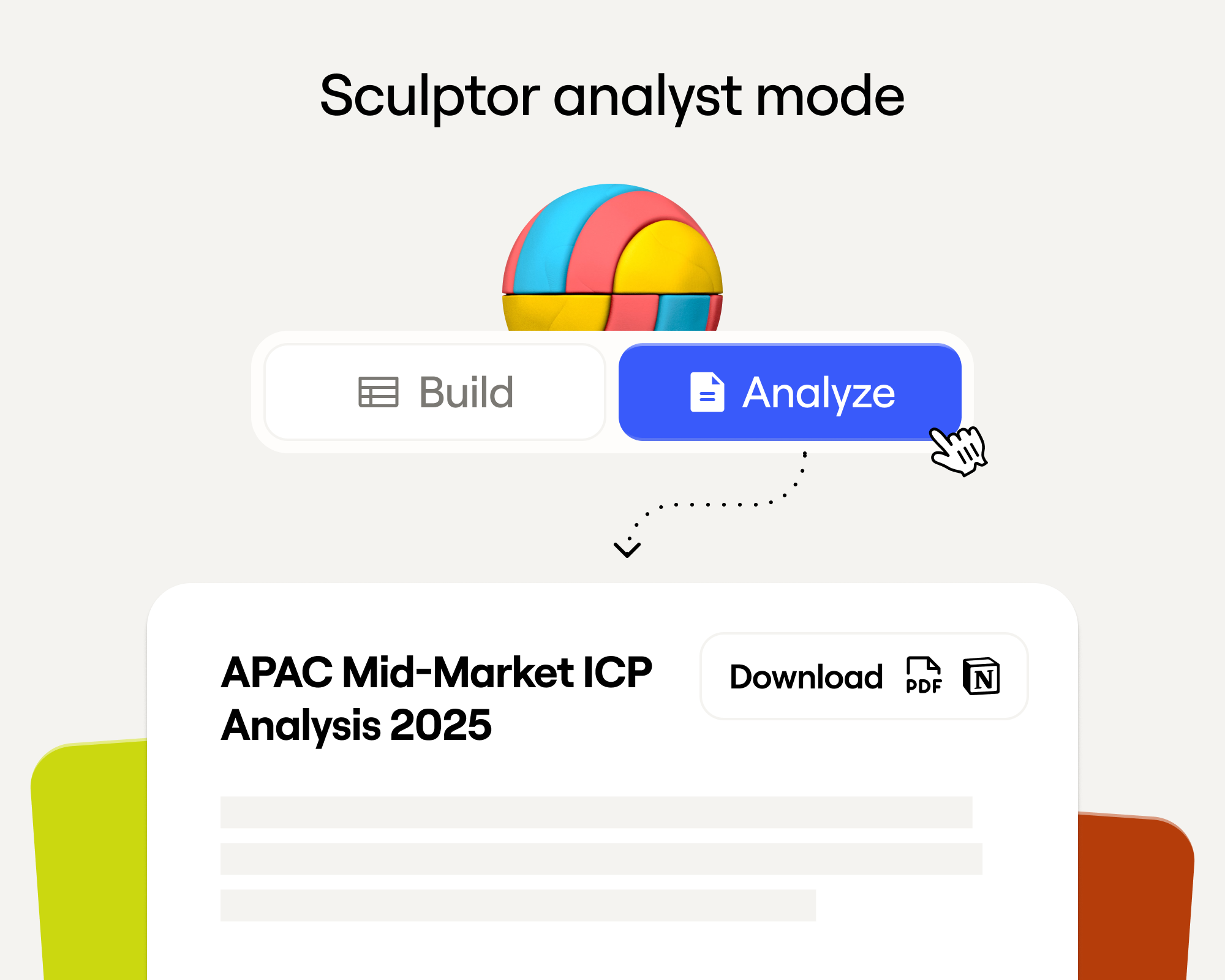
Sculptor Analyst Mode: Turning Context-Rich Data Into Actionable GTM Insights
Gather business intelligence and share documents of this analysis directly from Sculptor
In a place where girls often choose between career or marriage, she carved her own path
Javeria Shah won the Clay Cup 2025 despite being denied a US visa and competing remotely from Pakistan. Learn how she transitioned from electronics engineering into GTM engineering and built her own business.
How we designed Sculpt
Our first conference, Sculpt, is where the analog soul of Clay met the digital mind of Clay.
Clay announces second employee tender offer in nine months at a $5B valuation
A rare repeat employee liquidity event, designed to give builders flexibility as Clay accelerates
Clay is now available as a connector in Claude
Bring Clay's contact databases, enrichment providers, and AI agents into your Claude workflow.
Sellers have a new AI edge: Clay in ChatGPT
Use Clay directly in ChatGPT to find the right buyers, research people and companies, and draft personalized outbound. One conversation, powered by live GTM data.
Clay reaches $100M ARR
Clay has crossed $100M ARR, growing from $1M to $100M in two years after six years of foundational product work. The milestone reflects durable customer adoption, efficient growth, and an ecosystem of GTM builders using Clay to power their business.
Clay Certifications: Turning mastery into credentials that matter
The Clay education team has built a certification program that runs entirely on Clay and gives users credentials that actually matter
Mobile Phone Verification Methodology
Clay has partnered with The Kiln to setup a series of large-scale data test across mobile phone, work email, personal email, email verification, and more. Below, we explain the approach to these tests.
Work Email Verification Methodology
Clay has partnered with The Kiln to setup a series of large-scale data test across mobile phone, work email, personal email, email verification, and more. Below, we explain the approach to these tests.
Stop Guessing, Start Analyzing: How Sculptor Turns Your GTM Data Into Your Competitive Advantage
Analyze your GTM data with Sculptor to turn fragmented information into actionable insight.
Find and outreach local businesses with Openmart and Clay Sequencer
Get the right contacts for local businesses without stitching together multiple tools or wasting valuable time on setup instead of selling.
Announcing Web Intent
Use Website Intent in Clay to see which companies visit your site, track engagement, and trigger personalized GTM plays. Turn website traffic into real buyer intent data.
How Clay Uses Clay: Conversational Data
How we use Clay to mine millions of pages of call transcripts to generate revenue, and how you can use it too.
Sculpting GTM’s future with six major launches
Today at Sculpt, we're launching six major features that will help teams turn any growth idea into reality faster.
Introducing Claygent Navigator
A new Claygent model that can use a browser to take actions and extract information from webpages.
Announcing the Clay Partner Program
The Clay Partner Program is to a partner, what a toolbox is to an artist. It keeps essential resources within reach and grows more sophisticated as your expertise develops. We've designed everything around one simple principle: helping you grow your business as Clay grows.
Introducing GPT-5 in Claygent: sharper research, stronger formulas, better outbound
GPT-5 is now a model option across Clay, bringing the best research and conversational writing we've ever shipped to your GTM workflows.
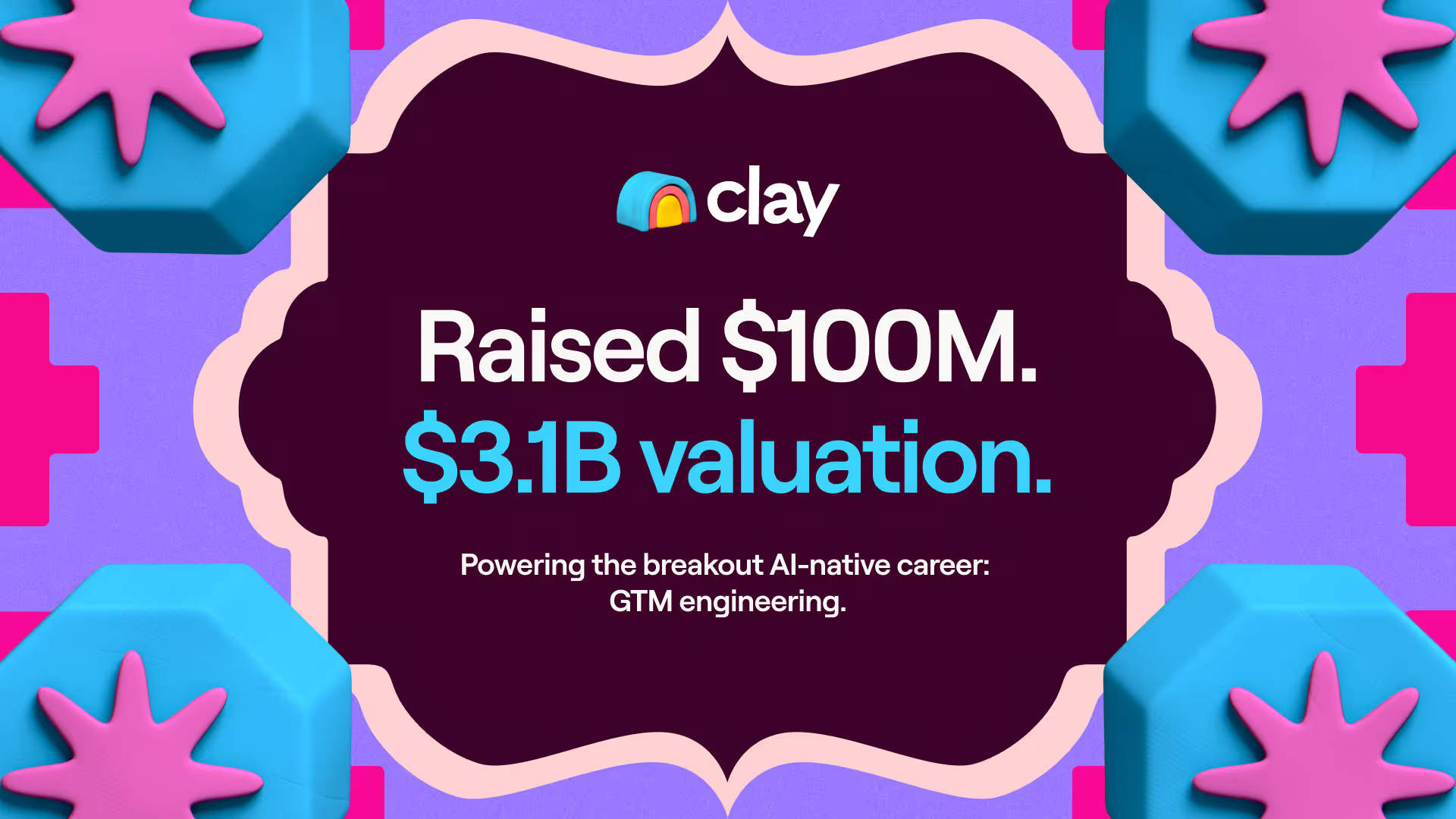
Clay Series C announcement. The GTM engineering era begins now
We raised a $100M Series C at a $3.1B valuation to power GTM engineering!
Claygent surpasses 1 billion runs
The world's most loved AI research agent in GTM has passes a huge milestone at 1 billion runs.
Announcing Sculpt: Clay’s first annual user conference
Join us for Sculpt, Clay’s first annual user conference on Sept 17 in San Francisco where GTM leaders build AI workflows, share creative tactics, and get early access to new features.
Announcing custom signals at Clay
Clay's new custom signals platform helps sales teams track unique data changes that indicate buying opportunities. Turn any data point into a sales signal, enrich with context, and automate personalized outreach to find GTM alpha your competitors miss.
Clay announces employee tender offer led by Sequoia at $1.5B valuation
Clay allows employees to sell vested shares for immediate liquidity through a $20M tender offer at a $1.5B valuation. With 10x revenue growth in 2022-2023 and serving 8,000+ customers including OpenAI and Hubspot, Clay continues to change how businesses approach go-to-market strategies with their AI agent Claygent.
Create personalized presentations at scale with Clay and Google Slides
Automate personalized sales decks with Clay’s Google Slides integration. Instantly generate tailored presentations for leads, customers, QBRs, and internal updates. Use one template to create hundreds of presentations at scale.
Turn Gong conversations into automated GTM workflows
Clay now integrates with Gong—turn messy call transcripts into powerful automations in Salesforce, HubSpot, Notion, Slack, Google Sheets, and 100+ other integrations.

Product
Use Cases
Solutions
Resources
Company
Pricing
Features





Additional
How Clay uses Clay
LinkedIn + Meta Ads on Autopilot









CRM enrichment
Keep your CRM clean with the highest quality data
BY TEAM



BY STAGE


BY CUSTOMERS


Coverflex
Link long form description will go in this slot here.

Legora
Link long form description will go in this slot here.

Regency Supply
Link long form description will go in this slot here.

Exit Five
Link long form description will go in this slot here.
Terrapinn
Link long form description will go in this slot here.
Intercom
Grew their outbound-sourced pipeline by +140%
START GROWING




DISCOVER
Community
PARTNER WITH US
Clay Commnity
In Nigeria, she built a life where money wouldn’t decide

OUR COMPANY



GET IN TOUCH


SOCIALS


Article – NY Times
Clay allows employees to sell shares at a $5b valuation.

Best Tool to Scrape Websites: Top 10 Picks for 2026

Using a web data scraper is an excellent way to maintain a competitive edge and tighten your workflow. You can find plenty of capable scrapers on the market, each coming with unique selling points. While such variety is always welcome, it also means you might encounter analysis paralysis when browsing different options.
We made this guide to ensure that doesn't happen. It will help you zero in on the best tool to scrape websites by showing you what to look for in a scraper, after which you'll see concise reviews of the platforms we've shortlisted due to their standout features.
TL;DR
- The best tool to scrape websites depends on your use case: no-code tools like Clay and Octoparse suit non-developers, while API-first tools like ScrapingBee and Scrape.do are built for developers.
- Key criteria to evaluate include ease of use, scraping scope, export formats, integrations, and cost.
- Clay stands out for combining AI-powered scraping (via Claygent), a Chrome extension, pre-built templates, and outbound workflow automation in a single no-code platform.
- Most tools offer a free plan or trial, but paid plans vary widely: from $19.99/month for Data Miner to $599+/month for enterprise-tier options.
How to find the best tool for web scraping
When browsing web scrapers, you should filter your options according to the following criteria, outlined in the table below:
Best tools to scrape websites: our top 10 picks
We took the above features into account when researching web scrapers to find the most effective options. We then sought feedback from our network of marketing and sales experts to hear their opinions. The result was a list of ten platforms:
Below, you'll find detailed breakdowns of each solution, as well as their pros and cons, pricing information, and real-life performance based on customer reviews.
Clay
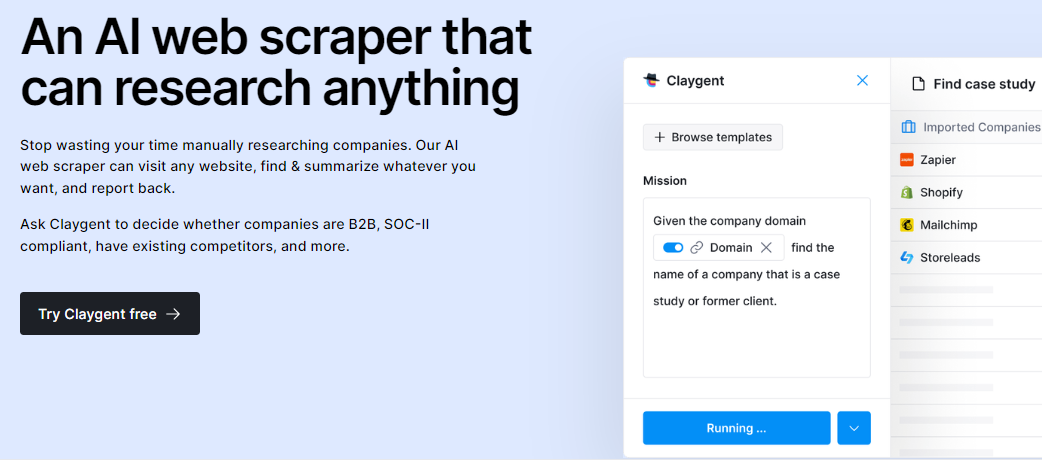
Clay is a comprehensive data enrichment and sales engagement solution that streamlines your outbound campaigns with various features, including robust web scraping.
If you want to leverage the power of AI to get data from anywhere on the web, you can use Claygent. It works similarly to GhatGPT, so all you need to do is give it a prompt or ask a question. Claygent will hunt for the information and provide it in no time.
To scrape specific pages as you visit them, leverage Clay's Chrome extension. You can use pre-made recipes to pull specific data or map the data yourself to create custom recipes. Either way, the extension lets you scrape any website and pull data to a Clay table in a single click.
Clay also offers various integrations tailored to web scraping, such as:
These are only some of the many integrations that help you scrape virtually any website. To further simplify your workflow, you can use Clay's numerous templates. They come with pre-built Clay tables and automated scraping actions for specific data points like Indeed job listings, a company's employees and open roles, and many more.
Clay is a no-code platform, so you can get the most out of the above features regardless of your background.
✔️ AI scraping
✔️ Chrome extension
✔️ Scraping templates and integrations
Scrapingdog
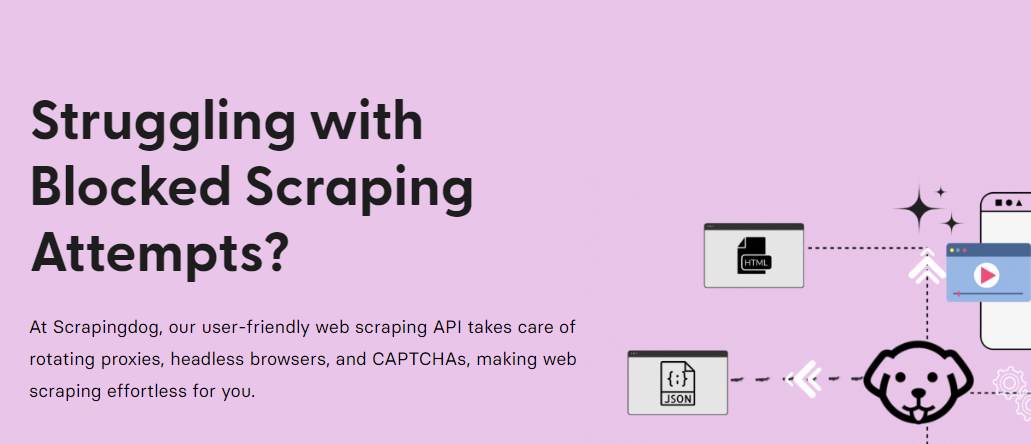
Scrapingdog offers a web scraping API that provides structured JSON data from your target pages. Besides the general web scraping API, the platform has specialized APIs for major websites, most notably:
Scrapingdog claims its API is fast and can handle many simultaneous requests. While this may be true to an extent, some users have reported concurrency issues when scraping social profiles.
On the bright side, the platform offers over 40 million unique IPs through which requests are sent, reducing the risk of unsuccessful scraping due to blocking.
Scrapingdog gives you 1,000 free credits to test its features, after which you need to upgrade to one of the following plans:
Besides a lack of a full-fledged free plan, Scrapingdog's main downside is that it requires quite a bit of technical knowledge. It does offer no-code use through the Affiliate Egg Pro Plugin, but it may still be too complex for beginners.
✔️ General web scraping API
✔️ Specialized APIs
✔️ 40+ million IPs
❌ No free plan
❌ Potential concurrency issues
❌ May be too technical for some users
ParseHub
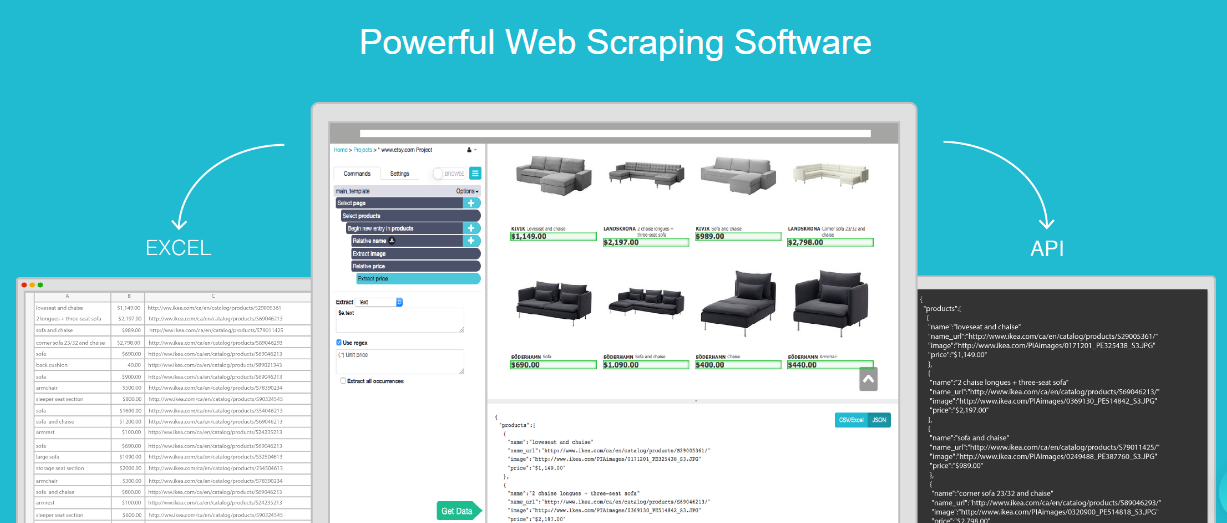
ParseHub is a desktop web scraper available for Windows, macOS, and Linux. It's easy to use because no coding is required, so you don't need to be a developer to scrape websites with it. All you need to do is open a page and click on the data you wish to gather. ParseHub will then scrape the required data, which you can download in CSV and JSON formats.
ParseHub also offers an API, which can be used to export data to your existing platforms without too much manual work.
Other notable features of the scraper include the following:
ParseHub has a free plan, though it only lets users scrape 200 pages per month. To access more pages, you need to sign up for one of the following plans:
Despite the platform's no-code interface, some users still consider it too manual and unintuitive. Data extraction can also take a while in some cases, so it might not be the fastest platform on the market.
✔️ No-code scraping
✔️ IP rotation
✔️ Free plan
❌ Unintuitive interface
❌ Lengthy data extraction
Web Scraper
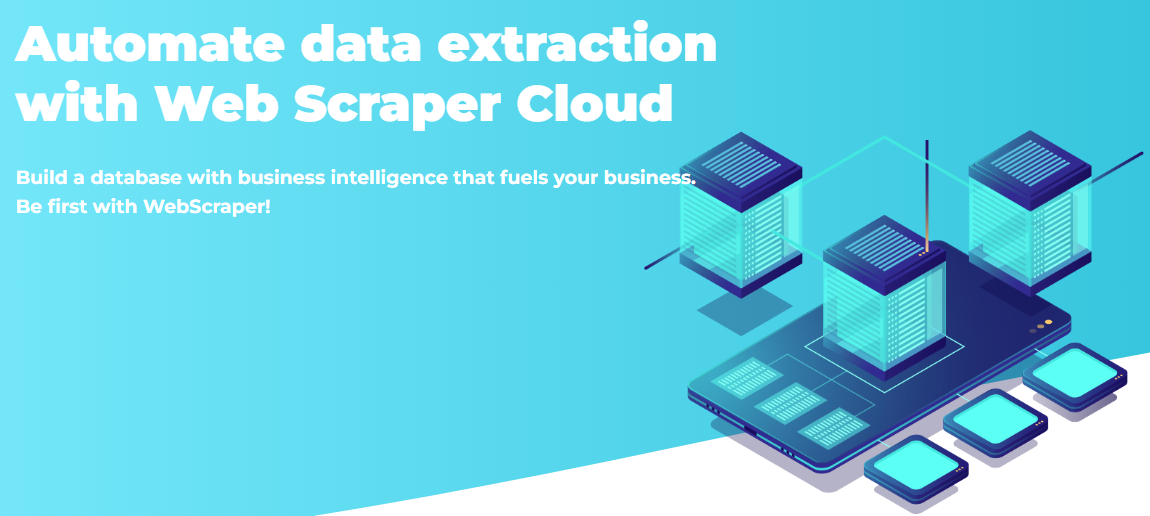
Web Scraper is another platform that doesn't require coding skills to help users get the data they need. Instead, you have two options:
The extension lets you scrape pages as you visit them, much like Clay's option. You can map the data you need without a lot of legwork, so the overall workflow is frictionless enough to ensure a positive user experience.
Note that you only get CSV and XLSX exports with the extension. If you want the JSON option and automated export to online services like Google Sheets, you must use Web Scraper Cloud.
Besides more export options, this version offers additional useful features like scheduling, proxies, and 30-day data retention (60 days with the higher tiers). Web Scraper Cloud offers four paid plans:
Web Scraper typically does a solid job of getting all the necessary data, though some users reported issues with more complex websites. While there are workarounds to such problems, they might be too time-consuming.
✔️ Free Google Chrome and Firefox extensions
✔️ Smooth scraping workflow
✔️ Support for local and cloud scraping
❌ The extension only allows CSV and XLSX exports
❌ Scraping complex websites might be challenging
ScrapingBee

Unlike our previous picks, ScrapingBee is mainly aimed at those with a coding background. It offers an API you can use to leverage the platform's many features, such as:
ScrapingBee manages headless browsers (browsers without a graphical user interface used for scraping complex pages), so you don't need to do it independently. It also offers a large pool of proxies with automatic rotation to conceal scraping bots.
If all this sounds too technical, and you don't have the bandwidth to use the platform's API, you can leverage ScrapingBee's Make integration for a no-code experience. Note that you might still face a considerable learning curve, especially if you're new to web scraping.
ScrapingBee offers 1,000 free API calls, after which you need to sign up for one of its paid plans:
Each plan comes with a specific number of credits, which don't roll over to the next billing cycle. This means you might end up wasting money on credits you won't use.
✔️ Robust API
✔️ Headless browser handling
✔️ Integration with Make
❌ Might be too complex for non-developers
❌ No free plan or credit roll-over
Octoparse
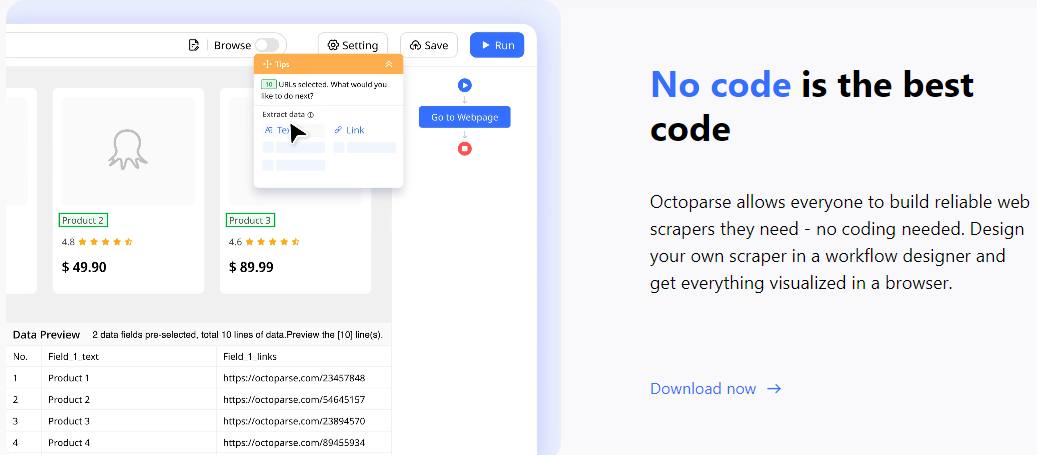
Octoparse is another easy-to-use scraping platform that extracts structured data without too much effort on your part. It lets you build custom scrapers without coding. All it takes is to map the data you need using the platform's intuitive interface.
A particularly valuable feature is the AI assistant, which auto-detects data points based on the website's structure. It also provides useful tips as you build the scraper, which makes the overall experience smoother.
Additional features that make Octoparse worth checking out include the following:
Unfortunately, most of the platform's useful features are kept behind a paywall. The free plan only covers the basics, so you'll need to opt for one of the following monthly plans to take full advantage of Octoparse:
Besides the limited free plan, a notable issue is the platform's CAPTCHA solver, which doesn't always work as intended.
✔️ No-code scraping
✔️ AI assistance
✔️ Preset templates
❌ Limited free plan
❌ Occasional CAPTCHA issues
Scrape.do
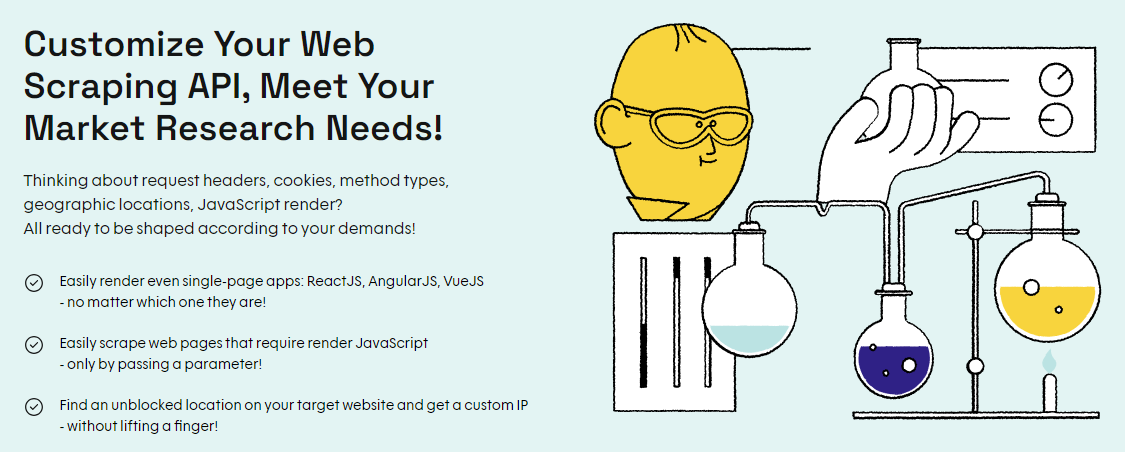
Similar to ScrapingBee, Scrape.do offers an API you can use to extract HTML, JSON, XML, and other types of data from websites. It also claims to have the "fastest gateway in the proxy industry," promising a quick and efficient scraping experience.
Scrape.do also helps you bypass websites' anti-bot solutions and offers 95+ million proxies, so it does a solid job of ensuring you can scrape pages with minimal risks of getting blocked.
The platform stated its API had an uptime of 99.9% in the last six months, and users' experiences seem to align with this claim. They're generally positive, though some customers have reported issues with image crawling. There haven't been any major concerns other than this, so Scrape.do should be reliable enough for most users.
Still, it's certainly not for everyone. There aren't any no-code scraping features, so the platform is best suited for developers. If you wish to use it, you can choose between a free plan and four paid tiers:
✔️ Anti-bot features
✔️ Over 95 million proxies
✔️ High uptime
❌ Potential image crawling issues
❌ Too complicated for non-developers
Data Miner
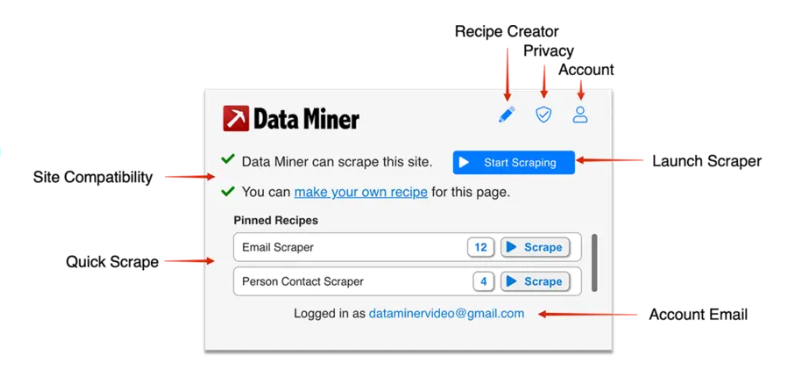
Data Miner is a web scraping extension available for Chrome and Edge. It's a no-code solution that simplifies the scraping process in many ways, most notably:
The platform lets you create custom scraping queries, which should work on most websites. It mimics human web browsing behavior, reducing your risk of getting blocked.
You can explore these features with Data Miner's free plan, which allows the scraping of 500 pages a month. There's a caveat you should beware of, though: if you exceed this limit, your account will be locked indefinitely. If this happens, you need to subscribe to one of the platform's paid plans:
There aren't many downsides beyond this, though some users have complained about Data Miner's smart selection, which doesn't seem to work consistently.
✔️ Ease of use
✔️ Multi-page scraping
✔️ Pre-made scraping queries
❌ The risk of having your account locked if you exceed the free plan's limitation
❌ Potential issues with smart selection
Oxylabs
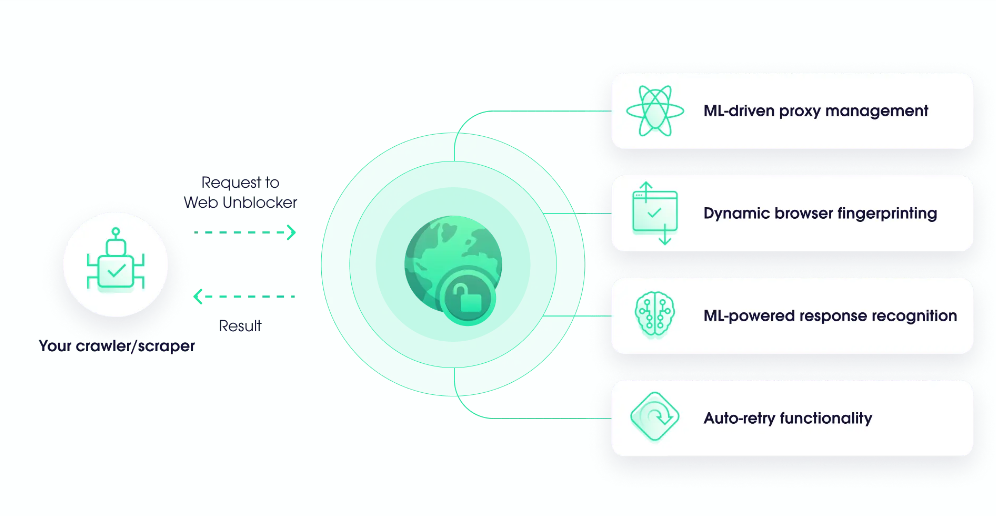
Oxylabs is a proxy provider offering a comprehensive Web Scraper API. It lets you pull data from most websites, including the more complex ones. The best part is that you only pay for successful scrape jobs, which contributes to the scraper's cost-effectiveness.
Another significant advantage is a large pool of global proxies. It covers 195 countries, and Oxylabs uses machine learning to rotate proxies to ensure your IP doesn't get blocked while scraping.
Other notable features include the following:
The platform doesn't offer a free plan. There's only a one-week trial. When it expires, you need to upgrade to one of the following plans:
There are also four enterprise plans, which range from $400 to $10,000+ per month depending on your chosen features.
While many users believe Oxylabs delivers on its promises, some weren't happy with the platform's performance. One user claimed they encountered many errors and that customer support was unhelpful.
✔️ Global proxy pool
✔️ Only charges for successful jobs
✔️ CAPTCHA solving
❌ No free plan
❌ Potential performance issues
PhantomBuster
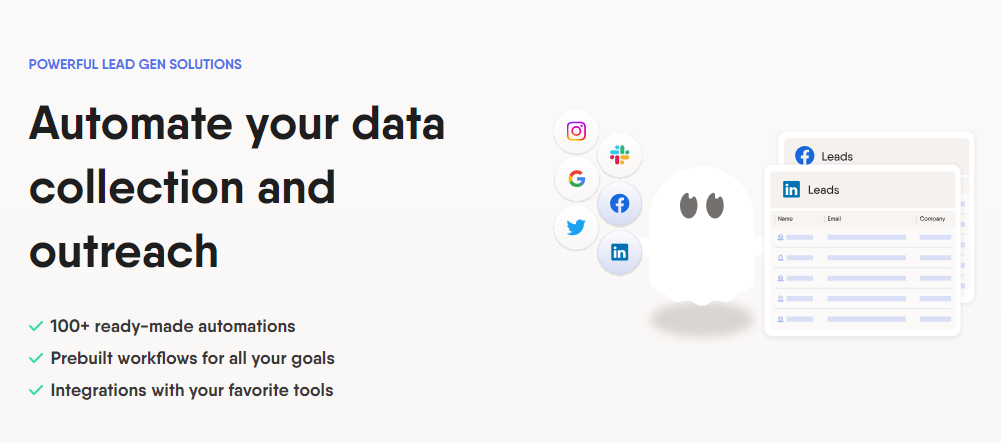
If you need a web scraper for sales purposes, PhantomBuster can be a solid option. Similarly to Clay, it's a no-code platform that lets you gather lots of valuable data on your prospects.
The platform does this through so-called Phantoms and Flows: pre-built automations tailored to many specific tasks, such as:
Thanks to PhantomBuster's data enrichment features, you can create highly personalized emails to boost the response rate. Still, you may not always get accurate data, as reported by one user. You might also face a considerable learning curve if you're a beginner, as some Phantoms and Flows are a bit complex.
💡 Pro Tip: You can integrate PhantomBuster with Clay to go beyond its database and access 50+ additional sources.
If you don't mind these limitations, you can choose between three monthly plans:
There's no free plan, but you can use the 14-day free trial to test PhantomBuster's features.
✔️ Various pre-built scraping automations
✔️ Data enrichment features
✔️ Social media scraping
❌ No free plan
❌ Data accuracy might not be the best
The verdict: what is the best web scraping tool?
No web scraper is universally the best. Every platform has specific use cases and advantages, so it all comes down to asking yourself a few questions:
Still, it's always a good idea to opt for a solution that covers as much ground as possible without exposing you to massive costs. If you want one that combines general data scraping for various uses with many sales-focused features, Clay is a no-brainer.
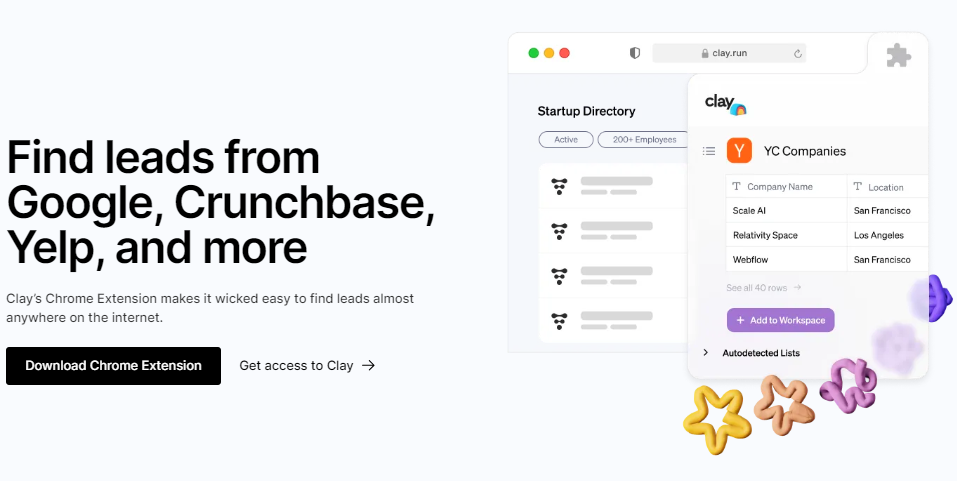
Scrape any page and launch effective outbound campaigns with Clay
As you saw earlier in this guide, Clay is jam-packed with versatile scraping features, but they're not the platform's only strong suit. When you sign up, you'll get access to over 50 major data providers, which lets you avoid scraping altogether if you want to build abundant lead lists. Ask for the data you need, and Clay will take care of the scraping on your behalf.
Even if you don't have a single lead yet, Clay will give you a major head start. You can find people or specific companies just by setting up the appropriate inputs and add them to your lead list in only a few clicks. You can then enrich those leads with numerous data points, such as:
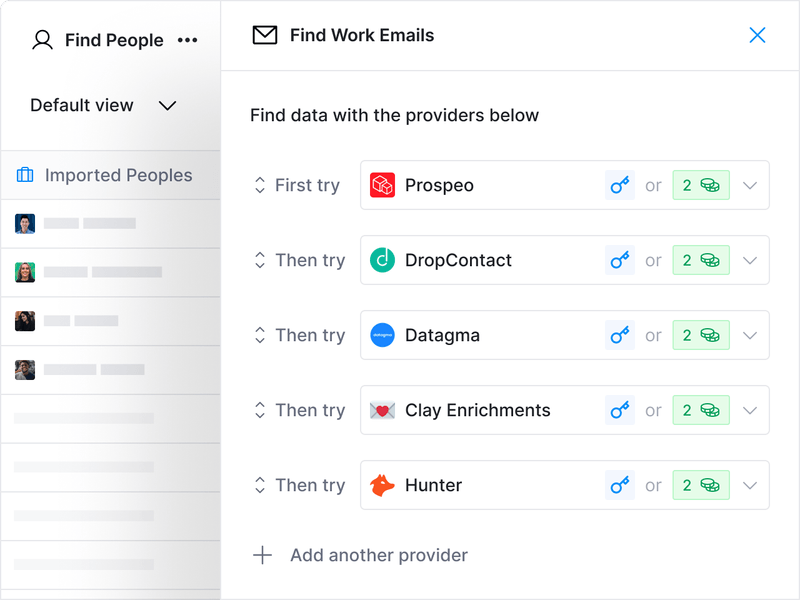
To ensure you get the most out of every dollar you invest, Clay uses waterfall enrichment: an innovative process that scours data sources one by one until it gets the info you're looking for. You only pay for successful searches, so there's no wasted money.
After gathering the necessary data, you can export it to your CRM or a CSV file. Better yet, you can first let Clay's AI Email Builder use that data to automatically write hyper-targeted emails. Send the emails to your sequencer, and you're good to go.
You can test these features using Clay's rich free plan. To unlock everything the platform has to offer, choose one of the following paid plans:
Many users consider Clay well worth the investment—here are some of their thoughts:

Frequently Asked Questions
What is the best tool to scrape websites for non-developers?
Clay, Octoparse, ParseHub, and Data Miner are all strong no-code options. Clay stands out because it combines AI-powered scraping via Claygent, a Chrome extension, and pre-built templates, all without requiring any coding knowledge.
What is the best web scraping tool for developers?
ScrapingBee, Scrapingdog, Scrape.do, and Oxylabs are all API-first tools built for developers. They offer features like headless browser management, proxy rotation, and structured JSON output. The right choice depends on your scale, budget, and whether you need specialized APIs for platforms like Google or Amazon.
What is the best AI-powered web scraping tool?
Clay's Claygent is a strong option for AI-powered scraping. You give it a prompt or question, and it retrieves the relevant data from the web automatically. Octoparse also offers an AI assistant that auto-detects data points based on a website's structure.
Do any of these tools handle anti-bot measures and proxy rotation?
Yes. Several tools on this list include built-in anti-bot bypass and proxy rotation. Scrape.do offers 95+ million proxies and anti-bot features. Oxylabs uses machine learning to rotate proxies across 195 countries. Scrapingdog provides over 40 million unique IPs. ParseHub and Data Miner use IP rotation and human-behavior mimicry respectively to reduce blocking risk.
Create a free Clay account
You can get started with Clay in three quick steps:
Need more information before making the final decision? Visit Clay University for product walkthroughs and join the ever-growing Slack community to see how other marketing and sales pros are leveraging the platform. For updates, news, and useful tips for building high-performing campaigns, sign up for Clay's newsletter.
Using a web data scraper is an excellent way to maintain a competitive edge and tighten your workflow. You can find plenty of capable scrapers on the market, each coming with unique selling points. While such variety is always welcome, it also means you might encounter analysis paralysis when browsing different options.
We made this guide to ensure that doesn't happen. It will help you zero in on the best tool to scrape websites by showing you what to look for in a scraper, after which you'll see concise reviews of the platforms we've shortlisted due to their standout features.
TL;DR
- The best tool to scrape websites depends on your use case: no-code tools like Clay and Octoparse suit non-developers, while API-first tools like ScrapingBee and Scrape.do are built for developers.
- Key criteria to evaluate include ease of use, scraping scope, export formats, integrations, and cost.
- Clay stands out for combining AI-powered scraping (via Claygent), a Chrome extension, pre-built templates, and outbound workflow automation in a single no-code platform.
- Most tools offer a free plan or trial, but paid plans vary widely: from $19.99/month for Data Miner to $599+/month for enterprise-tier options.
How to find the best tool for web scraping
When browsing web scrapers, you should filter your options according to the following criteria, outlined in the table below:
Best tools to scrape websites: our top 10 picks
We took the above features into account when researching web scrapers to find the most effective options. We then sought feedback from our network of marketing and sales experts to hear their opinions. The result was a list of ten platforms:
Below, you'll find detailed breakdowns of each solution, as well as their pros and cons, pricing information, and real-life performance based on customer reviews.
Clay
Clay is a comprehensive data enrichment and sales engagement solution that streamlines your outbound campaigns with various features, including robust web scraping.
If you want to leverage the power of AI to get data from anywhere on the web, you can use Claygent. It works similarly to GhatGPT, so all you need to do is give it a prompt or ask a question. Claygent will hunt for the information and provide it in no time.
To scrape specific pages as you visit them, leverage Clay's Chrome extension. You can use pre-made recipes to pull specific data or map the data yourself to create custom recipes. Either way, the extension lets you scrape any website and pull data to a Clay table in a single click.
Clay also offers various integrations tailored to web scraping, such as:
These are only some of the many integrations that help you scrape virtually any website. To further simplify your workflow, you can use Clay's numerous templates. They come with pre-built Clay tables and automated scraping actions for specific data points like Indeed job listings, a company's employees and open roles, and many more.
Clay is a no-code platform, so you can get the most out of the above features regardless of your background.
✔️ AI scraping
✔️ Chrome extension
✔️ Scraping templates and integrations
Scrapingdog
Scrapingdog offers a web scraping API that provides structured JSON data from your target pages. Besides the general web scraping API, the platform has specialized APIs for major websites, most notably:
Scrapingdog claims its API is fast and can handle many simultaneous requests. While this may be true to an extent, some users have reported concurrency issues when scraping social profiles.
On the bright side, the platform offers over 40 million unique IPs through which requests are sent, reducing the risk of unsuccessful scraping due to blocking.
Scrapingdog gives you 1,000 free credits to test its features, after which you need to upgrade to one of the following plans:
Besides a lack of a full-fledged free plan, Scrapingdog's main downside is that it requires quite a bit of technical knowledge. It does offer no-code use through the Affiliate Egg Pro Plugin, but it may still be too complex for beginners.
✔️ General web scraping API
✔️ Specialized APIs
✔️ 40+ million IPs
❌ No free plan
❌ Potential concurrency issues
❌ May be too technical for some users
ParseHub
ParseHub is a desktop web scraper available for Windows, macOS, and Linux. It's easy to use because no coding is required, so you don't need to be a developer to scrape websites with it. All you need to do is open a page and click on the data you wish to gather. ParseHub will then scrape the required data, which you can download in CSV and JSON formats.
ParseHub also offers an API, which can be used to export data to your existing platforms without too much manual work.
Other notable features of the scraper include the following:
ParseHub has a free plan, though it only lets users scrape 200 pages per month. To access more pages, you need to sign up for one of the following plans:
Despite the platform's no-code interface, some users still consider it too manual and unintuitive. Data extraction can also take a while in some cases, so it might not be the fastest platform on the market.
✔️ No-code scraping
✔️ IP rotation
✔️ Free plan
❌ Unintuitive interface
❌ Lengthy data extraction
Web Scraper
Web Scraper is another platform that doesn't require coding skills to help users get the data they need. Instead, you have two options:
The extension lets you scrape pages as you visit them, much like Clay's option. You can map the data you need without a lot of legwork, so the overall workflow is frictionless enough to ensure a positive user experience.
Note that you only get CSV and XLSX exports with the extension. If you want the JSON option and automated export to online services like Google Sheets, you must use Web Scraper Cloud.
Besides more export options, this version offers additional useful features like scheduling, proxies, and 30-day data retention (60 days with the higher tiers). Web Scraper Cloud offers four paid plans:
Web Scraper typically does a solid job of getting all the necessary data, though some users reported issues with more complex websites. While there are workarounds to such problems, they might be too time-consuming.
✔️ Free Google Chrome and Firefox extensions
✔️ Smooth scraping workflow
✔️ Support for local and cloud scraping
❌ The extension only allows CSV and XLSX exports
❌ Scraping complex websites might be challenging
ScrapingBee
Unlike our previous picks, ScrapingBee is mainly aimed at those with a coding background. It offers an API you can use to leverage the platform's many features, such as:
ScrapingBee manages headless browsers (browsers without a graphical user interface used for scraping complex pages), so you don't need to do it independently. It also offers a large pool of proxies with automatic rotation to conceal scraping bots.
If all this sounds too technical, and you don't have the bandwidth to use the platform's API, you can leverage ScrapingBee's Make integration for a no-code experience. Note that you might still face a considerable learning curve, especially if you're new to web scraping.
ScrapingBee offers 1,000 free API calls, after which you need to sign up for one of its paid plans:
Each plan comes with a specific number of credits, which don't roll over to the next billing cycle. This means you might end up wasting money on credits you won't use.
✔️ Robust API
✔️ Headless browser handling
✔️ Integration with Make
❌ Might be too complex for non-developers
❌ No free plan or credit roll-over
Octoparse
Octoparse is another easy-to-use scraping platform that extracts structured data without too much effort on your part. It lets you build custom scrapers without coding. All it takes is to map the data you need using the platform's intuitive interface.
A particularly valuable feature is the AI assistant, which auto-detects data points based on the website's structure. It also provides useful tips as you build the scraper, which makes the overall experience smoother.
Additional features that make Octoparse worth checking out include the following:
Unfortunately, most of the platform's useful features are kept behind a paywall. The free plan only covers the basics, so you'll need to opt for one of the following monthly plans to take full advantage of Octoparse:
Besides the limited free plan, a notable issue is the platform's CAPTCHA solver, which doesn't always work as intended.
✔️ No-code scraping
✔️ AI assistance
✔️ Preset templates
❌ Limited free plan
❌ Occasional CAPTCHA issues
Scrape.do
Similar to ScrapingBee, Scrape.do offers an API you can use to extract HTML, JSON, XML, and other types of data from websites. It also claims to have the "fastest gateway in the proxy industry," promising a quick and efficient scraping experience.
Scrape.do also helps you bypass websites' anti-bot solutions and offers 95+ million proxies, so it does a solid job of ensuring you can scrape pages with minimal risks of getting blocked.
The platform stated its API had an uptime of 99.9% in the last six months, and users' experiences seem to align with this claim. They're generally positive, though some customers have reported issues with image crawling. There haven't been any major concerns other than this, so Scrape.do should be reliable enough for most users.
Still, it's certainly not for everyone. There aren't any no-code scraping features, so the platform is best suited for developers. If you wish to use it, you can choose between a free plan and four paid tiers:
✔️ Anti-bot features
✔️ Over 95 million proxies
✔️ High uptime
❌ Potential image crawling issues
❌ Too complicated for non-developers
Data Miner
Data Miner is a web scraping extension available for Chrome and Edge. It's a no-code solution that simplifies the scraping process in many ways, most notably:
The platform lets you create custom scraping queries, which should work on most websites. It mimics human web browsing behavior, reducing your risk of getting blocked.
You can explore these features with Data Miner's free plan, which allows the scraping of 500 pages a month. There's a caveat you should beware of, though: if you exceed this limit, your account will be locked indefinitely. If this happens, you need to subscribe to one of the platform's paid plans:
There aren't many downsides beyond this, though some users have complained about Data Miner's smart selection, which doesn't seem to work consistently.
✔️ Ease of use
✔️ Multi-page scraping
✔️ Pre-made scraping queries
❌ The risk of having your account locked if you exceed the free plan's limitation
❌ Potential issues with smart selection
Oxylabs
Oxylabs is a proxy provider offering a comprehensive Web Scraper API. It lets you pull data from most websites, including the more complex ones. The best part is that you only pay for successful scrape jobs, which contributes to the scraper's cost-effectiveness.
Another significant advantage is a large pool of global proxies. It covers 195 countries, and Oxylabs uses machine learning to rotate proxies to ensure your IP doesn't get blocked while scraping.
Other notable features include the following:
The platform doesn't offer a free plan. There's only a one-week trial. When it expires, you need to upgrade to one of the following plans:
There are also four enterprise plans, which range from $400 to $10,000+ per month depending on your chosen features.
While many users believe Oxylabs delivers on its promises, some weren't happy with the platform's performance. One user claimed they encountered many errors and that customer support was unhelpful.
✔️ Global proxy pool
✔️ Only charges for successful jobs
✔️ CAPTCHA solving
❌ No free plan
❌ Potential performance issues
PhantomBuster
If you need a web scraper for sales purposes, PhantomBuster can be a solid option. Similarly to Clay, it's a no-code platform that lets you gather lots of valuable data on your prospects.
The platform does this through so-called Phantoms and Flows: pre-built automations tailored to many specific tasks, such as:
Thanks to PhantomBuster's data enrichment features, you can create highly personalized emails to boost the response rate. Still, you may not always get accurate data, as reported by one user. You might also face a considerable learning curve if you're a beginner, as some Phantoms and Flows are a bit complex.
💡 Pro Tip: You can integrate PhantomBuster with Clay to go beyond its database and access 50+ additional sources.
If you don't mind these limitations, you can choose between three monthly plans:
There's no free plan, but you can use the 14-day free trial to test PhantomBuster's features.
✔️ Various pre-built scraping automations
✔️ Data enrichment features
✔️ Social media scraping
❌ No free plan
❌ Data accuracy might not be the best
The verdict: what is the best web scraping tool?
No web scraper is universally the best. Every platform has specific use cases and advantages, so it all comes down to asking yourself a few questions:
Still, it's always a good idea to opt for a solution that covers as much ground as possible without exposing you to massive costs. If you want one that combines general data scraping for various uses with many sales-focused features, Clay is a no-brainer.
Scrape any page and launch effective outbound campaigns with Clay
As you saw earlier in this guide, Clay is jam-packed with versatile scraping features, but they're not the platform's only strong suit. When you sign up, you'll get access to over 50 major data providers, which lets you avoid scraping altogether if you want to build abundant lead lists. Ask for the data you need, and Clay will take care of the scraping on your behalf.
Even if you don't have a single lead yet, Clay will give you a major head start. You can find people or specific companies just by setting up the appropriate inputs and add them to your lead list in only a few clicks. You can then enrich those leads with numerous data points, such as:
To ensure you get the most out of every dollar you invest, Clay uses waterfall enrichment: an innovative process that scours data sources one by one until it gets the info you're looking for. You only pay for successful searches, so there's no wasted money.
After gathering the necessary data, you can export it to your CRM or a CSV file. Better yet, you can first let Clay's AI Email Builder use that data to automatically write hyper-targeted emails. Send the emails to your sequencer, and you're good to go.
You can test these features using Clay's rich free plan. To unlock everything the platform has to offer, choose one of the following paid plans:
Many users consider Clay well worth the investment—here are some of their thoughts:
Frequently Asked Questions
What is the best tool to scrape websites for non-developers?
Clay, Octoparse, ParseHub, and Data Miner are all strong no-code options. Clay stands out because it combines AI-powered scraping via Claygent, a Chrome extension, and pre-built templates, all without requiring any coding knowledge.
What is the best web scraping tool for developers?
ScrapingBee, Scrapingdog, Scrape.do, and Oxylabs are all API-first tools built for developers. They offer features like headless browser management, proxy rotation, and structured JSON output. The right choice depends on your scale, budget, and whether you need specialized APIs for platforms like Google or Amazon.
What is the best AI-powered web scraping tool?
Clay's Claygent is a strong option for AI-powered scraping. You give it a prompt or question, and it retrieves the relevant data from the web automatically. Octoparse also offers an AI assistant that auto-detects data points based on a website's structure.
Do any of these tools handle anti-bot measures and proxy rotation?
Yes. Several tools on this list include built-in anti-bot bypass and proxy rotation. Scrape.do offers 95+ million proxies and anti-bot features. Oxylabs uses machine learning to rotate proxies across 195 countries. Scrapingdog provides over 40 million unique IPs. ParseHub and Data Miner use IP rotation and human-behavior mimicry respectively to reduce blocking risk.
Create a free Clay account
You can get started with Clay in three quick steps:
Need more information before making the final decision? Visit Clay University for product walkthroughs and join the ever-growing Slack community to see how other marketing and sales pros are leveraging the platform. For updates, news, and useful tips for building high-performing campaigns, sign up for Clay's newsletter.
More Articles
Claygent Builder: The easiest way to build, test, and deploy GTM Agents

How Clay Uses Clay Ads: From $250 to $25 CPL

HG Insights Corporate Hierarchy: GTM Precision in Clay

Sales GTM Engineering: How Clay Built the Role From Scratch

How to Automate Inbound Lead Outreach: The Clay Playbook
demandDrive Joins Clay’s Partner Ecosystem as an Official Clay Studio Partner

B2B Sales Prospecting: 15 Strategies to Drive More Conversions

AI Sales Assistants: 11 Ways to Accelerate Your Outbound

The Three Laws of GTM: How to Win in the AI Era

Best Work Email Finders by Segment: SMB vs. Enterprise

How Clay Converts Trial Users Into Customers With Automated Outreach

Best Mobile Phone Data Providers for B2B Sales Teams

How to Build a Complete AI Outbound Sales Funnel

How to Get More Customers Using Outbound Sales: A Complete Guide

How to Automate 6 Cold Email Campaigns in One Clay Workflow
How Clay Identifies Tier 1 Accounts: A Three-Score System

Lead Scoring in Clay: A Step-by-Step Formula Guide

How to Validate Cold Outbound Offers and Find Message-Market Fit

Troubleshooting Outbound Sales and Prospecting: A Comprehensive Guide
Bulk Enrichment: Enrich Millions of CRM Records in Clay

Clay Templates: Automate, Customize, and Replicate Any GTM Workflow

How to Optimize Your Credit Usage in Clay

AI for sales prospecting

The Reverse Demo: How Clay Replaced Traditional B2B Sales Demos

Data Waterfalls: How to Maximize Contact Coverage with Clay
How Clay Runs ABM Campaigns: A Step-by-Step Playbook

How We Built Clay's GTM Engineering Function

Best Personal Email Finder Tools: Tested and Ranked

How to Use OpenAI to Write Cold Emails from Scratch with Clay

How to Run a Personalized Demo Play at Scale with Clay

Automated Slide Deck Creation: How Clay Builds QBRs from Your Data

HG Insights + Clay: B2B Technographic and Firmographic Data

B2B Cold Email Deliverability: 21 Best Practices

Basics of Google Search Operators: A Practical Guide

AI Lead Generation: The Complete B2B Guide
Clay MCP: Ops-built workflows, consumable by reps

How to Manage and Enrich Inbound Leads Automatically

GTM Alpha: How Winning Teams Build a Competitive Edge

Why Good CRM Data Matters and How Clay Helps

How to Use Formulas in Clay: AI Generator and Manual Entry

GTM Engineering: What It Is, How It Works, and How to Hire

Formulas in Clay: A Beginner's Intro for Non-Engineers

How Clay Uses Clay for SEO and AEO: 3 Systems That Scale

Turn Web Visitors into Leads: A Warm Outbound Play for B2B Sales

How to Use Web Scraping to Enrich Your Data with Clay

How to Create a Sales Prospect List in Minutes

Best B2B Email List Providers: Tested and Ranked (2026)

Outbound Sales Automation: How to 10x Pipeline Without More SDRs

The Wake the Dead Play: Reactivate Closed-Lost Deals with Clay

Three Tips to Guarantee Email Deliverability for Cold Outbound
How Clay Uses Clay for Customer Support: 3 Real Workflows

B2B Cold Email Copywriting: The Complete Guide

Introducing Clay Functions
Clay and Apollo Integration: Enrichment, Sequencing, and More

The Many Lives of Spreadsheets: A History and What Comes Next

AI recruiting strategies
How to Hire a GTM Engineer: The Complete Guide
Inside Clay's GTM Engineering Lab: Plays, Principles, and Automation

How to Build the Most Targeted Account Lists Possible

Personalized Direct Mail at Scale: The Gifting Play with Clay

How to Set Up Your Full Inbound Sales Process on Clay
AI-Enabled GTM for Private Equity: The Value Creation Playbook

Do More With Your Data: Clay's Post-Data-Provider Approach

Google Maps Lead Generation for Niche Local Businesses

24 AI Email Personalization Examples for Cold Outreach (With Prompts)

How to Ace Your Follow-Ups: A Practical Sales Guide

How to Prioritize Your Waitlist with Lead Enrichment

B2B Cold Email Templates: Frameworks That Get Replies
Audiences: now in Enterprise beta
The thinking behind our new pricing: our internal memo

Introducing Clay’s new pricing
Clay partners with Lusha and Beauhurst to expand European data coverage
Source your precise TAM from lookalikes you can trust with Ocean.io and Clay
Clay doubles down on supporting European GTM teams
In Nigeria, she built a life where money wouldn’t decide
Sculptor Analyst Mode: Turning Context-Rich Data Into Actionable GTM Insights

In a place where girls often choose between career or marriage, she carved her own path

How we designed Sculpt

Clay announces second employee tender offer in nine months at a $5B valuation
Clay is now available as a connector in Claude
Sellers have a new AI edge: Clay in ChatGPT

Clay reaches $100M ARR

Clay Certifications: Turning mastery into credentials that matter
Mobile Phone Verification Methodology
Work Email Verification Methodology
Stop Guessing, Start Analyzing: How Sculptor Turns Your GTM Data Into Your Competitive Advantage
Find and outreach local businesses with Openmart and Clay Sequencer
Announcing Web Intent
How Clay Uses Clay: Conversational Data
Sculpting GTM’s future with six major launches
Introducing Claygent Navigator

Announcing the Clay Partner Program

Introducing GPT-5 in Claygent: sharper research, stronger formulas, better outbound
Clay Series C announcement. The GTM engineering era begins now

Claygent surpasses 1 billion runs
Announcing Sculpt: Clay’s first annual user conference
Announcing custom signals at Clay

Clay announces employee tender offer led by Sequoia at $1.5B valuation
Create personalized presentations at scale with Clay and Google Slides