Lavender in Gmail
Руководство Lavender по работе расширения внутри Gmail: как синхронизировать историческую переписку через Lavender Dashboard и интеграцию с Google (процесс анализа может занять до 24 часов), что даёт расширению лучше понимать стиль писем пользователя. Описаны шаги устранения неполадок, если Lavender не появляется в Gmail: выйти и снова войти, очистить кеш браузера, перезагрузить компьютер, переустановить расширение. Если проблема сохраняется — обратиться в support@lavender.ai с описанием проблемы, временем возникновения и скриншотом. Отдельно рассказывается про функцию Lavender Anywhere для тарифов Starter, Pro и Teams, которая позволяет использовать Lavender вне Gmail — в Google Docs, LinkedIn, MailChimp, ConvertKit, рекламных текстах Facebook и Instagram и других сервисах.

Lavender in Gmail
Making the Most of Lavender in Gmail
So you've installed Lavender in Chrome, and now you want to ensure you're getting the most out of it in Gmail. Great choice! Here's a quick overview of what you'll learn in this guide:
So get ready to take your Gmail game to the next level with Lavender!
How to sync your historical data from Gmail 📊
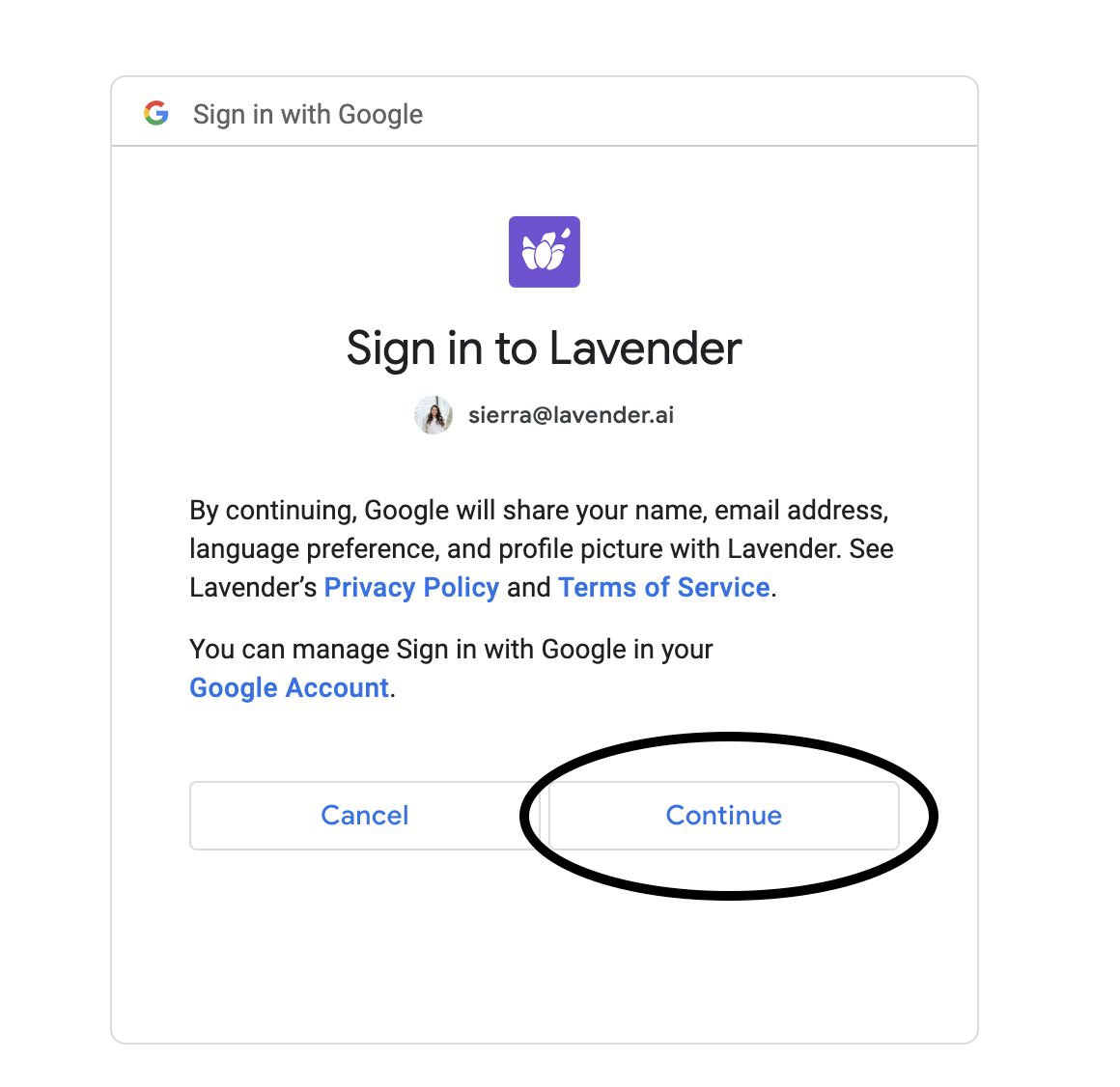
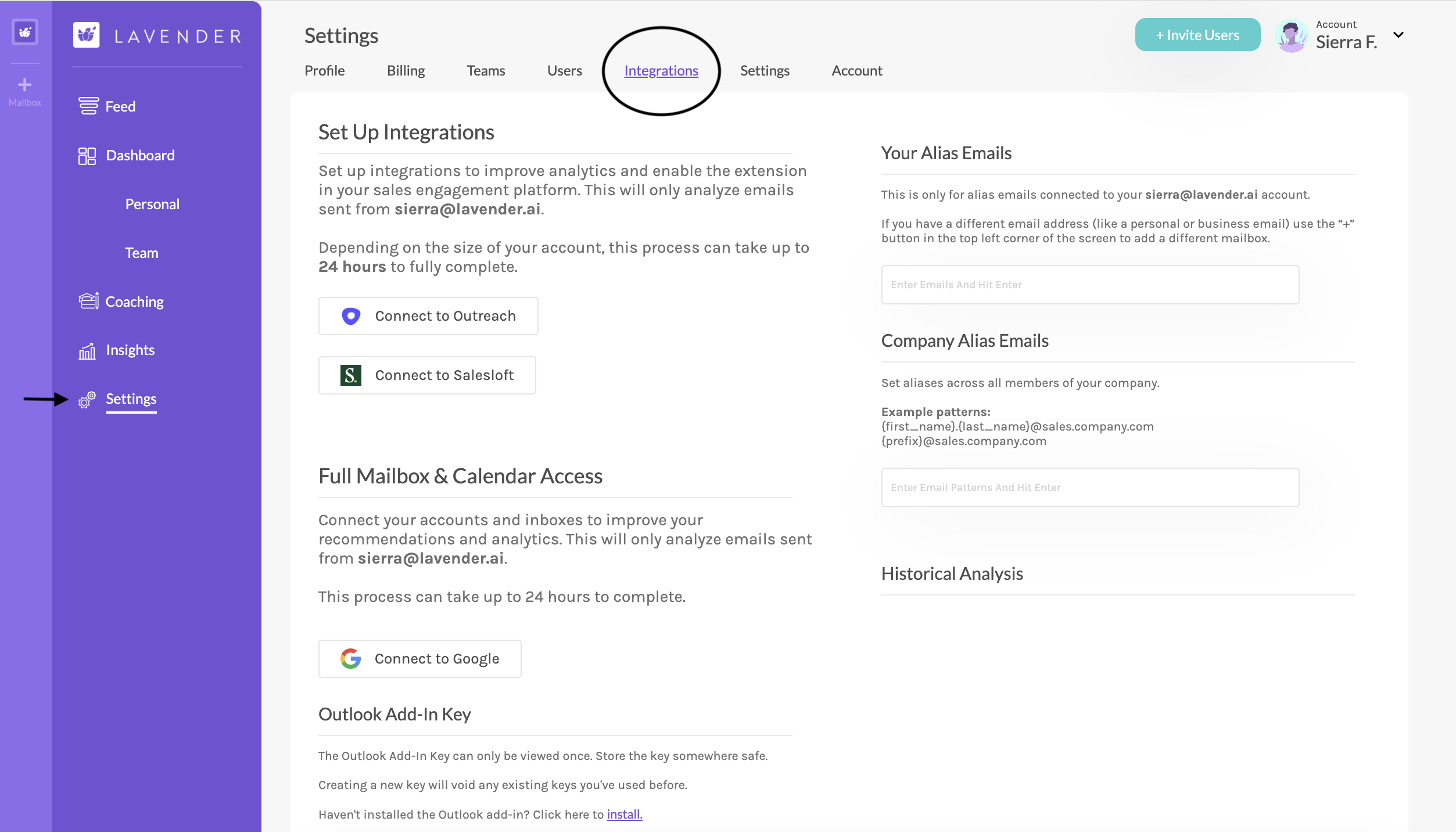
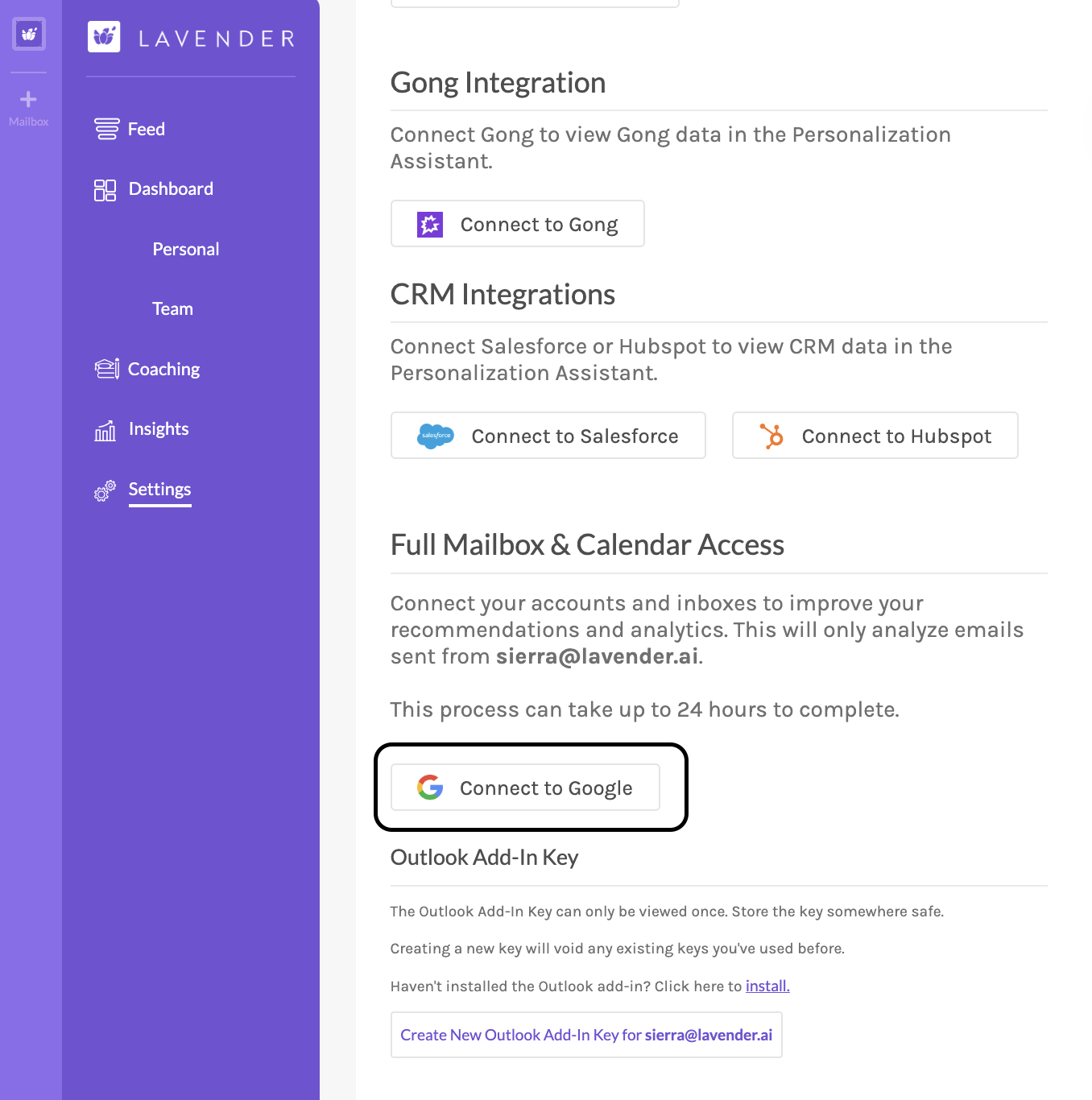
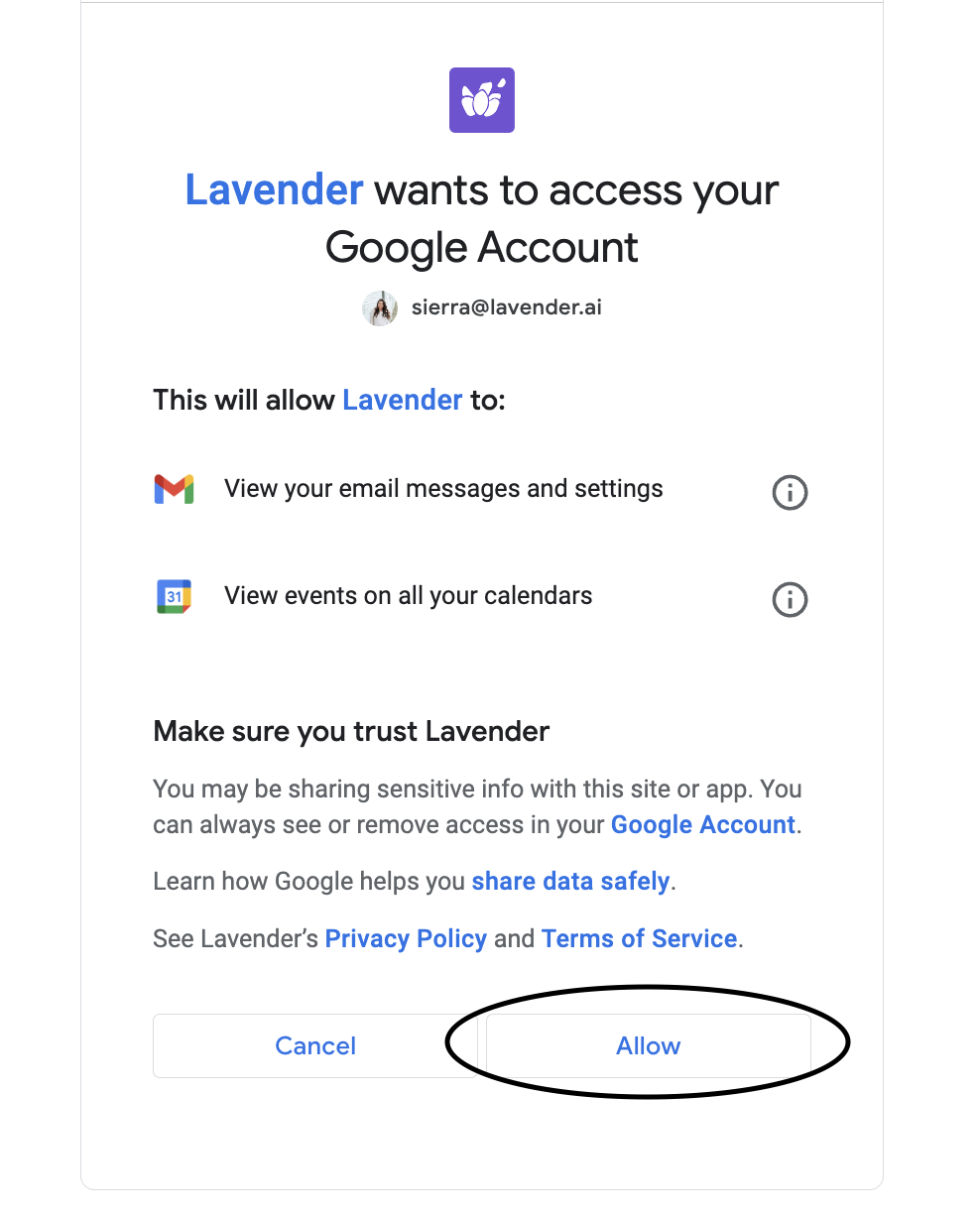
That's it! You've successfully connected your Gmail historical data to Lavender. 🎉
Troubleshooting Steps
Are you experiencing some issues with Lavender in Gmail? Use these steps to troubleshoot!
Sign out of Lavender and sign back in
Clear your browser cache
Browser caches can get bogged down with data, and processes can get stuck!
Restart your computer
Yes, really. 😆
Restarting your computer will often help clear out the cache in other apps, force updates to finish, etc.
Uninstall and reinstall Lavender
Note: When you uninstall and reinstall Lavender, you’ll want to double-check your Integrations and Settings in the Dashboard.
You may need to reconnect your integrations, toggle on Lavender Anywhere, etc.
💡 Still having issues?
If the issue persists, reach out to us at support@lavender.ai
We’ll be happy to help troubleshoot with you!
Information that would be helpful to share when you reach out to Support:
If you can provide a screenshot or recording of what you’re experiencing, that helps, too! 😃
Using Lavender in Other Google Workspace Apps
Did you know that Lavender isn't just for Gmail? It's also available in other Google apps like Google Docs, offering users a delightful and consistent experience across different platforms. How awesome is it to infuse a soothing touch of Lavender into your document creation process?
Lavender Anywhere is a feature for users on Starter, Pro, and Teams subscriptions.
It allows you to use Lavender features on other websites and platforms that may not directly integrate with Lavender!
It can be helpful with other uses, such as:
You can just head here to see the step-by-step guide on how to turn on Lavender Anywhere.
About the Author