How to integrate with Gong
Статья — практическое руководство по интеграции Lavender с Gong. Lavender теперь работает прямо внутри Gong: можно создавать и редактировать письма и шаблоны, использовать Email Coach, Boost Score, Mobile Editor, а также подтягивать записи звонков и саммари в Personalization Assistant. Для настройки нужно совпадение email в Lavender и Gong и тарифный план Individual Pro или Teams. Все отправленные письма отслеживаются в Lavender Analytics и привязываются к контакту в Gong. Интеграция доступна для пробного 7-дневного Pro-периода, при проблемах — поддержка по адресу support@lavender.ai.

How to integrate with Gong
Как настроить интеграцию с Gong
💜 Why Use Lavender in Gong?
💜 Зачем использовать Lavender в Gong?
Lavender now works directly within Gong, giving you a more powerful, personalized writing workflow without switching tabs.
Lavender теперь работает прямо внутри Gong, обеспечивая более мощный и персонализированный рабочий процесс написания писем без переключения вкладок.
Here’s what you can do:
Вот что вы можете делать:
Используйте Lavender при создании или редактировании писем и шаблонов в GongПолучайте доступ к записям звонков, ключевым моментам и саммари прямо внутри Personalization Assistant от LavenderПодтягивайте шаблоны, персонализируйте их с помощью Lavender и добавляйте в последовательностиОтслеживайте все отправленные письма в Lavender AnalyticsВсе email-активности привязываются к записи контакта в Gong
No more copying and pasting — just smarter, faster outreach.
Больше никакого копирования и вставки — только более умный и быстрый outreach.
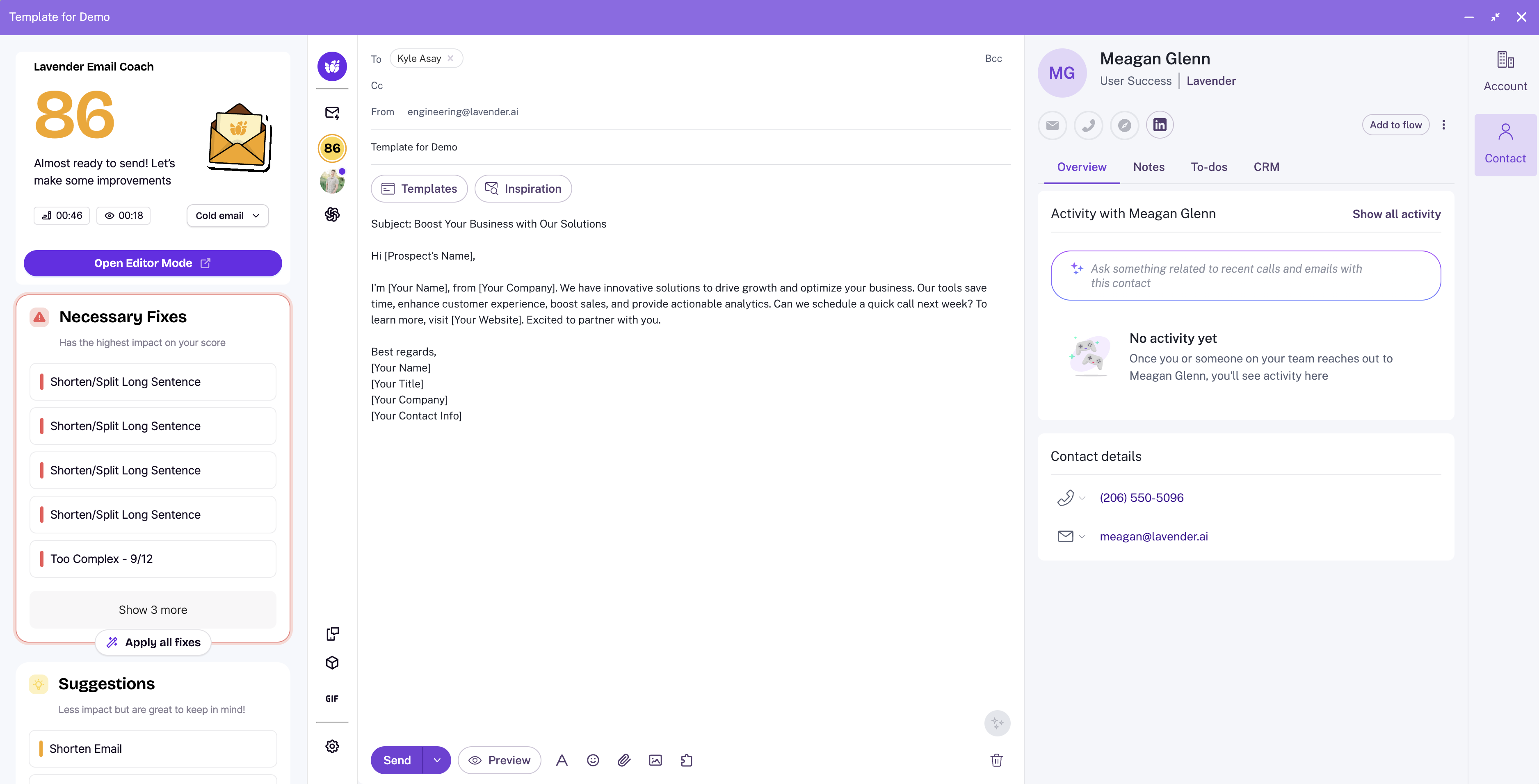
⚙️ How to Set Up Lavender in Gong
⚙️ Как настроить Lavender в Gong
Setup takes less than a minute:
Настройка займёт меньше минуты:
- You can check your plan here.
- If you need to upgrade, this article will explain how.
Убедитесь, что email для входа в Lavender совпадает с email для входа в GongУбедитесь, что у вас подходящий план: Individual Pro или TeamsПроверить свой план можно здесь. Если нужно перейти на более высокий план, эта статья подскажет, как это сделать.
That’s it! Lavender will now appear automatically when drafting or editing emails and templates in Gong.
Вот и всё! Lavender теперь будет автоматически появляться при создании или редактировании писем и шаблонов в Gong.
✍️ Using Lavender Inside Gong
✍️ Использование Lavender внутри Gong
Lavender works just like it does in Gmail or Outlook — only now it’s embedded directly inside Gong.
Lavender работает так же, как в Gmail или Outlook — только теперь он встроен прямо в Gong.
Here’s what you can do:
Вот что вы можете делать:
Используйте Email Coach для получения подсказок в реальном времениНажимайте Boost Score, чтобы мгновенно оптимизировать сообщениеИспользуйте Mobile Editor, чтобы посмотреть, как письмо выглядит на телефонеПросматривайте инсайты из звонков Gong прямо в Personalization Assistant для outreach с богатым контекстом
🛠️ Troubleshooting Lavender in Gong
🛠️ Устранение неполадок Lavender в Gong
Let’s double-check your setup:
Давайте ещё раз проверим настройки:
In Lavender:
В Lavender:
Head to your Dashboard and check to ensure your email is connected.
Перейдите в свой Dashboard и убедитесь, что ваш email подключён.
Для Gmail вы должны увидеть Disconnect from Google.
Для Outlook вы должны увидеть Disconnect from Outlook.
If they don't say disconnect - make sure you connect them now and use the same email you’re using with Gong!
Если там не написано disconnect — подключите их сейчас и используйте тот же email, что и в Gong!
In Gong:
В Gong:
Head to your name in the top navigation bar and click on My Profile.
Нажмите на своё имя в верхней навигационной панели и выберите My Profile.
Make sure your Gong account email is the same as your Lavender account!
Убедитесь, что email вашего аккаунта в Gong совпадает с email в Lavender!
A few notes:
Несколько замечаний:
All of our integrations, including Gong, are available on our Individual Pro or Teams plans.
Все наши интеграции, включая Gong, доступны на планах Individual Pro или Teams.
If Lavender isn’t appearing in Gong, you might be on our Basic or Starter plan. You can confirm which plan type you're on by checking here.
Если Lavender не появляется в Gong, возможно, вы на плане Basic или Starter. Проверить тип своего плана можно здесь.
Gong is available to try on our 7-day Pro trial!
Gong доступен для пробного использования в рамках 7-дневного Pro-периода!
If you run into any issues, please don’t hesitate to email us at support@lavender.ai
Если у вас возникнут проблемы, не стесняйтесь написать нам на support@lavender.ai
About the Author
Об авторе