Listings from data – Hamel’s Blog - Hamel Husain
Заметка Hamel Husain показывает, что для создания listing (списка) на странице Quarto необязательно иметь сами посты в блоге. Достаточно скомбинировать три YAML-файла: blog/_metadata.yml с настройками отображения (формат таблицы, сортировка по дате, поля date и name), blog/blogs.yml со списком записей (имя, путь, дата, категории и описание) и index.qmd, который через metadata-files и блок listing ссылается на эти файлы. Любую опцию из _metadata.yml можно переопределить, указав её позже во front matter. В качестве результата генерируется список постов в формате table, а также приводится минимальный пример с кодом на GitHub и ссылки на документацию Quarto по listings и shared metadata.
You don’t need to have blog posts to create a listing on a Quarto page. For example, you can combine the following three yaml files:
blog/_metadata.yml
listing: max-description-length: 75 date-format: short feed: true filter-ui: false type: table sort-ui: false sort: "date desc" categories: false fields: [date, name] field-links: [name] field-display-names: name: Title format: html: anchor-sections: true
This file specifies a list of blog posts that you can have elsewhere
blog/blogs.yml
- name: "nbdev + Quarto: A new secret weapon for productivity" path: https://www.fast.ai/2022/07/28/nbdev-v2/ date: 2022-07-28 categories: [Jupyter, Quarto, nbdev] description: | Our favorite tool for software engineering productivity–nbdev, now re-written with Quarto. - name: Notebooks in production with Metaflow path: https://outerbounds.com/blog/notebooks-in-production-with-metaflow/ date: 2022-02-09 categories: [Metaflow, Jupyter] description: | Introduces a new Metaflow feature that allows users to use notebooks in production ML workflows.
In the front matter of any page (like index.qmd) you can reference blogs.yml and _metadata.yml like so:
index.qmd
--- sidebar: false description: "A collection of technical blogs and talks on machine learning and data science." toc: true metadata-files: - blog/_metadata.yml listing: id: blog-listings contents: blog/blogs.yml --- ## Reference the listing somewhere on the page like this Subscribe via RSS: [<i class="bi bi-rss"></i>](index.xml) ::: {#blog-listings} :::
You can override any option specified in metadata.yml by setting that after metadata-files. Things that come later in the front-matter will override any inherited files.
Results
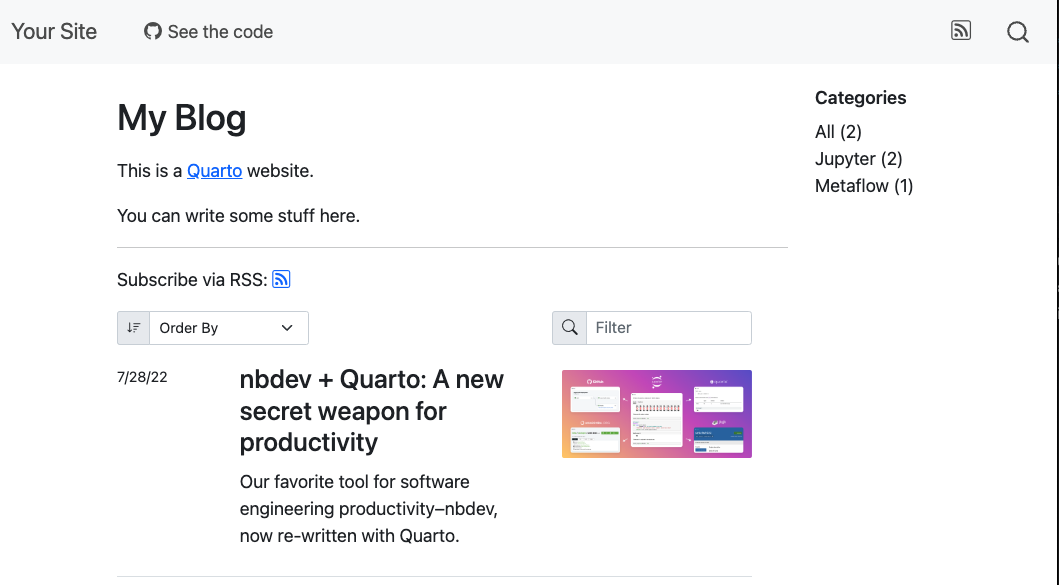
This will generate a list of blog posts that you can see here on my page, this is in the table format. However, you can have pictures on your listing as well, which you can see from the Minimal Example.
Minimal Example
Here is a minimal example of creating an index page of all your blog posts. It uses slightly different options than I did in the above example. You can see the code for that here.