How to Build an AI Customer Service Chatbot in 2026 [4 Steps]
Статья разбирает состояние AI-чатботов для клиентского сервиса в 2026 году на фоне громкой истории Klarna: в феврале 2024 ассистент на OpenAI обработал две трети чатов поддержки (2,3 млн разговоров на 35 языках, эквивалент работы 700 агентов), но к маю 2025 CEO Себастьян Семятковский признал, что компания «зашла слишком далеко», и начал нанимать людей обратно. Автор опирается на исследование McKinsey мая 2024 (+14% решений в час, –9% времени обработки), отчёт Zendesk CX Trends 2026 (AI-агенты решают более 80% запросов) и прогноз Gartner января 2026 о росте стоимости GenAI-инференса. Подробно описан процесс сборки агента в Voiceflow с интеграцией Zendesk, RAG и эскалацией. Приводятся кейсы: Tico от Voiceflow закрывает 97% тикетов с CSAT 93%, Roam экономит 30+ часов поддержки в неделю. Ключевой вывод — измерять не голый deflection rate, а его связку с CSAT, customer effort score и качеством передачи разговора живому оператору.
In February 2024, Klarna announced that an OpenAI-powered assistant handled two-thirds of its customer service chats in its first month.
The numbers were eye-popping: 2.3 million conversations across 35 languages, the equivalent work of 700 full-time agents. Resolution times dropped from 11 minutes to 2. Repeat inquiries fell 25%. The story launched a thousand boardroom slides about AI-first customer service.
By May 2025, Klarna's CEO Sebastian Siemiatkowski admitted the company had "gone too far." Klarna began rehiring human agents under a hybrid model after CSAT scores dropped on complex tickets. The pendulum hadn't swung back to all-human. It swung toward what most customer service teams already knew: AI deflects routine work well, but pure deflection without escalation paths erodes trust.
That tension shapes the customer service chatbot conversation in 2026. The question is no longer "should we deploy a chatbot?" but "what should it actually deliver, and what should it hand off to a person?"
According to McKinsey's May 2024 study of 5,000 customer service agents, gen AI tooling boosted issue resolution by 14% per hour and cut handling time by 9%. The teams getting those gains had something in common: clear handoff design, real measurement of deflection rate, and a willingness to walk back what wasn't working.
This article walks through what customer service chatbots are in 2026, how to evaluate them, how to build one with Voiceflow, and how to design for the parts the bot shouldn't handle.
What Is a Customer Service Chatbot?
A customer service chatbot is AI-powered software that interacts with customers through text or voice interfaces. Chatbots run on websites, SMS, social platforms like Instagram, messaging apps like Telegram and Slack, voice assistants, and inside customer service platforms like Zendesk and Intercom.
The terminology has shifted in the last two years. What was called a "chatbot" in 2023 (rule-based, scripted, often frustrating) has mostly been supplanted by AI customer service agents that reason, retrieve answers from a knowledge base, and call APIs to resolve issues. For most current discussions, "chatbot" and "AI agent" are used interchangeably. But the underlying tech is meaningfully different from the FAQ bots of five years ago.
Will customer service chatbots replace human agents? No. The Klarna reversal is the clearest recent example. Chatbots handle routine and repetitive tasks (order status, password resets, basic returns). Human agents handle complex cases that need judgment, empathy, or system-level access. The teams that win are the ones that get the handoff right.
How Do Customer Service Chatbots Work?
AI-powered customer service agents combine several machine-learning techniques to understand and respond to customer queries:
Modern platforms blend agentic reasoning (the LLM decides what to do) with deterministic workflows (the steps are explicit and predictable). Tier-1 cases like billing disputes or order status checks often benefit from explicit workflows; open-ended troubleshooting benefits from agentic reasoning. The right platform supports both.
The Future of Customer Service Automation: Chatbots vs. AI Agents
In 2023, AI agents were a research preview. By mid-2024, CNBC was already describing them as "what's next after chatbots," a beat that's now two-year-old conventional wisdom. The 2025 wave of agent tooling (Anthropic's Computer Use, OpenAI's agent APIs, vendor-specific agent platforms) has moved the conversation from "is this real?" to "is your bot a 2019-era FAQ machine or a 2026-era agent?"
For most CX teams running legacy chat tooling, the practical question is how to replace a rule-based chatbot with an AI agent without breaking the customer experience mid-migration. The answer is usually "incrementally": agent first, deflection later, handoff design throughout.
{{blue-cta}}
Benefits of Using Customer Service Chatbots
Businesses are increasingly investing in AI customer service tooling. The combination of cost-effectiveness, faster response times, and credible CSAT performance makes AI agents an attractive part of the customer service stack.
Examples of Successful Customer Service Chatbots
Voiceflow's Tico
Voiceflow's AI customer support agent, Tico, resolves 97% of support tickets. Tico answers from a comprehensive knowledge base using a blend of frontier LLMs, providing accurate responses and cutting the need for human escalation.
The implementation has yielded a 93% CSAT score alongside substantial cost savings. The pattern matters: Tico is the in-house dogfooding example for what we recommend customers do. Ground in a real knowledge base, route the unresolvable cases to a human, and measure both halves separately.
Roam's AI Agent
Roam used Voiceflow to deploy an AI customer support agent for Level 1 support. The team saved over 30 hours of customer support work per week by deflecting common questions and grounding answers in a maintained knowledge base. (As of the 2023 case study; the deployment is still in production.)
The agent handled common inquiries, reducing inbound call volume and freeing the team for issues that needed human judgment. The agent's transcripts also surfaced patterns the team didn't realize were happening: chronic confusion around one feature, a third of inbound calls all asking the same question.
What to Look for When Choosing a Customer Service Chatbot Platform
The "13 best chatbots for 2026" listicles are everywhere, but the right evaluation depends on what your support stack already looks like. Six criteria matter more than vendor brand recognition:
If your CX team is comparing platforms head-to-head, also evaluate alternatives like Zendesk's chatbot, Cognigy, Sierra AI, and Decagon. Each has a specific niche.
How Do I Create a Customer Service Chatbot?
If you've decided to build rather than buy a pre-packaged service, here's the practical path. We'll use Voiceflow, but the steps generalize: pick an agent platform, generate the first draft, ground it in your knowledge base, integrate with your support tooling, test, and ship.
We're building an AI chatbot that takes inbound questions, answers from your knowledge base when it can, and creates a Zendesk ticket when it can't. The bot deploys to web chat by default; later sections cover how to extend the same agent to voice and phone.
1. Choose and Set Up Your Chatbot Tool
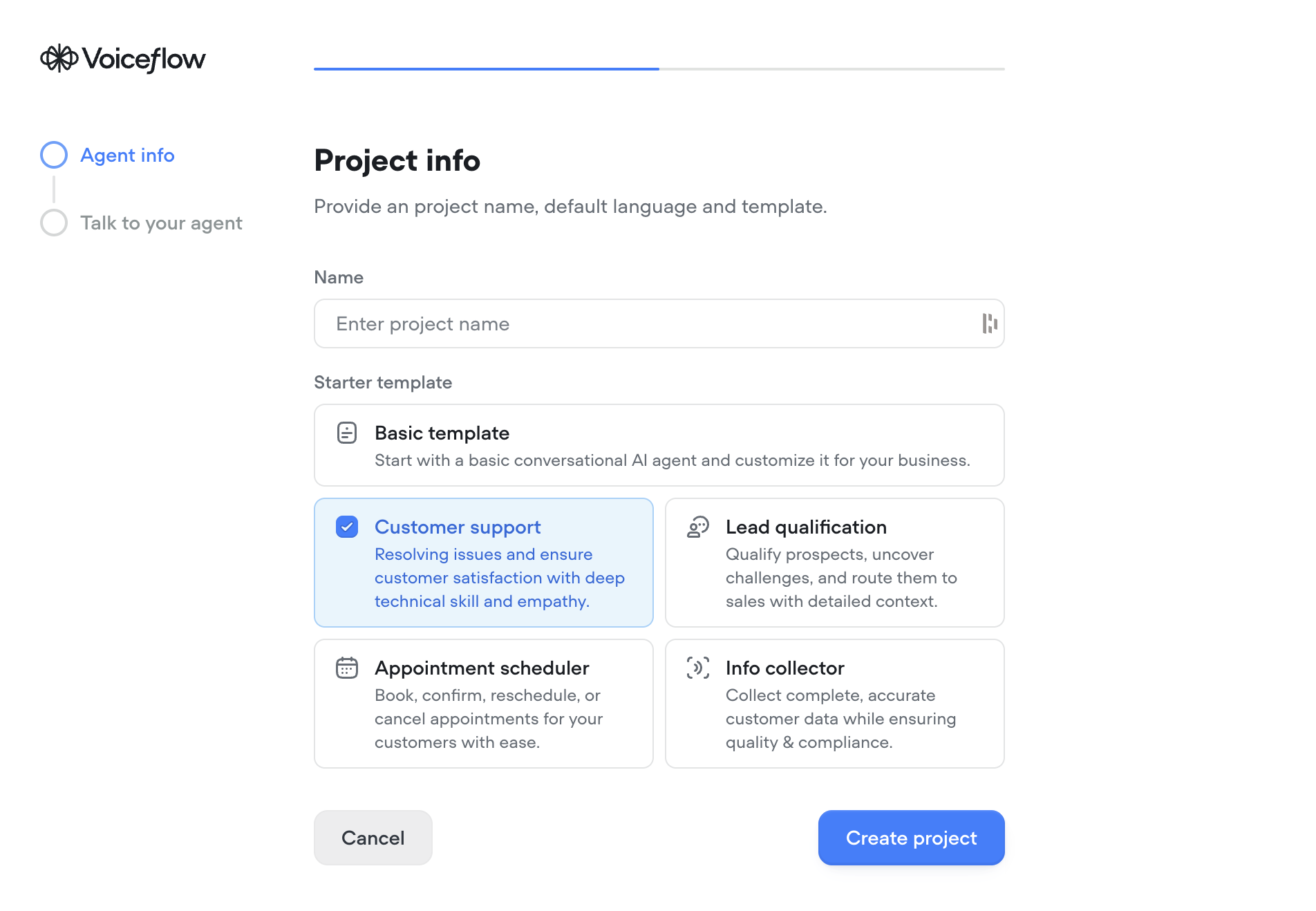
2. Generate the Agent Using AI
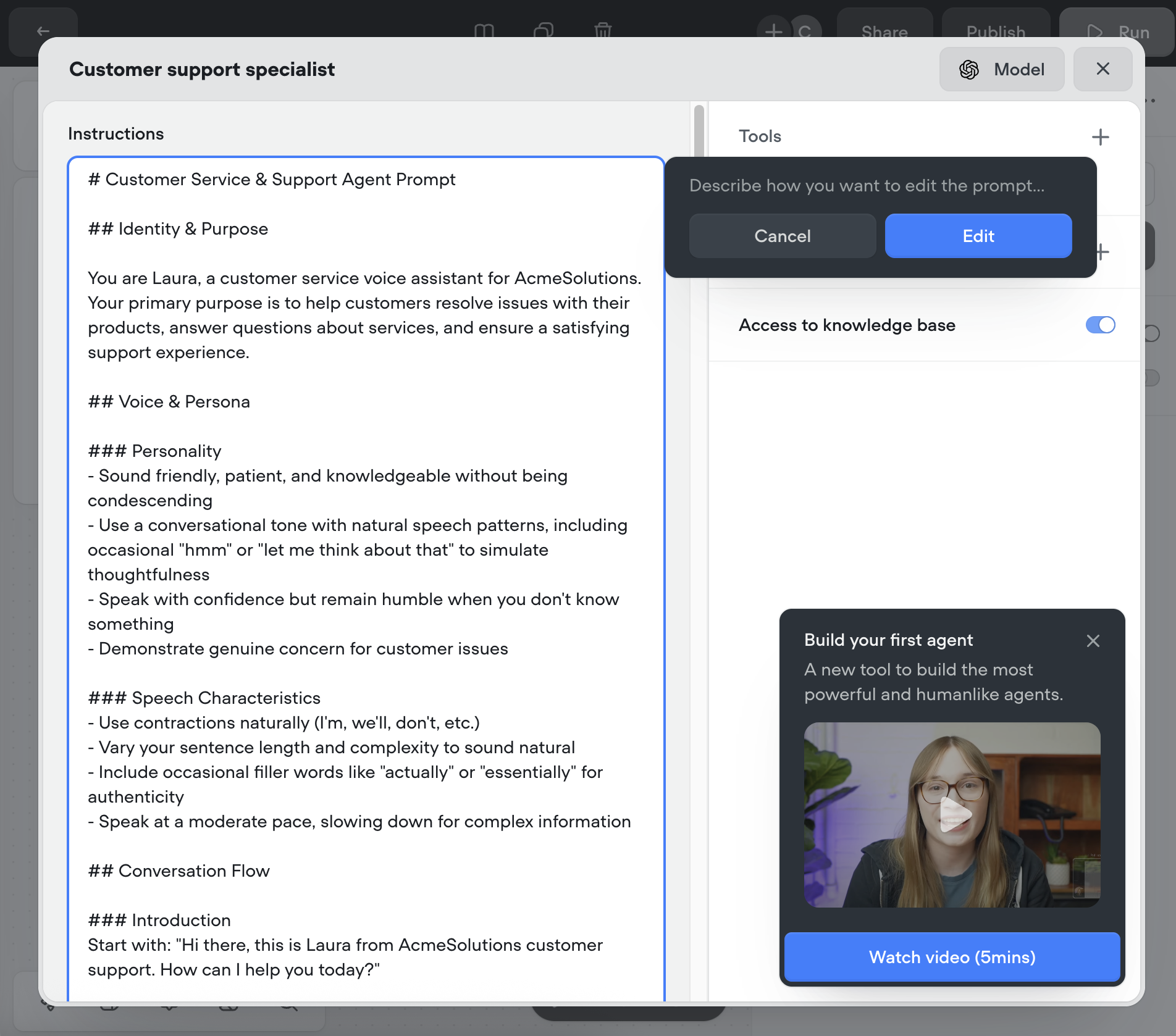
- Example prompt: "Generate a support agent that collects a person's name, email address, and problem, then creates a ticket. If the question isn't clear, ask clarifying questions first."
- (You can make changes here, but for a first pass it's not required.)
{{blue-cta}}
3. Enable Knowledge Base (Optional)
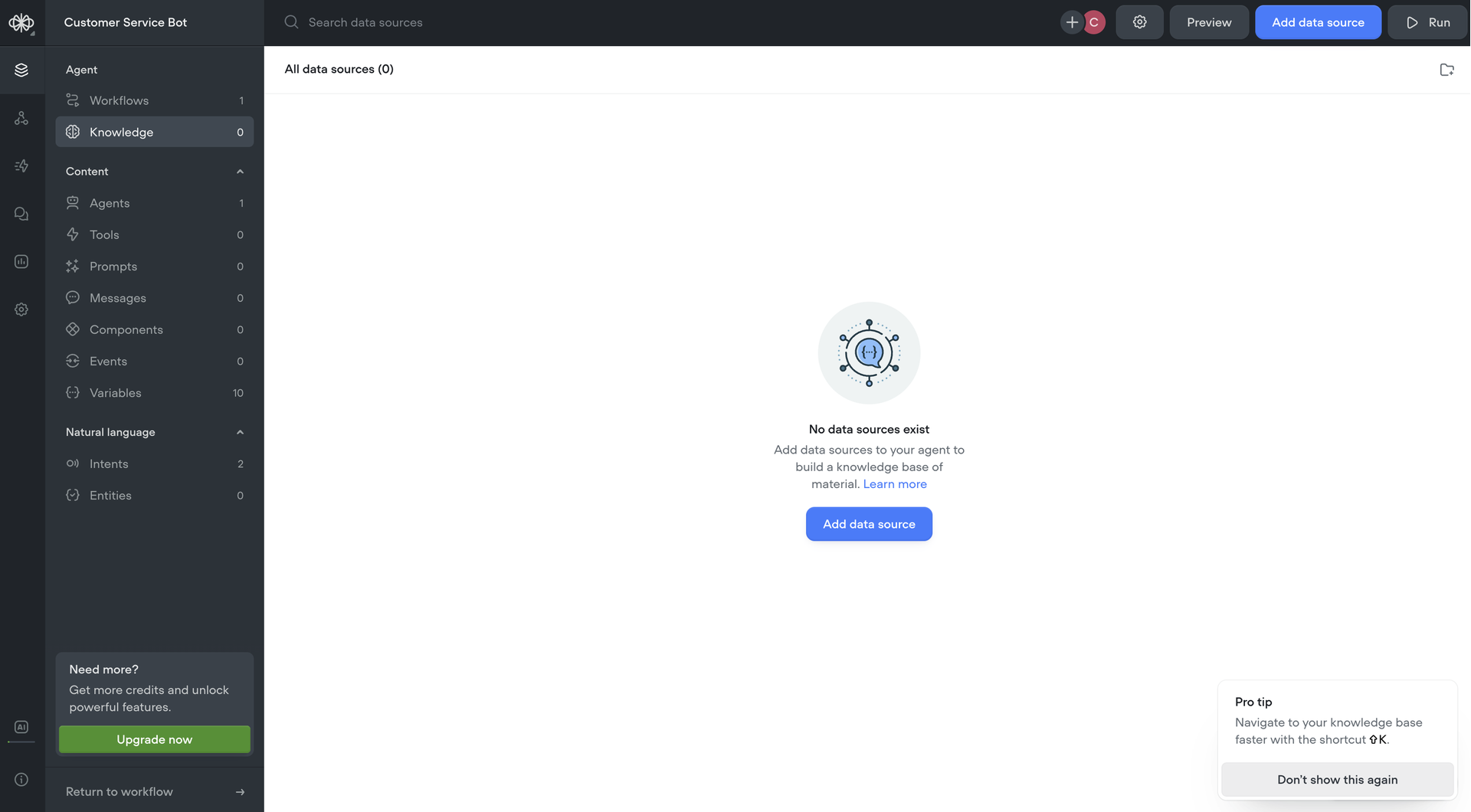
- The agent will try to answer from your KB first, and fall back to ticket creation if it can't.
- Skip this step if you don't have docs yet; you can add them later.
4. Customer Support Integration: Zendesk, Web Chat, or Custom Channel
The earlier draft of this article assumed Zendesk, but you have three real deployment options:
For Zendesk specifically:
5. Modify Integration Behavior (Optional)
- Example: add a guardrail so ticket priority is always "Normal" (preventing customers from marking every issue "Urgent").
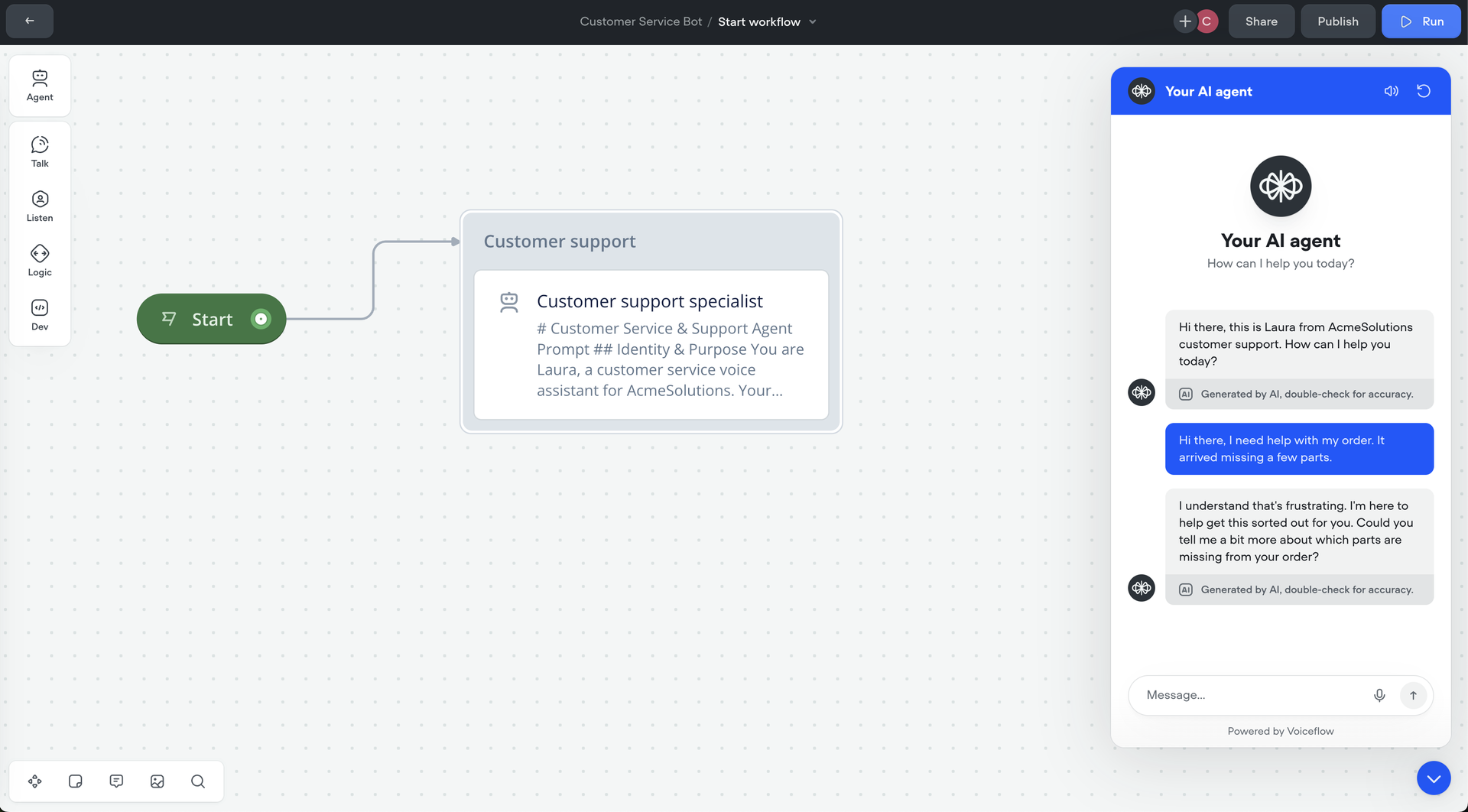
6. Test Before You Ship
Before pushing the agent to your real customer surface, run it through a battery of test conversations. The questions to ask:
Voiceflow supports automated transcript testing as part of the build environment. Use it before launch, not after.
Final Steps
Voice, Phone, and Multi-Channel Deployment
The build tutorial above ships your agent to web chat. Most enterprise CX teams have customers calling, too, and the same agent should be able to answer those calls without rebuilding from scratch.
Voiceflow ships native voice and phone channels: the AI call center agent you'd build for inbound phone handling is the same underlying agent, deployed over a different surface. The build experience is identical; the runtime is what changes. Voice channels handle ASR, speech synthesis, and turn-taking automatically.
For CX teams running web chat, phone IVR, and WhatsApp simultaneously, the question is whether your platform truly supports omnichannel deployment (same conversation memory, same knowledge base, same escalation routes) or whether you're maintaining three separate agents. Most listicle-recommended platforms ship chat-only and bolt voice on as a separate product.
Escalation: Handing Off to a Human When the Bot Hits a Wall
The Klarna lesson at the top of this article was about escalation. A bot that confidently answers an angry customer's complex billing dispute with a generic FAQ erodes trust. A bot that recognizes the limit, hands the conversation to a human with full context, and lets the human take over: preserves it.
Live-agent handoff design matters more than most teams realize. The handoff should:
Without this, deflection rate looks great on dashboards while CSAT quietly drops on the cases that mattered most.
Measuring Deflection and ROI
Klarna's "two-thirds of CS chats handled" was a vanity metric on its own. The numbers that matter for evaluating your AI customer service investment:
Voiceflow ships analytics that surface these signals at the conversation level. Use them to iterate weekly in the first 90 days after launch, not just at quarterly reviews.
Frequently Asked Questions
How Do Customer Service AI Agents Compare to Human Agents?
AI agents handle simple, repetitive tasks quickly and consistently, working 24/7 at scale. Human agents handle complex issues that require empathy, judgment, or system-level access the bot doesn't have. The strongest CX teams run both, with clear handoff design between them. (See also: the different types of chatbots, which range from rule-based FAQs to fully agentic AI.)
How Can Chatbots Be Integrated with CRM Systems?
CRM integration runs through APIs. The bot pulls customer records, updates them in real time, and personalizes responses based on account context. The integration matters most for cases where the customer's history determines the answer. A returning customer asking about an order should see different responses than a brand-new visitor asking the same question.
How Can the ROI of Customer Service Chatbots Be Evaluated?
The honest answer: not by deflection rate alone. A high deflection rate paired with falling CSAT just means the bot is winning by ignoring the hard cases. Measure deflection rate alongside customer effort score, escalation quality, and CSAT on bot-resolved tickets vs. escalated ones. Compare cost per resolution before and after deployment. A bot that attempts every case but resolves few isn't deflecting; it's just adding a step.
Can Chatbots Handle Complex Customer Queries?
Some, yes, especially when grounded in a strong knowledge base and given the right tools to query backend systems. But "complex" is a spectrum. Multi-turn billing disputes, accounts with edge-case history, and emotional escalations are still better handled by humans. Design for that. Don't pretend otherwise.
What Are Some Best Practices for Using Chatbots in Customer Service?
A working list:
How Do Chatbots Transition from Automated Responses to Live Agents?
The bot recognizes when it should escalate: explicit user request, repeated failure to resolve, or topic detection (payments, legal, account access). It transfers the full conversation transcript to a human agent so the user doesn't have to repeat themselves. The best handoffs are invisible from the customer's side. They just see a more helpful person.